
On this page
Start here
Quick answer
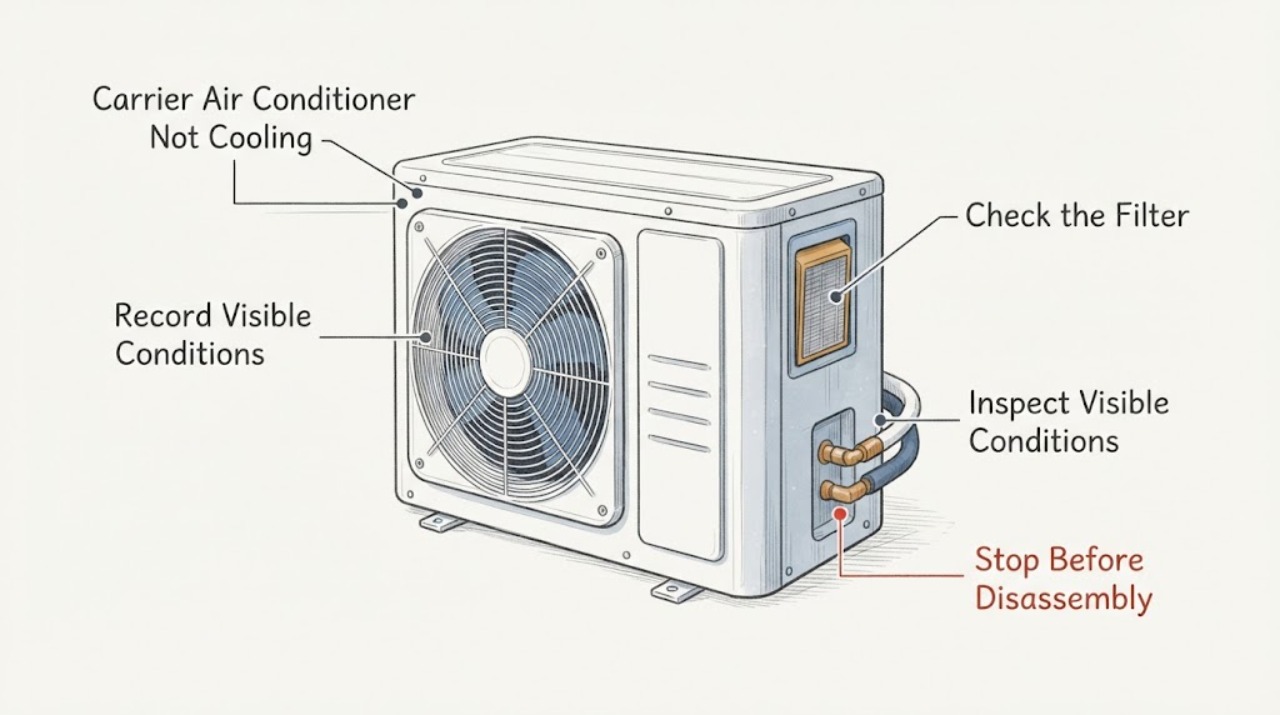
If a Carrier air conditioner is still not cooling after 30 minutes and a capacitor is suspected, do not assume the capacitor is the cause or open the outdoor unit. A weak capacitor can leave a compressor or fan humming, cycling, or unable to reach normal operation, but the same symptom can come from the thermostat, filter, airflow, breaker, outdoor fan, compressor, ice, or refrigerant. Check the thermostat mode, accessible filter, vent airflow, outdoor unit's visible condition, and ice or water from a safe position. Do not touch or test the capacitor: it can retain a dangerous charge even after power is disconnected. Turn the system off and call a qualified HVAC professional for buzzing, repeated cycling, ice, refrigerant concerns, smoke, burning odor, overheating, a breaker trip, or persistent no-cooling.
Work through in order
Diagnostic checks
Use only checks that match the exact appliance or system and its official guide.
-
Check 1
Read the thermostat display and record mode, set point, indoor temperature, fan setting, and whether the system has been calling for cooling for about 30 minutes. Do not repeatedly change modes to force a start.
Expected result: Record Cool, Heat, Off, Fan Only, Auto, a schedule or delay, a blank display, or an error message; note whether the indoor blower runs.
Next step: Correct only an obvious setting according to the thermostat instructions. If the call remains and cooling does not, continue with safe filter and outdoor observations; do not open controls.
Why this matters
Why: An incorrect mode, fan-only operation, schedule, or control message can mimic no cooling. A call for cooling with a running blower shifts attention to airflow and outdoor cooling operation.
-
Check 2
With the system turned off at the thermostat, inspect only the accessible air filter and visible return or supply openings.
Expected result: Record a clean, gray, wet, collapsed, or heavily blocked filter, and whether furniture or curtains visibly obstruct return or supply airflow.
Next step: If the filter is visibly due for replacement, use the exact size and orientation specified for the Carrier system. If airflow remains weak or cooling does not return, call HVAC service.
Why this matters
Why: A dirty or restricted filter can reduce airflow and contribute to poor cooling or ice; a clean filter does not clear the capacitor, compressor, fan, or refrigerant system.
-
Check 3
From a safe position, observe the outdoor unit during normal operation only if there is no smoke, odor, heat, arcing, or other hazard; do not remove the grille or panel.
Expected result: Record outdoor fan running, fan stopped, a hum without normal operation, repeated start-stop, no sound, loud noise, or visible debris near the exterior coil.
Next step: Do not keep restarting the system to compare sounds. Turn it off for a new hum, repeated cycling, loud noise, or stopped fan and request HVAC diagnosis.
Why this matters
Why: A stopped fan, hum, repeated cycling, or loud noise can involve a capacitor, motor, compressor, power, or control issue. A visible exterior observation cannot identify which component failed.
-
Check 4
Look from a safe position for ice on accessible lines or coils, water around the indoor unit, or a condensate safety indication. Do not touch the refrigerant line, scrape ice, or open the cabinet.
Expected result: Record no ice, visible ice, melting water, a wet electrical area, or an unclear condition.
Next step: Turn cooling off and call HVAC service for ice, water near electrical equipment, or recurring freeze-up. Do not use a heat source or tool to thaw the system.
Why this matters
Why: Ice or water with poor cooling can indicate restricted airflow, condensate, or refrigerant trouble. Ice is not evidence that the capacitor should be replaced.
-
Check 5
Read the visible HVAC breaker or disconnect state without removing a panel cover or touching the disconnect enclosure. Do this only from a dry, safe position and only if no warning sign is present.
Expected result: Record normal-looking on, off, tripped-looking, repeated trip, or an unclear state, and whether the indoor and outdoor sections have different power symptoms.
Next step: Only if comfortable, dry, and the product instructions allow it, one normal user reset may be attempted; if it trips again, leave it off and call an HVAC professional or electrician. Do not open the panel.
Why this matters
Why: A power interruption can stop the compressor or outdoor unit while the indoor blower appears to run. A breaker that trips again points to an electrical fault, not a reset routine.
-
Check 6
Record whether the system's no-cooling symptom began after startup, after running for about 30 minutes, after a power event, or after a prior repair, without changing wiring or opening the unit.
Expected result: Note indoor air temperature trend, vent airflow, outdoor sound, short cycling, warm air, and whether the system reaches the set point.
Next step: Give the timing and performance record to the HVAC professional. Do not run the system continuously just to prove the 30-minute condition.
Why this matters
Why: A compressor or capacitor problem may show at startup or during a long run, but timing alone cannot distinguish it from airflow, refrigerant, thermostat, or protection behavior.
-
Check 7
Prepare a service note with the Carrier model if known, exact 30-minute observation, thermostat state, filter condition, airflow, outdoor fan and sound, ice or water, breaker state, and any odor or cycling.
Expected result: The note shows whether the indoor blower runs, whether the outdoor compressor section responds, and whether the symptom is airflow, power, ice, sound, or performance related.
Next step: Keep the system off for persistent no-cooling or any warning sign and request qualified HVAC service.
Why this matters
Why: A complete history helps the technician safely decide whether to inspect the capacitor, compressor, fan, controls, refrigerant circuit, or airflow path without a guessed part replacement.
Use your observations
Decision map
Find the observation that best matches what you see, then follow the next safe action.
-
PATH 01Safety boundary
What you see
Do this next
Turn cooling off and call HVAC service. A capacitor, contactor, power, control, or compressor issue may be involved; do not open the outdoor unit or touch the capacitor.
Why this path and its safety boundary
Safety stop: Use the airflow, ice, breaker, or persistent-performance branch based on the visible symptoms.
-
PATH 02Safety boundary
What you see
Do this next
Check only the thermostat mode, accessible filter, registers, and visible outdoor condition. If those observations do not explain the issue, turn the system off and request HVAC diagnosis for airflow, refrigerant, compressor, fan, or capacitor possibilities.
Why this path and its safety boundary
Safety stop: A short delay that returns to normal may be operating behavior; record the event and follow the exact Carrier manual if it recurs.
-
PATH 03Safety boundary
What you see
Do this next
Turn cooling off and call HVAC service. Restricted airflow, condensate, or refrigerant trouble may be present; do not thaw with a tool or handle refrigerant.
Why this path and its safety boundary
Safety stop: Continue only with safe mode, power-state, and sound observations; do not infer a capacitor failure from no-cooling alone.
-
PATH 04Safety boundary
What you see
Do this next
Leave it off and call a qualified HVAC professional or electrician. Do not keep resetting, open the panel, or test the capacitor.
Why this path and its safety boundary
Safety stop: A normal-looking breaker does not clear the capacitor, compressor, control, or refrigerant possibilities; preserve the symptom record.
-
PATH 05Safety boundary
What you see
Do this next
Stop immediately, keep the system off and people clear, and seek emergency help for active fire, gas danger, or immediate electrical danger. Do not operate switches or restart the unit.
Why this path and its safety boundary
Safety stop: If no cooling persists after the safe observations, schedule qualified HVAC service rather than replacing a capacitor by guesswork.
Helpful context
Understand the symptom
Thirty minutes is a symptom window, not a capacitor test
After 30 minutes, note whether the indoor blower is moving air, whether the outdoor unit is running, whether the air is cool at the registers, and whether the thermostat is still calling for cooling. A capacitor may affect the compressor or fan, but a filter, thermostat, power interruption, ice, airflow restriction, refrigerant issue, or compressor fault can produce a similar result. Safe observation is useful; a capacitor test is not a homeowner check.
Keep the outdoor unit closed
Carrier states that capacitor replacement involves stored electrical energy and specialized safety steps. Do not remove the service panel, touch terminals, discharge the capacitor, measure voltage or capacitance, or handle refrigerant. If the unit is buzzing, overheating, cycling, or making a new loud noise, turn it off and request HVAC service.
Safety boundary
Stop conditions
- Stop immediately for smoke, burning or plastic odor, gas odor, visible arcing, hot wiring, fire, severe vibration, water near electrical equipment, or a breaker that trips again.
- Do not remove the Carrier access panel, outdoor grille, electrical cover, or disconnect cover; do not touch the capacitor, contactor, terminals, wiring, or refrigerant lines.
- Do not discharge or measure the capacitor, perform a live electrical test, bypass a safety control, add refrigerant, open the sealed system, or repeatedly restart the unit.
- Stop if ice is extensive, the unit is unstable, the floor is wet, or safe observation requires approaching a hazard.
When checks do not resolve it
Need a professional?
Call a qualified HVAC professional when the Carrier air conditioner still does not cool after about 30 minutes, especially when the outdoor unit hums, cycles, stays silent, or the capacitor is suspected. Turn it off and seek urgent service for ice, smoke, burning odor, gas odor, arcing, overheating, severe vibration, water near electrical equipment, or a repeated breaker trip.
Common questions
FAQ
Can a bad capacitor make a Carrier AC stop cooling after 30 minutes?
It can contribute to weak cooling, humming, or cycling, but the 30-minute timing does not prove a capacitor fault. Filter, airflow, thermostat, breaker, fan, compressor, ice, and refrigerant problems can look similar. Record safe observations and have an HVAC professional test the system.
Can I test or replace my Carrier AC capacitor after turning power off?
No. A capacitor can retain dangerous electrical energy after power is disconnected. Do not open the unit, discharge or measure it, or touch its terminals; qualified HVAC personnel should isolate, test, and replace it.
What should I check when my Carrier AC runs but does not cool?
From safe positions, check the thermostat mode, accessible filter, unobstructed registers, visible outdoor-unit condition, breaker state, and ice or water. If the unit hums, cycles, has ice, or still does not cool after the assigned window, turn it off and call HVAC service.
Should I keep running the AC for more than 30 minutes to see if cooling improves?
Do not keep running a system that is noisy, cycling, icing, overheating, or producing warm air without improvement. Turn it off for those signs and obtain professional service; repeated operation can stress the compressor or worsen an airflow or refrigerant problem.
Read the exact guide
Official sources
- AC Unit Not Turning On? Troubleshooting Steps & SolutionsCarrier · Carrier thermostat, filter, breaker, indoor and outdoor disconnect, capacitor or contactor, wiring, blower, and service escalation clues.
- Air Conditioner Not Cooling | AC Not Blowing Cold AirCarrier · Carrier no-cooling causes, filter and thermostat checks, ice and refrigerant clues, 30-minute symptom context, and professional escalation.
- Troubleshoot an Air Conditioner: 6 Steps to Fix an AC Not WorkingCarrier · Carrier air-conditioner thermostat, filter, breaker, ice, outdoor-unit, refrigerant, and high-voltage troubleshooting boundaries.
- What is an AC Capacitor? | Cost, Signs of Failure & ReplacementCarrier · Carrier air-conditioner capacitor function, no-cooling and humming clues, stored-charge hazard, and professional capacitor service.
Community feedback
Share a repair observation
Share a plain-text repair observation. Accepted observations are published automatically; this page may take a moment to update.