
On this page
Start here
Quick answer
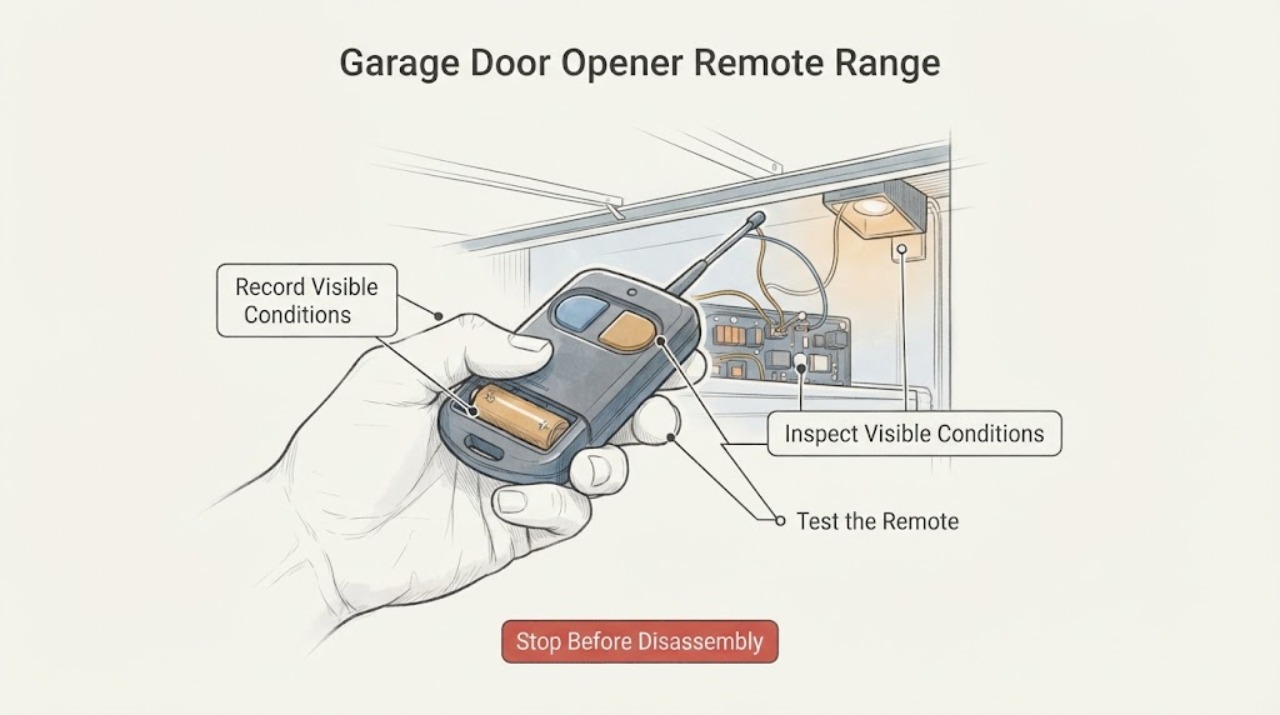
A garage-door opener remote that works only at short range is commonly affected by a weak remote battery, an antenna wire that is hidden or not hanging as intended, or radio-frequency interference from a bulb or nearby electronic device. First record whether the wall control still works and whether one remote or every remote is affected. Replace the remote battery only according to the exact remote manual, and from the floor inspect the opener's external antenna without climbing or opening the power head. If the problem began after an LED or CFL bulb, security device, router, vehicle accessory, or another electrical device was added, use only safe, reversible isolation with that device's normal power control. Do not splice or extend the antenna, retune the receiver, disable door safety equipment, climb to reach the opener, or work on wiring. If the wall control also fails, the door behaves unpredictably, or range remains poor for all remotes, arrange qualified garage-door-opener service.
Work through in order
Diagnostic checks
Use only checks that match the exact appliance or system and its official guide.
-
Check 1
With the door stationary, record the approximate point where the remote stops working, whether the wall-mounted control still works, whether one remote or every remote is affected, and whether the change followed a battery, bulb, device, or opener change.
Expected result: The wall control works but remote range is short, only one remote is affected, or all remotes changed at once.
Next step: Use the matching branch below. If the wall control also fails, the door behaves unexpectedly, or the timing is unexplained, stop range experiments and arrange opener/door service.
Why this matters
Why: A working wall control with one affected remote favors the remote or its battery. A working wall control with every remote affected favors the antenna, receiver environment, or RF interference. If the wall control also fails, the issue is broader than remote range.
-
Check 2
At ground level, inspect the accessible remote battery compartment and replace the battery only with the type and orientation specified by that remote's exact manual; do not open the opener power head or touch its wiring.
Expected result: The remote LED is weak or absent, or range returns after the correctly specified battery is replaced; alternatively, the remote remains short-range.
Next step: If only one remote remains affected, compare its condition with another compatible remote without changing opener wiring. If all remotes remain short-range, continue with the external antenna and interference observations.
Why this matters
Why: A weak or restored remote LED/range supports a remote-battery issue. No improvement keeps antenna, interference, remote damage, or receiver trouble in focus.
-
Check 3
From the floor and without a ladder, observe the opener's external antenna wire and the surrounding metal; record whether the wire hangs in the model-specified position, is tucked into a light cover, is visibly damaged, or is enclosed by new metal or building work.
Expected result: The wire is hidden, damaged, or clearly out of the model-specified position, or a recent metal change is nearby; otherwise the antenna looks accessible and unchanged.
Next step: Do not climb, splice, extend, retune, or open the opener. If the antenna cannot be corrected from a safe floor-level position exactly as the manual allows, record the model and request a qualified opener technician.
Why this matters
Why: A changed antenna position or metal obstruction can reduce reception. An inaccessible or damaged antenna needs model-specific service; an unchanged antenna makes local RF interference more likely but does not prove a receiver failure.
-
Check 4
List recently installed or newly powered LED/CFL bulbs, security equipment, Wi-Fi equipment, vehicle accessories, another opener, or other nearby electronics, then note whether remote range changes when an easily accessible device is turned off through its ordinary control; do not enter electrical panels or handle exposed wiring.
Expected result: Range improves only when one device or bulb is off, or it does not change with any safe local observation.
Next step: Leave the correlated device out of service as appropriate and follow the opener or device manufacturer's compatibility guidance. If no local source is identified, continue to the service handoff rather than attempting receiver adjustments.
Why this matters
Why: A repeatable improvement tied to one device supports RF interference. No change does not rule out an intermittent source, receiver fault, or location-dependent interference.
-
Check 5
Record whether every remote became short-range at the same time and whether the symptom occurs only at this property or location; do not repeatedly reset the opener or deliberately reproduce a hazardous door movement.
Expected result: All remotes are affected, the wall control remains reliable, and no local bulb or device explains the change.
Next step: Contact the opener manufacturer or installer with the opener model, remote model, timing, wall-control result, antenna observation, and local changes. Use an approved model-specific remedy only after professional guidance.
Why this matters
Why: A simultaneous all-remote change with a working wall control is consistent with receiver-side or environmental RF interference. A location-dependent pattern can occur near strong radio activity.
-
Check 6
If the opener and door otherwise operate normally, consult the exact model manual before attempting one compatible remote reprogramming procedure; record the model and any LED result, and do not erase all remotes, retune the receiver, disable safety beams, or test an unsafe door.
Expected result: Programming is unavailable for the model, fails, or the remote still has short range after the model-approved procedure.
Next step: Stop user-level troubleshooting and request qualified garage-door-opener service. If the door reverses, stalls, moves unexpectedly, or has visible spring, cable, track, or safety-sensor damage, keep people clear and treat it as urgent.
Why this matters
Why: A programming failure or persistent all-remote range fault needs model-specific receiver or opener diagnosis rather than repeated pairing attempts.
Use your observations
Decision map
Find the observation that best matches what you see, then follow the next safe action.
-
PATH 01Next step
What you see
Only one remote has short range and the wall control and another remote work normally.
Do this next
Replace the affected remote's battery according to its exact manual and inspect the remote for external damage. If it remains short-range, service or replace the remote according to manufacturer guidance; do not alter the receiver.
-
PATH 02Next step
What you see
Every remote is short-range but the wall control still works.
Do this next
Prioritize the external antenna position, metal changes, nearby bulbs/electronics, and location-dependent RF interference. If those observations do not identify a cause, contact the opener manufacturer or installer for receiver diagnosis.
-
PATH 03Next step
What you see
Range changes when an LED/CFL bulb or nearby device is off.
Do this next
Treat that device as the likely interference source and keep it out of the path while following the device and opener manufacturer's compatibility instructions. Do not disable electrical protection or open the device.
-
PATH 04Next step
What you see
The wall control also fails, the door reverses or stalls, or the door or opener has damage, smoke, heat, or an unexpected movement.
Do this next
Stop using the remote and opener, keep people clear, and arrange qualified garage-door service. Do not use the range symptom to justify door, spring, cable, track, sensor, or powered-unit repair.
Helpful context
Understand the symptom
Separate the remote path from the door and opener path
Start by noting the distance at which the remote stops responding, whether the wall-mounted control still operates the door, whether every remote has the same symptom, and whether the change followed a battery, bulb, appliance, or security-device change. A wall control that still works points attention toward the remote, antenna, receiver environment, or radio interference; it does not prove that the door hardware is safe or that the receiver is healthy. If the wall control also fails, treat this as a broader opener or door fault rather than only a range problem.
Check the antenna only from a safe position
With the door stationary, look from the floor at the external antenna wire. It should not be tucked into a light cover, deliberately hidden behind metal, visibly damaged, or in a position that conflicts with the exact opener manual. Do not use a ladder or roof, open the power head, touch wiring, splice the antenna, or install an extension based on a generic diagram. An antenna that cannot be safely viewed or is damaged is a service issue.
Treat newly changed electronics as a reversible clue
LED and CFL bulbs, security systems, Wi-Fi equipment, vehicle accessories, other openers, and other electrical devices can create radio interference even when they still appear to work normally. Record what changed and whether the symptom varies when an accessible device is turned off using its ordinary control. Do not repeatedly reset breakers, unplug equipment in a hazardous place, or make a long extension-cord experiment. If one device clearly correlates with the range change, leave it out of the diagnostic path and use the model manufacturer's compatibility guidance or request service.
Know when the environment is the cause
Interference can be location-dependent. The FCC has described cases in which nearby radio activity reduced opener range without making the door open or close on its own; the interior wall control was not affected. If every remote became short-range at the same time, the wall control remains reliable, and no local change explains it, record the location and timing and contact the opener manufacturer or installer for an approved receiver or transmitter solution.
Safety boundary
Stop conditions
- Stop immediately if the door moves unexpectedly, reverses incorrectly, stalls, drops, or has a damaged spring, cable, track, roller, or safety sensor.
- Do not climb a ladder or roof, reach above the safe floor-level viewing position, open the powered opener housing, touch exposed wiring, splice or lengthen the antenna, retune the receiver, or disable a safety device.
- If there is smoke, a burning odor, heat at a plug or outlet, arcing, damaged insulation, or repeated electrical trips, stop and obtain qualified electrical or opener service; do not reset repeatedly or handle the wiring.
- Do not keep cycling the door solely to compare range. Keep people, pets, and vehicles clear whenever the opener is operated.
When checks do not resolve it
Need a professional?
Call a qualified garage-door-opener technician when all remotes remain short-range after the safe battery, antenna, and interference observations; when the antenna or receiver needs access; when programming fails; or when the wall control, door movement, springs, cables, tracks, or safety sensors are also abnormal.
Common questions
FAQ
Why does my garage-door remote work only when I am close to the door?
A weak remote battery, antenna position, metal obstruction, LED/CFL bulb, nearby electronics, another opener, or location-dependent RF interference can all reduce range. First compare one remote with another and check whether the wall control still works.
Can an LED bulb make a garage-door opener remote lose range?
Yes. Some LED bulbs can emit radio interference near the opener. If the range change followed a bulb change, use a safe, reversible observation with that bulb and follow the exact opener manufacturer's compatibility guidance.
Should I replace or extend the garage-door opener antenna wire?
Do not splice, extend, or retune an antenna based on a generic instruction. Inspect it only from the floor; if it is hidden, damaged, or needs access above safe reach, have a qualified opener technician follow the exact model instructions.
What if the wall button works but none of the remotes reach the opener?
That pattern points toward a shared antenna, receiver, local interference, or environmental RF issue rather than one remote battery. Record the model, timing, nearby changes, and antenna observation, then contact the manufacturer or installer if safe local observations do not identify the cause.
Read the exact guide
Official sources
- Why is my garage door opener remote experiencing range issues?The Genie Company · Genie support answer describing common external interference sources; brand and model frequency details are not generalized to every opener.
- FAQ Page | ARQ™ universal remote control by ChamberlainThe Chamberlain Group LLC · Manufacturer FAQ for garage-door opener remote range, antenna position, metal, bulbs, and nearby electrical interference; use model manual for other opener designs.
- Consumers May Experience Interference To Their Garage Door Opener Controls Near Military BasesFederal Communications Commission · FCC notice documenting location-dependent interference near certain military installations; it is environmental context, not a model-specific repair procedure.
- I recently installed some LED light bulbs on my opener and noticed I lost a little range on my remote transmitter about the same time. Are the two occurrences related?The Genie Company · Genie support answer about some LED bulb types and nearby remote transmitters; confirm any replacement bulb or opener requirement in the exact manual.
Community feedback
Share a repair observation
Share a plain-text repair observation. Accepted observations are published automatically; this page may take a moment to update.