
On this page
Start here
Quick answer
A whirring motor with a bolt that will not throw usually means the motor is meeting mechanical resistance, the lock was not calibrated or handed for the door, the batteries cannot deliver enough power, or the drive connection is slipping. First compare smooth manual operation with the door open and closed, then inspect the bolt-to-strike path and test with fresh batteries. Do not force the door, keep cycling a stalled motor, pick the lock, or disassemble the lock while the door is closed. If the bolt will not move with the door open, the lock body is loose or crooked, the door cannot be secured, or the problem returns after alignment, stop and arrange locksmith service.
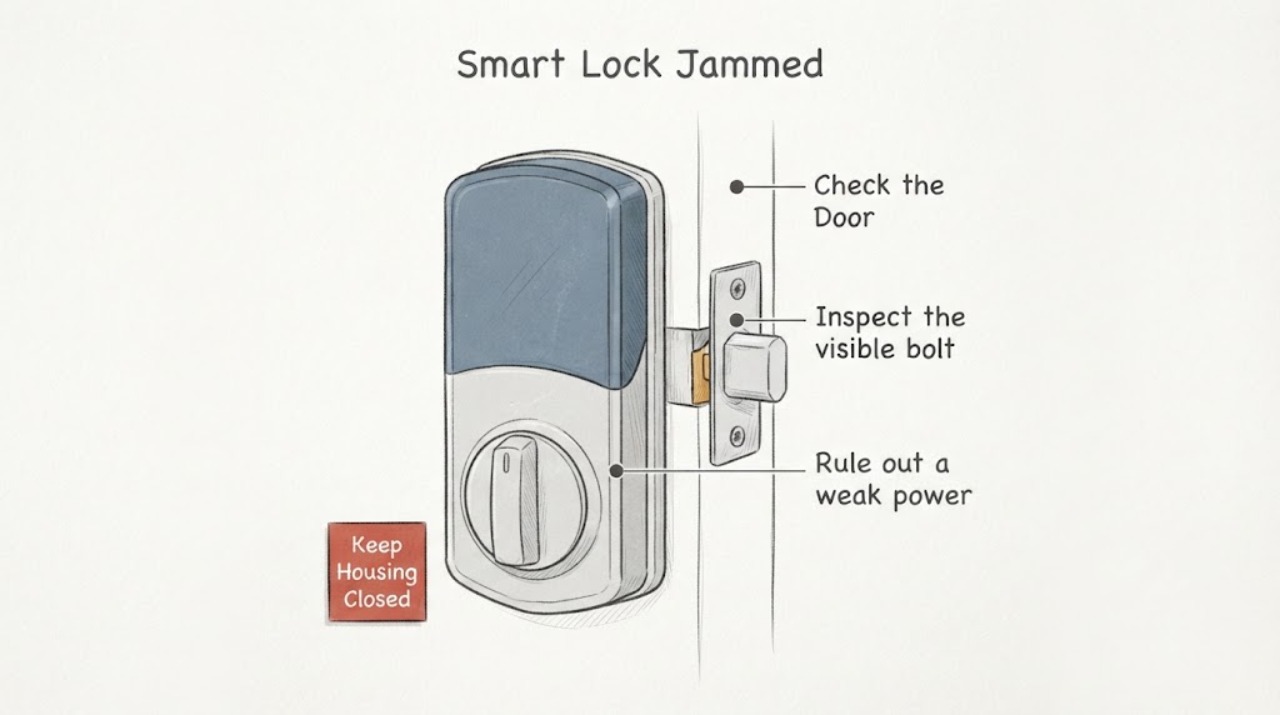
Work through in order
Diagnostic checks
Use only checks that match the exact appliance or system and its official guide.
-
Compare manual bolt movement with the door open and closed
Leave the door unlocked. From inside, slowly turn the lock's thumbturn or other normal manual control with the door open, then retract it, close the door gently, and repeat once without pushing, pulling, lifting, or slamming the door. Keep fingers clear of the bolt edge.
Expected result: The bolt moves smoothly in both positions; it is smooth open but rubs, stops, or needs pressure when closed; or it binds even with the door open.
Next step: Use the matching branch below. Do not run the motor again against a bolt that is visibly stopped or scraping.
Stop if: Stop if the thumbturn cannot be controlled normally, the bolt remains partly extended, the door will not open, the lock becomes hot, or the door cannot be kept safely unlocked.
Why this matters
Why: Smooth open-door movement with closed-door binding points to door, strike, frame, weather-seal, or installation load. Binding with the door open points away from strike alignment and toward battery, calibration, lock-body, or internal drive trouble. Kwikset and Google both use this open-versus-closed distinction in their troubleshooting guidance.
-
Inspect the visible bolt and strike path
With the door open and the bolt retracted, look at the bolt face, door-edge plate, strike plate, and the visible opening in the frame. Then close the door gently and observe whether the bolt is centered on the opening or contacts an edge. Look for paint, dirt, a shifted plate, weatherstripping pressure, or a visibly shallow opening; do not chisel, file, bend hardware, or remove the strike.
Expected result: The bolt is centered and clear; it contacts the top, bottom, or side of the strike; debris or paint is visible; the door must be pushed or pulled to line up; or the opening cannot be assessed without removing hardware.
Next step: Photograph the contact area, leave the lock unlocked, and request alignment work if the strike or frame needs repositioning or enlargement. If the path is centered, continue to the battery and open-door branch rather than altering the frame.
Stop if: Stop if the door is binding, the frame is split, the strike is loose, the bolt is damaged, the lock is the only means of egress, or any correction would require cutting or removing installed hardware.
Why this matters
Why: Contact at one edge, a door that must be pulled or pushed, or a visible obstruction explains why a motor can whir without completing the throw. Google and Kwikset note that frame movement, weather changes, debris, weatherstripping, and inadequate clearance can create this jam pattern. A centered path does not rule out a loose lock body or an internal fault.
-
Rule out a weak power supply without opening the lock
Check the app or keypad for a low-battery indication if your model provides one. With the door open and the bolt fully retracted, install a complete set of fresh batteries of the type specified by the exact lock manual, observing polarity and keeping the door available for manual exit. Run one normal lock command only.
Expected result: The motor completes the throw with fresh batteries; it still whirs without moving the bolt; it clicks or stops quickly; or the lock reports a low-battery or jam condition.
Next step: If the open-door cycle succeeds, repeat only the gentle closed-door manual check and use the alignment branch if it binds. If it fails open-door, stop motor testing and arrange model-specific support or a locksmith inspection.
Stop if: Stop for leaking or swollen batteries, corrosion, heat, a burning smell, damaged contacts, a lock that cannot remain unlocked, or any need to open a powered assembly.
Why this matters
Why: Improvement with fresh batteries makes power delivery a plausible contributor, but it does not excuse closed-door friction. A whir or stall with the door open after a correct battery change points toward calibration, the lock-body connection, or an internal drive fault. Kwikset identifies low power, handing, and mechanical jamming as separate checks.
-
Check for visible lock-body or installation movement
With the door open and the bolt retracted, view the keypad, interior lock body, door-edge plate, and thumbturn from square-on. Note whether any part is crooked, rocks when the normal thumbturn is used, has a pinched cable visible without removing a cover, or was recently reinstalled. Do not remove the lock, loosen through-bolts, bend the spindle, or force the body square.
Expected result: The lock stays square and still; the interior or exterior body shifts; the thumbturn rubs after installation; the cable is visibly pinched; or the installation history is unknown.
Next step: Record the lock brand and model from the label or app, photograph the installed position, and follow only the exact manufacturer's documented calibration or handing routine with the door open. If the body moves or the cable is damaged, request locksmith or manufacturer service.
Stop if: Stop if access requires removing the interior assembly, the door cannot stay unlocked, wires or battery contacts are exposed, or the lock has been forced or damaged.
Why this matters
Why: A crooked or moving body can load the drive or leave the tailpiece and lock mechanism out of alignment. A recently installed lock may also need the exact model's documented handing or calibration sequence. This visual check cannot identify a compatible replacement part or prove that a cable or coupler has failed.
-
Prepare the model-specific clearance and service handoff
Record the exact lock brand and model, whether the fault happens open or closed, the direction and sound of the motor, the contact point on the strike, battery condition, recent door or lock work, and any app or keypad message. Use the installation guide only to identify the required strike-pocket clearance and calibration procedure; do not modify the frame from a generic measurement.
Expected result: The record shows closed-door-only resistance, an open-door motor failure, a recent installation or reinstallation, a damaged or moving lock body, or an unresolved condition.
Next step: Send the photos and test results to a locksmith or the lock manufacturer and keep the door unlocked until the bolt can be operated smoothly by the documented method. If the door cannot be secured, arrange prompt service.
Stop if: Do not pick, bypass, drill, force, or electrically defeat the lock, and do not keep retrying a stalled motor while the cause is unknown.
Why this matters
Why: These observations separate an alignment visit from a lock-mechanism or installation diagnosis. Manufacturer pages warn that model-specific handing, strike fit, and installation details differ, so a generic replacement or frame modification cannot be selected from a whirring sound alone.
Use your observations
Decision map
Find the observation that best matches what you see, then follow the next safe action.
-
PATH 01Safety boundary
What you see
The bolt moves smoothly with the door open but rubs, stalls, or needs push/pull pressure with the door closed.
Do this next
Treat the issue as a door-and-frame alignment or clearance problem first. Leave the lock unlocked, provide the contact photos, and have a locksmith align the strike, door, and lock according to the exact hardware instructions.
Why this path and its safety boundary
Safety stop: Do not force the bolt, repeatedly run the motor, chisel the frame, bend the strike, or use the smart lock as a substitute for a door that cannot close and latch normally.
-
PATH 02Safety boundary
What you see
The bolt binds or fails even with the door open, including after a correct fresh-battery test.
Do this next
Stop motor commands and request model-specific locksmith or manufacturer service to assess calibration, lock-body seating, the drive connection, and the internal mechanism.
Why this path and its safety boundary
Safety stop: Do not remove the interior assembly, bridge contacts, bypass the lock, or order a motor or coupler solely from the sound.
-
PATH 03Safety boundary
What you see
The problem began after installation, battery removal, or lock reinstallation, or the exact model reports a handing or calibration problem.
Do this next
Keep the door open and use only the exact manufacturer's documented calibration or handing sequence; if the sequence is unavailable or fails, arrange service.
Why this path and its safety boundary
Safety stop: Do not guess a button sequence, calibrate with the door closed, or lock the door while testing an unfamiliar routine.
-
PATH 04Safety boundary
What you see
The door cannot stay unlocked for testing, the bolt is partly extended, the lock is damaged, or the door cannot be secured reliably.
Do this next
Stop using the lock and arrange prompt locksmith service; use only a documented, safe backup entry method if one is already available.
Why this path and its safety boundary
Safety stop: Do not force entry, pick or bypass the lock, drill the hardware, or leave an exterior door relying on a partially engaged bolt.
Helpful context
Understand the symptom
A motor sound does not prove that the electronics are bad. A smart deadbolt can spin while the bolt is pressed against the strike, a frame pocket is too shallow, the door is pushing sideways on the bolt, or the internal drive is no longer transferring motion. Manufacturer troubleshooting for several smart-lock families starts by separating an open-door test from a closed-door test and checking whether the bolt moves without friction.
The key decision is whether the resistance exists in the door and frame or inside the lock. If the bolt moves smoothly with the door open but stalls only when closed, alignment or clearance is the leading branch. If it still will not extend or retract with the door open, fresh batteries and the exact model's calibration or handing procedure are reasonable next checks; a persistent open-door failure needs service rather than repeated commands.
Keep the door available for safe testing
Keep the door unlocked while testing and have the physical key or another documented backup available if your model provides one. Take photos from a safe position instead of forcing the bolt. Do not remove the interior assembly, bend a spindle, enlarge a frame opening, or bypass an electronic lock to regain access; those jobs can damage the door or leave it unsecured.
A small seasonal shift can be enough to make a previously quiet motor stall. A successful open-door test therefore does not clear the installation: it means the next inspection should focus on the door edge, strike opening, weather seal, and the way the closed door loads the bolt.
Only after diagnosis
Potential parts
- smart-lock deadbolt or latch assembly
Consider this category only if the bolt fails with the door open after fresh batteries and the exact model's calibration or handing procedure, and a locksmith confirms the latch mechanism is damaged or binding internally.
Match the exact brand, model, door thickness, backset, handing, and manufacturer fit information before ordering; a generic deadbolt assembly may not work with the electronic drive. - smart-lock drive coupler or tailpiece
Consider this category only when manual bolt movement is smooth with the door open but the motor spins without transferring motion, and a model-specific inspection confirms a worn or disconnected drive connection.
Do not infer fit from the whirring sound. Confirm the exact lock revision and approved service procedure; internal disassembly should be handled by the manufacturer or a locksmith. - deadbolt strike plate
Consider this category only if the bolt contacts the strike or frame when closed and alignment service confirms the existing plate is damaged, unsuitable, or cannot provide the required clearance.
Match the bolt geometry, frame construction, screw pattern, and exact lock instructions. A new plate is not a substitute for correcting a sagging or shifted door.
When checks do not resolve it
Need a professional?
Request locksmith service when the bolt fails with the door open, the body or strike is loose or damaged, alignment requires hardware or frame changes, a model-specific calibration fails, or the door cannot be secured. Treat an unsecured exterior door or a lock that cannot be kept unlocked during testing as prompt service needs.
Common questions
FAQ
Does a whirring motor mean the smart lock motor is bad?
Not by itself. A motor can run while the bolt is blocked by a misaligned strike, shallow or obstructed frame opening, door pressure, or a loose installation. If the bolt still fails with the door open and fresh batteries, an internal drive or calibration problem becomes more plausible and needs model-specific service.
Why does the smart lock work with the door open but not when closed?
The closed door may press the bolt against the strike or frame. A shifted door, weather seal, debris, loose strike, or inadequate clearance can create enough friction to stall a small motor. The right repair is alignment and clearance work for the exact door and lock, not repeated motor commands.
Should I keep pushing or pulling the door while it locks?
Use push or pull only as an observation during one gentle manual test, not as a normal workaround for an automated lock. If pressure is required, the door and strike are not aligned well enough for reliable smart-lock operation; keep it unlocked and arrange alignment service.
Can fresh batteries fix a smart lock that whirs but does not throw the bolt?
Fresh batteries can help when the old cells are weak, but they cannot correct a bolt hitting the frame or a slipping mechanical connection. Test once with the door open after installing the battery type specified by the exact manual, then stop if the bolt still does not move.
When should a locksmith inspect the lock?
Request a locksmith when the bolt binds with the door open, the lock body moves or is damaged, a calibration routine fails, the door cannot be secured, or alignment needs cutting, repositioning, or hardware removal. Stop immediately if the door cannot remain safely unlocked during testing.
Read the exact guide
Official sources
- Troubleshoot Nest × Yale Lock locking or unlocking problems - Android - Google Home and Nest HelpGoogle Home and Nest Help · Supports the open-versus-closed calibration check, door and strike alignment clues, debris and friction observations, and professional stop boundary.
- When I try to lock the Halo deadbolt, it makes noises but doesn’t lock.Kwikset · Supports checking handing, bolt-hole clearance, closed-door alignment, and mounting conditions when a smart deadbolt makes noise but does not lock.
- Nest × Yale Lock installation and setup - Google Home and Nest HelpGoogle Home and Nest Help · Supports the warning that precise installation alignment, the supplied strike, lock orientation, and closed-door calibration matter.
- smart lock, no motor, does it exist?Reddit, r/homeautomation · Anecdotal community report about motor stalls caused by deadbolt drag from door and frame movement.
- How to install a deadbolt lockSchlage · Supports the general mechanical test that a deadbolt should extend and retract smoothly and that dragging against the strike requires alignment work.
- How do I check door alignment for my smart lock?Kwikset · Supports comparing manual operation with the door open and closed, checking strike alignment, weatherstripping, and overtightened installation hardware.
- I Have Installed My Kevo Smart Lock But The Latch Will Not Correctly Extend Or Retract/I Hear A Clicking SoundKwikset · Supports the calibration or handing branch and checking misalignment, friction, and latch-hole depth after a clicking or failed throw.
- The Deadbolt Does Not Lock The Door And Kevo Convert Beeps/Lights Up Red.Kwikset · Supports explaining that a bolt-jam condition means the deadbolt did not fully extend and that door pressure, seasonal movement, and friction can affect motor performance.
Community feedback
Share a repair observation
Share a plain-text repair observation. Accepted observations are published automatically; this page may take a moment to update.