
On this page
Start here
Quick answer
A Monogram refrigerator can appear not to start while its display is asleep or while the compressor is between normal cycles. Wake the controls, check the interior light and temperature, and listen for a normal fan or compressor cycle. If the cabinet is warm and there is no response at a live outlet, or a breaker trips again, stop and arrange qualified service.
Before you begin
Safety first
- Do not remove covers, bypass a breaker, probe live wiring, or work on the sealed refrigeration system.
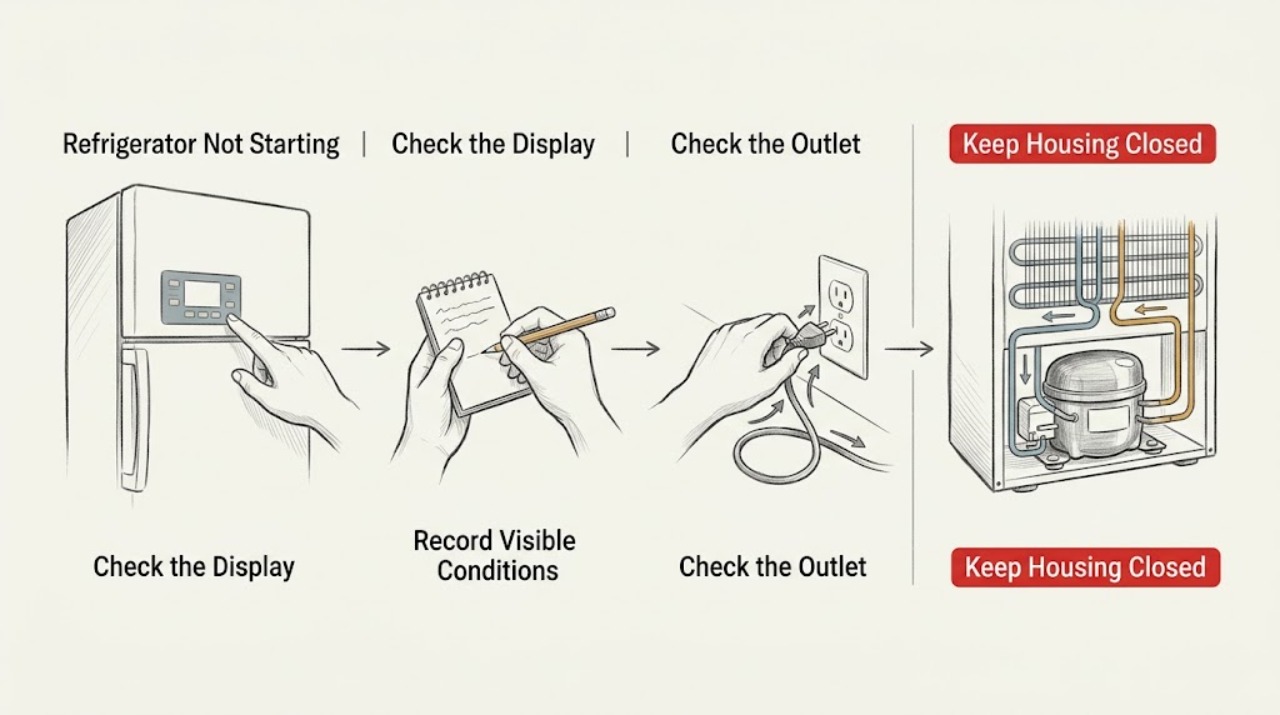
Work through in order
Diagnostic checks
Use only checks that match the exact appliance or system and its official guide.
-
Check 1
Open the door and press a normal temperature or light control to wake the panel, then note the interior light and any alarm or display response.
Expected result: The panel wakes, the light works but controls do not, or neither responds.
Next step: Continue to the safe outlet and breaker checks without removing any panel.
Why this matters
Why: A sleeping display is not a start failure; partial response points to control behavior; no light or response makes supply power more likely.
-
Check 2
Check whether the refrigerator and freezer are actually warming and listen from outside for fans, compressor hum, or a brief start attempt. Record the time since installation or a recent power interruption.
Expected result: Temperatures are stable, the unit is cooling but quiet, or both compartments are warming with repeated clicks.
Next step: Do not repeatedly power-cycle a unit with clicking or overheating; document the pattern for service.
Why this matters
Why: Stable temperature supports normal cycling; warming with repeated attempts suggests a start or control problem rather than a display issue.
-
Check 3
Inspect the plug and accessible outlet for looseness, damage, or heat, and test the outlet with a safe known-working device. Check the labeled breaker only once if it has tripped.
Expected result: The outlet is dead, the plug/outlet is damaged, the breaker trips again, or the outlet works normally.
Next step: Use an electrician for the outlet or repeated trip and appliance service for a live outlet with no start.
Why this matters
Why: A dead or damaged supply is a household electrical issue; a repeat trip is a protection response; a live outlet with a nonresponsive refrigerator shifts the problem inside the appliance.
-
Check 4
Confirm the doors close fully and the vents are not blocked by food; compare the current temperature with the model's normal target without making several setting changes at once.
Expected result: A door or airflow obstruction is present, or the cabinet remains warm with clear airflow and normal settings.
Next step: Correct only the accessible obstruction and monitor one cycle; do not access sealed-system or electrical components.
Why this matters
Why: A closure or airflow issue can create a warm complaint even when the refrigeration system runs; a persistent warm cabinet after these checks needs service.
Use your observations
Decision map
Find the observation that best matches what you see, then follow the next safe action.
-
PATH 01Next step
What you see
The display and interior light work and temperatures are normal
Do this next
Monitor without repeated resets and consult the model manual if the display behavior recurs.
Why this path and its safety boundary
Why it matters: The refrigerator is likely cycling normally or the display was asleep.
-
PATH 02Next step
What you see
The cabinet is warm and repeated clicks occur at startup
Do this next
Stop repeated trials and arrange qualified appliance service.
Why this path and its safety boundary
Why it matters: A start, control, or compressor-side fault is more likely than a setting issue.
-
PATH 03Next step
What you see
The outlet is live but the refrigerator is dark
Do this next
Keep panels closed and provide the technician with the outlet, breaker, light, display, and temperature observations.
Why this path and its safety boundary
Why it matters: The appliance power path or control system remains unresolved.
Helpful context
Understand the symptom
Starting is not the same as cooling
The useful first distinction is whether the refrigerator has power and is maintaining temperature. A quiet compressor during a normal off-cycle is different from a dark cabinet, a warm interior, or a repeated failed start.
When checks do not resolve it
Need a professional?
Arrange service when the refrigerator is warm and will not start after external checks, the compressor repeatedly clicks, the live outlet produces no response, or a breaker trips again.
Safety scope: Do not remove covers, bypass a breaker, probe live wiring, or work on the sealed refrigeration system.
Have this ready
- Provide the model number, temperature readings, display/light state, outlet result, breaker behavior, and any click or hum pattern.
Common questions
FAQ
Why is my refrigerator quiet after I plug it in?
A compressor may be between cycles, and a display may be asleep. Check interior temperature and light response; a warm cabinet with repeated clicks is a different service symptom.
Should I keep resetting a tripped breaker?
No. A single safe reset may be documented, but a repeated trip is a protection response and needs qualified electrical or appliance diagnosis.
Read the exact guide
Official sources
- Refrigerator - Electrical Requirements and Breaker SizeGE Appliances · Refrigerators, compact refrigerators, wine chillers, and beverage centers
- Refrigerator - Not Cooling EnoughGE Appliances · Refrigerators with comparable controls and cooling layout
- Refrigerator - Door Will Not CloseGE Appliances · Refrigerator and freezer doors
- GE Appliance - Resetting Your Circuit BreakerGE Appliances · Household appliance circuits
- Monogram Site MapMonogram · Monogram appliances; exact manual and feature set are model-specific
- Refrigerator - Unusual NoisesGE Appliances · Refrigerators with compressor, fan, and icemaker systems
Community feedback
Share a repair observation
Share a plain-text repair observation. Accepted observations are published automatically; this page may take a moment to update.