
On this page
Start here
Quick answer
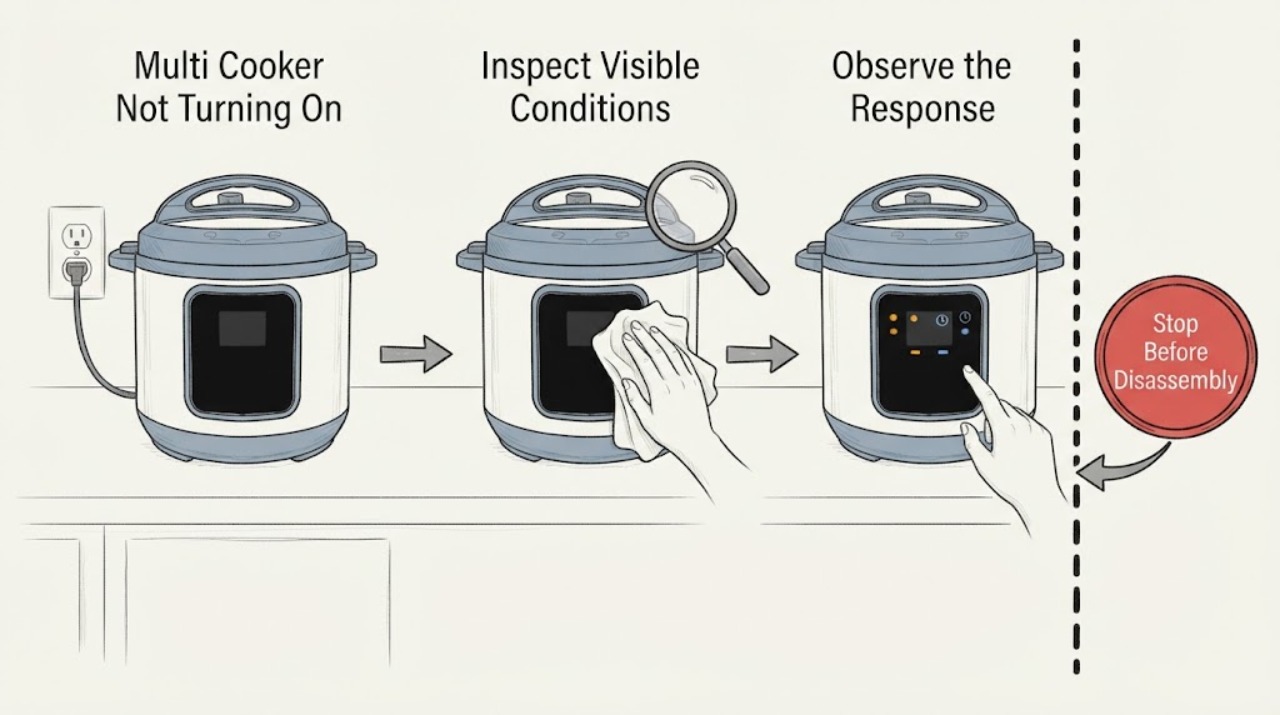
For a multi cooker that will not turn on, check the grounded outlet, the detachable cord at both ends, and the cool, dry control panel. If the panel became wet, unplug the cooker and let the base dry fully according to the manufacturer’s guidance before a single retest. Persistent no-display behavior, liquid in the base, or a damaged cord calls for service.
Work through in order
Diagnostic checks
Use only checks that match the exact appliance or system and its official guide.
-
Check 1
Confirm the cord is firmly seated in the cooker base if detachable and in a working grounded outlet. Look for a damaged plug, cord, or base without opening the appliance.
Expected result: The outlet is dead, the cord is loose or damaged, or the power connection is normal.
Next step: Use a sound outlet and reseat an undamaged cord once; keep the cooker unplugged if any cord or base damage is visible.
Why this matters
Why: A dead outlet or loose cord can explain a blank panel. Damage or a normal power path shifts attention to the cooker’s internal protection or controls.
-
Check 2
If the panel is lit but does not respond, wipe the panel and the cool cooker base with a dry cloth. If liquid entered the base, unplug it, turn it upside down only as the manufacturer allows, and let it dry completely before any test.
Expected result: The panel responds after drying, or it remains unresponsive.
Next step: Do not power a wet base or an unresponsive cooker; contact the manufacturer or a qualified service provider.
Why this matters
Why: Food residue or moisture can interfere with capacitive controls. Continued failure after the documented drying period points to a control or power fault.
-
Check 3
With the cooker cool and unpressurized, verify the inner pot is present and the lid is seated in the model’s normal start position. Select a simple program and observe whether the display changes or an error appears.
Expected result: The lid or pot is mis-seated, a program starts, or the unit stays inactive.
Next step: Correct only the visible seating issue; stop if the lid is damaged or the unit remains dead.
Why this matters
Why: Many programs use pot and lid sensing before heat or pressure begins. A correctly seated cooker that stays inactive needs model-specific diagnosis.
Use your observations
Decision map
Find the observation that best matches what you see, then follow the next safe action.
-
PATH 01Next step
What you see
The outlet or detachable cord was the only failed connection
Do this next
Use the restored, grounded connection and monitor for recurrence.
Why this path and its safety boundary
Why it matters: The cooker’s controls may be intact and the power path caused the no-start symptom.
-
PATH 02Next step
What you see
The panel was wet or dirty and responds after drying
Do this next
Keep the base dry and clean it only while unplugged and cool.
Why this path and its safety boundary
Why it matters: Moisture or residue interfered with the control surface.
-
PATH 03Next step
What you see
Power is present but the panel remains dead or the base was exposed to liquid
Do this next
Leave it unplugged and arrange qualified service.
Why this path and its safety boundary
Why it matters: An internal power or control fault is more likely and cannot be safely repaired from outside.
Helpful context
Understand the symptom
A no-display cooker has a power-path or control symptom, while a display that is lit but will not start can have a lid, program, or sensor condition. Keep the diagnosis external and model-specific because multi cookers differ in lid and program interlocks.
Never force a lid or move the cooker while pressurized. Remove the inner pot and clean only cool, accessible surfaces after power is disconnected.
When checks do not resolve it
Need a professional?
If the safe external checks do not restore normal operation, arrange qualified appliance service using the complete model information.
Common questions
FAQ
Can I keep pressing Start if the panel is blank?
No. Confirm the outlet and cord once, then stop if there is no display or if the cord or base is damaged.
Can I use the cooker after liquid spilled into the base?
Only after the manufacturer’s complete drying guidance and a safe test. If the liquid was oil or the panel remains unresponsive, discontinue use and contact the manufacturer.
Read the exact guide
Official sources
- Frequently Asked Questions – Instant PotInstant Pot · multi cooker and pressure cooker power and start troubleshooting
Community feedback
Share a repair observation
Share a plain-text repair observation. Accepted observations are published automatically; this page may take a moment to update.