
On this page
Start here
Quick answer
For a Speed Queen commercial washer that will not start, first identify the exact model, washer style, control or actuation, and displayed state. Confirm the machine has power, the door or lid is fully closed, the posted start or payment step is satisfied, and the cycle controls are set. A washer with lights but no start, a door or lid lock indication, a recurring fault, or a machine that trips power needs the exact model documentation and qualified commercial service; do not bypass a safety lock or repeatedly pay to force a start.
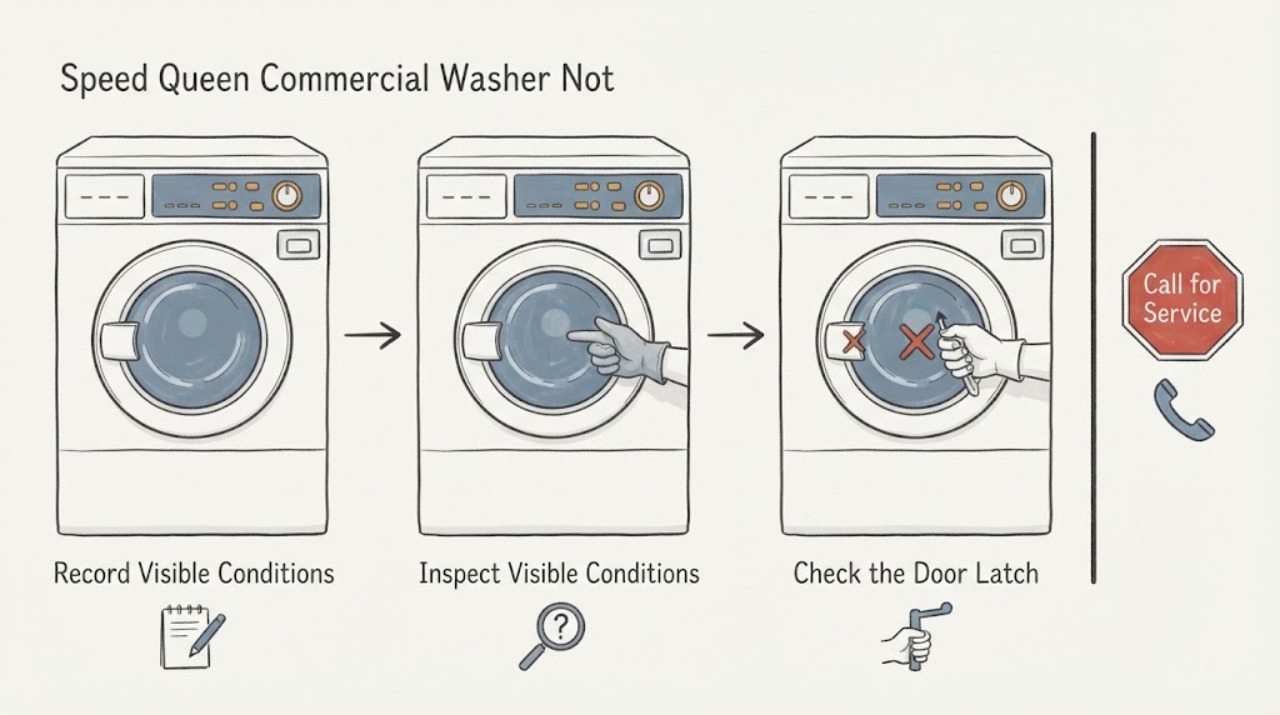
Work through in order
Diagnostic checks
Use only checks that match the exact appliance or system and its official guide.
-
Check 1
Read the model and serial label and note whether the machine is a commercial top-load washer, front-load washer, or washer-extractor. Record the control type, any display or indicator, whether the door or lid is closed, and whether the posted start or actuation step shows ready or in-use.
Expected result: The machine identifies a coin, card, mobile-pay, manual, electronic, push-to-start, or other control, and it either shows a ready or in-use state or remains at an unpaid/not-ready, blank, or fault state.
Next step: Follow the posted operator instructions and the exact model manual for the observed control. Do not repeatedly submit payment, force a control, or bypass a door or lid interlock.
Why this matters
Why: Speed Queen commercial products use different control and actuation arrangements. A machine waiting at its site-defined start state is different from one with no power response or a lock fault, and the distinction cannot be made from the phrase not starting alone.
-
Check 2
From a dry, safe location, check the washer's external power path: the plug or approved disconnect, the outlet or local switch, and the accessible breaker or fuse. Observe whether the display, status light, or other indicator returns, and do not remove a panel.
Expected result: The washer remains completely dark, the breaker or fuse is open, the cord or plug is damaged, or the controls light normally but the cycle still will not begin.
Next step: If the breaker trips again, the cord is damaged, or the area is wet, stop and arrange qualified commercial service. If power is present, continue with the external door/lid and control checks for the exact model.
Why this matters
Why: No indicators or a tripped protective device make a supply or installation issue more likely. Normal indicators with no start move attention toward the selected cycle, actuation state, door or lid lock, or a control fault rather than proving that the motor or control board is bad.
-
Check 3
Inspect the door or lid edge and latch area without opening the cabinet. Remove only a visible garment, debris, or load obstruction, then close the door or lid firmly as the model requires and observe whether a latch click, lock indicator, or door/lid message changes.
Expected result: The door or lid was not fully closed or had a visible obstruction and the lock indication changes, or it closes but the washer still shows an unlocked/door-open indication or will not start.
Next step: Retry once with the door or lid correctly seated. Never bypass or defeat the safety switch or lock; arrange service if the indication remains, the latch is loose or damaged, or the exact model uses a different lock message.
Why this matters
Why: The Speed Queen front-load guide lists a tightly closed door and a correctly adjusted door latch among its no-start checks, and its error guidance distinguishes a door not locked from other conditions. A clean, closed door or lid that still will not interlock points to a model-specific latch, lock, switch, or control issue.
-
Check 4
Set a permitted cycle and use the model's normal start control once. For a commercial control, verify that the posted actuation or payment step is visibly accepted and that the machine shows its ready or in-use indication before pressing start; do not repeat a charge or coin insertion when the state is unclear.
Expected result: The washer starts after a valid cycle and start sequence, remains at a ready/not-accepted state, or accepts the sequence but returns to an error or no-start condition.
Next step: Use the exact control instructions posted on the machine and the model manual. Stop trying to start it and document the display or indicator if a valid sequence repeatedly returns to no-start.
Why this matters
Why: Incorrect control selection or an uncompleted site-defined actuation step can look like a failed washer. If the cycle and actuation are accepted but no start follows, the remaining possibilities include the door/lid interlock, a control fault, or a model-specific inhibit; this does not identify a replacement part.
-
Check 5
If the controls respond but the washer does not proceed, check only the external water readiness items allowed by the exact manual: the required supply valves are open, hoses are not visibly kinked, and the machine is not showing a fill or water-supply indication. Do not open inlet screens or plumbing connections unless the manual explicitly makes that an owner check.
Expected result: A closed valve or visible kink is corrected and the washer begins its normal fill/start sequence, or water readiness is normal but the washer remains at no-start.
Next step: Make one supervised retry after a permitted external correction. Arrange qualified service for a recurring fill indication or a no-start that persists with normal supplies.
Why this matters
Why: A commercial washer may accept the start command and then inhibit operation while waiting for required conditions. If water readiness is normal and it still will not start, the cause is less likely to be an external supply setting and more likely to be a lock, control, or service condition.
-
Check 6
If the washer stopped after a previous load, wait for the exact model's normal pause or cool-down state and check that the load is not visibly jammed or severely unbalanced before one supervised retry. Preserve any fault code or indicator instead of repeatedly resetting the machine.
Expected result: The washer resumes after a normal pause or load correction, or it remains stopped, overheats, makes unusual noise, or shows the same fault again.
Next step: Stop use and arrange commercial service for a recurring stop, overheating, unusual noise, or fault. Do not remove panels or test energized components.
Why this matters
Why: A pause or unbalanced-load response can prevent immediate movement without proving a failed motor. A repeated stop, overheating symptom, unusual noise, or recurring fault after the load is corrected points beyond a routine operator condition.
Use your observations
Decision map
Find the observation that best matches what you see, then follow the next safe action.
-
PATH 01Next step
What you see
The washer is completely dark, the accessible breaker or fuse is open, or the cord/plug or surrounding area is unsafe.
Do this next
Stop use; from a safe dry location isolate the appliance only if that can be done without contact with damaged or wet equipment, then arrange qualified commercial service.
Why this path and its safety boundary
Why it matters: The evidence favors an external supply or safety problem, and a no-start diagnosis inside the washer is not appropriate for an ordinary operator.
-
PATH 02Next step
What you see
The controls light, but the machine remains at the posted ready/not-accepted actuation state or the site control does not show the expected in-use indication.
Do this next
Follow the instructions printed for that control and contact the facility operator for a control or session issue. Do not repeatedly pay or force the actuator.
Why this path and its safety boundary
Why it matters: The control or site-defined start sequence is incomplete or has not been accepted; the symptom does not establish a washer part failure.
-
PATH 03Next step
What you see
The washer shows a door-open, lid-open, unlocked, or similar interlock indication, or the latch will not seat even though the door or lid looks closed.
Do this next
Clear only visible obstructions and close the door or lid as the exact manual directs. Stop and arrange service if the indication returns or the latch is damaged; never bypass it.
Why this path and its safety boundary
Why it matters: The safety interlock is preventing operation, with an obstruction, latch alignment, lock, switch, or control condition still possible.
-
PATH 04Next step
What you see
A valid cycle and accepted actuation are shown, but the washer still will not start, returns a fault, trips power, overheats, or repeats the symptom after the permitted external checks.
Do this next
Stop use and give qualified commercial service the exact model/serial, control type, displayed message, timing, and results of the external checks. Do not open the cabinet or order a part from the symptom alone.
Why this path and its safety boundary
Why it matters: The remaining cause is likely model-specific and may involve an interlock, control, supply, drive, or other internal condition that the symptom alone cannot identify.
Helpful context
Understand the symptom
Start with the commercial control state
Speed Queen commercial washers do not all start the same way. The commercial product documentation lists Quantum Gold Pro, coin slide, electronic, manual, and push-to-start controls, and describes card, coin, mobile-pay, and other site-configured actuation options. A no-start report can therefore mean that the machine has no electrical response, is waiting for the posted start or actuation step, is waiting for a closed door or lid, or has accepted the cycle but is showing a fault. Record the exact model and the words, lights, or symbols shown before changing anything.
Use the exact model documentation
Speed Queen's manuals portal directs the reader to identify the model before selecting documentation. The front-load user guide is useful for its documented door, start, power, and control checks, but a commercial top-load washer, washer-extractor, or site-configured control may use different names and interlocks. Treat the guide below as safe symptom-level triage and follow the manual posted for the exact machine whenever a control or message differs.
Only after diagnosis
Potential parts
- Door lock or lid-switch assembly
Consider this only when the exact model documentation and a qualified diagnosis link the persistent door/lid interlock symptom to a failed assembly; a washer that will not start by itself does not prove this part.
Confirm the exact model and revision with Speed Queen or the service provider before ordering. - Commercial control or actuation interface
Consider this only after the control type, displayed state, and external power/lock checks have been documented and qualified diagnosis identifies the interface; do not substitute a consumer control for a commercial configuration.
Commercial control and actuation options vary by model and installation. Confirm exact compatibility from the model documentation.
When checks do not resolve it
Need a professional?
Use qualified commercial service when the exact model's external power, control, door/lid, actuation, and permitted water-readiness checks do not restore starting, or whenever a safety symptom or recurring fault appears.
Have this ready
- Provide the model and serial label, washer style, control/actuation type, exact display or light pattern, whether the machine accepted the start state, and the result of each external check.
Common questions
FAQ
Why does the commercial washer need a control or payment check?
Speed Queen commercial models can use different controls and actuation arrangements. A washer may be waiting for its posted start state even when some lights work, so record the indication and follow that machine's instructions rather than assuming the washer has failed.
Can I bypass the door or lid lock to make it start?
No. The lock is a safety interlock. Close the door or lid as the exact manual directs, and arrange qualified service if it will not latch or the lock indication returns.
Does a washer that will not start identify a specific replacement part?
No. The exact model, control type, observed indication, and results of the external checks are needed before a part can be justified. Preserve the fault message for the service technician.
When should I stop troubleshooting?
Stop for smoke, sparks, burning odor, overheating, water near electrical parts, a damaged cord, repeated breaker trips, unsafe movement, or a recurring no-start after the model-approved external checks.
Read the exact guide
Official sources
- Speed Queen | Manuals & DownloadsSpeed Queen · Use the model number to select the documentation for the exact appliance and configuration.
- Speed Queen | SupportSpeed Queen · Use with the exact model and installation details; commercial support and service paths can vary by region and operator.
- User's GuideSpeed Queen · Applies to the AFNE9B front-load family represented by this guide; commercial washer styles and controls can differ, so do not treat its codes or parts as universal.
- Top Load Washers - Speed Queen® Multi-HousingSpeed Queen Commercial by Alliance Laundry Systems · Applies to the commercial top-load washer control options described on this page; use the exact machine instructions for other commercial washer styles.
Community feedback
Share a repair observation
Share a plain-text repair observation. Accepted observations are published automatically; this page may take a moment to update.