
On this page
Start here
Quick answer
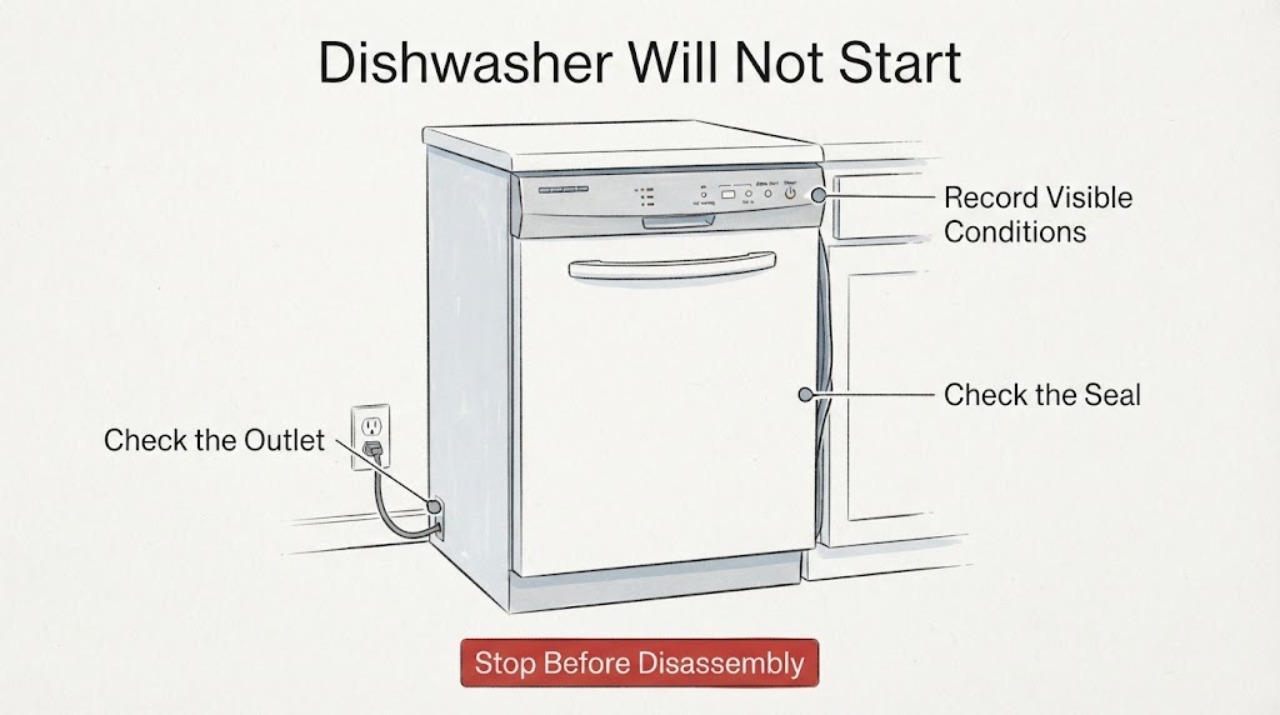
A Westinghouse dishwasher that stays idle after the door is closed should be checked in a fixed order: confirm safe household power, make sure the door is actually engaging without a rack or dish in the way, then check the exact model manual for delay start, button lock, standby, and any displayed code or flash pattern. Westinghouse manuals list an open or improperly closed door, no plug or power, a delay start, and a blown household fuse among possible reasons a program will not start, but the control sequence and indicator meanings vary by model. Do not tape, hold, or bypass the door interlock, test it with the door open, or open the control panel. If power is present and the door still will not latch or the dishwasher remains stopped, keep it out of service and use qualified service with the exact model and any code recorded.
Work through in order
Diagnostic checks
Use only checks that match the exact appliance or system and its official guide.
-
Check 1
Read the dishwasher rating label and record the exact model, market/region, display state, and any letters, numbers, or repeating light flashes before changing settings.
Expected result: The model and the exact no-start indication are available, or the label/indication cannot be read.
Next step: Use the exact model manual for all button sequences and code meanings. If the model cannot be identified, limit the checks to the external steps below and do not borrow a sequence from another Westinghouse dishwasher.
Why this matters
Why: Westinghouse support uses the model number to select the applicable manual, and a code or flash pattern is only meaningful within its matching model documentation.
-
Check 2
From a dry, safe position, check whether the dishwasher has any display or indicator power, whether the plug is fully seated if it is accessible, and whether the household breaker or fuse has operated. Do not remove covers or probe the outlet.
Expected result: The display is completely dark, the household protection has tripped, or the dishwasher has normal indicators.
Next step: If power is absent or the breaker/fuse trips again, leave the dishwasher off and arrange qualified electrical or appliance service. If indicators are normal, continue with the visible door and control-state checks without bypassing the interlock.
Why this matters
Why: The Westinghouse manual lists no plug, a fuse, and power interruption among reasons a program may not start or may stop; normal indicators make a total supply loss less likely but do not diagnose the door circuit.
-
Check 3
Open the door and inspect only the visible perimeter, racks, and front edge for a dish, rack, gasket, or debris preventing the door from reaching its normal closed position; then close it firmly without forcing the handle.
Expected result: The door closes and engages normally, or it stops short, springs back, feels damaged, or the machine can appear to start only when the door is held in an unsafe position.
Next step: Remove only an obvious loose obstruction and close the door normally. If the latch will not engage, the door is damaged or misaligned, or operation would require holding the door or switch, keep the dishwasher off and arrange qualified service.
Why this matters
Why: Westinghouse start guidance treats a properly closed door as a start condition. A visible obstruction can prevent engagement, while a damaged or unreliable latch/door-sensing system is not proven by this observation and must not be defeated.
-
Check 4
With the door safely closed, look for a delay-start, button-lock, standby, or start/pause indication and consult the exact model manual for how that state is cleared; do not try a remembered key combination from another model.
Expected result: A delay, lock, standby, or flashing start/pause state is shown, or the controls show no such state.
Next step: Follow only the matching manual for the identified model. If no model-specific instruction explains the state, leave the dishwasher off and provide the display or flash description to qualified service rather than repeatedly pressing controls.
Why this matters
Why: Westinghouse documentation includes delay start and button lock on some models, and an opened user manual says a delayed program may need to be cancelled before starting. Control labels and cancellation steps are model-specific.
-
Check 5
Photograph or write down the exact error text and the number and order of any repeating indicator flashes, then compare it with the matching Westinghouse manual instead of assigning a code meaning from another appliance.
Expected result: The exact model manual defines the indication, or the indication is absent, different, or not found in that manual.
Next step: Follow only the manual branch that matches the exact model and indication. If the indication is not covered, keep the appliance off if it remains non-operational and give the model, indication, and preceding event to qualified service.
Why this matters
Why: One opened Westinghouse troubleshooting manual uses separate flash patterns for fill and drain conditions, while Westinghouse support says code meanings come from the model manual. A flash pattern from that document is not a universal code.
-
Check 6
Stop troubleshooting and arrange qualified service if the door or latch is damaged, water is near electrical parts, there is a burning smell, the breaker repeatedly trips, the machine starts with the door not fully secured, or the safe external checks do not restore normal operation.
Expected result: A hazard or unsafe door condition is present, or the dishwasher still does not start after the applicable external checks.
Next step: Keep the water and power state safe, do not run another cycle to reproduce the problem, do not open the control panel, and provide the exact model and recorded indication to an authorized or otherwise qualified appliance technician.
Why this matters
Why: These conditions exceed a safe user-level diagnosis. The Westinghouse support route directs unresolved appliance problems and service requests to qualified technicians.
Use your observations
Decision map
Find the observation that best matches what you see, then follow the next safe action.
-
PATH 01Next step
What you see
The dishwasher has no display or indicators, or the household breaker or fuse trips again when power is restored.
Do this next
Leave it off and arrange qualified electrical or appliance service. Do not remove covers or perform live tests.
Why this path and its safety boundary
Why it matters: The opened Westinghouse manual lists power connection, fuses, and power interruption among no-start or stop conditions; repeated trips are not a reason to keep resetting the appliance.
-
PATH 02Next step
What you see
The door stops short, springs back, appears misaligned, or the dishwasher would run only if the latch or door switch were held.
Do this next
Remove only an obvious visible obstruction; if the door or latch remains unreliable, keep the dishwasher off and use qualified service. Never tape, wedge, jumper, or otherwise bypass the interlock.
Why this path and its safety boundary
Why it matters: The required closed-door start condition is not reliably met, but the observation does not identify whether the cause is an obstruction, alignment, latch, or sensing component.
-
PATH 03Next step
What you see
The display is on and shows a delay, button-lock, standby, or start/pause state while the door is closed.
Do this next
Use the exact model manual to clear or confirm the state. Do not apply a sequence from the WDF901WA page or another model to this unidentified dishwasher.
Why this path and its safety boundary
Why it matters: A control state can prevent a start without proving a failed part; Westinghouse features and button sequences vary by model.
-
PATH 04Next step
What you see
A code or flash pattern remains after the door is closed, but the exact model manual does not define it or the manual cannot be matched.
Do this next
Keep the dishwasher off if it remains inoperative, record the model and indication, and arrange qualified service. Do not run service mode or open the machine to chase an unknown code.
Why this path and its safety boundary
Why it matters: The opened Westinghouse documents demonstrate that indications are model-specific; the pattern cannot safely be translated into a fill, drain, latch, or control fault from this task alone.
-
PATH 05Next step
What you see
Power is present, the door closes normally, no delay or lock state explains the stop, and the dishwasher still will not operate.
Do this next
Stop user troubleshooting and give the exact model, symptoms, and any indication to qualified Westinghouse or appliance service. Do not bypass the door interlock or perform live electrical measurements.
Why this path and its safety boundary
Why it matters: The remaining possibilities may involve door sensing, controls, wiring, or another internal condition that is not established by external observations.
Helpful context
Understand the symptom
Keep the door safety system intact
Closing the door should allow the dishwasher to begin only when the model's start conditions are satisfied. Work from a dry, safe position and use the model number from the rating plate or door area to find the correct Westinghouse manual. Do not force the latch, hold the door switch closed, or run the appliance with the door open.
Why the same symptom has several safe branches
“Door closed but not operating” does not by itself prove a failed latch. A no-display condition points first to supply power; a display with a delay or lock indication points to a model control state; a door that will not engage points to a visible obstruction or a service issue; and an exact error or flash pattern must be read against the manual for that model and region.
When checks do not resolve it
Need a professional?
Keep the Westinghouse dishwasher out of service for a damaged or unreliable door/latch, operation with the door not fully secured, water near electrical parts, burning odor, repeated breaker trips, an unresolved error indication, or a no-start condition after the exact-model external checks. Do not tape the latch, hold the door switch closed, jumper the interlock, open the control panel, or perform live electrical testing.
Have this ready
- exact model and region from the rating label
- whether the display or indicators are on
- exact error text or flash count
- whether the door latches normally
- whether a breaker, fuse, water event, or power interruption preceded the symptom
Common questions
FAQ
Can I hold the latch closed to see whether the dishwasher starts?
No. Do not defeat, tape, wedge, jumper, or manually hold the door interlock. If the door will not engage normally, stop using the dishwasher and arrange qualified service.
Could a delay start make a closed-door dishwasher appear not to work?
Yes, a delay can prevent an immediate start on models that provide that feature, but the cancellation steps are model-specific. Use the exact Westinghouse manual rather than a button combination from another model.
What does a flashing light mean on a Westinghouse dishwasher?
It depends on the model and the exact light pattern. The opened troubleshooting manual has separate examples for filling and draining, while Westinghouse support directs users to the manual matched to the model number; do not treat one pattern as a universal code.
Read the exact guide
Official sources
- WDF901WA Dishwasher - WDF901WAWestinghouse New Zealand · Exact WDF901WA product page only; used to establish that delay start and button lock are model features and that control details must not be generalized to an unidentified task model.
- | USER MANUAL | --- | --- | ---DISHWASHERWestinghouse Australia · Opened Westinghouse Australia dishwasher user manual; used for external plug/fuse/door checks and the manual's model-scoped start indications. Exact model coverage is not asserted for this unidentified task appliance.
- 117975880_06052008.qxpWestinghouse Australia · Opened Westinghouse Australia dishwasher troubleshooting manual; used for the manual's no-start causes, fill/drain flash examples, rating-plate lookup, and service boundary. Exact model coverage is not asserted for this unidentified task appliance.
- Product SupportWestinghouse Australia · Official Westinghouse support route for model lookup, matching manuals, error-code interpretation, and qualified service.
Community feedback
Share a repair observation
Share a plain-text repair observation. Accepted observations are published automatically; this page may take a moment to update.