
On this page
Start here
Quick answer
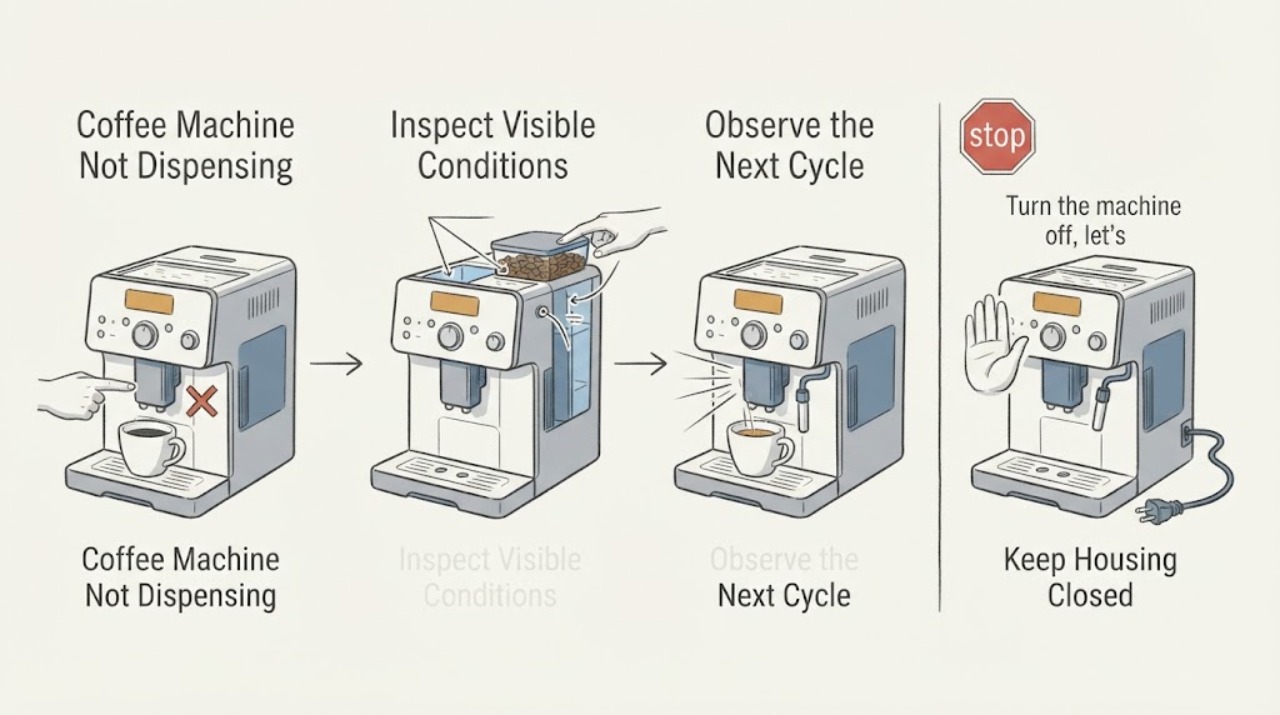
When a coffee machine is not dispensing, start with the water path: confirm the tank is seated and filled, then distinguish air or a blocked outlet from a brew-path or scale problem. Philips lists trapped air, tank/filter position, a clogged brew group or spout, pre-ground operation, and descaling for its espresso machines; De’Longhi’s EC850 support likewise starts with fresh water in the tank. The exact cleaning or reset sequence is model-specific.
Work through in order
Diagnostic checks
Use only checks that match the exact appliance or system and its official guide.
-
Check 1
Turn the machine off, let hot parts cool, and check that the water tank is filled with fresh water and fully seated; do not exceed the model’s marked maximum.
Expected result: The tank is empty, below the inlet, not seated, or the machine still has no flow with a correctly filled tank.
Next step: Refill and reseat once according to the manual. If no drink is delivered, continue only with the model’s user cleaning guidance.
Stop if: Do not open the casing or work on a hot machine.
Why this matters
Why: A missing or poorly seated tank can interrupt the water path; if the tank is correct, continue to the outlet and air checks rather than assuming the pump has failed.
-
Check 2
Run only the model’s permitted water or rinse function into a container, with the machine observed from the front; check whether water emerges from the normal outlet.
Expected result: Water flows from the hot-water or rinse outlet, only coffee fails, or no water comes out anywhere.
Next step: Use the exact manual’s priming/rinse, brew-group, and spout steps; do not improvise a pressurized disassembly.
Stop if: Stop if the condition becomes unsafe or requires opening the appliance.
Why this matters
Why: Flow from one outlet points toward the coffee path, while no flow anywhere leaves tank seating, trapped air, blockage, or pump/service causes in scope.
-
Check 3
Inspect the removable spout, filter/brew group, and capsule or ground-coffee path only as the model manual allows; look for visible coffee residue or scale and clean removable parts with the prescribed method.
Expected result: A removable outlet or brew path is visibly clogged, or it is clear but dispensing remains absent.
Next step: Clean and refit only the authorized parts, then make one supervised test. If flow remains absent, arrange service.
Stop if: Stop if the condition becomes unsafe or requires opening the appliance.
Why this matters
Why: A visible removable blockage can restrict coffee flow; a clear path with no dispensing needs model-specific hydraulic or pump diagnosis.
-
Check 4
Record whether the machine dispenses water but not coffee, dispenses slowly, or stops with a warning after descaling or a mode selection.
Expected result: The symptom changes after the documented rinse/descale or the same no-dispense condition returns.
Next step: Stop repeated cycles and contact the manufacturer or qualified service with the model, beverage mode, and result.
Stop if: Stop if the condition becomes unsafe or requires opening the appliance.
Why this matters
Why: A temporary air or scale condition may have cleared; recurrence after the prescribed care indicates a persistent fault or an incorrect model procedure.
Use your observations
Decision map
Find the observation that best matches what you see, then follow the next safe action.
-
PATH 01Next step
What you see
No water comes from any permitted outlet after the tank is correctly seated
Do this next
Follow the exact model’s priming instructions once, then arrange service if flow does not return.
Why this path and its safety boundary
Why it matters: The water supply, trapped-air, blockage, or pump path remains suspect; the symptom is broader than a blocked coffee spout.
-
PATH 02Next step
What you see
Water flows but coffee does not
Do this next
Clean only the removable parts named by the model manual and service the machine if the outlet remains blocked.
Why this path and its safety boundary
Why it matters: The machine’s coffee outlet, brew group, filter, capsule, or scale path is more likely than the tank.
-
PATH 03Next step
What you see
Flow returns briefly but stops again
Do this next
Do not keep forcing cycles; record the model and arrange manufacturer service.
Why this path and its safety boundary
Why it matters: A recurring obstruction, scale, or internal fault remains possible.
Helpful context
Understand the symptom
Separate water flow from coffee flow
A machine that cannot move water anywhere needs a water-path check. A machine that produces hot water but no coffee points toward the brew or coffee outlet, so the observations lead to different next steps.
When checks do not resolve it
Need a professional?
Call manufacturer or qualified coffee-machine service when no flow persists after the model-authorized tank, rinse, and removable-path checks, or when the machine would need casing access. Stop immediately for leaking water near electricity, smoke, burning odor, or a damaged cord.
Common questions
FAQ
Can I use the same reset steps for every coffee machine?
No. Tank, brew-group, rinse, capsule, and descaling steps vary by model. Use the exact manual after the basic water check.
What if water flows but coffee does not?
That pattern points toward the coffee path, such as a removable spout or brew-group blockage, rather than an empty tank; clean only the parts the model manual identifies.
Read the exact guide
Official sources
- The machine does not deliver any drinkDe’Longhi · De’Longhi EC850 no-drink support
- There is no coffee coming out of my Philips Espresso MachinePhilips · Philips espresso-machine no-dispense troubleshooting
Community feedback
Share a repair observation
Share a plain-text repair observation. Accepted observations are published automatically; this page may take a moment to update.