
On this page
Start here
Quick answer
For a commercial dryer that will not turn on, separate a dark control from a machine that has power but will not start the motor. Check the designated supply, door closure, timer or cycle selection, and any owner-visible status indication. Alliance’s troubleshooting flow also considers motor overload protection, but internal motor, switch and wiring checks belong to qualified service. Stop for a hot connection, burning odor, smoke, repeated trips or a damaged cord.
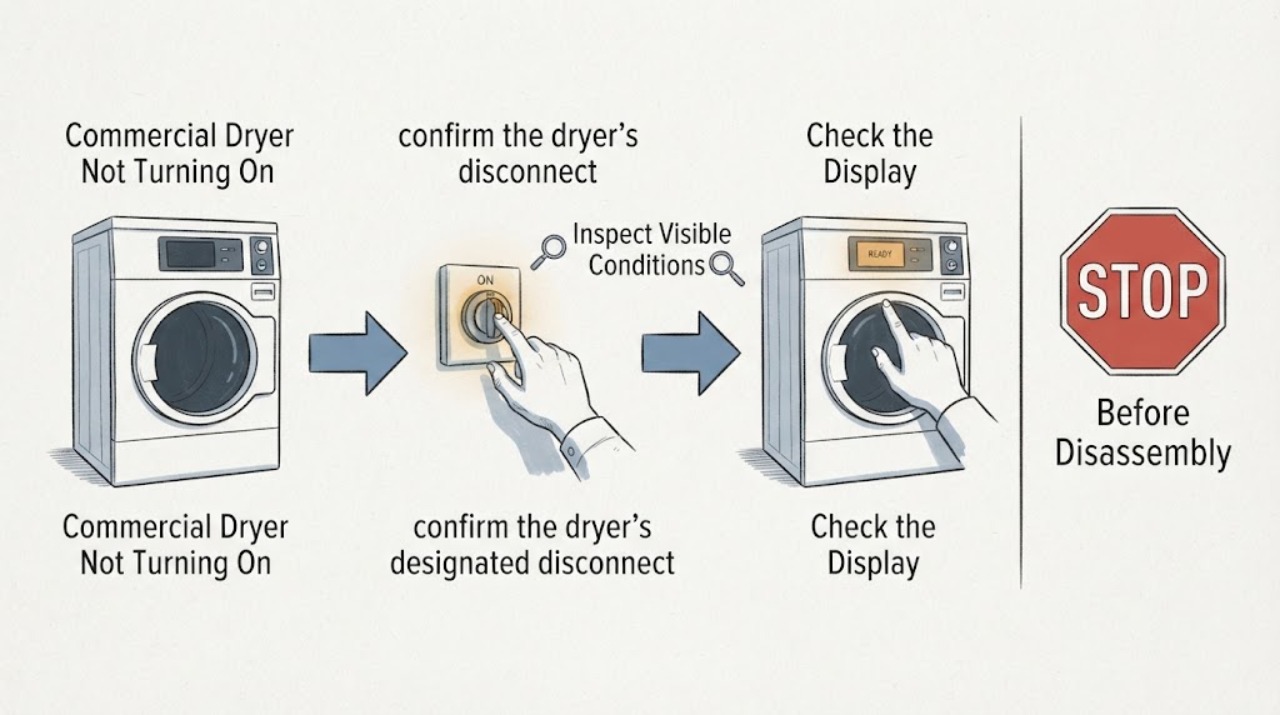
Work through in order
Diagnostic checks
Use only checks that match the exact appliance or system and its official guide.
-
Check 1
From outside, confirm the dryer’s designated disconnect or supply is on, the cord or connection is not visibly damaged, and no accessible protection has tripped.
Expected result: The supply is off or tripped; the connection is hot or damaged; or the control remains dark with normal supply.
Next step: Restore only an accessible switch once. For heat, damage or a repeat trip, stop and call qualified electrical or appliance service.
Why this matters
Why: A supply issue can make the dryer appear dead. Heat or damage is a safety boundary; normal supply with no control points to service.
-
Check 2
Close the loading door fully and observe whether the door indicator or start control changes state. Do not defeat or hold the door switch.
Expected result: The dryer responds after the door closes; the door does not latch; or the dryer ignores a properly closed door.
Next step: Arrange model-specific service if the latch or door signal remains abnormal.
Why this matters
Why: Alliance’s flow checks door closure and the door switch before motor diagnosis. A persistent no-start after closure does not identify the switch as the failed part.
-
Check 3
Confirm the timer or cycle selector is on a valid cycle and use the normal start control once. Note whether the motor starts, hums, or stays silent.
Expected result: The timer was not set; the motor hums; or the motor stays silent with a valid cycle.
Next step: Correct only the documented cycle selection. Do not remove panels or perform internal tests; arrange service for recurring no-start or hum.
Why this matters
Why: A selection state can prevent a start. A hum or silence after a valid selection points toward different motor-start branches that need service procedures.
-
Check 4
If the dryer stopped after running, leave it cool and allow the manual’s stated overload-reset period without repeatedly restarting it.
Expected result: It restarts once after cooling; the overload behavior repeats; or it never restarts.
Next step: Stop operation if the overload repeats and arrange qualified service to find the cause.
Why this matters
Why: Alliance identifies motor overload protection as a possible temporary stop. Repeated cycling or failure to recover needs a technician.
Use your observations
Decision map
Find the observation that best matches what you see, then follow the next safe action.
-
PATH 01Next step
What you see
The supply is normal, the door latches, the cycle is selected, and the dryer starts after one normal start command.
Do this next
Monitor one supervised load and document any recurrence.
Why this path and its safety boundary
Why it matters: A supply, door or cycle-selection state is more likely than an internal failure.
-
PATH 02Next step
What you see
The dryer hums or repeatedly trips overload protection and does not start normally.
Do this next
Stop using the dryer and arrange qualified commercial-laundry service.
Why this path and its safety boundary
Why it matters: A motor-start, mechanical bind or overload condition remains possible; the flow does not prove one component.
-
PATH 03Next step
What you see
The control is dark with normal supply, the door signal is abnormal, or there is heat, smoke, odor or a damaged connection.
Do this next
Keep the dryer out of service and obtain qualified appliance or electrical help.
Why this path and its safety boundary
Why it matters: An internal control or electrical safety issue is more likely.
Helpful context
Understand the symptom
“Not turning on” can mean no indicator, a selected cycle with no motor, or a motor hum. Note which state is present and the dryer type or model before using the manual.
Commercial dryers may be installed on different supplies and controls. Use the site’s equipment procedure and do not open an energized cabinet.
When checks do not resolve it
Need a professional?
Provide the exact model and a concise record of what happened, which controls or indicators responded, and which safe checks changed the symptom.
Common questions
FAQ
Can a commercial dryer reset itself after overheating?
Alliance’s flow includes a motor overload protector that may reset after cooling. If it cycles repeatedly or does not recover, service is needed.
Should I bypass a dryer door switch to test it?
No. Door interlocks are part of the operating safety system; arrange qualified service for a persistent door signal problem.
Read the exact guide
Official sources
- Single and Stacked Dryer Troubleshooting ManualAlliance Laundry Systems · Alliance commercial and stacked dryer troubleshooting
Community feedback
Share a repair observation
Share a plain-text repair observation. Accepted observations are published automatically; this page may take a moment to update.