
On this page
Start here
Quick answer
A commercial dryer display code is model-specific: photograph the exact code, note when it appears, and use the matching owner or service manual. Before service, make only the safe checks supported for that code, such as door, lint/airflow, load size, level, or supply power. A code that returns after the model-approved reset, a heat or gas symptom, or any electrical or fire warning needs qualified commercial-laundry service.
Work through in order
Diagnostic checks
Use only checks that match the exact appliance or system and its official guide.
-
Check 1
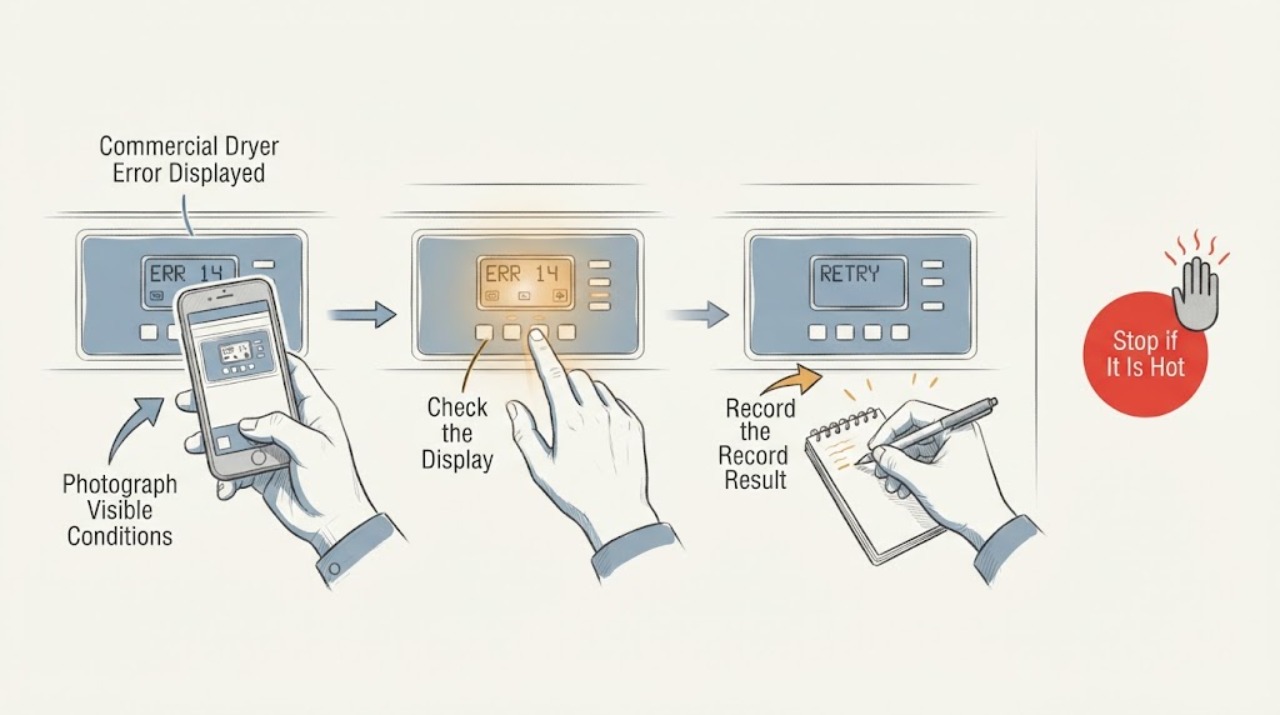
Record the exact display characters, separators, lights, and timing; photograph the panel and identify the dryer model, fuel type, control system, and whether the code appears at startup, during heat, or after a cycle.
Expected result: The code is legible and model identity is known, or the code is ambiguous/unknown.
Next step: Use only the exact model manual or manufacturer support page for the matching code.
Stop if: Stop for gas odor, smoke, burning smell, hot wiring, arcing, or repeated breaker trips.
Why this matters
Why: Commercial dryer codes differ by manufacturer and control platform; an approximate code cannot support a component diagnosis.
-
Check 2
Check only the external conditions named by the exact code: door closure, lint screen and visible vent path, load size, dryer level, and accessible power or gas supply indicators.
Expected result: A door is ajar, airflow is restricted, the load is very small/large, the cabinet is unlevel, or the external conditions are correct.
Next step: Correct the documented accessible condition and run one supervised test if the manual permits it.
Stop if: Do not remove panels, bypass door or flame safeguards, or test gas components.
Why this matters
Why: Official commercial-dryer guidance uses these observations for particular codes such as moisture-sensor or airflow faults; they are not universal meanings for every code.
-
Check 3
If the exact manual allows a reset, perform one documented power or control reset, then monitor the same display during one short test cycle.
Expected result: The code clears and does not return, or it returns immediately/within the test.
Next step: Remove the dryer from service and contact qualified commercial-laundry service for a returning code.
Stop if: Do not repeatedly cycle a dryer with abnormal heat, gas, electrical, or drum behavior.
Why this matters
Why: A one-time transient or sensor condition may clear; a returning code indicates an unresolved fault.
-
Check 4
Provide service with the code photo, model/serial, fuel type, load, cycle, recent installation or maintenance, and every external observation.
Expected result: The code is undocumented, repeats, or the dryer cannot complete a safe cycle.
Next step: Arrange manufacturer-authorized or qualified commercial-dryer service.
Stop if: Keep the unit off for smoke, gas odor, flame irregularity, overheating, or electrical damage.
Why this matters
Why: A precise service record is more useful than substituting a code from another commercial dryer family.
Use your observations
Decision map
Find the observation that best matches what you see, then follow the next safe action.
-
PATH 01Next step
What you see
The display code is unknown, incomplete, or from a different control platform than the available manual.
Do this next
Record the exact model and obtain the matching manual or service channel before taking code-specific action.
Why this path and its safety boundary
Why it matters: The code meaning cannot be safely inferred from its shape.
-
PATH 02Next step
What you see
The code’s matching manual identifies a user-checkable door, airflow, load, level, or supply condition and that condition is present.
Do this next
Correct only that condition and run one supervised test if allowed.
Why this path and its safety boundary
Why it matters: The displayed code may be reporting the documented external condition rather than a confirmed failed part.
-
PATH 03Next step
What you see
The code returns after one documented reset or the dryer has heat, gas, electrical, or mechanical hazard symptoms.
Do this next
Isolate the dryer safely and arrange service; do not bypass safeguards.
Why this path and its safety boundary
Why it matters: The dryer needs qualified commercial service and should be removed from operation.
Helpful context
Understand the symptom
What the symptom tells you
A commercial dryer display code is model-specific: photograph the exact code, note when it appears, and use the matching owner or service manual. Before service, make only the safe checks supported for that code, such as door, lint/airflow, load size, level, or supply power. A code that returns after the model-approved reset, a heat or gas symptom, or any electrical or fire warning needs qualified commercial-laundry service.
Use the exact model information
Controls, code meanings, safe access, and replacement parts vary by model. Record the model and the exact symptom before requesting service.
When checks do not resolve it
Need a professional?
Give the manufacturer or a qualified appliance technician the exact model, serial information, symptom timing, and all observations. Do not open sealed, refrigerant, gas, high-voltage, or energized assemblies.
Common questions
FAQ
Can one error-code list be used for every commercial dryer?
No. Commercial dryers use different manufacturers and control platforms. Record the exact display and match it to the exact model manual.
What if the code clears after a reset?
Monitor one permitted test cycle. If the code returns or any heat, gas, electrical, or mechanical symptom appears, remove the dryer from service and arrange qualified repair.
Read the exact guide
Official sources
- F3 E2 Error Code - Commercial DryerWhirlpool · Commercial dryer displayed error handling, moisture sensor, level, load, power cycle, and service
Community feedback
Share a repair observation
Share a plain-text repair observation. Accepted observations are published automatically; this page may take a moment to update.