
On this page
Start here
Quick answer
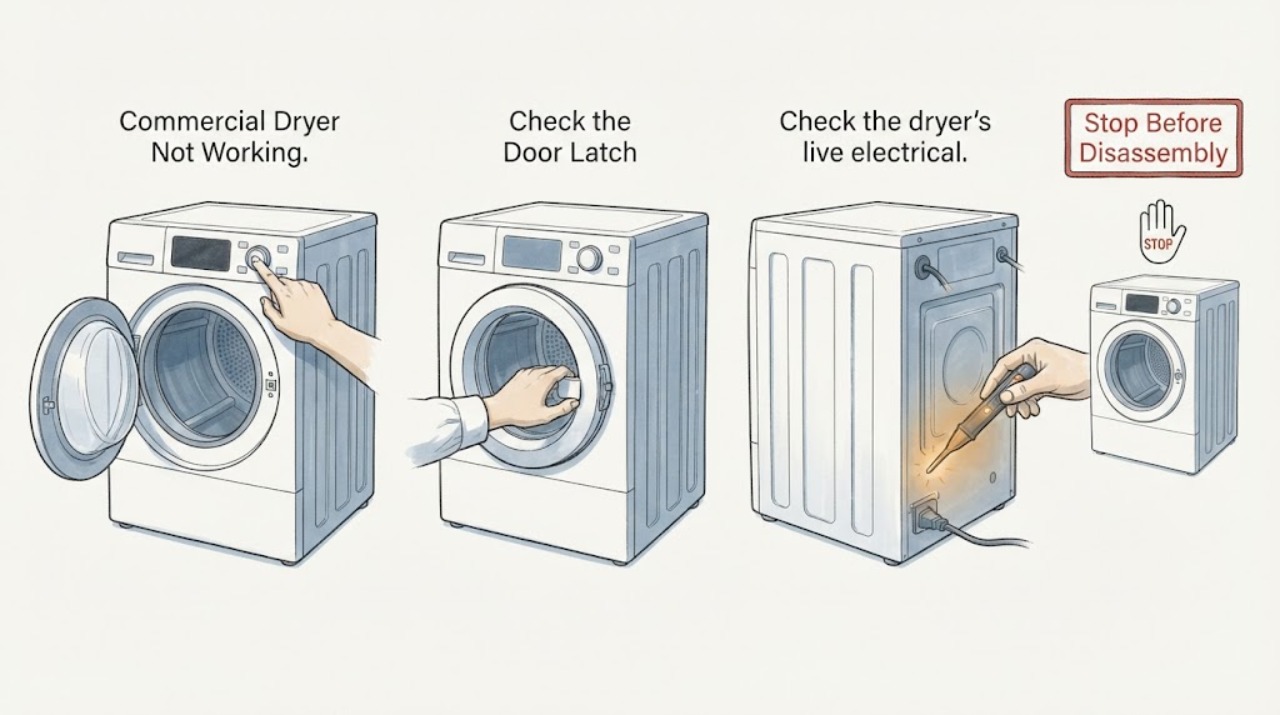
For a commercial dryer that is not working, separate no start from no heat or poor drying. Check the door latch, cycle selection, live supply, breaker or fuse, and the fuel or exhaust path appropriate to the installed dryer. A recurring trip, gas concern, damaged wiring, or persistent failure needs authorized commercial service.
Work through in order
Diagnostic checks
Use only checks that match the exact appliance or system and its official guide.
-
Check 1
Identify the dryer model and fuel type, select a valid cycle, close the door until the latch engages, and observe whether the control accepts Start.
Expected result: The door will not latch, the cycle remains idle, or the drum begins to move.
Next step: Do not bypass the door switch and use the commercial manual for control behavior.
Why this matters
Why: A door or cycle-control condition can inhibit starting; a moving drum shifts the issue toward heat, airflow, or cycle completion.
-
Check 2
Check the dryer’s live electrical supply, plug or disconnect, and appropriate breaker or fuse; restore protection once only if safe.
Expected result: Supply is absent, the breaker or fuse is open, or supply is stable.
Next step: Stop on repeated trips, damaged cord, or a wet electrical area and call qualified service.
Why this matters
Why: No supply explains a dead dryer; a breaker that opens again indicates an electrical or equipment fault.
-
Check 3
For a gas dryer, verify the external gas supply is available only when there is no gas odor; for any dryer, inspect the lint filter and accessible exhaust path as the manual directs.
Expected result: Gas is unavailable, lint or duct restriction is visible, or fuel and airflow appear normal.
Next step: Do not open gas controls or reach into the duct or drum housing.
Why this matters
Why: Fuel or airflow can produce a no-heat or poor-drying symptom while the motor still runs; normal external conditions shift the diagnosis inward.
-
Check 4
Run one supervised test and record drum motion, heat, cycle advance, unusual sound, error display, and whether the fault returns.
Expected result: The dryer completes normally, tumbles without heat, or will not start or repeatedly stops.
Next step: Give the authorized commercial distributor the model, fuel type, and test record; do not replace a part by symptom.
Why this matters
Why: The observed stage identifies the service path more effectively than the general symptom label.
Use your observations
Decision map
Find the observation that best matches what you see, then follow the next safe action.
-
PATH 01Next step
What you see
The door latches, the supply is stable, and the dryer tumbles but produces no heat.
Do this next
Check only the manual-approved external gas, lint, and exhaust conditions, then arrange commercial service.
Why this path and its safety boundary
Why it matters: For a gas dryer, gas supply and ignition need diagnosis; for an electric dryer, heating circuit and airflow need diagnosis.
-
PATH 02Next step
What you see
The door will not latch or the control never accepts a valid cycle.
Do this next
Stop and arrange authorized service without bypassing the interlock.
Why this path and its safety boundary
Why it matters: Door interlock or control selection is more likely than a heater fault.
-
PATH 03Next step
What you see
The breaker trips again, gas odor appears, wiring is damaged, or the dryer becomes abnormally hot.
Do this next
Leave the dryer off and obtain qualified commercial service or utility help for gas odor.
Why this path and its safety boundary
Why it matters: This is a safety stop.
Helpful context
Understand the symptom
Commercial dryers may be electric or gas and may serve a shared laundry installation. The Maytag Commercial Laundry guidance begins with door closure, cycle selection, live outlet, and circuit protection for a dryer that will not start, then treats gas supply, lint filter, and exhaust for a no-heat complaint.
Do not infer a failed motor, heater, belt, or control from “not working.” Record whether the drum moves, heat is present, and the cycle advances.
Only after diagnosis
Potential parts
- model-specific door switch, motor, heater, ignition, or control component
Consider a part only after the start, supply, fuel, airflow, and heat observations support a qualified diagnosis.
Commercial electric and gas dryers use different assemblies and service procedures.
When checks do not resolve it
Need a professional?
Contact the authorized commercial laundry distributor when the door, cycle, supply, fuel, lint, and exhaust checks do not restore operation or when a recurring fault requires internal diagnosis.
Common questions
FAQ
What should I check first on a commercial dryer that will not start?
Maytag Commercial Laundry recommends checking door closure and latch, selecting or restarting the cycle, confirming a live outlet, and checking the breaker or fuse.
Why does a commercial dryer run without heating?
Check the installed fuel supply and accessible lint or exhaust path as the model guide directs. Persistent no heat needs authorized commercial service because the symptom does not identify the heating component.
Read the exact guide
Official sources
- FAQ | Maytag Commercial LaundryMaytag Commercial Laundry · Opened official Maytag Commercial Laundry FAQ; it covers door latch, live outlet, breaker or fuse, gas supply, lint filter and duct, and authorized distributor service.
Community feedback
Share a repair observation
Share a plain-text repair observation. Accepted observations are published automatically; this page may take a moment to update.