
On this page
Start here
Quick answer
An exhaust fan making noise should be classified by whether the sound is a loose grille or vibration, a rattling flap or duct, a rubbing or grinding motor, or normal airflow. Turn it off before touching the grille, check only visible fasteners and the room-side grille, and confirm the outlet is not blocked from a safe location. If noise persists, airflow stops, the fan overheats, or wiring is exposed, isolate it safely and arrange qualified service.
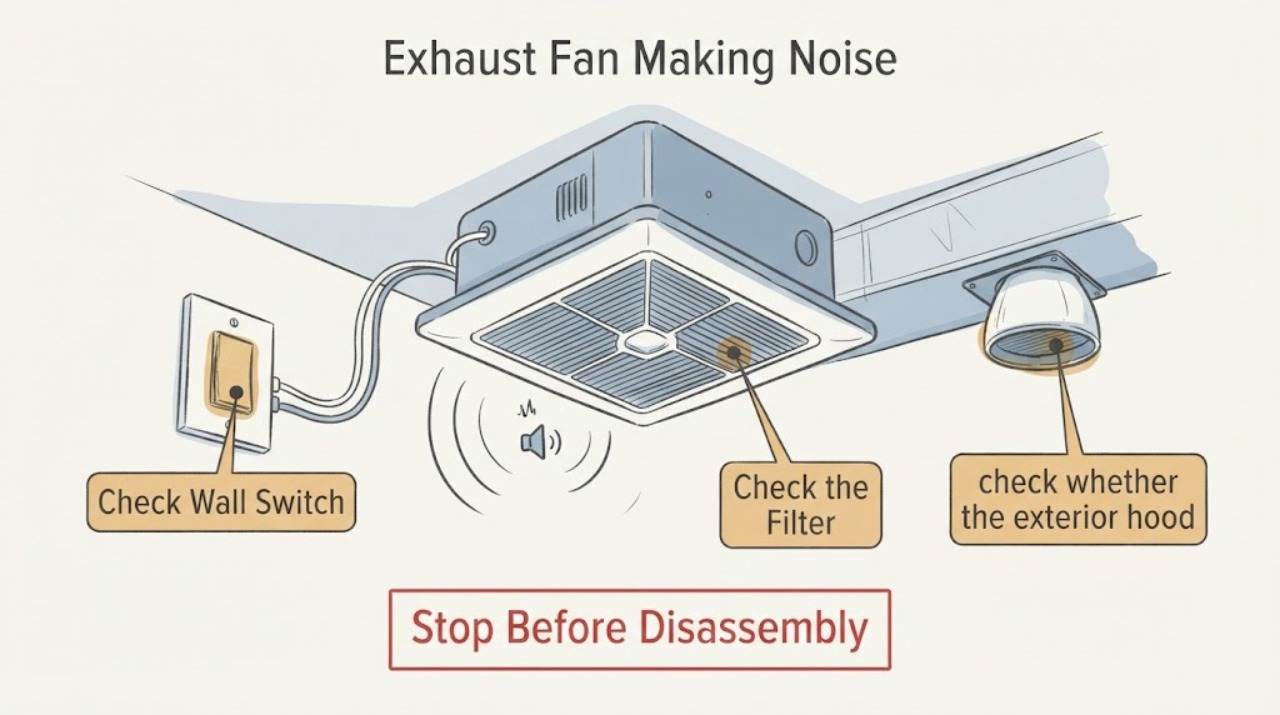
Work through in order
Diagnostic checks
Use only checks that match the exact appliance or system and its official guide.
-
Check 1
Switch the fan off and listen from the room and, if safely accessible, near the exterior termination without opening the ceiling or housing.
Expected result: The sound is steady airflow, brief flap rattle, grille vibration, or scrape/grind.
Next step: Do not insert tools through the grille or run with exposed wiring.
Why this matters
Why: Air movement and a brief flap sound differ from mechanical rubbing; new harsh noise deserves investigation.
-
Check 2
With power off, inspect the visible grille, model-approved filter, and mounting edge for dust, loose cover, or an object touching the grille.
Expected result: The grille is loose or dusty, or the visible area is clear.
Next step: Clean only the accessible grille and secure a loose cover without reaching into the fan.
Why this matters
Why: A loose cover or dust can cause vibration and turbulence without proving motor failure.
-
Check 3
From a safe position, check whether the exterior hood opens and whether leaves, lint, or a visible crushed duct obstructs it.
Expected result: The hood is blocked, duct is kinked, or airflow is unobstructed.
Next step: Remove only loose reachable debris. Do not climb, enter the duct, or alter wiring.
Why this matters
Why: A restricted discharge path can make the fan louder and reduce ventilation; clear airflow with grinding points toward the assembly.
-
Check 4
Note whether noise changes with speed, timer, or humidity mode, and check for heat, smell, or breaker trips.
Expected result: Noise is mode-dependent, grows as the fan runs, or comes with heat, smell, or tripping.
Next step: Turn the fan off and arrange service; do not bypass controls or replace the motor yourself.
Why this matters
Why: Mode-dependent airflow can be normal, while worsening noise or electrical symptoms indicate a service boundary.
Use your observations
Decision map
Find the observation that best matches what you see, then follow the next safe action.
-
PATH 01Next step
What you see
Only the grille or exterior flap vibrates and the motor sounds smooth.
Do this next
Secure or clean the visible part if safe and monitor; seek service if it returns.
Why this path and its safety boundary
Why it matters: The likely issue is an accessible cover, mounting, or duct vibration.
-
PATH 02Next step
What you see
The sound is rubbing, grinding, or harsh humming, or airflow falls while noise rises.
Do this next
Stop using the fan and arrange qualified ventilation or electrical service.
Why this path and its safety boundary
Why it matters: The fan assembly or discharge path is not operating normally.
-
PATH 03Next step
What you see
Noise accompanies heat, burning smell, exposed conductors, or repeated breaker trips.
Do this next
Isolate power only from a safe location and keep the fan off until inspected.
Why this path and its safety boundary
Why it matters: This is an electrical stop condition.
Helpful context
Understand the symptom
Panasonic’s official ventilation fan page describes quiet operation and publishes model-specific airflow, mounting, motor, and noise specifications.
Only after diagnosis
Potential parts
- ventilation fan grille or mounting hardware
Only consider this if the visible grille or mounting is damaged and the model documentation identifies it as replaceable; motor noise needs diagnosis.
Confirm the exact fan model and approved part fit before ordering.
When checks do not resolve it
Need a professional?
Arrange qualified ventilation or electrical service for grinding, harsh humming, falling airflow, overheating, burning smell, exposed wiring, or repeated breaker trips. Do not open the housing or ceiling cavity.
Common questions
FAQ
Is a humming exhaust fan always broken?
No. Airflow and motor sounds vary by model and speed, but a new harsh hum, rubbing, overheating, falling airflow, or repeated tripping needs service.
Can I spray cleaner into a noisy exhaust fan?
No. Turn it off and clean only the accessible grille as the exact manual allows. Keep liquid and tools away from the motor and wiring.
Read the exact guide
Official sources
- WhisperValue® DC Ventilation Fan with Pick-A-Flow®, 50-80-100 CFMPanasonic · Residential exhaust fan operating noise, airflow, and installation context
Community feedback
Share a repair observation
Share a plain-text repair observation. Accepted observations are published automatically; this page may take a moment to update.