
On this page
Start here
Quick answer
On LG's UAE troubleshooting guide for supported Multi Split, Multi V, Single Split, and ventilation products, E9 is grouped with faults involving the outdoor-unit compressor or its control circuits. LG says to record the code, reset power once, and request service if E9 returns. LG also says air-conditioner codes and their display method vary by model and product type, so do not apply this meaning to an unconfirmed model or market.
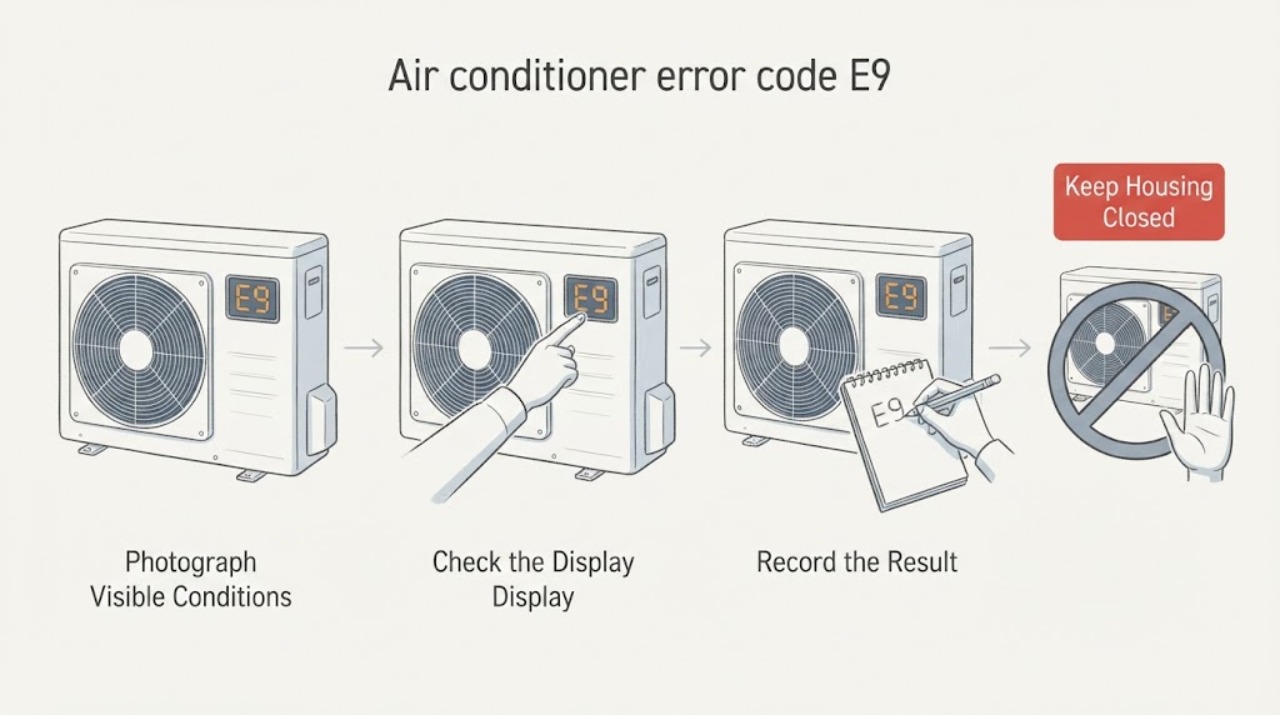
Work through in order
Diagnostic checks
Use only checks that match the exact appliance or system and its official guide.
-
Check 1
With the air conditioner still safe to observe, photograph or write down the complete display or repeating LED pattern, including whether it is E9, a CH-prefixed code, or a different two-character sequence. Record the indoor-unit model and the country or market shown on the rating label or support account.
Expected result: The code is exactly E9 and the model belongs to a product family covered by the applicable LG guide, or the display/model cannot be confirmed.
Next step: If identity is confirmed, continue with the one safe reset below; if not, use the model-specific LG support or ThinQ diagnosis and do not substitute another LG model's code table.
Why this matters
Why: An exact code and identity are needed because LG says code presentation varies by product type and its E9 definition is not a universal promise for every LG air conditioner.
-
Check 2
Before resetting, note whether the indoor unit starts, whether the outdoor unit starts, whether cooling or heating stopped, and whether the breaker tripped or the code appeared after an outage, installation, or relocation. Do not remove a cover or reach toward either fan.
Expected result: E9 appears with no outdoor operation, loss of temperature control, or a recent power event; or the unit otherwise operates normally.
Next step: Save the observations and proceed only to the documented power reset if there is no burning odor, smoke, sparking, damaged wiring, repeated breaker trip, or other unsafe condition.
Why this matters
Why: The opened LG guide associates E9 with the outdoor compressor or control circuits and also lists temporary electrical issues as a possible trigger; symptom context helps the technician, but does not identify a part for the user.
-
Check 3
After recording the code, disconnect power using the normal plug or the accessible dedicated circuit breaker, wait about five minutes, then restore power and check the display once. Do not open an electrical panel or attempt live measurements.
Expected result: E9 clears and the air conditioner resumes normal operation, or E9 returns immediately or after operation begins.
Next step: If E9 returns, stop using the unit and request LG or qualified HVAC service. If it clears, keep the recorded code and monitor for recurrence rather than repeatedly cycling power.
Why this matters
Why: LG documents this reset as a way to clear a temporary power-related condition; a repeated E9 remains an unresolved compressor or control-circuit fault for the covered product families.
-
Check 4
Run LG ThinQ Smart Diagnosis or enter the exact model in LG support, then attach the display photo and the reset result to the service request. Use the support result only for that identified model and market.
Expected result: ThinQ or model-specific support confirms E9, gives a model-specific instruction, or cannot identify the code.
Next step: Follow only the identified model's external instructions. If the result is unavailable, request service with the model, market, exact display, symptoms, and reset outcome.
Why this matters
Why: LG's general US guidance directs users to Smart Diagnosis because the detailed code meaning and display behavior vary by model; failure to identify the code is itself a reason to escalate rather than guess.
Use your observations
Decision map
Find the observation that best matches what you see, then follow the next safe action.
-
PATH 01Next step
What you see
The exact display is E9, the model and market match the LG guide, and E9 returns after the documented five-minute reset.
Do this next
Stop operating the air conditioner and arrange LG or qualified HVAC service; provide the model, display photo, symptoms, and reset result.
Why this path and its safety boundary
Why it matters: For the covered LG families, the recurring code is consistent with an outdoor compressor or control-circuit problem rather than a filter or airflow decision.
-
PATH 02Next step
What you see
E9 clears after the reset and the unit cools or heats normally without unsafe signs.
Do this next
Monitor without repeated resets and keep the evidence. Request service if E9 or abnormal operation returns.
Why this path and its safety boundary
Why it matters: LG says a code that disappears after reset can be temporary, including a power or communication issue, but recurrence can indicate an internal circuit or wiring problem.
-
PATH 03Next step
What you see
The display is not conclusively E9, the blink sequence is unclear, or the model is outside the guide's stated product families.
Do this next
Record the repeating display, identify the exact model and market, and use LG model-specific support or Smart Diagnosis before taking any code-specific action.
Why this path and its safety boundary
Why it matters: The E9 compressor/control-circuit meaning cannot be safely transferred across LG models, regions, or display conventions.
-
PATH 04Next step
What you see
There is smoke, a burning odor, sparking, damaged wiring, liquid near electrical parts, a repeated breaker trip, or abnormal heat.
Do this next
Stop using the air conditioner, isolate power only if it can be done without approaching a hazard, and request qualified service. Do not disassemble the unit or replace internal parts.
Why this path and its safety boundary
Why it matters: This is an electrical or fire-safety stop condition, not a user troubleshooting branch.
Helpful context
Understand the symptom
First confirm what the unit is actually showing
LG uses different displays and blink patterns across wall-mounted, floor-standing, ceiling, portable, and window air conditioners. Treat E9 as a confirmed code only after the display or repeating blink sequence is recorded and the model and market are identified.
Why service is often the next step
For the LG product families covered by the opened UAE guide, E9 points toward the outdoor compressor or its control circuits. Those areas are not user-serviceable HVAC checks; a reset can separate a temporary power event from a recurring fault, but it cannot establish which internal component failed.
When checks do not resolve it
Need a professional?
Stop using the unit and request qualified LG or HVAC service if E9 returns after the reset, the outdoor unit does not start, cooling or heating is lost, or there is smoke, a burning odor, sparking, damaged wiring, liquid near electrical parts, abnormal heat, or a repeated breaker trip.
Have this ready
- Exact model and market, a photo or video of the display or blink sequence, when E9 first appeared, whether the unit was installed or relocated recently, outdoor-unit behavior, breaker or power-event history, and the reset result.
Common questions
FAQ
Does E9 always mean the same thing on every LG air conditioner?
No. The opened LG USA guidance says error-code display and meaning vary by model and product type. The opened LG UAE guide groups E9 with outdoor compressor or control-circuit problems for its stated supported families, so confirm the model and market before applying that definition.
Can I keep using the air conditioner if E9 disappears after a reset?
Only if it operates normally and there are no unsafe signs. LG says a cleared code can be temporary, but a repeated code should be treated as an unresolved fault and serviced.
Can I replace the compressor or control board after seeing E9?
No. E9 alone does not identify a compatible part or prove which component failed. LG warns not to disassemble the air conditioner or replace internal parts because of fire, electric-shock, and serious-injury risks.
Read the exact guide
Official sources
- How to Troubleshoot Error Codes CH01, CH02, CH06, CH12, CH41, CH42, CH43, CH44, CH45, CH46, CH47, CH48, E1, E2, E3, E7, E8, F2, F3, CH21, CH23, CH26, CH29, and E9 on Your LG Air ConditionerLG Electronics U.A.E. · LG air-conditioner families stated on the opened UAE support page; verify exact model and market
- [LG Air Conditioner] Guide to Error CodesLG Electronics USA · General LG USA air-conditioner guidance; exact code behavior remains model-dependent
- [LG Air Conditioner] How to Check Air Conditioner Error CodesLG Electronics USA · General LG air-conditioner display guidance; page warns that images and content can differ by model
Community feedback
Share a repair observation
Share a plain-text repair observation. Accepted observations are published automatically; this page may take a moment to update.