
On this page
Start here
Quick answer
Start by separating a dead unit from a command that is not reaching the unit: check whether the indoor display or indicator responds, confirm the remote has working batteries and a compatible signal, and check the dedicated air-conditioner breaker. If a code or repeating LED pattern appears, record it before resetting. LG's general support guidance uses a single five-minute power cycle for many error conditions; a returning code, breaker that trips again, smoke, a burning smell, a hot or damaged cord, or no response after the external checks requires service.
Before you begin
Safety first
- Do not remove covers, test live terminals, open the outdoor unit, handle refrigerant, or replace internal electrical parts. Stop using the unit when a breaker repeatedly trips, a cord is hot or damaged, smoke or burning odor appears, or a leak is suspected.
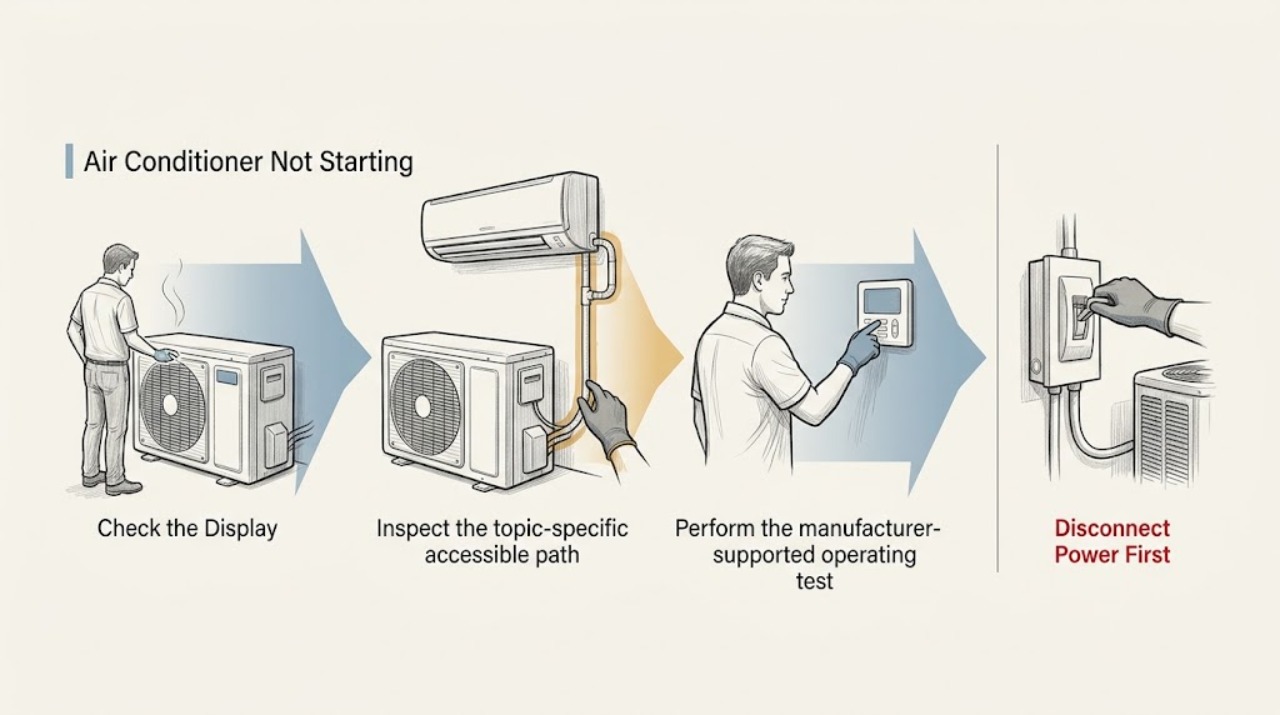
Work through in order
Diagnostic checks
Use only checks that match the exact appliance or system and its official guide.
-
Check 1
Press the air conditioner's Power button once and observe the indoor display, indicator, beep, and airflow. Note whether the display is completely dark, the display responds but the fan does not start, or a code or repeating light pattern appears.
Expected result: A dark display and no indicator response point first to power delivery or the control path; a responding display narrows the problem toward a command, operating state, or model-specific fault; a code or blink pattern is diagnostic information.
Next step: Continue to the remote and breaker checks that match the observed state, and record any code before switching power off.
Why this matters
Why: The same symptom label can represent a supply failure, a remote-command failure, a protection state, or an error shutdown, so the visible response determines the next check.
-
Check 2
Check the LG remote without opening the air conditioner: press Power and see whether its display is visible. If the remote display is blank, fit fresh batteries. If its display is normal, point the transmitter toward a phone camera and press a button to look for a flashing signal; LG notes that some phones, including some iPhones, do not show this signal.
Expected result: A remote display that stays blank after new batteries indicates a remote problem. A visible camera flash shows that the remote is transmitting, while no flash is inconclusive on unsupported phones.
Next step: Use the remote supplied for this air conditioner, keep the receiver unobstructed, and continue to the dedicated-breaker check if the body still does not respond. Do not infer compatibility for a replacement remote without the model information.
Why this matters
Why: A dead remote cannot start the unit, but a transmitting remote with an unresponsive indoor unit shifts suspicion to the air conditioner's receiver, power, or controls.
-
Check 3
Look for the breaker or disconnect identified for the air conditioner and confirm it is on. If it has tripped and there is no smoke, burning odor, hot cord, or visible damage, reset it once. Do not substitute a power strip for the dedicated wall outlet; for a stand-type unit, LG warns against using a multi-strip.
Expected result: If the breaker restores the display and the unit starts, a temporary supply interruption was possible. If it trips again, will not stay engaged, or the display remains dead, the circuit or appliance needs qualified inspection.
Next step: Leave the breaker off when it trips again and arrange service. If power returns normally, issue one start command and observe the result without repeatedly cycling power.
Why this matters
Why: Repeated tripping is a stop condition, not a reason to keep resetting the breaker; the cause can be electrical and cannot be identified safely from the symptom alone.
-
Check 4
If the display or LED is active, record the exact code or the repeating blink count before resetting. Wall-mounted units may signal a code through LED blinks, floor-standing units may show CH plus numbers, and portable or window units may show the code on an LCD. Use LG ThinQ Smart Diagnosis when the model supports it.
Expected result: A stable code or repeating pattern gives a model-specific diagnostic path. If no code is present, a normal display with no response after a confirmed remote signal points toward the unit's receiver, control, or another internal fault.
Next step: Search the recorded code for the exact model in LG support or ThinQ. For CH07 on a compatible multi-unit heating and cooling installation, compare the units' modes; set them all to cooling or dehumidification, or all to heating, as applicable. For an unlisted or returning code, stop at external checks and request service.
Why this matters
Why: LG states that code formats differ by product type and recommends Smart Diagnosis or the product-specific support page rather than guessing from a generic code list.
-
Check 5
After recording the symptom or code, and only when there is no smoke, burning odor, hot or damaged cord, leak near electrical parts, or other visible hazard, the breaker has not repeatedly tripped, and you can safely reach the plug or dedicated breaker, perform one manufacturer-supported power cycle: unplug the unit or switch off its dedicated breaker, wait about five minutes, and restore power. The LG LT1230CR window air-conditioner manual says to leave that model's mode off and wait three minutes after power is restored following an outage before restarting; other window units must follow their own model manuals.
Expected result: If the air conditioner starts and the same code or symptom does not return, a temporary power or communication issue remains possible. If the condition returns, the reset did not identify or repair the underlying fault.
Next step: Use the unit only if it operates normally and no hazard is present. If the code, no-start symptom, leak, abnormal noise, or other fault returns, stop and give the technician the model, code, and observations.
Why this matters
Why: A reset is a bounded diagnostic step, not a repair and not a reason to repeat breaker cycles.
Use your observations
Decision map
Find the observation that best matches what you see, then follow the next safe action.
-
PATH 01Next step
What you see
The indoor unit and remote are both blank, or the dedicated breaker is off.
Do this next
Replace remote batteries if its display is blank, verify the labeled air-conditioner breaker once, and stop if the breaker trips again or will not stay engaged.
Why this path and its safety boundary
Why it matters: Power delivery or the remote batteries are more likely than a compressor diagnosis.
-
PATH 02Next step
What you see
The remote display is normal and transmits a signal, but the air-conditioner body gives no response after its dedicated breaker is confirmed on.
Do this next
Stop at external checks and request qualified service with the model and the result of the remote-signal test.
Why this path and its safety boundary
Why it matters: The receiver, indoor control, or appliance power path needs model-specific inspection; the remote itself is less likely to be the only issue.
-
PATH 03Next step
What you see
The display is active and a code or repeating LED pattern remains or returns after the one documented reset.
Do this next
Use the exact model's LG support or ThinQ diagnosis, then request service if the code is unlisted or returns.
Why this path and its safety boundary
Why it matters: LG treats the code as diagnostic information that may indicate a communication, sensor, fan, power, or other model-specific condition; the code cannot be safely mapped to one part from this page.
-
PATH 04Next step
What you see
A compatible multi-unit LG installation shows CH07 and the units are set to conflicting heating, cooling, or dehumidification modes.
Do this next
Match the units to compatible modes and retest once; if CH07 remains, use model-specific service.
Why this path and its safety boundary
Why it matters: LG identifies the mismatch between operating modes as a possible cause of the stopped operation.
-
PATH 05Next step
What you see
The breaker trips again, a cord is hot or damaged, smoke or a burning odor appears, a leak is present, or the unit makes a dangerous or rapidly worsening sound.
Do this next
Stop using the air conditioner, keep clear of damaged wiring or refrigerant equipment, and contact a qualified technician or emergency service appropriate to the hazard.
Why this path and its safety boundary
Why it matters: The condition may involve an electrical, sealed-system, or mechanical hazard that external troubleshooting cannot establish.
Helpful context
Understand the symptom
What not starting can mean
LG air conditioners can show a blank display, ignore the remote, show an error, or accept a command while the fan or outdoor unit remains stopped. Those observations lead to different next steps. The exact display and reset procedure varies by wall-mounted, floor-standing, ceiling, portable, and window models, so use the model manual for any control combination that is not covered here.
Stay with external checks
Do not remove covers, probe live wiring, open the outdoor unit, or work on refrigerant circuits. Record the model, the exact symptom, and any code or blink pattern for the technician. If a breaker will not remain on or a cord is hot or damaged, stop using the air conditioner.
When checks do not resolve it
Need a professional?
Request qualified service when the unit stays unresponsive after the external checks, the breaker trips again or will not stay on, a code returns after the one documented reset, or the problem involves internal wiring, the outdoor unit, refrigerant, a leak, smoke, burning odor, or a damaged cord.
Safety scope: Do not remove covers, test live terminals, open the outdoor unit, handle refrigerant, or replace internal electrical parts. Stop using the unit when a breaker repeatedly trips, a cord is hot or damaged, smoke or burning odor appears, or a leak is suspected.
Have this ready
- Provide the exact model, installation type, whether the indoor display responds, remote and breaker observations, the code or blink pattern, when the problem began, and whether it followed installation, relocation, outage, or electrical work.
Common questions
FAQ
Why does my LG air conditioner show a display but not start?
Check that the supplied remote is transmitting, confirm the intended operating mode, and record any code or repeating LED pattern. If the body still ignores a confirmed command or a code returns after the one documented reset, request model-specific service.
Should I keep resetting the LG air-conditioner breaker?
No. Reset it once only when there is no visible hazard and the breaker is identified for the air conditioner. If it trips again or will not remain engaged, leave it off and arrange qualified inspection.
How long should I wait before restarting an LG air conditioner?
LG's general error-code guidance uses about five minutes for a power cycle. The three-minute instruction comes specifically from the LG LT1230CR window air-conditioner manual and applies to that manual's covered model; other window units must follow their own model manuals. Do not attempt the reset when a hazard is present or you cannot safely reach the plug or breaker, and do not repeatedly cycle power.
Can I replace a compressor or control board because the LG air conditioner will not start?
Do not choose an internal part from the no-start symptom alone. The model, code, electrical measurements, and installation type are needed for a safe diagnosis and compatibility decision.
Read the exact guide
Official sources
- [LG Air Conditioner] Guide to Error CodesLG USA Support · LG air-conditioner power cycle, error-code meanings, operating-mode mismatch, and service escalation
- Maintenance and ServiceLG USA Support · LG LT1230CR window air-conditioner troubleshooting after power failure and repeated breaker or reset conditions
- [LG Air Conditioner] How to Check Air Conditioner Error CodesLG USA Support · LG air-conditioner code and LED-pattern identification and ThinQ Smart Diagnosis
- [LG air conditioner remote control] The remote control is not workingLG USA Support · LG air-conditioner remote batteries, smartphone camera signal check, breaker response, and remote compatibility
- [LG Air Conditioner Power] Power not turned onLG USA Support · LG air-conditioner dedicated power, breaker, cord, wall-outlet, and power-strip guidance
Community feedback
Share a repair observation
Share a plain-text repair observation. Accepted observations are published automatically; this page may take a moment to update.