
On this page
Start here
Quick answer
If a Samsung air conditioner will not start, first determine whether the unit has no power, the remote is not sending a command, or the unit is showing a protection or error condition. Check the outlet and breaker from a safe position, replace remote batteries if needed, and note any indicator or code. A code that returns after one restart, a repeated breaker trip, a damaged cord, or no response at a working supply calls for Samsung service rather than cabinet disassembly.
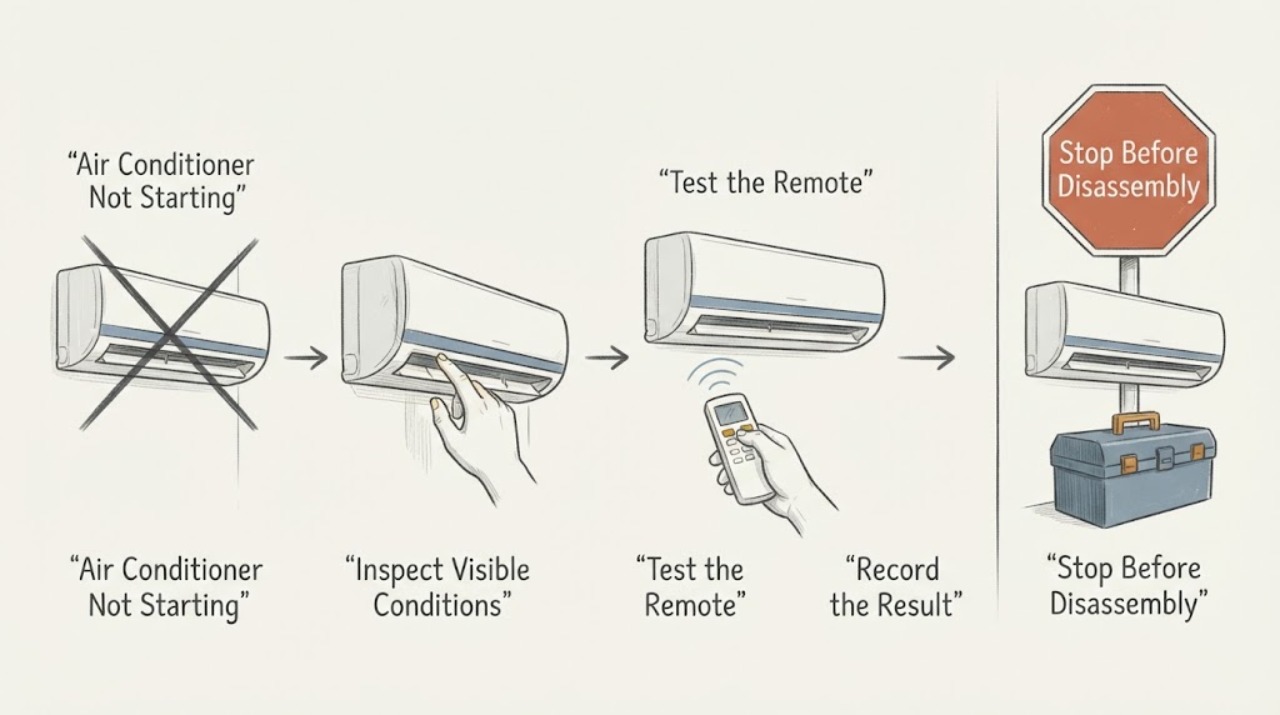
Work through in order
Diagnostic checks
Use only checks that match the exact appliance or system and its official guide.
-
Check 1
Check the Samsung AC's outlet or isolator, plug, and dedicated breaker from a dry position. Test a socket only with a safe known-working device and look for cord or outlet damage without touching exposed conductors.
Expected result: The test device also loses power, the breaker is tripped, the cord or outlet is damaged, or the supply appears normal.
Next step: Reset a tripped breaker only once if safe and permitted. Leave repeated trips or damaged wiring alone and arrange qualified electrical or appliance service.
Why this matters
Why: A failed supply points to a household electrical issue; a normal supply with no AC response makes the remote, local control, or internal appliance path more likely.
-
Check 2
Replace the remote batteries with the correct type and polarity, point the remote at the indoor unit, and check whether the unit responds to the remote's power command.
Expected result: The AC responds to the new batteries, or it remains unresponsive while the outlet and breaker are normal.
Next step: Use the model's local power/control button only if it is clearly accessible. Do not open the remote or AC cabinet to bypass controls.
Why this matters
Why: A response after battery replacement supports a remote-power problem; no response with a normal supply shifts the check toward the unit's controls or protection state.
-
Check 3
Observe the indoor display or indicator while issuing one start command and record any blinking pattern or displayed code exactly as shown.
Expected result: No indicator appears, a code appears, or an indicator blinks and the unit still does not start.
Next step: Write down the code or pattern and use the exact model manual. Do not guess a code meaning or repeatedly cycle power.
Why this matters
Why: Samsung says alarm codes can identify sensor, fan, board, or protection conditions and that the code depends on the model; a blank unit remains a power/control question.
-
Check 4
If the display shows C154 or a similar protection indication documented for the model, turn the unit off, wait briefly, restart once, and observe whether the indication returns within about 10 seconds.
Expected result: The indication clears and stays away, or it returns promptly after the restart.
Next step: If the indication returns, stop testing and request Samsung service. Do not measure household voltage or access the motor/control board yourself.
Why this matters
Why: Samsung describes intermittent C154 as fan-motor protection during abnormal voltage and a prompt recurrence as a possible motor or board fault requiring service.
Use your observations
Decision map
Find the observation that best matches what you see, then follow the next safe action.
-
PATH 01Next step
What you see
Another device fails at the same outlet or the breaker will not stay on
Do this next
Leave the AC off and arrange qualified electrical service; do not repeatedly reset the breaker.
Why this path and its safety boundary
Why it matters: The supply or wiring is more likely than an isolated Samsung AC control issue.
-
PATH 02Next step
What you see
The AC responds after remote batteries are replaced but not before
Do this next
Monitor normal operation and use the model manual if the remote fails again; the AC cabinet does not need to be opened.
Why this path and its safety boundary
Why it matters: The original no-start symptom was consistent with a remote power or signal problem.
-
PATH 03Next step
What you see
A code or blinking indicator returns after one restart, or the unit stays unresponsive with a normal supply
Do this next
Stop repeated start attempts, retain the exact code/pattern and model, and arrange Samsung-trained inspection.
Why this path and its safety boundary
Why it matters: A protection, sensor, fan, board, or internal control fault remains possible and is not identified safely from outside.
When checks do not resolve it
Need a professional?
Request qualified Samsung or electrical service when the unit remains unresponsive at a working supply, an error or blinking indicator returns, the breaker trips again, or any plug, cord, outlet, wiring, smoke, or burning odor is present.
Common questions
FAQ
What should I check first when a Samsung air conditioner will not start?
Check the supply and breaker from a safe position, then replace remote batteries and record any indoor indicator or code. These separate a household power issue from a remote or appliance protection issue.
What if a Samsung AC error returns after restarting?
Record the exact code and model. Samsung says a protection indication that returns promptly can point to an internal fault requiring service; do not keep cycling power or open the cabinet.
Read the exact guide
Official sources
- How to solve error codes on your Samsung indoor air conditionerSamsung India · Samsung indoor air conditioner alarm and protection conditions
- Why does my Samsung AC have no power?Samsung Gulf · Samsung AC no-power and not-turning-on symptoms
Community feedback
Share a repair observation
Share a plain-text repair observation. Accepted observations are published automatically; this page may take a moment to update.