
On this page
Start here
Quick answer
When a Samsung air conditioner is not draining, treat the symptom as condensate that is not leaving the indoor unit, not as a generic power failure. Turn the unit off, keep water away from electricity, and check the visible drain hose for an upward section, kink, submerged end, loose connection, or blockage. Clean the accessible filter only as the model guide allows. If the path is intact but water still backs up, stop and arrange professional inspection.
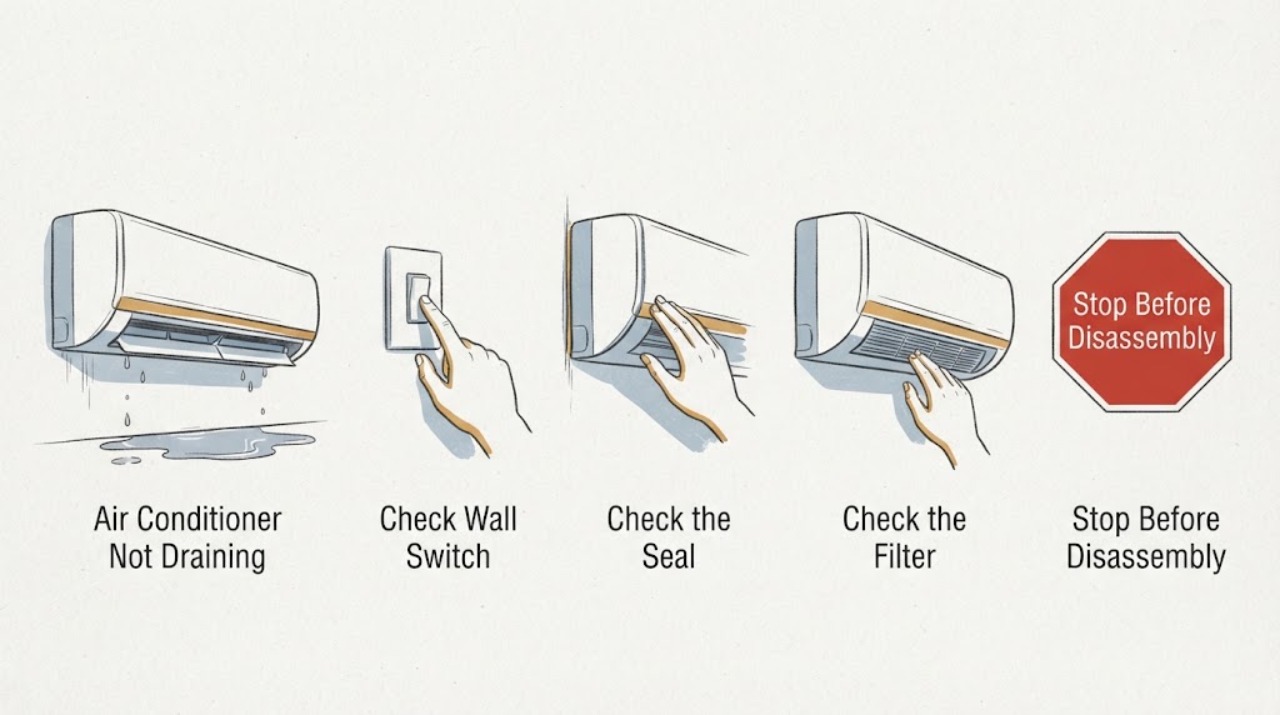
Work through in order
Diagnostic checks
Use only checks that match the exact appliance or system and its official guide.
-
Check 1
Switch the air conditioner off and place a container under the indoor drip. From a dry position, identify whether condensate is reaching the hose outlet or remaining at the indoor unit.
Expected result: Water reaches the hose outlet, water remains at the indoor unit, or water is near a plug, wire, or control.
Next step: Leave the unit off if water is near electrical parts. Otherwise continue with the visible hose check and do not open the cabinet.
Why this matters
Why: Flow at the outlet makes a complete blockage less likely; backup at the indoor unit points to routing, blockage, level, or internal drainage. Water near electricity is a safety issue.
-
Check 2
Inspect the full visible drain-hose run. Confirm it leaves the unit without rising above it, stays straight, is not submerged at its end, and has no crushed section, loose joint, or visible damage.
Expected result: The hose rises, bends, ends underwater, is loose or damaged, or the route is downward and intact.
Next step: Correct only an obvious accessible routing problem according to the installation guidance. Request service for a hidden blockage, damaged hose, or unsafe installation.
Why this matters
Why: Samsung identifies upward or bent routing, submersion, blockage, and poor slope as causes of reverse flow or poor condensate drainage.
-
Check 3
With power off and following the model instructions, inspect the accessible filter for heavy dust and wash it if permitted; dry it completely before refitting it.
Expected result: The filter is clogged or damp, or it is clean and dry after refitting.
Next step: Do not operate with a wet or incorrectly fitted filter. If water still backs up after the filter is dry, stop use and request service.
Why this matters
Why: Samsung says a poorly maintained filter can reduce airflow and contribute to indoor leakage; a clean filter leaves the drain route and internal causes unresolved.
-
Check 4
Look for an unlevel indoor unit, obvious rainwater entry around the pipe opening, or ice that later melts; do not remove panels or work on refrigerant lines.
Expected result: The unit is visibly tilted, rainwater can enter, ice is present, or none of these external clues is visible.
Next step: Do not re-level a mounted unit or handle the sealed system yourself. Document the clue and arrange qualified service if drainage does not recover.
Why this matters
Why: An unlevel unit or outside water can mimic a failed drain, while ice can indicate a service-level airflow or refrigerant issue rather than a simple hose blockage.
Use your observations
Decision map
Find the observation that best matches what you see, then follow the next safe action.
-
PATH 01Next step
What you see
The hose outlet is dry while water backs up indoors and the visible hose has an upward or submerged section
Do this next
Leave the unit off and correct only accessible routing; have the drain path serviced if it remains blocked or inaccessible.
Why this path and its safety boundary
Why it matters: Reverse flow or a restricted route is more likely than a problem with the remote or cooling setting.
-
PATH 02Next step
What you see
The hose is correctly routed and the filter is clean, but condensate still does not leave the indoor unit
Do this next
Stop repeated tests and arrange Samsung-trained inspection; do not open the indoor unit or alter refrigerant equipment.
Why this path and its safety boundary
Why it matters: A hidden drain blockage, pan, level, installation, or component problem remains possible.
-
PATH 03Next step
What you see
Ice forms before water appears, or the mounted unit is visibly tilted or leaking after rain
Do this next
Turn the unit off, record where the water and ice appear, and request qualified service.
Why this path and its safety boundary
Why it matters: The symptom may involve airflow, sealed-system, installation, or weather-entry conditions rather than a simple drain-hose problem.
When checks do not resolve it
Need a professional?
Request qualified Samsung service when the visible drain route is intact but water still backs up, the hose or mounting is damaged or inaccessible, ice forms, water reaches electrical parts, or the leak returns after the filter is clean and dry.
Common questions
FAQ
What does ‘not draining’ mean on a Samsung air conditioner?
It means condensate is not moving out through the intended drain route, often shown by water remaining at the indoor unit while the hose outlet stays dry. Check visible hose routing and stop for service if the path is not accessible.
Should I open the Samsung indoor unit to clear a blocked drain?
No. Limit checks to the accessible hose, filter, and visible installation conditions. A hidden blockage or persistent backup needs qualified inspection, especially with water near electricity.
Read the exact guide
Official sources
- What to do if water drips from my air conditioner?Samsung Gulf · Samsung air conditioner condensate drainage and water-drip troubleshooting
- How to Fix Water Leaks from a Samsung AC Indoor UnitSamsung Gulf · Samsung split air conditioner indoor condensate path
Community feedback
Share a repair observation
Share a plain-text repair observation. Accepted observations are published automatically; this page may take a moment to update.