
On this page
Start here
Quick answer
If a Samsung air conditioner feels unusually hot, stops, or shows a protection indication, first note which part is hot and whether the indoor indicator displays a code. With the unit off, check the accessible filter and clear only external airflow obstructions. If the C154 indication returns promptly after one restart, or there is smoke, a burning smell, a repeat breaker trip, or persistent abnormal heat, stop using the unit and request professional service.
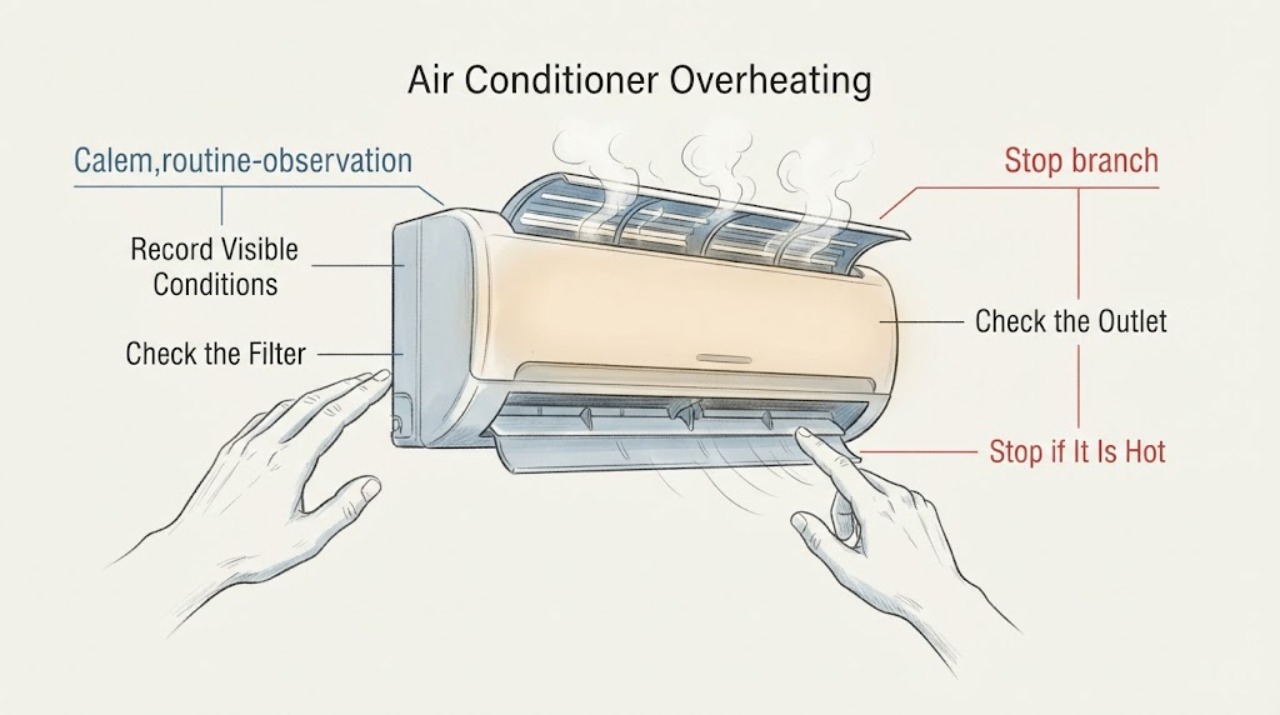
Work through in order
Diagnostic checks
Use only checks that match the exact appliance or system and its official guide.
-
Check 1
Turn the unit off and record whether the heat is at the indoor housing, outdoor unit, plug, or nearby wiring; note smoke, burning odor, water near electricity, unusual noise, and any blinking display.
Expected result: Only normal warm air or outdoor-pipe dew is present, or abnormal heat/odor/smoke or electrical warning signs are present.
Next step: Leave the unit off and arrange qualified service for any safety warning. If no warning is present, continue with the external airflow checks below.
Why this matters
Why: Some outdoor pipe condensation can result from temperature differences, but smoke, odor, damaged wiring, or heat at electrical parts is a safety stop rather than an airflow diagnosis.
-
Check 2
With power off and following the model instructions, inspect the accessible indoor filter and clean it if dusty; let it dry completely before refitting it.
Expected result: The filter is clogged or damp, or it is clean and dry after refitting.
Next step: Run the unit only with a dry, correctly seated filter. If abnormal heat or stopping returns, stop rather than repeatedly testing.
Why this matters
Why: Samsung identifies restricted filters as a cause of poor airflow and cooling performance; normal filter condition makes a hidden airflow or component fault more likely.
-
Check 3
Look around the indoor and outdoor units for furniture, covers, debris, or other external obstructions blocking the air inlet or outlet; do not reach into a fan or remove guards.
Expected result: An external obstruction is present, or both airflow paths are visibly clear.
Next step: Remove only loose external obstructions and keep the unit off while doing so. Request service for guarded, inaccessible, or persistent restrictions.
Why this matters
Why: A blocked airflow path can reduce cooling efficiency and increase operating stress; clear paths shift the concern toward settings, protection, or an internal fault.
-
Check 4
If the indoor display shows C154 or another documented protection indication, turn the unit off, wait briefly, restart once, and observe whether the indication returns within about 10 seconds.
Expected result: The indication clears and stays away, or it returns within about 10 seconds.
Next step: Stop after a returning indication and contact Samsung service. Do not measure voltage or access the fan motor or board yourself.
Why this matters
Why: Samsung describes intermittent C154 as indoor fan-motor protection during abnormal voltage and prompt recurrence as a possible fan-motor or board fault requiring inspection.
Use your observations
Decision map
Find the observation that best matches what you see, then follow the next safe action.
-
PATH 01Next step
What you see
Heat is accompanied by smoke, burning odor, a hot or damaged cord, water near electricity, or a repeat breaker trip
Do this next
Stop using the AC, isolate power only if safe, and arrange qualified electrical or appliance service.
Why this path and its safety boundary
Why it matters: An electrical or water-related hazard overrides ordinary overheating checks.
-
PATH 02Next step
What you see
The filter or an external inlet/outlet obstruction is corrected and the abnormal heat does not return
Do this next
Keep airflow paths clear and follow the model's filter-maintenance schedule; monitor for recurrence.
Why this path and its safety boundary
Why it matters: Restricted airflow was supported as a contributor, though it does not prove that no internal issue exists.
-
PATH 03Next step
What you see
C154 or another indicator returns promptly after one restart, or abnormal heat persists with clear airflow
Do this next
Leave the unit off, retain the exact code and model, and request Samsung-trained inspection.
Why this path and its safety boundary
Why it matters: A protection, fan, sensor, board, or other internal fault remains possible and is not safe to diagnose by opening the unit.
When checks do not resolve it
Need a professional?
Stop using the Samsung air conditioner and request qualified service for persistent abnormal heat, a returning protection/error indication, a fan that stops, smoke, burning odor, damaged wiring, water near electrical parts, or repeated breaker trips.
Common questions
FAQ
Is a warm Samsung AC outdoor unit automatically overheating?
No. Outdoor components and pipes can be warm or show dew because of ambient temperature differences. Treat smoke, burning odor, electrical heat, persistent abnormal temperature, or returning protection codes as a service boundary.
What does a returning C154 indication mean on a Samsung AC?
Samsung describes intermittent C154 as fan-motor protection and says a prompt recurrence after restart can indicate a fan motor or board problem that needs service. Do not open the unit or test live voltage.
Read the exact guide
Official sources
- How to fix a Samsung AC that is not coolingSamsung Gulf · Samsung AC airflow and cooling-performance symptoms
- How to solve error codes on your Samsung indoor air conditionerSamsung India · Samsung indoor AC protection/error conditions
Community feedback
Share a repair observation
Share a plain-text repair observation. Accepted observations are published automatically; this page may take a moment to update.