
On this page
Start here
Quick answer
For the Siemens SN45M206SK, first separate a simple post-outage interruption from a dishwasher fault: confirm stable power, close the door fully with nothing pressing against it, and verify the water tap and inlet hose are available. If water remains, clean only the user-accessible filters with the appliance disconnected and water turned off. The exact Siemens manual documents a three-second Start reset that runs for about one minute, but a repeat stop with no displayed code does not prove a control-board or pump failure; stop at these external checks and arrange Siemens service.
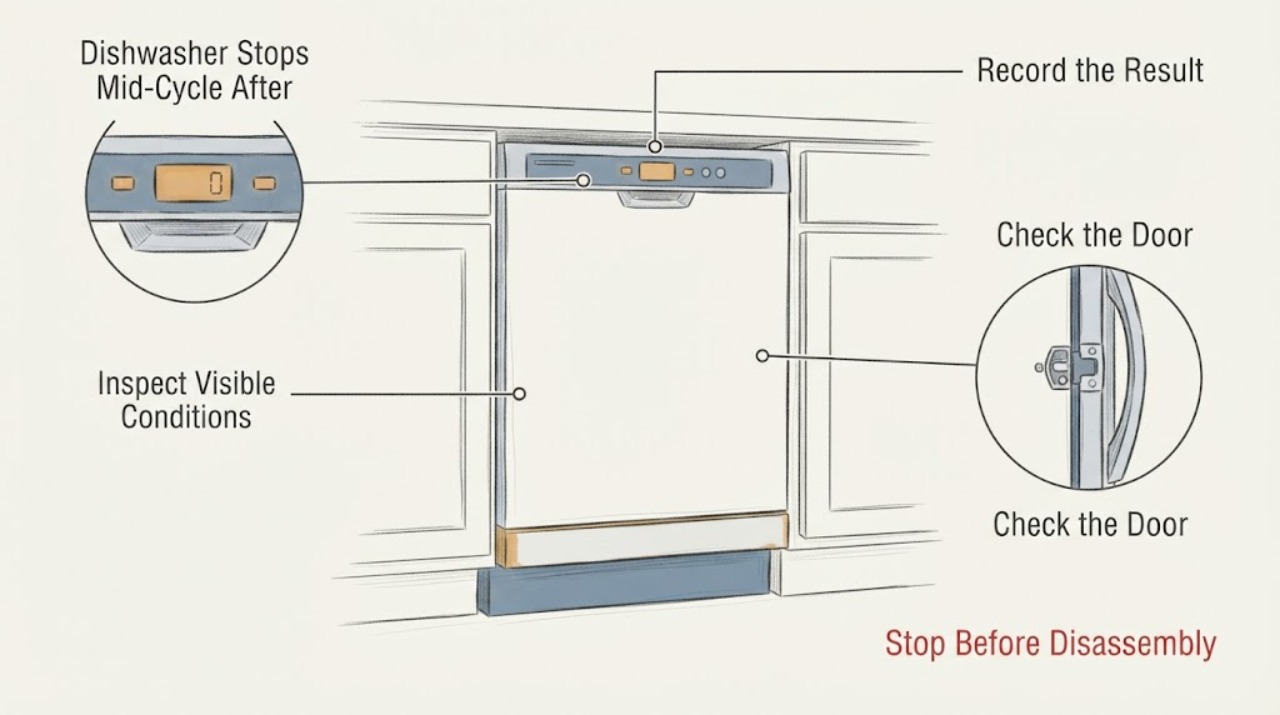
Work through in order
Diagnostic checks
Use only checks that match the exact appliance or system and its official guide.
-
Check 1
After the household power is stable, check only the accessible supply point for the dishwasher: confirm its normal switch or breaker has not tripped and observe whether the display and indicators remain on when the machine is idle. Do not remove panels or make an electrical measurement.
Expected result: The display is completely dead, or the display stays on but the program later stops again.
Next step: If the accessible supply will not stay on, stop and have the household electrical supply checked. If the dishwasher remains powered, continue with the door and water checks; do not repeat an internal electrical test.
Why this matters
Why: A dead display keeps the power path as the first decision. A powered display with a repeat mid-cycle stop means the outage alone has not explained the recurrence; it does not identify a board or pump.
-
Check 2
With the machine off, close the door normally and check that no dish, rack item, detergent container or other object projects into the door path. Confirm the upper rack is not pressing against the inner door and that the door closes without being held or forced.
Expected result: The door does not latch consistently, or an item/rack position prevents full closure; alternatively, the door closes normally and the stop persists.
Next step: Correct only the visible loading or closure obstruction and run the normal program once. If the door is normal and the stop returns, record that result and move to service rather than adjusting the latch or opening the door wiring.
Why this matters
Why: The exact manual lists an incompletely closed door and a rack or object preventing secure closure as reasons the machine can stop during a program. A door that closes normally does not prove an internal latch or controller fault.
-
Check 3
With the dishwasher stopped and the area dry, look at the accessible water tap and inlet hose. Confirm the tap is open and the hose is not visibly kinked, crushed or leaking; do not disconnect the hose or open the inlet valve housing.
Expected result: The tap is closed, the inlet hose is kinked or leaking, or the external water path looks normal while the cycle still stops.
Next step: Restore only an obvious external tap or hose condition and check for leaks before using the dishwasher. If the visible water path is normal or a leak is present, close the tap and arrange service; do not pull the machine out for a live test.
Why this matters
Why: The SN45M206SK manual lists an interrupted water supply and a kinked inlet hose among the causes of an interrupted program. A normal visible supply does not prove that an inlet valve, pump or control board is defective.
-
Check 4
If murky water remains, disconnect the dishwasher from power, close the water tap, remove the racks, and inspect and rinse only the user-accessible filter system and the area immediately beneath it. Do not remove the pump cover or reach into the pump area if glass or sharp debris may be present.
Expected result: The filters or area under them contain debris, or they are clear and water still remains after the program is reset.
Next step: Reassemble the accessible filters correctly and keep the appliance disconnected until the reset step. If water remains or the tub leaks, close the tap and use service; do not repeat pump disassembly.
Why this matters
Why: The exact manual links standing water after a program to a clogged filter system or the program not being finished, while its pump-cleaning procedure carries a cut hazard and requires power isolation. Clear filters can narrow the service report but cannot identify an internal pump fault.
-
Check 5
Once the accessible door, supply and filter checks are complete and no leak or electrical damage is present, use the exact manual reset: hold the Start key for about three seconds, allow the roughly one-minute reset to finish, then switch the appliance off and on as described. Do not keep restarting an appliance that smells burnt, trips power or leaks.
Expected result: The reset completes and a subsequent cycle runs, or the dishwasher again stops with the timer at 0:00 and no code.
Next step: If the cycle completes, monitor the next use without changing parts. If the stop recurs, provide Siemens service with the exact E-Nr./FD from the door label, the outage timing, the stop time, the water-left observation and the checks already performed.
Why this matters
Why: A completed reset clears an interrupted program; it is not a component diagnosis. A repeated no-code stop after the documented external checks is an unresolved fault even if the display remains powered.
Use your observations
Decision map
Find the observation that best matches what you see, then follow the next safe action.
-
PATH 01Next step
What you see
The display stays off after the outage or the accessible breaker/switch will not hold.
Do this next
Stop using the dishwasher and have the household supply checked; do not remove the machine cover or test live wiring.
Why this path and its safety boundary
Why it matters: The appliance is not receiving a stable accessible supply, so a mid-cycle dishwasher diagnosis is premature.
-
PATH 02Next step
What you see
The door closes fully only after a visible loading or rack obstruction is removed.
Do this next
Correct the visible loading issue and run one normal cycle. Escalate if the stop returns with a normally closing door.
Why this path and its safety boundary
Why it matters: The manual's door-closure branch can explain the stop without proving a latch, board or pump failure.
-
PATH 03Next step
What you see
The visible water supply is interrupted, the hose is kinked or leaking, or murky water remains with dirty accessible filters.
Do this next
Close the tap if there is a leak, correct only the safe external condition, isolate power for filter cleaning, and stop for service if the condition is not resolved.
Why this path and its safety boundary
Why it matters: A documented water-supply or filter/drain condition remains plausible and should be corrected before any component conclusion.
-
PATH 04Next step
What you see
Power, door closure, visible water supply and accessible filters are normal, but the SN45M206SK again stops mid-cycle with no code.
Do this next
Stop troubleshooting at the cabinet boundary and arrange Siemens or qualified appliance service. Do not buy a control board or pump solely because the outage preceded the symptom.
Why this path and its safety boundary
Why it matters: The supported user checks have not resolved the symptom. The report and manual do not establish which internal component is responsible.
-
PATH 05Next step
What you see
There is a water leak, burning smell, damaged cord, arcing, repeated breaker operation, or any need to open the control or pump area while energized.
Do this next
From a dry safe position, disconnect power, close the water tap, keep the dishwasher unused, and arrange qualified service. Do not bypass the door or water protection, open the cabinet live, or repeatedly restart it.
Why this path and its safety boundary
Why it matters: The situation has crossed the safe external-check boundary. The Siemens manual reserves repairs and interventions for qualified professionals with the appliance disconnected and water shut off.
Helpful context
Understand the symptom
What the report establishes
The exact Reddit report identifies a Siemens SN45M206SK, says the power went out, and describes a stop roughly 20 minutes into different programs with the timer at 0:00, no error code, and sometimes murky water left in the tub. It also says the pump, outlet tube, and under-sink pipes had been checked. That history is useful for deciding what to observe, but it does not establish that a control board, pump, or another internal part is defective.
Stay with external checks
The Siemens manual linked from the SN45M206SK/50 product-support page is the evidence used here for this model family. Its troubleshooting table starts with door closure, water and power supply, and accessible filter or drain observations. Disconnect power and close the water tap before any filter cleaning. Do not open the control area, probe energized wiring, replace a board, or infer a pump failure from the timing alone.
When checks do not resolve it
Need a professional?
Call Siemens or qualified appliance service when the stop recurs after the documented reset and external checks, when water remains despite clean accessible filters, or immediately for a leak, burning smell, damaged cord, arcing, repeated breaker trips or a door that cannot close safely.
Common questions
FAQ
Does the power outage prove that the control board failed?
No. The exact SN45M206SK manual lists interrupted power or water supply, incomplete door closure, and a rack or object preventing closure as causes of a program stopping. The Reddit post records a board diagnosis and short-lived replacement, but that community history does not prove the cause for this machine.
What should I do if the timer reaches 0:00 but murky water remains?
Disconnect power and close the water tap before checking the user-accessible filter system and the area under the filters. The manual links standing water to a clogged filter system or an unfinished program. If water remains after the documented reset or there is a leak, stop and arrange service rather than opening the pump or control area.
How is the program reset on this Siemens dishwasher?
The opened SN45M206SK manual says to hold Start for about three seconds, allow the approximately one-minute reset to finish, and then switch the appliance off. Use that only after the appliance is safe and the visible door, supply and leak checks are complete; a repeat stop still needs service assessment.
Read the exact guide
Official sources
- Siemens service, brugsanvisninger, reservedele, tilbehør til SN45M206SK/50Siemens Home Appliances / BSH Hvidevarer A/S · Opened the official Siemens product-support page identifying the SN45M206SK speedMatic 60 cm dishwasher and linking its user manual, installation instructions and self-help/service routes.
- Siemens dishwasher stops mid-cycle, no error codesReddit / r/appliancerepair · Opened exact Reddit post used only to preserve the reported model, timing, no-code symptom, water-left observation and already attempted external checks. It does not verify a component diagnosis or repair outcome.
- Opvaskemaskine BrugsanvisningSiemens Home Appliances / BSH Hvidevarer A/S · Opened from the exact SN45M206SK/50 Siemens support page. The Danish manual covers the assigned model family and is used for power/water/door/filter observations, the three-second reset and the professional-repair boundary.
Community feedback
Share a repair observation
Share a plain-text repair observation. Accepted observations are published automatically; this page may take a moment to update.