
On this page
Start here
Quick answer
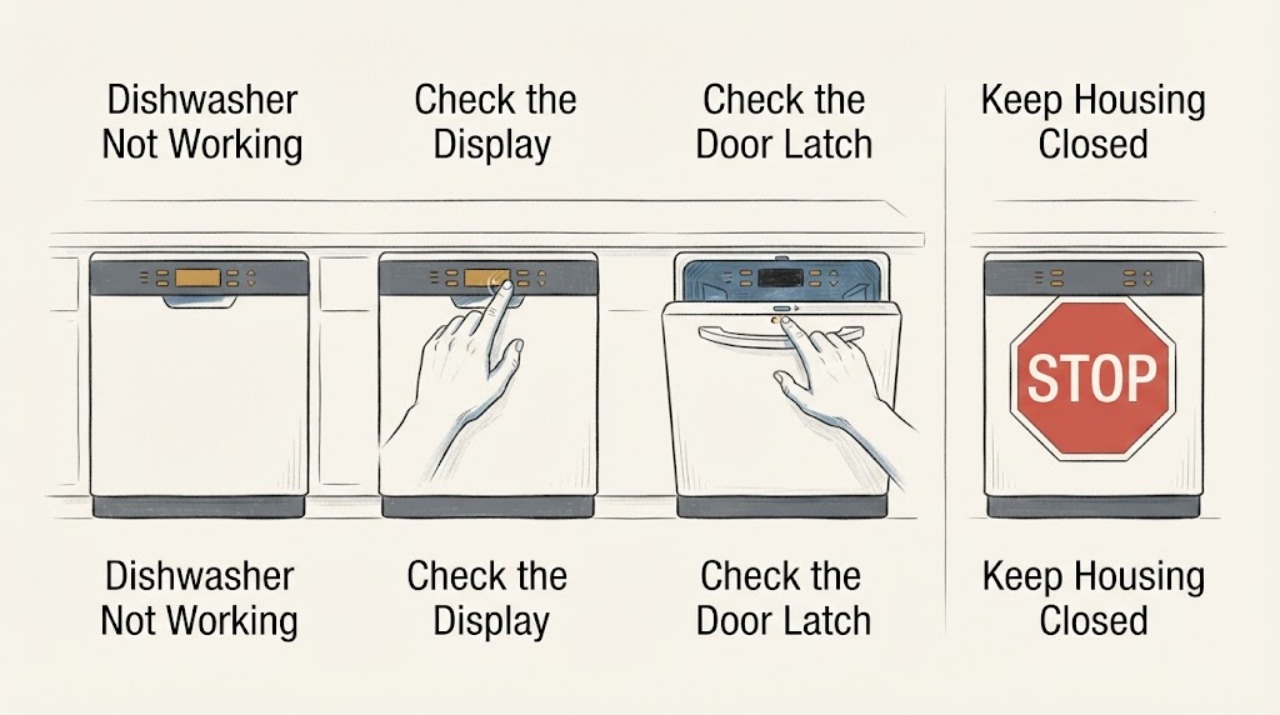
First separate a Siemens dishwasher with no lights from one that has power but will not start, and from one that starts but cannot fill. If the display is dark, check the accessible plug and socket only if safe. If the display is on, close the door fully and make sure nothing prevents the latch from engaging. For a no-fill symptom, open the water tap, look for visible kinks in the inlet hose, and follow the model manual before cleaning an inlet filter; an AquaStop safety valve must not be immersed in water. Record any E-code. Siemens links water-related codes and a water-tap indicator to the inlet, hose, tap, or filter, while water in the floor tub or a recurring fault needs the tap closed and Siemens Service.
Before you begin
Safety first
- Stop user troubleshooting for water in the floor tub, a leak, damaged cord or hose, a damaged AquaStop, repeated E-codes, or any need to open electrical, pump, heating, door-lock, or inlet-valve sections. Do not immerse an AquaStop valve, bypass a safety device, or work on live wiring.
Work through in order
Diagnostic checks
Use only checks that match the exact appliance or system and its official guide.
-
Check 1
Identify the exact Siemens dishwasher model or E-number and classify the failure: no lights, lights but no start, a cycle that stops while filling, a water-tap indicator, or a displayed E-code.
Expected result: The E-number and symptom are known, or the model cannot be identified and the display behavior is unclear.
Next step: Use the model-specific manual and keep the exact display text for later service. Continue with the matching accessible check rather than applying a reset from another Siemens series.
Why this matters
Why: Siemens states that error codes and recommended actions may not apply to every dishwasher, so the model determines the correct manual and service procedure. The symptom also determines whether to start with power, the door, or the inlet.
-
Check 2
If the dishwasher is completely dark, check that the accessible mains plug is fully inserted and test the socket with a small appliance only if safe. If the display is lit, close the door firmly and check that utensils or a fragrance dispenser are not preventing the latch from engaging.
Expected result: The socket is live and the dishwasher remains dark, or the display is on but the cycle starts after the door is cleared and closed.
Next step: Do not open the electrical section or bypass the door latch. If power is present but the display stays dark, or the door will not latch without force, arrange Siemens Service.
Why this matters
Why: A working socket with no dishwasher display points beyond a simple household outlet problem. A cycle that starts after the door is correctly closed supports a door-latch or obstruction issue rather than a water-inlet failure.
-
Check 3
For a dishwasher that powers on but does not fill, confirm that the dishwasher water tap is open and inspect the accessible inlet hose for kinks, crushing, visible damage, or a connection that is not seated. Do not pull an integrated dishwasher far enough to strain the hose.
Expected result: The tap is closed, the hose is kinked or damaged, or the tap and visible hose appear normal but the dishwasher still does not take in water.
Next step: Open the tap or relieve only a visible kink and run one normal cycle. If the hose or connection is damaged, shut off the tap. Continue to the filter check only when the model manual permits it.
Why this matters
Why: A closed tap or kink can stop the inlet before an appliance fault is involved. If those conditions are normal, a blocked filter, low household flow, AquaStop issue, or an internal inlet fault remains possible.
-
Check 4
If the exact manual allows an inlet-filter check, shut off the tap first, remove the hose from the tap, clean the accessible filter with a small brush, reconnect it, and inspect the connection for leaks. On AquaStop-equipped installations, keep the electric valve out of water; do not open or repair the valve itself.
Expected result: The filter is visibly blocked and flow returns after the documented cleaning, or the filter is clear and the machine still shows a water-tap indication or refuses to fill.
Next step: Check the tap flow using the model or installer guidance and stop if the connection leaks. If the inlet warning returns or the machine still will not fill, close the tap and request Siemens Service.
Why this matters
Why: A blocked filter can restrict inlet flow. A clear filter with a continuing no-fill symptom points toward low supply flow, the hose or AquaStop assembly, a sensor, or an internal valve rather than a simple surface blockage.
-
Check 5
Read and record any displayed E-code before restarting. Follow only the code-specific Siemens guidance: water-inlet codes call for inlet checks, a floor-tub water code calls for the tap to be closed, and electronics, heating, pump, or recurring faults call for service rather than repeated resets.
Expected result: The code clears after the documented inlet correction, returns after restart, or indicates water in the floor tub or a technical component fault.
Next step: For a recurring code, floor-tub water, or a component fault, close the water tap, disconnect power only if safe, and contact Siemens Service with the E-number and code.
Why this matters
Why: A code that returns is evidence that the underlying condition remains. Siemens assigns some codes to water supply or inlet restrictions and others to door sensors, power, pumps, heating, or water protection; the code must not be guessed from the symptom alone.
Use your observations
Decision map
Find the observation that best matches what you see, then follow the next safe action.
-
PATH 01Next step
What you see
The Siemens dishwasher has no lights, the socket is confirmed usable, and the accessible plug and cord connection are correct.
Do this next
Stop testing and arrange Siemens Service. Do not open the appliance or bypass electrical protection.
Why this path and its safety boundary
Why it matters: The household outlet is less likely to be the cause; an internal power, control, or wiring fault remains possible.
-
PATH 02Next step
What you see
The display is lit but the programme will not begin until the door is cleared and closed, or the door will not latch correctly.
Do this next
Remove only the visible obstruction and close the door normally. If the latch still fails or the problem returns, contact Siemens Service rather than forcing the door.
Why this path and its safety boundary
Why it matters: The start lockout is more consistent with door closure, the latch, or an obstruction than with a failed water inlet.
-
PATH 03Next step
What you see
The dishwasher starts but shows a water-tap indication or an inlet-related E-code, and the tap is open but the hose is kinked, the filter is blocked, or household flow is weak.
Do this next
Correct only a visible kink or model-approved filter blockage, check for leaks, and retry once. Escalate to Siemens Service if the warning returns or the inlet path remains uncertain.
Why this path and its safety boundary
Why it matters: The symptom fits restricted water supply or inlet flow. A blocked AquaStop or internal inlet part cannot be confirmed by a visible hose check alone.
-
PATH 04Next step
What you see
There is water in the floor tub, a leak at the hose connection, a damaged AquaStop or cord, a recurring E-code, or a fault involving electronics, heating, or a pump.
Do this next
Close the water tap and disconnect power only if safe. Keep the area dry and contact Siemens Service with the model and code; never immerse an AquaStop valve or open the appliance to repair it.
Why this path and its safety boundary
Why it matters: The problem has crossed into water-protection, electrical, or internal component service territory, where continued operation can worsen damage.
Helpful context
Understand the symptom
Classify what “not working” means
A Siemens dishwasher can be completely dark, show lights but refuse to start, begin a programme and fail at the water-inlet stage, or stop with an E-code. These patterns change the next check. Find the model or E-number on the appliance documentation or rating label, because Siemens warns that error codes and recommended actions may not apply to every dishwasher.
Check power and the door before the water path
Siemens' start guidance separates a dishwasher with no display lights from one that has lights. A dark unit calls for an accessible mains and socket check; a lit unit should be checked for a fully closed door and anything protruding over the basket. An open door can prevent a cycle from starting even when the controls appear normal.
Treat no-fill symptoms as an inlet problem until proven otherwise
For a Siemens dishwasher that does not take in water, official guidance points to the water supply, a closed or calcified tap, a kinked or blocked hose, low flow, or a blocked inlet filter. The inlet filter and hose can be checked only within the model's instructions. AquaStop contains an electric valve, so it must not be immersed in water; reconnect any opened connection and check for leaks.
When checks do not resolve it
Need a professional?
Contact Siemens Service when the dishwasher remains dark after an accessible socket check, the door will not latch normally, a no-fill warning returns after the tap, hose, and model-approved filter checks, or any water-protection or technical-component code appears.
Safety scope: Stop user troubleshooting for water in the floor tub, a leak, damaged cord or hose, a damaged AquaStop, repeated E-codes, or any need to open electrical, pump, heating, door-lock, or inlet-valve sections. Do not immerse an AquaStop valve, bypass a safety device, or work on live wiring.
Have this ready
- Provide the exact E-number, display lights and door behavior, water-tap or E-code text, whether the inlet tap is open, visible hose and filter findings, and whether water or a leak was found in the floor tub or connections.
Common questions
FAQ
Why is my Siemens dishwasher not starting even though the display is on?
Check that the door is fully closed and that no utensil or dispenser is protruding over the basket and preventing the latch from engaging. If the door still will not latch or the dishwasher displays a recurring fault, contact Siemens Service.
What should I check when my Siemens dishwasher is not taking in water?
Confirm the water tap is open, inspect the inlet hose for visible kinks or damage, and follow the exact manual before cleaning the inlet filter. Check for leaks after reconnecting anything. An AquaStop valve contains an electric valve and must not be immersed in water.
What does a Siemens dishwasher water-tap light or inlet code mean?
Siemens links the indication to restricted water flow, a closed or calcified tap, a kinked hose, or a blocked inlet filter. Correct only accessible causes described for your model, then request service if the indication returns.
What should I do if there is water under my Siemens dishwasher?
Close the water tap and stop using the dishwasher. Siemens treats water in the floor tub and recurring water-protection codes as service conditions. Disconnect power only if safe and arrange Siemens Service instead of opening the appliance.
Read the exact guide
Official sources
- Error codes on Siemens DishwashersSiemens Home Appliances · Siemens dishwasher E-code meanings, water-protection signals, inlet checks, and service escalation
- Wieso zieht meine Spülmaschine kein Wasser?Siemens Hausgeräte · Siemens dishwasher water supply, hose kink, water flow, inlet-filter, and leak checks
- Spülmaschine geht nicht anSiemens Hausgeräte · Siemens dishwasher no-power, door-closure, water-inlet, and service checks
Community feedback
Share a repair observation
Share a plain-text repair observation. Accepted observations are published automatically; this page may take a moment to update.