
On this page
Start here
Quick answer
An Ariston dishwasher that appears not to work may be waiting for power, a fully closed door, a start command, water, or a clear drain path. Check the outlet from a dry, accessible position, make sure the door closes fully, select a program, press START/Pause, and close the door within four seconds on models using that start sequence. After a power cut, the opened Ariston manual says the dishwasher will not restart automatically. If it remains dead, stops with water inside, repeatedly shows an indicator, leaks, or trips the breaker, stop and arrange qualified service instead of opening panels.
Before you begin
Safety first
- Keep troubleshooting to dry, visible, user-accessible checks. Do not bypass the door latch, remove panels or the pump guard, test energized wiring, move a built-in appliance, disconnect hoses during a leak, or repeatedly reset a breaker. Disconnect power only from a safe, dry position and follow the exact model manual.
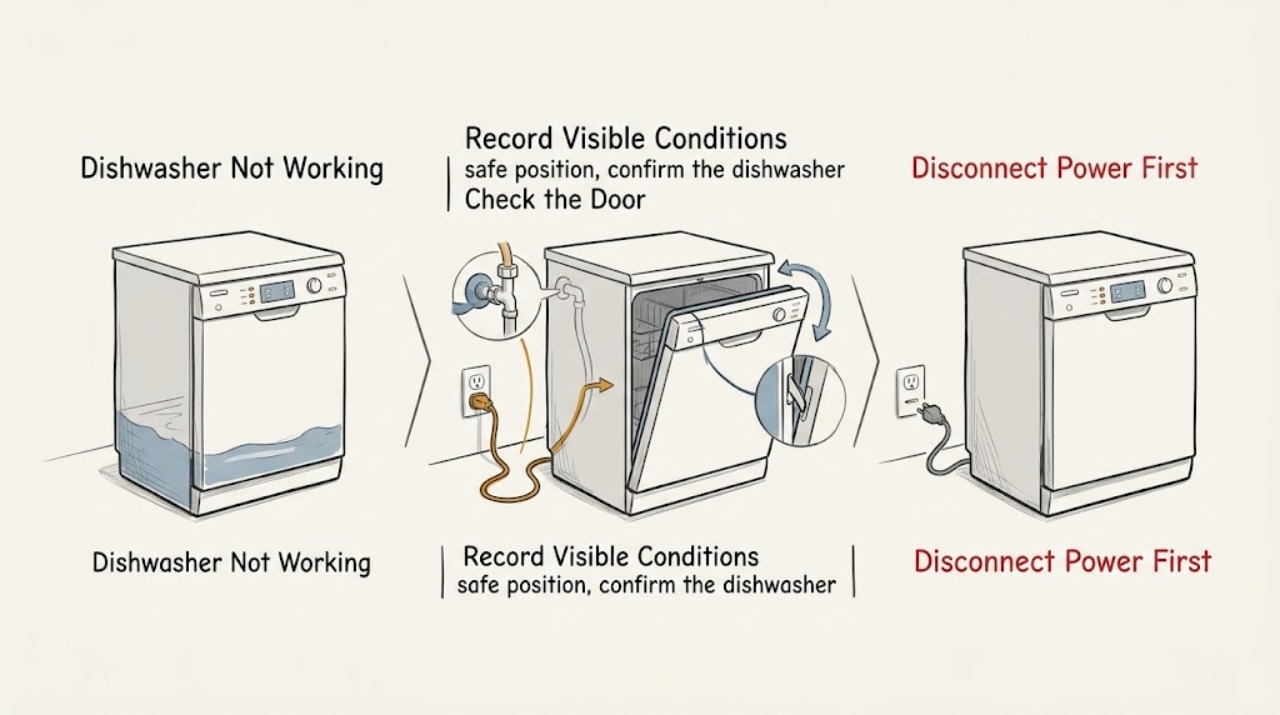
Work through in order
Diagnostic checks
Use only checks that match the exact appliance or system and its official guide.
-
Check 1
Record exactly what happens when you press ON/OFF and select a program: no lights at all, lights but no start, a cycle that stops, water left in the tub, or a flashing indicator/display code.
Expected result: A dark panel points first toward the supply/socket; a lit panel with no movement points toward start/door state; water left or an early stop points toward draining or filling. A code or flashing pattern may be model-specific.
Next step: Follow the matching power, door, water, or drain check below and write down the exact model and any displayed code for service if the symptom persists.
Why this matters
Why: These symptoms are different branches in the Ariston troubleshooting table, so one generic part diagnosis would be premature.
-
Check 2
From a dry, safe position, confirm the dishwasher plug is seated and check that the wall socket is live with another small appliance. Do not move a wet or built-in dishwasher to reach the plug, and do not keep using an extension lead that is not suitable.
Expected result: If the other appliance also fails, the problem is upstream of the dishwasher. If the socket works but the dishwasher stays completely dark, the appliance-side power or control path remains unresolved.
Next step: Restore the household supply only if safe and within your normal access. If the dishwasher remains dead or a breaker trips again, stop and arrange qualified service; do not open the appliance.
Why this matters
Why: Ariston's FAQ identifies a live socket, a properly connected dishwasher, and avoiding an inappropriate extension lead as the first checks for a dead appliance.
-
Check 3
Open the door, select a program, press START/Pause, and close the door firmly until it clicks. On the opened manual's model, close it within four seconds of pressing START/Pause; clear anything preventing full closure.
Expected result: A single beep or a running timer after the door closes indicates that the start sequence was accepted. No response, a door that will not latch, or a cycle that pauses after the door was open points to the door/start state rather than a water diagnosis.
Next step: Repeat the sequence once with the door unobstructed. Never defeat or bypass the latch; if it still will not recognize a closed door, stop and call qualified service.
Why this matters
Why: The manual says the dishwasher will not start if the door is not closed, and that a cycle interrupted by a door opening longer than four seconds needs START/Pause followed by prompt closure.
-
Check 4
If the dishwasher starts but does not fill, look only at the accessible water tap and the visible inlet hose. Confirm the tap is open and the hose is not kinked, crushed, leaking, or disconnected.
Expected result: A closed tap or pinched hose gives a plausible supply-side explanation. If the tap and hose look normal but the dishwasher still does not fill, do not remove the inlet assembly or test a valve.
Next step: Correct only an obvious, dry, external hose bend and retry once. For a leak, a blocked inlet sieve, or a persistent no-fill symptom, shut off the water if safe and arrange qualified service.
Why this matters
Why: Ariston's dishwasher guidance says the appliance needs water supply and an open tap; its troubleshooting table also identifies a bent hose and a clogged inlet sieve as model-specific causes.
-
Check 5
If water remains or the cycle stops around draining, first allow for the possibility that the wash cycle is still running. Then inspect the visible drain hose for a kink and, if connected under a sink, check the visible waste connection. With power isolated and the appliance manual permitting it, inspect and clean only the user-accessible filter.
Expected result: A bent hose, blocked sink connection, or food-filled filter gives a visible drain-path explanation. If the hose and filter are clear but water remains, the blockage or pump is not safely identified from outside.
Next step: Correct an obvious external kink or clean the filter as described by the exact manual, then try one cycle. Do not reach into a powered appliance or remove the pump guard; persistent standing water requires qualified service.
Why this matters
Why: The opened Ariston manual lists an unfinished cycle, bent drain hose, blocked sink pipe, and clogged filter for its drain symptom; the Ariston FAQ adds correct waste-hose installation and a cleared sink-spigot connection.
-
Check 6
After one safe correction, run one suitable cycle while noting whether it starts, fills, drains, and reaches the end. Record the point of failure and any indicator rather than repeatedly power-cycling it.
Expected result: A complete cycle supports that the external condition was corrected. A repeat no-start, early stop, standing water, leak, burning smell, unusual noise, or breaker trip is a persistent fault, not a reason to keep trying resets.
Next step: Stop using the dishwasher and arrange qualified service. Provide the exact model/serial information, the observed display pattern, the cycle stage, and what happened in the power, door, water, and drain checks.
Why this matters
Why: The manual directs unresolved errors or issues to authorized after-sales service and asks the owner to provide the codes from the product identification plate.
Use your observations
Decision map
Find the observation that best matches what you see, then follow the next safe action.
-
PATH 01Next step
What you see
Do this next
Stop after the dry, accessible socket check. Do not reset a breaker repeatedly or remove panels; arrange qualified service if power does not remain stable.
Why this path and its safety boundary
Why it matters: An upstream socket/supply issue is more likely when another appliance also loses power. If the socket is live but the dishwasher stays dark, an appliance-side fault is not safely distinguishable at user level.
-
PATH 02Next step
What you see
Do this next
Clear the door opening and perform the model-appropriate START/Pause and closure sequence once. If the door will not latch or the symptom repeats, stop and call qualified service without bypassing the latch.
Why this path and its safety boundary
Why it matters: A door-latch/start-state problem is more likely than a fill or drain fault when the door does not click, the start timing is missed, or the machine does not recognize closure.
-
PATH 03Next step
What you see
Do this next
Check the tap, visible hoses, sink connection, and user-accessible filter according to the exact model manual, then make one retry. Escalate for persistent no-fill, standing water, or early completion.
Why this path and its safety boundary
Why it matters: The visible water-supply and drain paths become more likely than a simple start-command issue. An external kink or tap position can be checked, but a clear hose/filter does not prove an internal valve or pump fault.
-
PATH 04Next step
What you see
Do this next
Stop using it and arrange authorized or otherwise suitably qualified appliance service. Give the technician the model identification and the exact symptom sequence; do not order a part based only on the general “not working” symptom.
Why this path and its safety boundary
Why it matters: The remaining cause may involve an internal electrical, control, latch, inlet, or pump circuit that cannot be identified safely from these checks.
Helpful context
Understand the symptom
What “not working” can mean
Start by separating a dark display from a machine that has power but will not begin, and from a cycle that starts then stops. Ariston's instructions use different checks for those patterns. A cycle that has not finished can look like a drain failure, while a door opened for too long can leave the cycle paused. Controls and indicators vary by model, so treat the exact model manual as authoritative if its symbols differ.
Keep the checks external
These checks are limited to visible controls, an accessible outlet, the door, the water tap and hose, the visible drain path, and the user-accessible filter. Do not bypass the door latch, remove covers, test live wiring, move a built-in appliance, or keep resetting a tripped breaker.
When checks do not resolve it
Need a professional?
Call qualified appliance service when the outlet is live but the dishwasher remains dead, the door will not latch or be recognized, a leak or standing water persists, an indicator repeats after the model's documented reset, or the breaker trips again. Also call when the visible inlet and drain checks do not restore a complete cycle.
Safety scope: Keep troubleshooting to dry, visible, user-accessible checks. Do not bypass the door latch, remove panels or the pump guard, test energized wiring, move a built-in appliance, disconnect hoses during a leak, or repeatedly reset a breaker. Disconnect power only from a safe, dry position and follow the exact model manual.
Have this ready
- Provide the exact model and serial information, the display code or flashing pattern, whether the panel is dark or lit, where the cycle stops, whether water remains, and the results of the outlet, door, water-tap, hose, drain, and filter checks.
Common questions
FAQ
Why did my Ariston dishwasher not restart after a power cut?
The opened Ariston manual says the dishwasher does not restart automatically when power returns. On that model, open the door, press START/Pause, and close the door within four seconds. Use the exact model manual if the controls differ.
Why does the dishwasher have lights but still not start?
Check that the selected program has been started and that the door closes fully with a click. The opened manual also describes resuming a cycle that was interrupted by a door opening longer than four seconds.
What should I check if my Ariston dishwasher will not fill?
Check the accessible water tap and visible inlet hose for a closed tap, a kink, a crush point, or a leak. Ariston also notes that the dishwasher must drain before it can fill; persistent no-fill symptoms need qualified service rather than inlet disassembly.
Should I replace a pump, latch, or control part because the dishwasher is not working?
Not from this symptom alone. The same “not working” report can come from power, door, inlet, drain, or control states. Identify the symptom and any model-specific indicator first; have a qualified person diagnose internal parts and verify compatibility.
Read the exact guide
Official sources
- DAILY REFERENCE GUIDEAriston · Ariston LIC 3C26 C 60HZ dishwasher; opened manufacturer manual covering daily use and troubleshooting.
- FAQ – Ariston Brand – Cooking Appliances, Kitchen Appliances, DishwashersAriston Australia · Ariston dishwasher troubleshooting FAQ covering dead appliances, filling, draining, and consumer safety boundary.
Community feedback
Share a repair observation
Share a plain-text repair observation. Accepted observations are published automatically; this page may take a moment to update.