
On this page
Start here
Quick answer
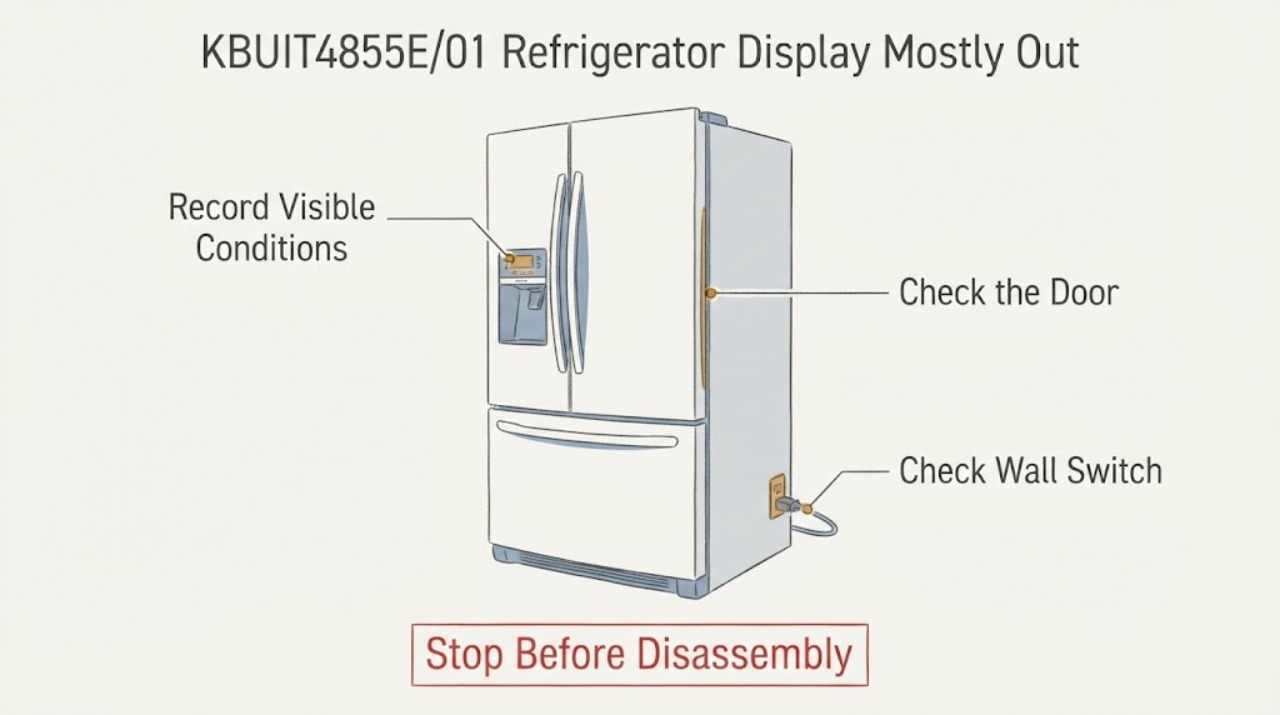
The exact Reddit report identifies a Thermador refrigerator model KBUIT4855E01 that still runs while the digital display blinks only occasionally, beeps slightly and ignores button presses. Thermador's official KBUIT4855E/01 service page confirms the corresponding slash-form model and provides its manuals, parts and owner-support route. First protect food by checking actual compartment temperature with an independent thermometer, then make only safe external observations: confirm the exact nameplate suffix, note whether cooling and interior lighting continue, and check an accessible plug/breaker or main switch only if the installation permits it. Use the exact owner manual for any visible lock or standby indication. Do not infer a failed control board from the display symptom or open the panel; if the display remains mostly blank or the refrigerator temperature is rising, arrange Thermador or qualified appliance service.
Work through in order
Diagnostic checks
Use only checks that match the exact appliance or system and its official guide.
-
Check 1
Read the refrigerator rating plate and record the complete model and serial information. Compare the model text with the assigned KBUIT4855E01 and Thermador's slash-form KBUIT4855E/01 support page before selecting a manual or part.
Expected result: The plate matches KBUIT4855E/01, or it has a different suffix/model family.
Next step: If it matches, open the model-specific manuals/support from Thermador. If it does not, stop model-specific instructions and use the actual model number for the lookup.
Why this matters
Why: A matching suffix permits use of the exact Thermador support route; a different suffix means the displayed symptom may require different documentation and parts.
-
Check 2
Without opening the appliance, note whether cooling continues: check the actual refrigerator temperature with an independent thermometer, whether the interior light works, and whether the unit continues its normal cooling cycle. Keep the doors closed as much as possible while observing.
Expected result: The temperature remains controlled and the refrigerator continues running, or the temperature is rising/unknown while the display is unresponsive.
Next step: If cooling is not verified or is deteriorating, protect perishable food and arrange service. If cooling is stable, continue only with the external control and power observations below.
Why this matters
Why: Continued cooling would separate the display/control symptom from an immediate loss of refrigeration; a rising or unknown temperature makes food protection and service more urgent. Neither observation identifies a board, harness or display part.
-
Check 3
If the installation makes it safe and accessible, inspect the plug, main switch and household breaker/fuse from outside the cabinet. Do not remove a built-in refrigerator, perform electrical measurements or open an electrical cover.
Expected result: The plug is loose, the accessible switch is off, the breaker/fuse is tripped, or the external supply appears normal while the refrigerator still runs.
Next step: Correct only an obvious external supply condition that can be handled safely and observe once. If the display remains unresponsive, stop troubleshooting at the cabinet and contact service.
Why this matters
Why: Thermador lists plug, main-switch, power-failure, outlet and breaker/fuse checks for a refrigerator that does not turn on. A normal external supply with a running refrigerator does not explain a mostly blank nonresponsive display and does not prove an internal part.
-
Check 4
Look for a visible lock, standby, alarm or other status indication and use only the exact KBUIT4855E/01 owner's manual instructions for that indication. Do not force repeated button combinations or assume a control lock is present because the display is dim.
Expected result: A documented status indication responds to the exact manual's user control, or the display remains mostly blank and buttons still do not respond.
Next step: If the exact manual does not resolve the status or the controls remain dead, save the display behavior and request Thermador/qualified service. Do not open the panel or replace a control part based on the symptom alone.
Why this matters
Why: A manual-confirmed user setting can be corrected without diagnosing a component. Persistent nonresponse after external checks remains an unresolved control/display symptom; the community report's later control-panel comment is anecdotal and not a model-specific diagnosis.
Use your observations
Decision map
Find the observation that best matches what you see, then follow the next safe action.
-
PATH 01Next step
What you see
The rating plate confirms KBUIT4855E/01 and the refrigerator continues to hold temperature while only the display/buttons fail.
Do this next
Use the exact Thermador owner-support route, record the suffix/serial and display behavior, and arrange model-specific service if the manual does not resolve a visible user setting.
Why this path and its safety boundary
Why it matters: The incident is a display/control responsiveness problem with cooling still operating; the symptom does not identify a specific board, ribbon, harness or display assembly.
-
PATH 02Next step
What you see
The independent temperature check shows the refrigerator is warming, or the temperature cannot be verified while the display is blank.
Do this next
Minimize door opening, move perishable food to known-safe refrigeration when needed, and contact appliance service. Do not continue repeated power cycles or open the control panel.
Why this path and its safety boundary
Why it matters: Food protection is now the priority; a working compressor or interior light cannot be assumed to mean safe storage temperature.
-
PATH 03Next step
What you see
An accessible breaker, plug or main switch is clearly off/tripped and the appliance has lost all operation.
Do this next
Restore only an obvious external condition that is safe to handle, then observe once. If the issue recurs or the display remains dead, arrange service rather than testing inside the appliance.
Why this path and its safety boundary
Why it matters: Thermador lists these external supply conditions as possible causes of a refrigerator that does not turn on, but they do not explain the original still-running state unless the operating symptom has changed.
-
PATH 04Next step
What you see
The display remains mostly blank and unresponsive after the exact-model documentation and external checks, or resolving it would require panel removal, live measurement, connector handling or a replacement control part.
Do this next
Stop at external observation and request Thermador or qualified appliance service with the exact model/serial, temperature observation and display behavior.
Why this path and its safety boundary
Why it matters: The remaining fault is outside the supported user-level checks. The Reddit follow-up mentioning a control panel is a reported outcome, not proof that this unit has the same failed part.
Helpful context
Understand the symptom
Confirm the exact model before using any control instructions
The original post writes the model as KBUIT4855E01, while Thermador's official service page formats it as KBUIT4855E/01. Read the rating plate and keep the full suffix, serial number and service information with the service request. Thermador's installation document lists the KBUIT4855E family among its built-in side-by-side refrigerators, but a family match does not make another model's control-panel procedure applicable.
Separate a control-display failure from a cooling failure
A dead or mostly blank display does not by itself show that the refrigeration system has stopped. Check the actual compartment temperature externally and note whether the refrigerator continues to cool, the interior light operates and the compressor or fans cycle normally. If temperature is rising or cannot be verified, protect perishables and prioritize service; do not keep opening the doors to test the display.
Keep the electrical checks external
Thermador's refrigerator troubleshooting guide begins a no-power check with the plug, main switch, power failure, outlet and breaker/fuse. Because this unit is still reported to run, use those checks only to document an accessible supply issue; do not probe live wiring, remove the control panel or bypass a control. Thermador's exact model page provides the owner-support, parts and repair route for the next step.
Common questions
FAQ
Does a running refrigerator prove the display problem is harmless?
No. The Reddit report says the refrigerator still ran, but the display and buttons were unusable. Verify actual compartment temperature independently and arrange service if cooling is not confirmed or the controls remain unresponsive.
Should I replace the control panel because another owner reported that repair?
No. The follow-up is a single community outcome, not a diagnosis for every KBUIT4855E/01. Use the exact model support route and have service confirm the failed part before ordering or opening the panel.
What can I safely check before service?
Confirm the full model suffix, record whether cooling and interior lighting continue, check actual compartment temperature, and inspect only an accessible plug, main switch or breaker. Do not remove the built-in refrigerator, open the control panel or perform live electrical tests.
Read the exact guide
Official sources
- Service Assistance - KBUIT4855E/01Thermador · Exact model service page corresponding to the Reddit model formatting. It confirms the model identity and directs owners to manuals, replacement-part lookup, owner support and repairs; it does not diagnose the display fault.
- Thermador refrigerator still runs but digital display is mostly out and buttons don't respond.Reddit r/appliancerepair · Exact community report for the assigned symptom and model identity. The later control-panel comment is retained as an anecdotal outcome only and is not treated as a diagnosis or repair instruction.
- Refrigerator Troubleshooting | Problems & SolutionsThermador · Official Thermador refrigerator troubleshooting page used for external power checks and service routing. It does not identify a KBUIT4855E/01 control-board, display, harness or lock failure.
- Installation Instructions for Built-in RefrigeratorsBSH/Thermador · Opened official installation PDF; it lists KBUIT4855E among the built-in side-by-side models and provides installation/electrical safety context. It is not used for internal display repair.
Community feedback
Share a repair observation
Share a plain-text repair observation. Accepted observations are published automatically; this page may take a moment to update.