
On this page
Start here
Quick answer
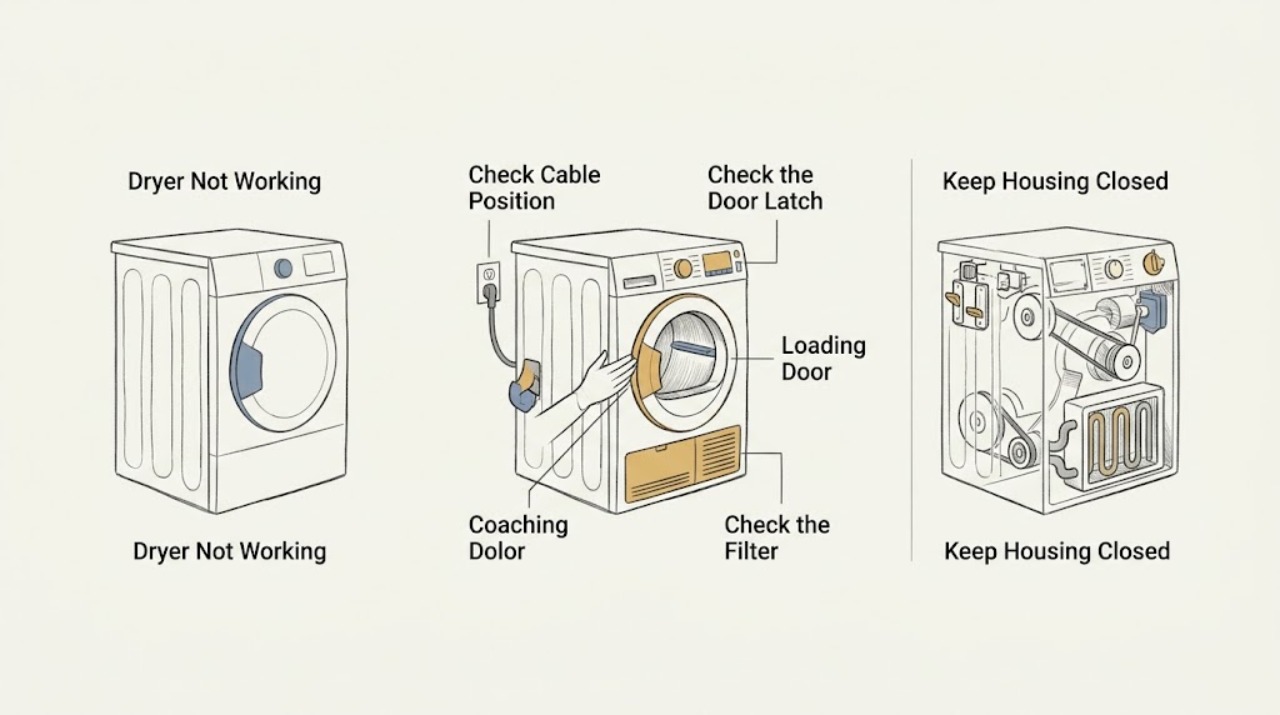
If a Blomberg dryer is not working, check the accessible power connection first, then make sure the loading door is properly closed, a program is selected, Start/Pause has been pressed, and the child lock is not active. If it starts but stops or does not dry, check the water tank, lint filter, condenser, ventilation openings, and load size as applicable. Do not open the cabinet or bypass a door or thermal safety. If the dryer remains dead, the drum will not move, a breaker trips, or it still fails after these external checks, unplug or switch it off and arrange qualified appliance service.
Before you begin
Safety first
- Do not open the cabinet, test live circuits, access moving drive parts, replace heating or thermal components, bypass the door switch or child lock, or keep resetting a tripping supply. Stop immediately for smoke, sparking, burning smell, exposed wiring, or uncontrolled heat.
Work through in order
Diagnostic checks
Use only checks that match the exact appliance or system and its official guide.
-
Check 1
Check the accessible plug, wall switch, and household supply for the dryer without moving a hard-wired appliance or removing a panel. If the outlet is intended for ordinary use, confirm it with a known-safe appliance; check the dryer circuit's accessible breaker once.
Expected result: The display is dark and the outlet or breaker has no power, or the dryer display is lit and the supply appears normal.
Next step: Restore an obvious accessible supply issue only through the normal household procedure. If the breaker trips again, the cord or plug is damaged, or the display stays dark with a safe confirmed supply, switch the dryer off and arrange qualified service.
Stop if: Stop for repeated breaker trips, a hot or scorched outlet, damaged cord or plug, sparking, smoke, or exposed wiring.
Why this matters
Why: No display or no outlet power points toward the household supply, switch, plug, or cord; a lit display means the dryer may instead be blocked by the door, program, child lock, tank, or an internal fault.
-
Check 2
Open and close the loading door gently, confirm the door is aligned with its latch, select a drying program, check that the display is not in Pause, press Start/Pause once, and look for a child-lock indicator. Use the model manual's procedure for any lock change.
Expected result: The door closes and latches, the program starts, or the door does not engage, the program stays paused, or the child lock remains active.
Next step: If the door or lock state was the cause, correct only the user-accessible condition and make one supervised start attempt. If the door will not latch or controls remain unresponsive, stop without removing the lock or front panel.
Stop if: Stop for a bent door, damaged latch, cracked glass, loose switch, or any need to bypass the door switch or child lock.
Why this matters
Why: Blomberg identifies a properly closed door, a selected non-paused program, and an inactive child lock as prerequisites for starting; a physical closure problem or unresponsive controls points toward service.
-
Check 3
If the dryer starts and then stops or shows a tank or filter warning, switch it off and follow the model instructions to empty the user-accessible water tank, clean the lint filter, and clean or reseat the condenser and its cover where fitted. Keep the filter installed during operation.
Expected result: The tank is full, the lint filter or condenser is visibly blocked, the condenser cover is not secured, or these areas are clear and the program still stops.
Next step: After a safe user-level clean and secure closure, make one supervised start attempt. If the warning returns, the dryer stops again, or the condenser cannot be safely accessed, stop and arrange service.
Stop if: Stop for hot surfaces, damaged filter housing, a leaking tank or condenser cover, persistent overheating, or any need to remove internal ducting.
Why this matters
Why: Blomberg's manual lists a full water tank as a cause of interruption and blocked filter, condenser, or ventilation as causes of long or poor drying; a clear path with recurring stops points beyond routine maintenance.
-
Check 4
For a dryer that runs but dries slowly or leaves laundry wet, reduce an obviously overloaded load, keep the front ventilation grills clear, and check that the installation area allows ventilation. Do not block vents or operate without the lint filter.
Expected result: The drum is overloaded, the front vents or filter are blocked, the room is poorly ventilated, or the load and airflow are reasonable but drying remains poor.
Next step: Correct only the accessible load or ventilation condition and run one supervised appropriate program. If drying remains poor, stop repeated cycles and arrange service rather than testing heater parts.
Stop if: Stop for a burning smell, unusual heat, smoke, a fan that is scraping or seized, or lint accumulating outside its normal filter path.
Why this matters
Why: Blomberg links restricted filter, condenser, and ventilation airflow and overloading with long drying or wet laundry; if these external conditions are normal, a heater, sensor, fan, or control fault becomes more plausible.
-
Check 5
If the controls respond but the drum does not turn, stop the program, unplug or switch off the dryer, and only rotate the empty drum gently by hand from the loading opening; do not remove panels or reach toward the drive system.
Expected result: The drum is overloaded, turns with unusual ease or resistance, or the drum and load are clear but the motor does not start.
Next step: Remove only an obvious excess load and make one supervised start attempt. If the empty drum still does not turn, the door switch does not engage, or the dryer hums without movement, keep it off and arrange service.
Stop if: Stop for scraping, grinding, a burning odor, a seized drum, a loose door switch, or any need to remove the rear, top, or front panel.
Why this matters
Why: Blomberg identifies overload, drive belt, motor, idler pulley, and door-switch issues as possible causes of a dryer that does not spin; an unusual manual feel is a clue, not a diagnosis.
-
Check 6
Arrange qualified appliance service when the dryer remains dead, will not latch or start, repeatedly stops, does not spin, stays cold after airflow checks, or shows recurring warnings. Provide the model identifier, display state, selected program, and the exact point at which the cycle fails.
Expected result: No safe external correction restores a stable cycle, or the dryer has a recurring warning, supply trip, abnormal noise, overheating, smoke, or damaged component.
Next step: Keep the dryer switched off or unplugged until it is assessed. If lint, heat, smoke, or an electrical smell suggests a fire risk, leave the area and follow local emergency guidance before arranging service.
Stop if: The professional boundary begins before opening panels, testing live circuits, replacing a thermal device, accessing the drive system, or bypassing the door switch.
Why this matters
Why: The remaining possibilities include the door switch, drive belt or motor, heater, thermostat, sensor, control board, wiring, or other safety system, and the symptom alone cannot identify a safe replacement.
Use your observations
Decision map
Find the observation that best matches what you see, then follow the next safe action.
-
PATH 01Next step
What you see
The dryer display is dark and the accessible supply is off, interrupted, or trips again.
Do this next
Arrange qualified service and follow the exact model guidance.
Why this path and its safety boundary
Why it matters: Use only the normal household supply check once. If power does not remain stable, keep the dryer off and arrange qualified electrical or appliance service.
-
PATH 02Next step
What you see
The loading door does not latch, the program is not selected or remains paused, or the child lock prevents input.
Do this next
Arrange qualified service and follow the exact model guidance.
Why this path and its safety boundary
Why it matters: Correct only the user-accessible condition using the exact model instructions. If the door or controls remain unresponsive, do not bypass them; arrange service.
-
PATH 03Next step
What you see
The program stops and a full tank, filter, condenser, or cover condition is found.
Do this next
Arrange qualified service and follow the exact model guidance.
Why this path and its safety boundary
Why it matters: Empty or clean the accessible area as directed by the model manual, secure the cover, and make one supervised test. Escalate if the warning or stop recurs.
-
PATH 04Next step
What you see
The dryer runs but drying is slow or laundry remains wet, with an overloaded drum or restricted filter, condenser, or ventilation path.
Do this next
Arrange qualified service and follow the exact model guidance.
Why this path and its safety boundary
Why it matters: Reduce the load and restore clear airflow without operating the dryer without its lint filter. If drying remains poor, arrange service for circulation or heating diagnosis.
-
PATH 05Next step
What you see
The controls respond but the empty drum will not turn, turns abnormally, or the dryer hums without movement.
Do this next
Arrange qualified service and follow the exact model guidance.
Why this path and its safety boundary
Why it matters: Keep the dryer off. A drive belt, motor, idler, door switch, or control fault requires qualified diagnosis; do not open the cabinet.
-
PATH 06Next step
What you see
The drum turns but the dryer stays cold, overheats, repeatedly stops, smells hot, or trips a protective device after safe airflow checks.
Do this next
Arrange qualified service and follow the exact model guidance.
Why this path and its safety boundary
Why it matters: Stop using the dryer and arrange service for the heating, sensor, fan, thermal, wiring, or control system. Do not test or replace live or safety-critical parts.
Helpful context
Understand the symptom
First separate no power from no cycle
A dark display, a dryer that accepts controls but does not start, and a dryer that runs without heat are different failure paths. Begin with the accessible supply, then check the loading door, selected program, Start/Pause state, and child lock. Use the exact model manual for control symbols because Blomberg models differ.
If it starts and then stops
A program that interrupts can have a closure, power, or water-tank cause. Check the door and tank only from the user-accessible side, then clean the lint filter and condenser according to the model instructions. Do not keep restarting a dryer that smells hot, trips protection, or has restricted airflow.
Do not turn a symptom into a cabinet repair
A dryer contains hot surfaces, moving parts, and electrical safety devices. Blomberg's manual says not to attempt repairs or replacements yourself, and its support pages direct persistent spinning or heating faults to technical assistance. Keep the cabinet closed and report the exact symptom and model.
Safety boundary
Stop conditions
- Do not operate the dryer without its lint filter, with blocked ventilation, or with a door that does not latch naturally.
- Do not remove cabinet panels, test live wiring, access the drive belt or motor, or replace thermal and heating components as an ordinary-user check.
- Do not bypass the door switch, child lock, thermal protection, or any other safety device.
- Stop for smoke, sparking, burning smell, repeated breaker trips, unusual grinding, uncontrolled heat, or exposed wiring.
- Do not keep restarting a dryer that stops repeatedly, leaks, overheats, or shows a recurring warning.
Only after diagnosis
Potential parts
- dryer door switch or latch
Only consider the door switch or latch after the door is aligned and closed naturally but the dryer still reports an open door or will not start.
Confirm the complete dryer model and the manufacturer's fit information; door-switch assemblies are model-specific and should be tested by a qualified technician. - dryer drive belt or idler pulley
Only consider drive hardware after power, door, and program checks pass but the drum does not turn or turns unusually easily.
Do not order from the symptom alone; belt and pulley dimensions and mounting vary by model. - dryer motor or fan assembly
Only consider the motor or fan after a qualified diagnosis confirms that the drum or airflow system does not run despite correct controls and a clear user-accessible path.
Use the exact model identifier and qualified fitment check before any replacement. - dryer heater or thermal safety component
Only consider a heater or thermal component after the drum runs, filters and airflow are clear, and service testing confirms a heating or protective-control fault.
Heating and safety components require exact model matching and qualified installation; do not bypass a failed safety device.
When checks do not resolve it
Need a professional?
Arrange qualified appliance service when the dryer remains dead with a stable supply, will not latch or start after the program and lock checks, repeatedly stops, does not spin, remains cold after filter and airflow checks, or shows a recurring warning, abnormal noise, overheating, or damaged component. Smoke, sparking, a burning smell, and repeated electrical trips require an immediate stop.
Safety scope: Do not open the cabinet, test live circuits, access moving drive parts, replace heating or thermal components, bypass the door switch or child lock, or keep resetting a tripping supply. Stop immediately for smoke, sparking, burning smell, exposed wiring, or uncontrolled heat.
Common questions
FAQ
Why will my Blomberg dryer not turn on?
Check the accessible power connection, then confirm the loading door is closed, a program is selected, Start/Pause has been pressed, and the child lock is not active. A dark display with a stable supply needs service rather than cabinet access.
Why does my Blomberg dryer start and then stop?
Check that the door remains closed, the water tank is not full, and the filter, condenser, and ventilation path are clean and secure. If the program stops again, keep the dryer off and arrange diagnosis.
What if the dryer runs but does not dry the clothes?
Check for an overloaded drum, blocked lint filter or condenser, and restricted ventilation. If the drum turns and airflow is clear but there is no heat, do not test the heater yourself; arrange service.
My Blomberg dryer is not spinning. Can I check the belt?
You may gently turn the empty drum from the loading opening as an observation, but do not remove panels or access the belt, motor, or pulley. A drum that remains still or turns abnormally needs qualified diagnosis.
When should I stop using a Blomberg dryer?
Stop for smoke, sparking, a burning smell, repeated breaker trips, unusual grinding, overheating, exposed wiring, a damaged door, or a recurring stop or warning. Switch it off and arrange qualified service.
Read the exact guide
Official sources
- Dryer / User ManualBlomberg · The opened Blomberg dryer manual lists checks for a dryer that does not turn on or start, including power cord, loading door, selected non-paused program, child lock, water tank, filter, condenser, ventilation, and authorized service.
- Why is my tumble dryer not heating?Blomberg · Blomberg links poor heating with load and airflow conditions and warns against attempting appliance repairs yourself when persistent technical problems remain.
- Why is my tumbler dryer not spinning?Blomberg · Blomberg's FAQ discusses overload, drive belt, motor, idler pulley, door switch, timer or control board, and power as possible causes of a dryer that does not spin, and directs persistent faults to technical support.
- Product SupportBlomberg · Blomberg's support hub provides installation, troubleshooting, maintenance, manuals, repairs, safety notices, and model information resources.
Community feedback
Share a repair observation
Share a plain-text repair observation. Accepted observations are published automatically; this page may take a moment to update.