
On this page
Start here
Quick answer
If a Bosch induction hob has power but its touch buttons do not respond, first distinguish a lit display from a completely blank one. With the hob cool and switched off for cleaning, use dry hands, remove objects, and dry the clean control surface. Then look for a key or padlock symbol and follow the exact model instructions: Bosch says the child lock may need the key symbol held for 3 to 4 seconds depending on the model, while one Bosch hob manual describes a cleaning lock that holds the panel for 30 seconds. If the panel still ignores input, or the hob has a blank display, repeated breaker trips, sparks, burning smell, shock, damaged glass, or an installation concern, stop using it and arrange qualified Bosch service or electrical help. Do not open the built-in hob or guess a control-board repair.
Work through in order
Diagnostic checks
Use only checks that match the exact appliance or system and its official guide.
-
Check 1
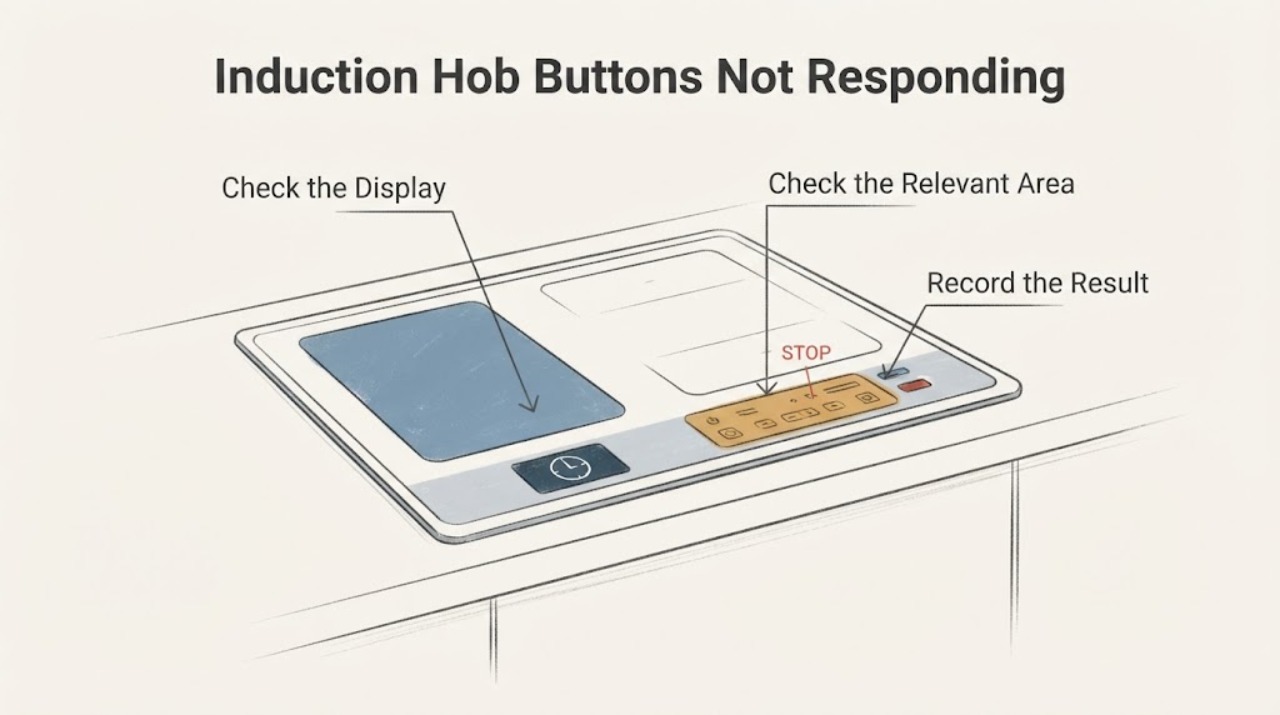
From a safe position, note whether the display is completely blank or lit, whether every touch control is ignored or only one button is affected, and whether a key, padlock, hand, pause, or error indication is visible. Do not touch a hot surface or reach under the built-in hob.
Expected result: The display is lit with a lock/hand symbol, the display is lit without a symbol, only one control is affected, or the display is blank.
Next step: Use the matching branch below. If there is smoke, burning smell, shock, exposed wiring, cracked glass, or liquid in the controls, stop and arrange professional help rather than continuing touch tests.
Why this matters
Why: A powered panel with a lock or cleaning symbol has a different first branch from a blank display. A blank display points toward supply or installation, while a single failed control with no active lock remains a service-level touch-panel question.
-
Check 2
If the display is powered and the surface is cool, remove cookware or objects from the control area. Dry your hands and wipe the control panel with a suitable soft cloth, then make sure no spill, grease, or residue remains before trying one normal touch.
Expected result: The panel responds after the object or residue is removed and the hands and surface are dry, or the same buttons remain unresponsive.
Next step: If it responds, keep the control area dry and use the hob normally while monitoring it. If it does not, do not spray cleaner onto the panel or force repeated touches; check the exact model's lock indication next.
Why this matters
Why: Bosch says moisture, dirty buildup, or residue can prevent the touch buttons from registering. If drying and clearing the surface changes nothing, the symptom is less consistent with a simple contact obstruction and needs the lock/state and service branches.
-
Check 3
If a key or padlock symbol is shown, turn the hob off as the exact Bosch instructions require and touch-and-hold the lock key only for the duration documented for that model. Bosch's general guidance says 3 to 4 seconds depending on model; its UK hob guide shows four seconds, so do not guess if your control has no lock key.
Expected result: The lock symbol clears and the controls respond, the symbol remains, or the model has no identifiable lock control.
Next step: If the lock remains or the panel stays unresponsive, record the complete E-Nr/model and arrange Bosch service. Do not bypass the lock, remove the glass, or access wiring.
Why this matters
Why: A cleared symbol with restored response supports an active childproof lock as the reason the buttons appeared dead. A remaining or unidentified lock state requires the exact manual; it does not justify a generic button sequence or internal repair.
-
Check 4
If a hand, cleaning, or wipe-protection indication is present, follow the exact model manual rather than repeatedly tapping the panel. The opened Bosch PXY...J...2 instruction manual describes a cleaning lock that keeps the control panel locked for 30 seconds and leaves the main switch available.
Expected result: The indication clears after the documented wait or release instruction and the panel responds, or it persists beyond the model's documented state.
Next step: After the documented lock state ends, retry one normal control input. If the panel remains frozen, stop using the hob and arrange service; do not disconnect or dismantle the unit just to defeat the cleaning lock.
Why this matters
Why: A temporary cleaning lock can intentionally look like a non-responsive panel. The 30-second behavior is documented for the named Bosch manual family only and is not a universal timing for every Bosch hob.
-
Check 5
If the display is blank, the breaker or isolator trips again, the touch panel works intermittently after power changes, or the hob was recently installed or rewired, make only the home's normal external power observation. Do not remove covers, pull out the hob, or test live terminals.
Expected result: Power is stable and the display remains blank, a breaker will not hold, the connection is hard-wired or uncertain, or the display and controls return normally without a repeat fault.
Next step: Leave the hob off and call a qualified electrician for a supply, installation, or recurring-trip concern; use authorised Bosch service for a stable supply with a blank display or persistent control failure.
Why this matters
Why: A blank display or recurring trip is not a lock or moisture diagnosis. It can involve supply, installation, or internal electronics and cannot be separated safely with user-level touch checks.
Use your observations
Decision map
Find the observation that best matches what you see, then follow the next safe action.
-
PATH 01Next step
What you see
The display is on, the panel is clean and dry, and a key or padlock symbol is visible.
Do this next
Use the exact Bosch manual for the model's unlock control. Bosch's general support says the key may need 3 to 4 seconds and the UK guide shows four seconds; if the symbol or unresponsiveness remains, arrange service without opening the hob.
Why this path and its safety boundary
Why it matters: The most specific supported explanation is an active childproof lock or another documented control state, not a proven failed touch board.
-
PATH 02Next step
What you see
The display is on but the panel or hands were wet, greasy, dirty, or covered by an object, and response returns after the area is dried and cleared.
Do this next
Keep hands and the control surface dry and do not place cookware on the controls. If the symptom returns on a clean, dry panel, follow the lock/state and service branches.
Why this path and its safety boundary
Why it matters: The touch input was likely being obstructed or not registered; this observation does not prove an internal part fault.
-
PATH 03Next step
What you see
A hand or cleaning indication is shown and the exact model manual says the panel is temporarily locked for wiping.
Do this next
Wait for or use only the model-documented release, then make one normal input. If it remains frozen, stop using the hob and book qualified service.
Why this path and its safety boundary
Why it matters: The buttons may be intentionally disabled during wipe protection. The opened Bosch manual documents 30 seconds for its PXY...J...2 family, not every Bosch model.
-
PATH 04Next step
What you see
The display is lit with no lock or cleaning indication, the surface is dry and clear, and the buttons still do not respond.
Do this next
Record the E-Nr/model and arrange authorised Bosch service. Do not choose a control board or open the built-in hob based only on an unresponsive-button symptom.
Why this path and its safety boundary
Why it matters: The Bosch sources do not establish a user-level part diagnosis for this remaining symptom; a touch-panel, control, or electronics fault is possible but cannot be selected safely from the symptom alone.
-
PATH 05Next step
What you see
The hob is blank, repeatedly trips power, has cracked glass, sparks, burning smell, shock, exposed wiring, liquid in the controls, or an uncertain hard-wired installation.
Do this next
Stop using the hob. Isolate power only from a safe, dry location if that can be done without contact with damaged equipment, then call a qualified electrician or authorised Bosch service. Do not reset a repeatedly tripping circuit or dismantle the hob.
Why this path and its safety boundary
Why it matters: This is an electrical or physical safety boundary, not a child-lock or wet-touch troubleshooting path.
Helpful context
Understand the symptom
The useful first split is whether the hob is powered but ignoring touch or is completely blank. A lit display with a key, hand, or cleaning indication points to a control state or touch-sensing condition; it is different from a supply fault. Bosch also warns that wet hands, a wet surface, dirt, or residue can prevent contact from registering, so the external clean-and-dry check comes before any service diagnosis.
Lock behavior is model-dependent. Bosch's support guidance describes holding the key symbol for 3 to 4 seconds depending on the appliance, its UK guide shows four seconds for the child lock, and one opened Bosch instruction manual documents a 30-second lock control for cleaning. Use the exact E-Nr/model manual when the symbol or control layout differs; do not apply a timing from another Bosch hob as a universal reset.
When checks do not resolve it
Need a professional?
Call authorised Bosch service when a clean, dry, unlocked panel remains unresponsive, when a stable supply leaves the display blank, or when the symptom recurs. Call a qualified electrician for a tripping breaker, damaged or uncertain hard-wired supply, installation concern, shock, exposed wiring, or other electrical hazard. Do not open the induction hob, bypass its lock or safety systems, test live circuits, or select a replacement control part from the symptom alone.
Have this ready
- Provide the complete E-Nr/model and market, the exact symbols or error text, whether the display was lit, whether drying or the documented lock release changed the symptom, and whether the breaker or installation was involved.
Common questions
FAQ
Why do my Bosch induction hob buttons not respond after cooking?
With the hob cool, check for a wet or dirty panel, an object on the controls, a child-lock symbol, or a cleaning-lock indication. Bosch says moisture and residue can prevent touch registration, and its manuals describe lock states that intentionally ignore input.
How long should I hold the Bosch lock button?
Do not assume one timing for every Bosch hob. Bosch's support page says 3 to 4 seconds depending on the model; its UK guide shows four seconds. Use the exact manual if the key symbol or control layout differs.
Can I repair the touch controls myself?
No. Bosch advises qualified repair when cleaning and the documented lock checks do not restore response. A built-in induction hob can involve hazardous supply and internal electronics, so do not open it or bypass a safety state.
Read the exact guide
Official sources
- Induction hob control panel is unresponsive | BoschBosch Singapore · Opened Bosch support page specifically for an induction hob whose control panel is unresponsive; it gives lock, wet-surface, and dirt checks and a qualified-repair boundary, but not a model-independent internal diagnosis.
- Instruction manual HobBosch · Opened official Bosch manual for the PXY...J...2 hob family; its lock and cleaning behavior is a model-family example, not a universal instruction for every Bosch induction hob.
- How to activate and deactivate the child lock on a hobBosch UK · Opened Bosch UK guidance covering Bosch hobs, including induction, and showing the child-lock hold sequence; model-specific differences still take precedence.
Community feedback
Share a repair observation
Share a plain-text repair observation. Accepted observations are published automatically; this page may take a moment to update.