
On this page
Start here
Quick answer
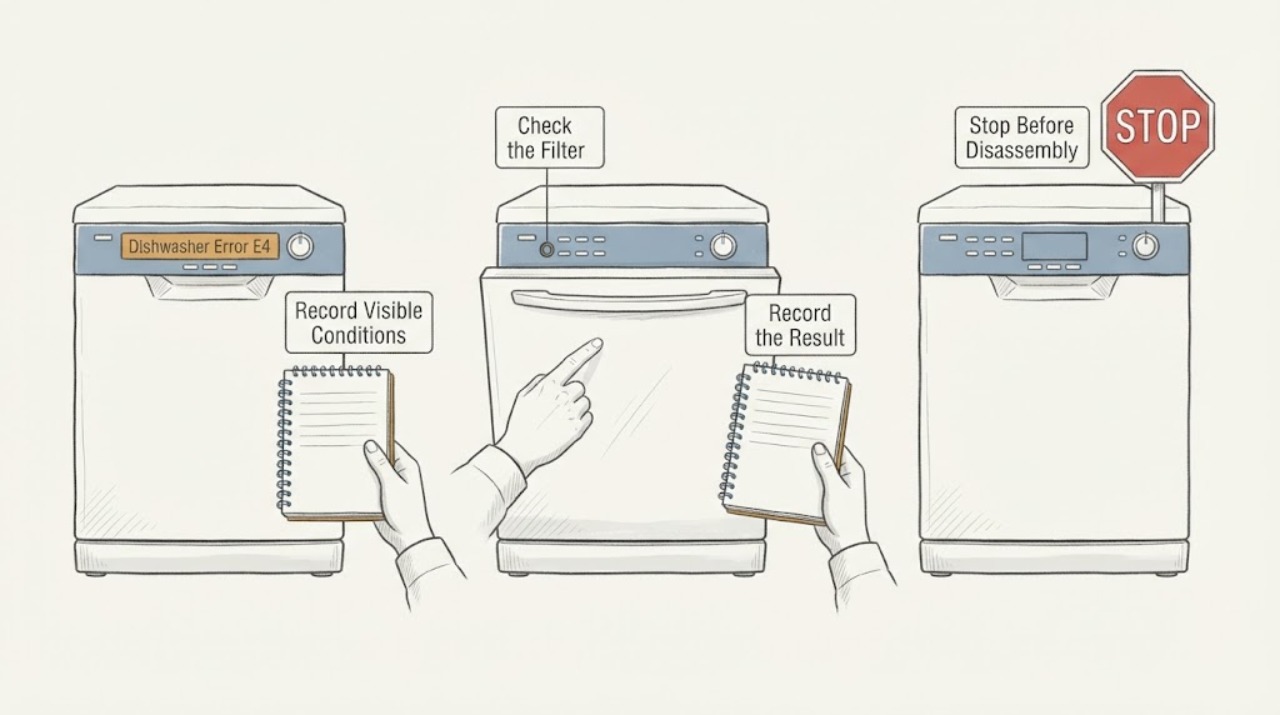
Crosley E4 is a water-related warning, but its exact wording depends on the dishwasher model. Official Crosley manuals describe E4 as an overflow or leak-sensor condition on one model and water overflow into the motor compartment on another. Stop the cycle, turn off the dishwasher's water supply, and check only the accessible filter area for blockage after power is safely off. Do not restart a dishwasher with standing water, a leak, water in the base, or a recurring E4. If no water is visible but E4 remains, use the exact model manual and arrange qualified Crosley service; do not open the base or bypass the sensor.
Work through in order
Diagnostic checks
Use only checks that match the exact appliance or system and its official guide.
-
Check 1
Record the exact display as E4, note when it appeared, and look from outside for water in the tub, water under the dishwasher, a wet base area, a leak, or an interrupted cycle.
Expected result: There may be standing water, a visible leak, water near the base, no visible water, or an E4 that appeared during filling, washing, draining, or after the cycle stopped.
Next step: Stop the dishwasher and turn off its water supply. If water is near electrical parts or the cord is damaged, keep clear and isolate power only if safe.
Why this matters
Why: Crosley manuals use E4 for overflow or leak-related conditions, but the precise sensor and model behavior vary. Water or an interrupted cycle makes a second run unsafe.
-
Check 2
Stop the cycle, turn off the accessible dishwasher water supply, and keep electrical power off before reaching into the tub or filter area.
Expected result: The water supply may shut off normally, the dishwasher may continue taking water, or the shutoff may be inaccessible or unsafe to reach.
Next step: Leave the dishwasher out of service. Arrange a qualified appliance or plumbing professional if the water cannot be safely stopped or the appliance continues to fill.
Why this matters
Why: An overflow or leak sensor can be triggered by too much water or a leak. Continuing to fill can worsen water damage, while an unsafe supply location requires professional help.
-
Check 3
With power off and the tub safe to approach, inspect the model-specific filter or glass-trap assembly for food or debris and check whether it is correctly seated. Do not remove the pump, float switch, base panel, or internal hose.
Expected result: The filter or trap may be blocked, loose, damaged, or clean and correctly installed; standing water may remain after the cycle.
Next step: Clean and reinstall only the accessible filter assembly according to the exact manual. If it is damaged, will not lock, or E4 remains, leave the dishwasher off and arrange service.
Why this matters
Why: Crosley identifies filter blockage as a possible contributor to the E4 path on the CDM2450TS manual and links E4 on the ZDM6502AS manual with overflow into the motor compartment. A clean filter does not rule out a leak, sensor, pump, or drain fault.
-
Check 4
Inspect only the visible area around the door seal, lower edge, sink connection, and drain hose for an obvious leak, kink, or drain-back condition; do not pull out the dishwasher or disconnect plumbing.
Expected result: A visible leak, kinked hose, drain-back, detergent suds, or no external cause may be present.
Next step: Correct only a plainly visible, safe hose position issue described by the manual. For a leak, standing water, water in the base, or an uncertain plumbing connection, keep the water off and call a qualified professional.
Why this matters
Why: A visible water path can explain an overflow or leak warning, but the exact source may be inside the base or drain system. Suds or excess detergent can also contribute to leaking on some models.
-
Check 5
Prepare the exact model and service record: E4, model and serial, selected cycle, water level and leak observations, filter result, detergent used, and whether the code returned after the appliance was left off.
Expected result: The record may show a one-time visible overflow, recurring E4 with no visible water, a leak under the unit, or an E4 that appears after a filling or draining event.
Next step: Use the exact Crosley Use and Care Guide or dealer service route. Do not restart the dishwasher until the cause and any water in the base have been cleared by the appropriate professional.
Why this matters
Why: These patterns help service distinguish water entry, drain restriction, sensor or base detection, and control behavior without guessing at a replacement pump or switch.
Use your observations
Decision map
Find the observation that best matches what you see, then follow the next safe action.
-
PATH 01Next step
What you see
E4 appears with water in the tub, water under the dishwasher, a visible leak, or water entering the base.
Do this next
Turn off the dishwasher water supply and leave electrical power off. Arrange qualified appliance or plumbing service; do not run another cycle or remove the base.
Why this path and its safety boundary
Why it matters: This matches the official Crosley overflow or leak-sensor path and should be treated as an active water-containment problem.
-
PATH 02Next step
What you see
E4 appears, the accessible filter or glass trap is blocked, and there is no electrical or active-leak hazard.
Do this next
Clean and reinstall the model-specific filter once according to the manual. If E4 remains or water returns, keep the unit off and arrange service.
Why this path and its safety boundary
Why it matters: A drainage restriction may be contributing to the water warning, but cleaning the filter does not prove the sensor or pump is healthy.
-
PATH 03Next step
What you see
E4 remains after the dishwasher is left off, but no water is visible in the tub or around the appliance.
Do this next
Do not restart or bypass the warning. Give the exact model and E4 record to Crosley or a qualified appliance technician.
Why this path and its safety boundary
Why it matters: A hidden base leak, leak sensor, drain pump, switch, or model-specific control condition remains possible. The absence of visible water is not a reset confirmation.
-
PATH 04Next step
What you see
The dishwasher has a damaged cord, water near electrical parts, active leaking, uncontrolled filling, repeated E4, or any sign of smoke or electrical heat.
Do this next
Keep clear, isolate power and water only from a safe, dry position, and arrange qualified service. Do not use water on an energized electrical fire or open the appliance.
Why this path and its safety boundary
Why it matters: This is a water or electrical safety boundary beyond an owner-level filter check.
Helpful context
Understand the symptom
What E4 means on a Crosley dishwasher
E4 should be treated as a water-containment warning, but it is not safe to assume one universal sensor or failed part across every Crosley dishwasher. The CDM2450TS manual describes overflow or a leak sensor activated, while the ZDM6502AS manual describes water overflow into the motor compartment and lists level, detergent, microswitch, and drain-pump possibilities. Use the exact model manual to narrow the meaning; the first safe decision is to stop water entry and prevent another cycle.
Stop the cycle and control the water
Cancel or stop the dishwasher using the normal control if it responds, then turn off the dishwasher's accessible water supply. Keep the electrical power off before reaching into the tub or filter area. If water is near wiring, the base, or a damaged cord, do not touch the appliance; isolate power only from a safe, dry position and arrange service. Do not run another cycle to see whether E4 clears.
Check only the accessible filter area
After the dishwasher is off and cool, look for standing water and inspect the filter or glass-trap assembly described by the exact manual. A blockage can contribute to poor drainage and overflow on supported models. Remove only ordinary accessible debris using the manual's procedure, avoid sharp glass or contaminated water, and reinstall the filter correctly. Do not remove a pump, float switch, base panel, or internal hose.
Separate a visible overflow from a sensor-only warning
If water is in the tub, under the dishwasher, or visibly returning from the drain path, treat the event as an active water problem even if the tub later looks empty. If no water is visible but E4 remains, the sensor, base, drain path, or control state may still need diagnosis. The absence of visible water does not prove that the dishwasher is safe to restart.
Use the exact model for service
Record the full model and serial information, the E4 display, whether water was in the tub or base, when the code appeared, the selected cycle, detergent amount, filter condition, and any visible leak. Crosley states that the correct service contact varies by product, so provide the model rather than relying on a generic E4 reset or a guessed replacement part.
When checks do not resolve it
Need a professional?
Arrange qualified Crosley appliance or plumbing service for any E4 with water under the dishwasher, water in the base, a visible leak, uncontrolled filling, a recurring code, a damaged filter or trap, or no visible cause after the safe external checks. Stop immediately for water near electrical parts, a damaged cord, smoke, electrical heat, or an active leak.
Common questions
FAQ
What does E4 mean on a Crosley dishwasher?
It is a water-related warning, but the exact meaning is model-specific. Official Crosley manuals describe E4 as overflow or a leak sensor activated on one model and water overflow into the motor compartment on another.
Can I reset Crosley E4 by turning the dishwasher off and on?
Do not use repeated power cycles as a test. First stop the cycle, turn off the water supply, and check only the accessible filter area with power safely off. If E4 remains or any water is present, leave the dishwasher unused and arrange service.
What if there is no water visible but Crosley E4 remains?
A hidden base leak, leak sensor, drain pump, switch, or model-specific control condition can still be involved. Do not bypass the warning or restart the appliance; provide the exact model and code to qualified service.
Read the exact guide
Official sources
- CDM2450TS Dishwasher User ManualCrosley · Official Crosley manual used for the model-specific E4 overflow or leak-sensor meaning, water shutoff, filter check, and no-water service boundary.
- Customer ServiceCrosley Home Products · Official Crosley service page used for the model-specific support boundary.
- ZDM6502AS Dishwasher Use and Care ManualCrosley · Official Crosley manual used to show that E4 wording varies by model and to support the overflow, base-water, level, detergent, microswitch, and drain-pump service boundary.
Community feedback
Share a repair observation
Share a plain-text repair observation. Accepted observations are published automatically; this page may take a moment to update.