
On this page
Start here
Quick answer
AEG's opened UK support article groups iC0, iCo, iC1, iC2, and iC3 as a technical malfunction family for both integrated and freestanding dishwashers. Because the model and region are missing here, do not borrow a code meaning or button sequence from an Electrolux or another AEG machine. Record the complete display and rating-plate details, remove power as AEG directs, inspect only the accessible filters and sump for foam or debris, then restore power once and start a suitable programme. If the code returns or the cycle does not operate normally, stop and arrange authorised service with the model code and PNC; do not open the cabinet, enter a service mode, or bypass a safety device.
Work through in order
Diagnostic checks
Use only checks that match the exact appliance or system and its official guide.
-
Check 1
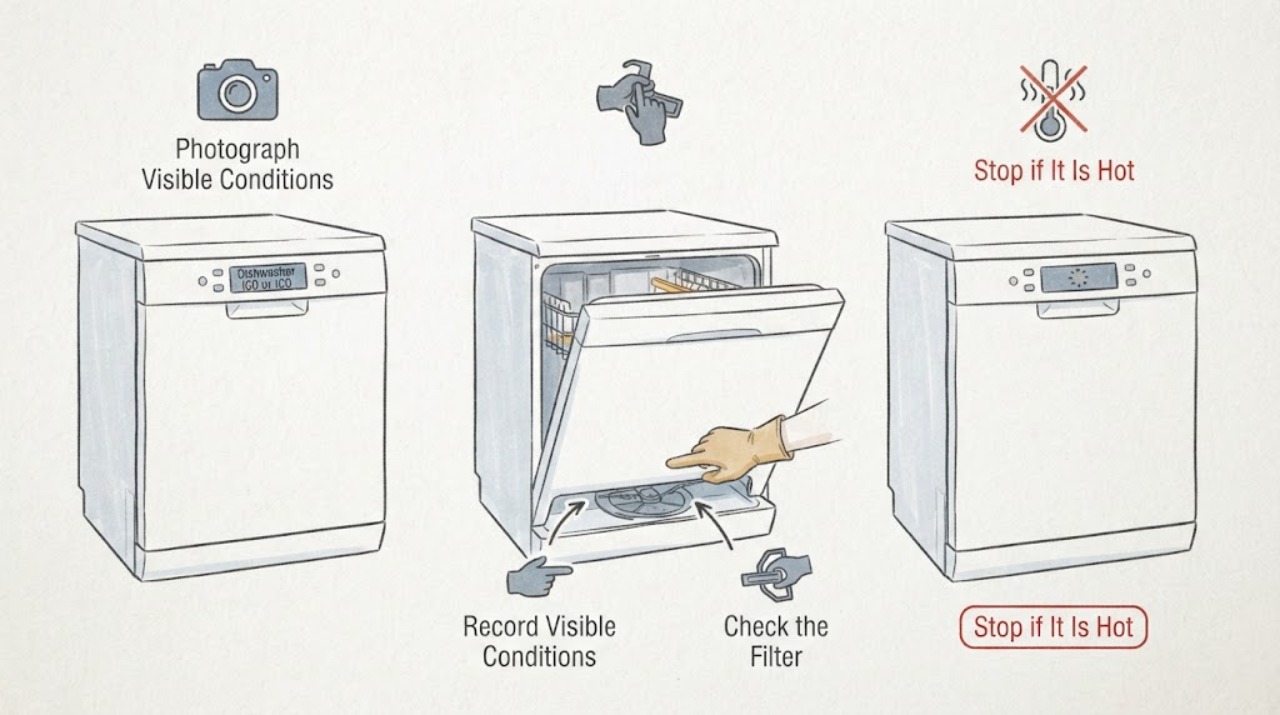
Stop the programme and record the complete display exactly as shown, including whether it reads iC0, iCo, iC1, iC2, or iC3. Photograph the control panel and the rating plate, and note whether the dishwasher is integrated or freestanding, filling, draining, washing, or silent.
Expected result: The full code and appliance style are clear; only a partial character or beep/flash pattern is available; or several indications appear together.
Next step: Keep the photo and rating-plate information for the manual search or service. Do not translate iC0 from an Electrolux or another AEG product without an exact match.
Stop if: Stop using the dishwasher for a leak, uncontrolled water, burning smell, exposed wiring, or an electrical trip.
Why this matters
Why: AEG groups several visually similar iC codes, but an incomplete display cannot establish which model documentation applies or whether another condition is present.
-
Check 2
Read the rating plate at the inside corner of the dishwasher door and record the model code, nine-digit PNC, ML code, and serial number. Also record the country or market where the dishwasher was purchased.
Expected result: The model and PNC are available; the plate is missing or unreadable; or the appliance was purchased outside the UK or Ireland.
Next step: Use the model and PNC with the AEG manual search for the purchase market. If they cannot be recovered, give the display photo and plate location to AEG or an authorised service provider rather than using a neighbouring model's instructions.
Stop if: Do not remove panels or dismantle an integrated dishwasher to find a hidden label.
Why this matters
Why: AEG uses the model code or PNC to retrieve the correct manual, and its manual page warns that support should follow the country of purchase. Missing identity prevents a model-specific reset or code interpretation.
-
Check 3
With the dishwasher disconnected from power and the door supported, inspect only the user-accessible filters and sump for visible foam, suds, or loose debris as AEG describes. Keep hands away from hidden pump parts and do not use tools to reach below the accessible filter area.
Expected result: Foam or debris is visible; the filters and accessible sump look clear; or standing water cannot be safely controlled.
Next step: Clean the accessible filters and remove only visible foam or loose debris as described in the exact manual. If water is uncontrolled or the area cannot be safely accessed, leave the appliance off and arrange service.
Stop if: Do not reach into standing water, remove the pump, or continue if the appliance has a leak or damaged electrical connection.
Why this matters
Why: AEG identifies foam or debris in the filters/sump as a possible temporary contributor around this error family, but a clear accessible area does not identify the internal malfunction.
-
Check 4
After the accessible check is complete, restore power once and select a suitable programme as AEG's iC0 article directs. Do not keep repeating resets or use an undocumented button combination while the model remains unknown.
Expected result: The programme starts and operates normally; the same iC-family code returns immediately or during the programme; or the machine remains unresponsive.
Next step: If the dishwasher operates normally, retain the display and model record. If the code returns or the programme cannot complete, stop using it and arrange authorised service.
Stop if: Stop for a leak, burning smell, abnormal heat, exposed wiring, repeated electrical trips, or any need to open the cabinet.
Why this matters
Why: A normal cycle after the supported check is consistent with a temporary condition being cleared; recurrence or continued failure keeps a technical malfunction in scope.
-
Check 5
Prepare the service handoff with the exact display, beep or flash pattern if present, model code, PNC, serial number, purchase market, programme stage, visible foam/debris result, and the outcome of the single AEG-supported restart.
Expected result: The iC-family code recurs, the dishwasher cannot complete a programme, the display is ambiguous, or the model/market cannot be confirmed.
Next step: Keep the dishwasher off and contact AEG or an authorised service provider with the recorded identity and symptoms. Request the model-specific manual and diagnosis before any component is selected.
Stop if: Do not enter service mode, bypass a door or flood protection, open the cabinet, or perform internal electrical checks.
Why this matters
Why: The public AEG evidence narrows the issue to a technical-malfunction family but does not distinguish an internal control, sensor, pump, heater, or wiring cause across unknown models and markets.
Use your observations
Decision map
Find the observation that best matches what you see, then follow the next safe action.
-
PATH 01Next step
What you see
The display is iC0/iCo/iC1/iC2/iC3, accessible filters or the sump contain foam or loose debris, and the dishwasher runs normally after the single supported restart.
Do this next
Monitor the next normal programme using the exact manual. Stop and arrange service if the iC-family code returns.
Why this path and its safety boundary
Why it matters: The AEG article supports treating the immediate issue as cleared, but it does not prove that a component was permanently repaired.
-
PATH 02Next step
What you see
The filters and accessible sump are clear, or cleaning does not help, and iC0 or another iC-family code returns or the dishwasher remains unusable.
Do this next
Keep the appliance off and book authorised service with the model code, PNC, display photo, and programme stage. Do not repeat resets or open the cabinet.
Why this path and its safety boundary
Why it matters: AEG classifies the family as a technical malfunction; the public article does not support assigning a pump, heater, sensor, or control part without the exact model.
-
PATH 03Next step
What you see
The display is partial, the code may be iCo/iC1/iC2/iC3 rather than iC0, or the model code and purchase market cannot be verified.
Do this next
Stop at identity capture and contact AEG or authorised service with the rating-plate photo; do not borrow an Electrolux, other-brand, or other-market code explanation.
Why this path and its safety boundary
Why it matters: The code and applicability are unresolved. AEG's model/PNC lookup is required before selecting a model-specific procedure.
-
PATH 04Next step
What you see
A leak, uncontrolled water, burning smell, exposed wiring, or an electrical trip accompanies the iC-family display.
Do this next
Close the water tap if it can be reached safely, isolate power only from a dry safe position, keep the dishwasher off, and use qualified appliance or electrical service.
Why this path and its safety boundary
Why it matters: The immediate water or electrical safety boundary outranks the technical-malfunction lookup.
Helpful context
Understand the symptom
The official AEG result is deliberately narrow: iC0/iCo/iC1/iC2/iC3 is a technical-malfunction family, not a promise that one particular pump, heater, sensor, or control board has failed. The only supported homeowner path that can be stated without a model is the power-off, accessible filter/sump check and one restart described by AEG.
Do not use a similar-looking code from another brand or region as a substitute. AEG's manual search uses the model code or PNC, and the PNC page says a dishwasher's rating plate is on the inside corner of the door.
When checks do not resolve it
Need a professional?
Arrange authorised AEG service when iC0/iCo/iC1/iC2/iC3 returns after the supported power-off, accessible filter/sump check and single restart, when the programme remains unusable, or when the model and market cannot be confirmed. Stop immediately for leaking water, burning smell, exposed wiring, uncontrolled water, or an electrical trip.
Common questions
FAQ
What does iC0 mean on an AEG dishwasher?
AEG's opened UK support article groups iC0, iCo, iC1, iC2, and iC3 as a technical-malfunction family for integrated and freestanding dishwashers. It does not identify one failed part, especially without the model and market.
Can I reset an AEG dishwasher showing iC0?
AEG directs the owner to remove power, check accessible filters and the sump for foam or debris, restore power, and start a suitable cycle. Do this once using the exact manual's safety guidance; if the error returns, arrange authorised service.
Is iC0 the same as an Electrolux code?
Do not assume that. The available public evidence is an AEG UK support article, and the missing model and region prevent a safe cross-brand or cross-market translation. Retrieve the manual with the AEG model code or PNC.
Read the exact guide
Official sources
- Dishwasher displays error code iC0 / iCoAEG · Opened AEG UK support article; applies to integrated and freestanding dishwashers in that support market and should not be extended to an unknown model or country without checking the exact manual.
- Where can I find appliance's PNC number?AEG · Opened AEG UK support article for domestic appliances manufactured by the Electrolux Group; used only to locate the identity information needed for a model-specific AEG lookup.
- Download User Manuals - Support | AEGAEG · Opened AEG UK manual search; it requires the model code or PNC and notes that purchases outside the UK or Ireland should use the relevant country support site.
Community feedback
Share a repair observation
Share a plain-text repair observation. Accepted observations are published automatically; this page may take a moment to update.