
On this page
Start here
Quick answer
First classify the Electrolux touch-panel symptom: a blank display, a lock indicator, a display that changes without accepting input, one failed key, or unexpected heating are different conditions. Electrolux says lock and control behavior varies by model, and Sabbath mode on equipped ovens disables audible or visual control changes and locks the controls. Record the exact model and message, then use the matching owner manual. If there is no heat or electrical hazard and the manual or Electrolux error guidance allows it, a single power reset can clear a temporary control state; do not repeatedly cycle power or reset an oven that heats unexpectedly, smells burned, sparks or has damaged wiring. Persistent, partial or spontaneous touch behavior needs qualified service rather than a guessed panel or board replacement.
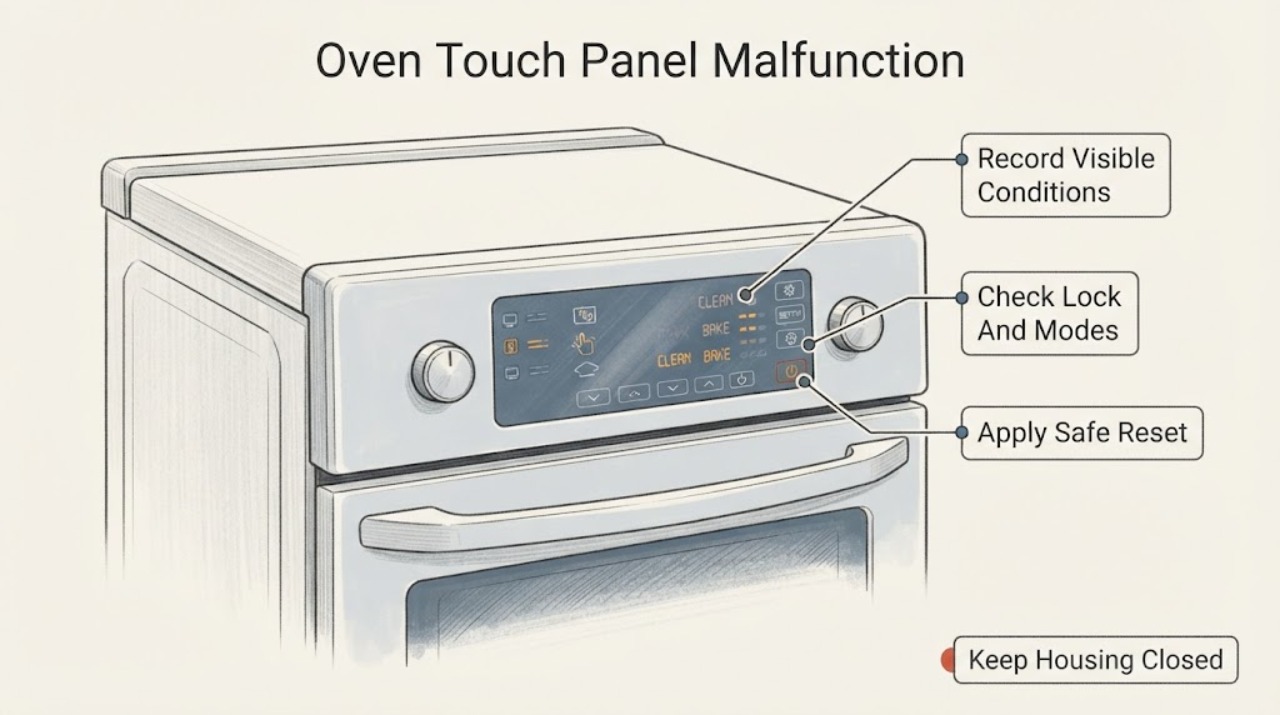
Work through in order
Diagnostic checks
Use only checks that match the exact appliance or system and its official guide.
-
Check 1
Without repeatedly tapping the panel, record whether the display is blank, locked, in a special mode, partially responsive, changing without input, or allowing heating unexpectedly; record every visible code or message.
Expected result: The panel has a recognizable lock or mode, a specific error, partial response, spontaneous response or no display at all.
Next step: Use the matching manual for a documented lock, mode or code. Keep the oven off and arrange service for unexpected heating, spontaneous activation or a persistent dead panel.
Why this matters
Why: These states require different model-specific paths and do not identify a failed touch panel or board by themselves.
-
Check 2
If a lock icon, locked-door indicator or unusual no-tone/no-display behavior is present, check the exact owner manual for the control-lock or Sabbath-mode state; do not hold unverified key combinations.
Expected result: The manual documents an active lock or mode and its documented exit restores normal input, or no applicable mode is documented.
Next step: Follow only the matching manual's exit procedure. If no mode applies or the panel remains unresponsive, stop and use the service branch.
Why this matters
Why: Electrolux documents model-varying lock behavior and says Sabbath mode can lock controls and suppress visual or audible changes on equipped ovens.
-
Check 3
Only when the oven is off, cool enough to handle and free of smoke, odor, sparks, unexpected heating or visible electrical damage, follow the matching manual or Electrolux error guidance for one power reset; do not repeatedly cycle power.
Expected result: The panel returns to normal after the documented reset, or it remains blank, partial, erratic or becomes abnormal again.
Next step: Use the oven only as the manual allows if normal response remains stable. Keep it off and request service if the symptom returns or any hazard appears.
Why this matters
Why: A temporary control state may have cleared, but a recurring or partial response is not proof of a specific panel, keypad or board fault.
-
Check 4
Read the complete Electrolux model number from the oven trim, left-side panel, storage-drawer frame or wall-oven side trim, then retrieve the matching owner manual and product support instructions.
Expected result: A complete model is available and matches the oven, or the model is missing, incomplete or does not match the control layout.
Next step: Use only the matching manual. If the model cannot be confirmed, provide the rating-label information to Electrolux service rather than improvising a sequence.
Why this matters
Why: Electrolux uses model information to locate the correct documentation; a similar-looking touch panel cannot establish the correct mode or reset procedure.
-
Check 5
After the model-authorized external checks, document which areas of the panel respond, whether the oven heats without a normal command, and whether smoke, odor, sparks or damaged wiring occurred; do not open the control panel or probe live circuits.
Expected result: The panel is stable and fully responsive, or the symptom persists, recurs or includes an electrical or heating hazard.
Next step: Keep the oven off and arrange qualified Electrolux appliance service. Use appropriate emergency or electrical help for smoke, fire, shock or exposed wiring.
Why this matters
Why: A persistent, spontaneous or unsafe touch response requires model-specific service diagnosis rather than a guessed replacement panel.
Use your observations
Decision map
Find the observation that best matches what you see, then follow the next safe action.
-
PATH 01Next step
What you see
The exact manual confirms a lock or Sabbath-mode state and its documented exit restores normal touch response without unexpected heating.
Do this next
Use the oven only according to the matching manual and record the model and mode for future reference.
Why this path and its safety boundary
Why it matters: The observed behavior was consistent with a model-specific control state, not proof of a failed touch panel.
-
PATH 02Next step
What you see
A documented power reset restores full, stable touch response and there are no safety signs.
Do this next
Monitor the next normal use and request service if the panel becomes partial, erratic or unresponsive again.
Why this path and its safety boundary
Why it matters: A temporary control or error state may have cleared, but the reset does not establish the underlying cause or validate an internal component.
-
PATH 03Next step
What you see
The panel remains blank or partly responsive after the matching manual's permitted check, or it activates settings without a touch.
Do this next
Keep the oven off and arrange qualified Electrolux appliance service. Do not open the panel or order a board from the symptom alone.
Why this path and its safety boundary
Why it matters: The no-model evidence cannot separate a touch surface, display, control, connection or software fault.
-
PATH 04Next step
What you see
The oven heats without a normal command, smells burned, sparks, shocks the user or shows damaged wiring.
Do this next
Stop using the oven, isolate power only when safe and use qualified appliance or electrical service; do not restore power for a test.
Why this path and its safety boundary
Why it matters: This is an electrical or heating safety boundary, not a touch-panel setting problem.
-
PATH 05Next step
What you see
The model number or control layout cannot be confirmed.
Do this next
Locate the rating label and obtain the matching owner manual or service support before trying another touch-panel sequence.
Why this path and its safety boundary
Why it matters: The Electrolux oven identity is retained, but mode, lock and reset instructions remain unresolved at family level.
Helpful context
Understand the symptom
Classify the touch-panel failure before pressing more keys
Watch the control without repeatedly tapping it and record whether the display is blank, shows a lock or mode indicator, accepts some keys, changes by itself, or allows heating without normal input. Also record any exact error message. A locked display, a temporary error state and an intermittent or spontaneous touch response are different paths; the phrase touch panel malfunction does not identify a failed panel or control board.
Check for a documented lock or operating mode
Electrolux says some ranges can lock the oven door and display controls, and that instructions vary by model. Sabbath mode is also only available on some ovens; when active it can disable tones and visual display changes while locking controls. If the display identifies a lock or mode, follow the matching owner's manual instead of holding random keys or treating the mode as a dead touch panel.
Use a power reset only when it is safe and documented
Electrolux's error-code guidance describes disconnecting power for up to 30 seconds for certain error conditions, with the owner's guide as the controlling source. Use that only when the oven is off, cool enough to handle, not heating unexpectedly and free of smoke, burning odor, sparking or damaged wiring. A reset that temporarily restores touch response does not prove the panel is repaired; do not repeat it when the symptom returns.
Find the exact model and matching instructions
Electrolux identifies range and stove model numbers along the oven interior trim, left-side panel or storage-drawer frame; wall-oven model numbers are typically along the interior side trim. Record the complete model before looking for a touch-panel reset, lock setting or display procedure. Electrolux's oven support pages and owner manuals are organized by product and model, so do not borrow a sequence from another control layout.
Stop at the service boundary
Keep the oven off if the panel activates heat unexpectedly, changes settings by itself, remains partly responsive after the model-authorized check, or shows an electrical smell, smoke, sparks or damaged wiring. Do not open the control panel, probe live wiring, bypass a lock or order a touch board from a general symptom. A qualified Electrolux appliance technician can match the panel, control and wiring diagnosis to the exact model.
When checks do not resolve it
Need a professional?
Arrange qualified Electrolux appliance service when the touch panel remains blank, partial or erratic after the model-authorized check, activates the oven unexpectedly, or any internal panel, wiring or control diagnosis is needed. Do not select a touch panel or control board without model-matched diagnosis.
Common questions
FAQ
Could my Electrolux oven touch panel be locked instead of broken?
Yes, on models equipped with a control-lock feature. Electrolux says lock instructions vary by model, and Sabbath mode on equipped ovens can also lock controls and suppress display changes. Use the matching owner manual before assuming a panel failure.
Can I reset an unresponsive Electrolux oven?
Electrolux's error guidance describes disconnecting power for up to 30 seconds for certain error conditions, but the owner's guide controls the model-specific procedure. Do this only when there is no unexpected heating or electrical hazard, and stop if the symptom returns.
Where can I find the Electrolux oven model number?
Electrolux says range and stove model numbers are commonly on the oven interior side trim, left-side panel or storage-drawer frame; wall-oven numbers are typically on the interior side trim. Record the full number before using a manual or requesting service.
Read the exact guide
Official sources
- Oven Error Codes and Alarms Guide | ElectroluxElectrolux · Official Electrolux oven error guidance; supports conditional power-disconnect handling for certain error conditions and directs persistent issues to support, not a generic board diagnosis.
- Where can I find my model and serial number? | ElectroluxElectrolux · Official Electrolux support; supports locating the exact range, stove or wall-oven model needed for matching display, lock and service instructions.
- Ranges - What does the Lock feature do and how can I activate it?Electrolux · Official Electrolux range support; says the feature may be present and instructions vary by model, so it is used conditionally for a lock indicator rather than as a universal sequence.
- Ovens - What is Sabbath mode and how do I use it?Electrolux · Official Electrolux oven support; states Sabbath mode is not on all models, disables audible or visual display changes and locks controls, with model-varying manual instructions.
- How to Use Your Wall Oven: Display & SettingsElectrolux · Official Electrolux support article for ovens and wall ovens; supports the need to use model-specific display and setting guidance, without asserting a universal touch sequence.
Community feedback
Share a repair observation
Share a plain-text repair observation. Accepted observations are published automatically; this page may take a moment to update.