
On this page
Start here
Quick answer
First determine whether the dryer is truly stalled or the display is showing an estimated sensed-dry time. Fisher & Paykel manuals explain that cycle time can change with load size, fabric wetness, environmental conditions, selected options, interruptions and moisture sensing; some models do not show remaining time until the load reaches a low moisture level. Check that the cycle is not paused or delayed, the door and lint filter are correctly closed/in place, and the load is appropriate. Clean the model-appropriate lint filter, condenser or water tank path, then compare a small load on the model's Time Dry cycle when the manual recommends it. A recurring fault code, no heat, overheating, a cycle that actually stops or a display that remains stuck after these checks needs Fisher & Paykel service. Do not open the console or replace a timer without the exact model.
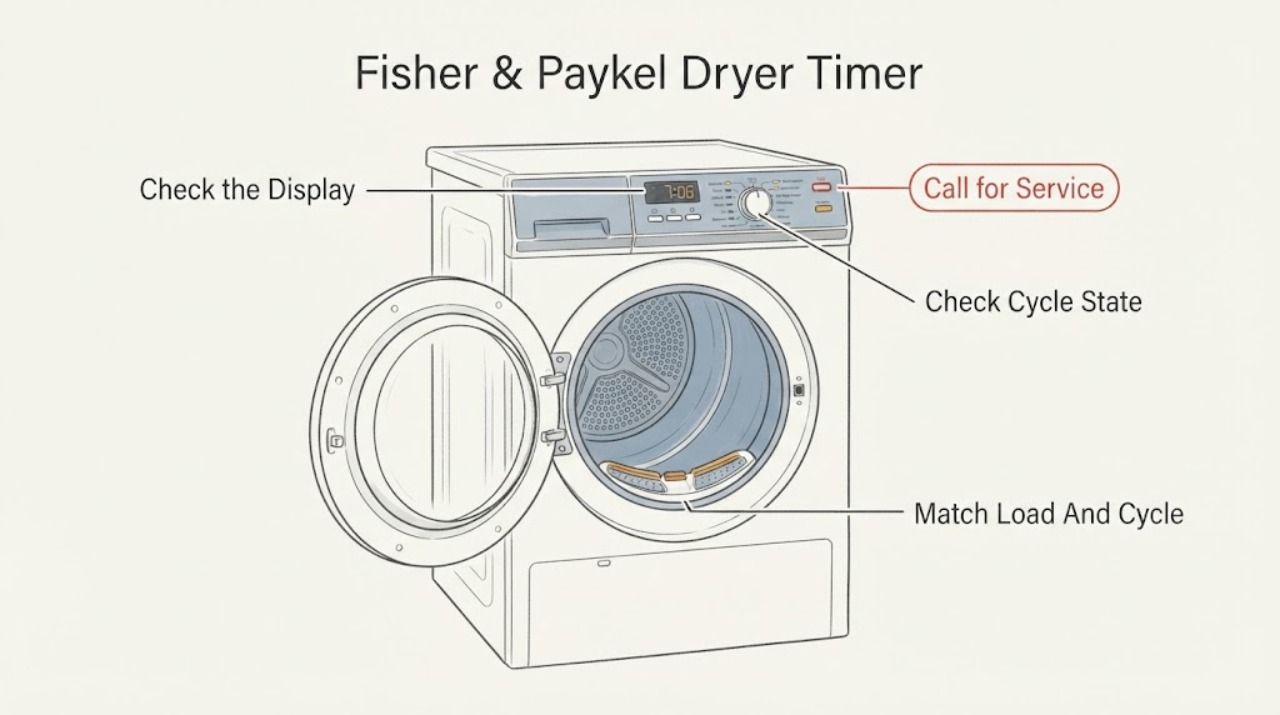
Work through in order
Diagnostic checks
Use only checks that match the exact appliance or system and its official guide.
-
Check 1
Watch the dryer rather than the number alone: note whether the drum tumbles, heat/cooling progresses, the load becomes drier and the display eventually changes or ends the cycle.
Expected result: The dryer tumbles and dries while the time stays unchanged or changes in jumps, or the drum truly stops and the cycle never progresses.
Next step: For a running, drying load, continue with cycle/load checks. For a true stall, record the exact model, display and any beeps/fault message and proceed only with the safe external checks below.
Why this matters
Why: Fisher & Paykel says cycle time is approximate and affected by sensing, load and environment; a true stop is a different problem from an estimated time display.
-
Check 2
Confirm that the dryer is not paused, on Delay Start, in a cooling or wrinkle-free extension, or waiting for a firmly closed door; reselect the desired cycle when the manual says a new load or interrupted cycle requires it.
Expected result: A pause/delay/extension is active, the door is not fully closed, or the cycle state is correct but the dryer remains stuck.
Next step: Correct the accessible setting or door condition and run the model's documented cycle once. If the state is correct and the cycle still stalls, stop repeating resets and arrange service.
Why this matters
Why: Fisher & Paykel manuals list pause, door position, Delay Start and post-cycle options as reasons a dryer may appear not to advance or may continue differently from a fixed timer.
-
Check 3
Compare the load with the selected cycle: remove excess items, separate heavy fabrics, and for a very small load use Time Dry only when the exact manual recommends it; make sure items are tumbling freely.
Expected result: The load is oversized, very small, unusually wet, mixed with heavy fabrics, or appropriate for the selected cycle and still does not progress.
Next step: Correct the load and repeat once with the matching cycle. If the same cycle truly stops with a suitable load, save the result for service rather than diagnosing the timer.
Why this matters
Why: Fisher & Paykel identifies load size, fabric composition and starting wetness as causes of longer or unusual cycle behavior; small sensor loads may be judged dry before all collars or waistbands are dry.
-
Check 4
Clean the lint filter as directed and, only if the exact manual identifies these user-accessible items for the model, check the condenser, water tank and external airflow path; do not dismantle the dryer.
Expected result: The lint filter/condenser is blocked, the water tank is full or misplaced, airflow is restricted, or these paths are clear and the timing symptom remains.
Next step: Correct only the model-approved accessible condition and allow the dryer to complete a cycle. If it remains stuck, overheats or gives a fault indication, stop use and contact trained service.
Why this matters
Why: Fisher & Paykel manuals connect blocked lint/condenser paths, a full tank and environmental conditions with long or unsatisfactory drying; these conditions can make a sensed cycle appear not to advance.
-
Check 5
Stop user troubleshooting and record the full model/serial number, display behavior, selected cycle, load, fault code or beeps, and whether the drum/heat actually stops when the symptom recurs.
Expected result: A fault code or unfamiliar display appears, the dryer repeatedly stops mid-cycle, or the timer/display remains stuck with correct settings and clean accessible paths.
Next step: Contact a Fisher & Paykel trained service technician. Do not remove the console, probe wiring, bypass a door switch or buy a timer based only on the symptom.
Why this matters
Why: The manuals direct unresolved problems and fault indications to trained service; the official timer listing also shows that timer fit differs by model.
Use your observations
Decision map
Find the observation that best matches what you see, then follow the next safe action.
-
PATH 01Next step
What you see
The drum keeps tumbling and drying, but the displayed time pauses or changes in jumps during a sensed cycle.
Do this next
Allow the matching cycle to finish and assess dryness. Use Time Dry only when the exact model manual recommends it for the load.
Why this path and its safety boundary
Why it matters: Fisher & Paykel documents approximate time and moisture/load sensing, so the display behavior alone does not prove a timer failure.
-
PATH 02Next step
What you see
The dryer is paused, delayed, in an extension/cooling state, or the door is not firmly closed.
Do this next
Correct the accessible condition, reselect the cycle if the manual requires it, and run one controlled cycle.
Why this path and its safety boundary
Why it matters: The cycle state or door condition can prevent normal progress without a failed timer.
-
PATH 03Next step
What you see
The load is too large, too small, unusually wet, mixed with heavy fabrics, or the lint/condenser/tank path is restricted.
Do this next
Correct the load or model-approved accessible maintenance issue and repeat once; escalate if the actual cycle still stops.
Why this path and its safety boundary
Why it matters: Fisher & Paykel links these conditions with longer or unsatisfactory drying and altered sensed-cycle behavior.
-
PATH 04Next step
What you see
The drum truly stops, a fault code/beep pattern appears, the dryer overheats, or the display remains stuck after the external checks.
Do this next
Stop using the dryer if it is overheating or unsafe and contact a Fisher & Paykel trained service technician with the model and symptom record.
Why this path and its safety boundary
Why it matters: This is outside the supported user-level explanation and does not identify a timer, control board or other part without model-specific service evidence.
Helpful context
Understand the symptom
A fixed time display is not automatically a failed timer
Fisher & Paykel describes cycle time as approximate on condenser models and says it can change with load size and composition, wetness, environment, options, sensing and interruptions. Another official guide explains that some dryers monitor moisture before displaying remaining time. A number that pauses while the dryer tumbles can therefore be normal estimation behavior; a drum that actually stops or never completes is a different symptom.
Check the selected cycle and accessible conditions
The opened Fisher & Paykel manuals list pause, an open door, Delay Start, an unsuitable cycle, an overloaded or very small load and a blocked lint filter among user-checkable causes of poor or interrupted drying. Condenser models also require attention to the condenser and water tank. These checks can explain slow progress without proving a timer fault.
Timer parts and internal controls are model-specific
Fisher & Paykel's official timer listing names limited model families and explicitly excludes one model with a different push-to-start timer. No exact model is supplied here, so there is no safe universal timer test, wiring instruction or replacement part to publish. Persistent stalling or a fault indication should go to a Fisher & Paykel trained service technician.
When checks do not resolve it
Need a professional?
Contact Fisher & Paykel service when the cycle truly stops, an unfamiliar fault code or beep pattern appears, or the symptom repeats with a correct cycle, suitable load and clean accessible paths., Provide the full model and serial number before discussing a timer or control part; official timer compatibility differs by model family., Do not open the console, probe energized wiring, bypass the door switch or replace a timer without the exact model procedure.
Have this ready
- complete dryer model and serial information
- vented, condenser or heat-pump type if known
- displayed time and whether it changes or jumps
- selected cycle, load size and moisture result
- any pause/delay/fault code/beep and whether drum/heat stops
Common questions
FAQ
Why does the Fisher & Paykel dryer time stay the same?
On sensed cycles, the displayed time may be approximate or may respond to moisture, load size, wetness, environment and interruptions. Watch whether the drum is still drying. A true stop is different from a time estimate that changes later.
Should I use Time Dry if the timer is not advancing?
Only when the exact model's manual recommends it for the load, such as a very small load or damp collars and waistbands. Time Dry can help separate sensed-cycle behavior from a true stall, but it does not prove the timer is faulty.
Can I order a Fisher & Paykel dryer timer by brand and symptom?
No. Fisher & Paykel's official timer listing shows limited model-family compatibility and explicitly excludes a model with a different timer arrangement. Use the full model number and trained service guidance.
Read the exact guide
Official sources
- Fisher & Paykel DE8060P Condenser Clothes Dryer User GuideFisher & Paykel · Official Fisher & Paykel PDF opened directly. Used for model-scoped explanation that cycle time is approximate and affected by load, wetness, environment, options, sensing and interruptions, plus condenser/tank/filter checks.
- Fisher & Paykel DE5060M1/DE4060M1 Vented Dryer User GuideFisher & Paykel · Official Fisher & Paykel PDF opened directly. Used for model-scoped examples of power, pause, door, Delay Start, cycle/load/filter checks and trained-service boundary.
- Fisher & Paykel DE4024P1 Condensing Dryer User GuideFisher & Paykel · Official Fisher & Paykel PDF opened directly. Used for model-scoped examples of sensed time, small-load Time Dry, load/filter conditions and service escalation; not generalized as a universal button sequence.
- Dryer Timer 427608PFisher & Paykel · Official Fisher & Paykel parts page opened directly. Used only to demonstrate model-specific compatibility and exclusion; it does not support a purchase recommendation or a diagnosis for the unidentified task.
Community feedback
Share a repair observation
Share a plain-text repair observation. Accepted observations are published automatically; this page may take a moment to update.