
On this page
Start here
Quick answer
If a Fisher & Paykel dryer is not spinning, first turn it off and identify whether the drum never moves, starts and stops, or runs while the clothes remain in one place. Check household power, close the door firmly, make sure the lint filter is seated, cancel Pause, Delay Start, or Keylock when the model shows those states, and remove an overloaded load. Condensing models also need a correctly seated, emptied water tank. Record any warning or fault code and follow the exact model guide. If the drum still will not turn, the dryer hums, stops repeatedly, or shows a fault, stop repeated attempts and arrange Fisher & Paykel trained service; do not open the cabinet or reach into a moving drum.
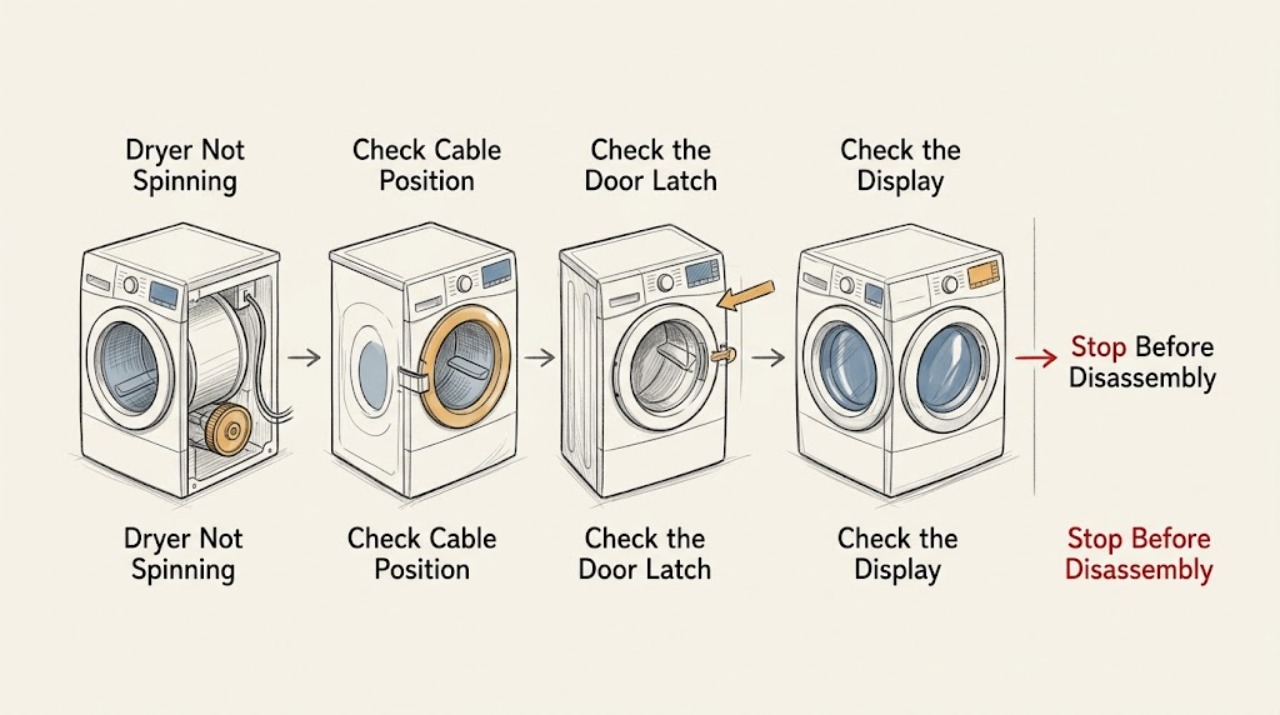
Work through in order
Diagnostic checks
Use only checks that match the exact appliance or system and its official guide.
-
Check 1
With the dryer off, note whether the control panel lights, whether the drum is completely still or had stopped mid-cycle, and whether another small appliance works at the same outlet. Check the power connection without opening the dryer or disturbing hardwired terminals.
Expected result: A dark panel or failed outlet points to household power; a lit panel with a still drum moves the diagnosis toward a control state, door interlock, overload, or drive system.
Next step: If household power is unstable or a breaker trips again, leave the dryer off and obtain qualified electrical help. If the panel is normal, continue with the door and filter checks.
Why this matters
Why: The power state determines whether a spinning complaint is actually a no-power complaint or a command and motor-path problem.
-
Check 2
Turn the dryer off, open and close the door firmly, and inspect the visible latch area for clothing or a lint-filter edge blocking closure. Remove and reseat the user-removable lint filter as the model guide shows; do not bypass or press a door switch with the door open.
Expected result: The door should close and latch cleanly, and the filter should sit correctly. A blocked latch or misplaced filter can prevent a cycle from starting; a clear, latched door with no rotation points to the next branch.
Next step: Clear only visible clothing or lint and retry one appropriate cycle. If the latch will not engage or the drum remains still, stop repeated starts and record the symptom for service.
Why this matters
Why: The dryer uses the door and filter position as operating conditions, so a drum that does not spin may be intentionally inhibited rather than mechanically seized.
-
Check 3
Select a normal drying cycle with a small, compatible load and check the panel for Pause, Delay Start, Keylock, or a user warning. Cancel only the displayed control state using the labeled model control; do not repeatedly press Start while a fault is shown.
Expected result: A paused or delayed cycle, active Keylock, or warning code explains why Start is accepted but the drum does not move. If the cycle is active and the drum stays still, the problem is not just a scheduling or lock setting.
Next step: Follow the exact guide for the displayed state once. If the drum still does not rotate, capture the warning or fault code and continue to the load and model-type checks.
Why this matters
Why: Control-state indicators change the next step from internal drive diagnosis to the exact button sequence in the user guide.
-
Check 4
Remove part of the load and retry only within the model's rated capacity. If the dryer is a condenser or heat-pump model, check the water-collection tank indicator and confirm the tank is emptied and seated as the guide describes; do not assume this check applies to a vented model.
Expected result: A lightly loaded drum that starts after an overload is removed points to a load or cycle limit. A full or mis-seated tank on an applicable model can inhibit operation; a correctly seated tank with no rotation leaves the fault unresolved.
Next step: If the correct model-specific condition is restored and the drum turns, use the appropriate load and cycle. If it remains still or starts and stops, stop and arrange trained service.
Why this matters
Why: Fisher & Paykel models use different cycle conditions, and a tank or capacity issue must not be mistaken for a failed drive motor across every dryer type.
-
Check 5
After one controlled retry, turn the dryer off and record whether the drum was silent, hummed without turning, started then stopped, or displayed a fault. Record the model and serial information from the rating label without removing any panel.
Expected result: A silent drum after accepted controls, a hum without rotation, repeated stopping, or a recurring fault points beyond the user settings and needs model-specific diagnosis. A normal start after clearing the external condition confirms the branch without proving an internal repair.
Next step: Turn the dryer off and arrange a Fisher & Paykel trained or authorized service visit for a persistent no-spin symptom. Do not replace a motor, belt, capacitor, or control based on the symptom alone.
Why this matters
Why: The sound and timing pattern gives the technician useful evidence about the drive and control path while avoiding unsafe cabinet access.
Use your observations
Decision map
Find the observation that best matches what you see, then follow the next safe action.
-
PATH 01Next step
What you see
The panel is dark, the outlet is dead, or the household breaker does not stay on.
Do this next
Leave the dryer off and obtain qualified electrical help; do not open the dryer or disturb supply terminals.
-
PATH 02Next step
What you see
The door does not latch, clothing blocks the latch, or the lint filter is not seated.
Do this next
Turn the dryer off, clear only the visible obstruction, reseat the filter as directed, and retry once. Persistent latch or filter recognition problems need service.
-
PATH 03Next step
What you see
Pause, Delay Start, Keylock, a full tank on an applicable model, or an overload is displayed.
Do this next
Use the exact model guide to clear the state, empty and seat the tank when applicable, or reduce the load. If the drum still does not move, stop retrying.
-
PATH 04Next step
What you see
The drum hums, starts and stops, remains still after the controls are accepted, or a warning or fault returns.
Do this next
Turn the dryer off and arrange a trained or authorized Fisher & Paykel service diagnosis. Do not open the cabinet or bypass a safety device.
-
PATH 05Next step
What you see
There is smoke, a burning odor, unusual heat, a damaged cord, or a repeated electrical trip.
Do this next
Stop immediately, disconnect power only when safe, keep clear of the dryer, and obtain qualified service.
Helpful context
Understand the symptom
Define the spinning symptom
Not spinning can mean a completely still drum, a drum that begins and stops, or a cycle that is paused while the drum has not yet moved. Fisher & Paykel has vented, condenser, and heat-pump dryers with different controls. Use the full model number and the matching user guide before treating a water tank, rack, or indicator as applicable to your machine.
Start with external causes
The manufacturer troubleshooting tables put household power, a closed door, the lint filter, load size, Delay Start, Keylock, Pause, and displayed warnings ahead of internal repair. Those checks can distinguish a control state from a drum-drive fault without removing a panel.
Keep the drum and heat boundary safe
Turn the dryer off before clearing the door or filter area and never reach into a moving drum. Do not operate the dryer without its lint filter, with a damaged filter, or with accumulated lint. If there is smoke, a burning odor, unusual heat, a damaged cord, or a repeated electrical trip, disconnect power when safe and arrange qualified service.
Only after diagnosis
Potential parts
- drive belt, drum support, or motor
Consider this class only after external power, door, filter, load, and control-state checks are clear and a qualified diagnosis confirms a drive fault.
Confirm the complete model number and the manufacturer or authorized service fit information before selecting a part. - door switch or control component
Consider this class only if the door does not register closed or the control accepts the cycle without commanding drum movement after the model-specific checks.
Do not infer fit from the brand alone; Fisher & Paykel dryer generations and types use different components.
When checks do not resolve it
Need a professional?
Provide the full Fisher & Paykel model and serial information, dryer type, whether the panel was lit, whether the door latched, filter and tank status when applicable, cycle and control indicators, exact fault code, and whether the drum was silent, humming, or stopping. Fisher & Paykel's service team can then use the symptom sequence for a model-specific diagnosis.
Common questions
FAQ
Why is my Fisher & Paykel dryer not spinning?
Check power, the door latch, filter seating, Pause, Delay Start, Keylock, and load size. On applicable condenser or heat-pump models, also check the water tank. If the drum remains still or hums, arrange trained service.
Can an overloaded load stop a Fisher & Paykel dryer from spinning?
Yes, the manufacturer's troubleshooting guidance lists overload as a possible no-start condition on some models. Remove some items and retry an appropriate cycle once; persistent no-spin behavior needs service.
Why does my Fisher & Paykel dryer start and stop?
Check whether Pause, a power interruption, a door opening, or a model-specific Wrinkle Free option explains the behavior. If it stops with a fault, hums, or repeatedly stops after external checks, turn it off and arrange service.
Should I replace the belt or motor when the drum does not spin?
Not from the symptom alone. Confirm stable power and the external control conditions first, then have the exact model diagnosed before selecting a belt, motor, door switch, or control component.
Read the exact guide
Official sources
- Help & Support | Book A Service | Repair | Technician | Fisher and Paykel USAFisher & Paykel · Fisher & Paykel dryer service escalation and model-resource lookup
- Installation Guide - DH8060P1 Heat Pump Condensing DryerFisher & Paykel · Fisher & Paykel dryer no-spin and no-start checks; exact model guide controls
- User Guide - DE7060P and DE7060G Vented DryerFisher & Paykel · Fisher & Paykel vented dryer control, door, power, load, lint, and fault checks; exact model guide controls
Community feedback
Share a repair observation
Share a plain-text repair observation. Accepted observations are published automatically; this page may take a moment to update.