
On this page
Start here
Quick answer
If an Asko dryer has power but the drum is not spinning, first check that the door is fully closed, the programme was started as the model requires, Delay Start or Lock is not active, and—on condenser or heat-pump models—the condensate tank is not full. A clogged lint filter can raise temperature and make the dryer stop; clean the user-accessible filter, let the dryer cool, and retry once as the manual directs. If the drum still does not spin, the dryer stops again, a cord or plug is damaged, an error remains, or there is burning odor, smoke, scraping, or an electrical trip, stop using it and arrange qualified service. Do not open the cabinet or test the drive system yourself.
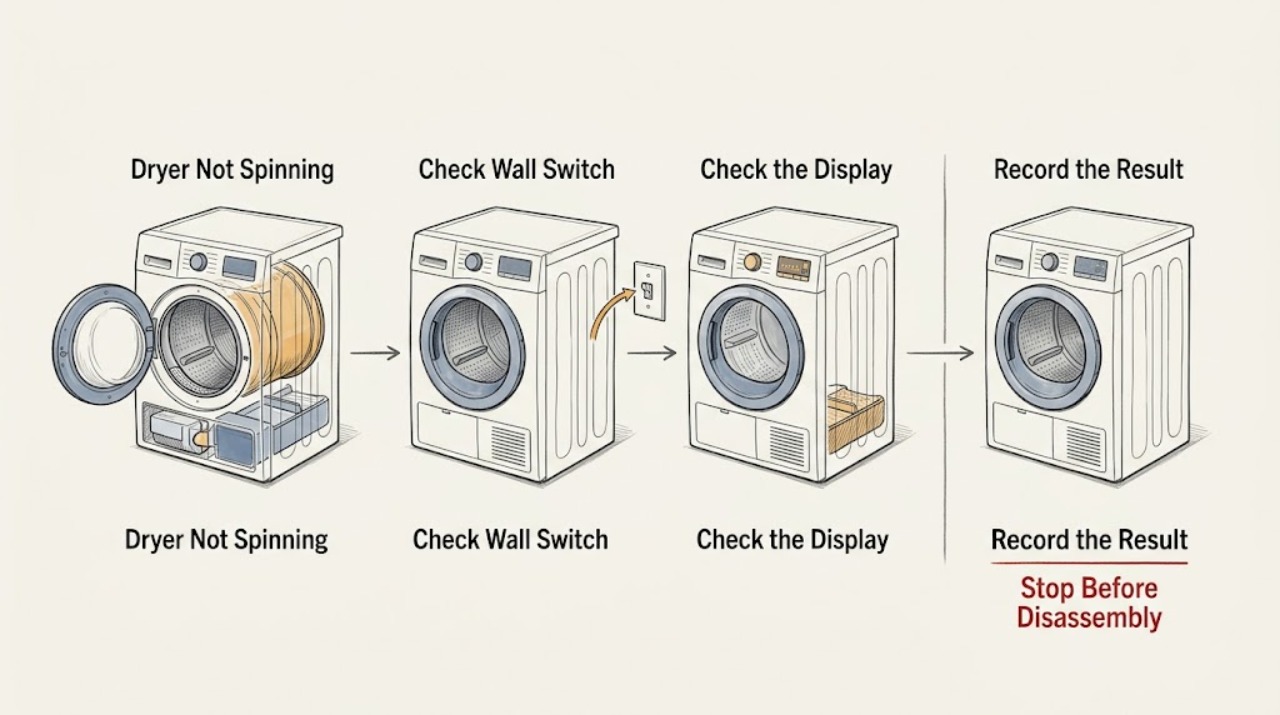
Work through in order
Diagnostic checks
Use only checks that match the exact appliance or system and its official guide.
-
Check 1
With the dryer empty or safely loaded and the area dry, check the normal main switch and confirm the display responds; close the door firmly without forcing it, select the intended programme, and press On/Off or Start/Pause exactly as the model manual describes.
Expected result: The display is dark, the door is not recognised as closed, the programme starts and the drum turns, or the display is active but the drum remains still.
Next step: If the supply is absent, check only the normal household access point and stop if a breaker trips again. If the display is active and the door and Start action are accepted, continue to the condensate and filter checks; arrange service if the drum remains stopped.
Why this matters
Why: A dark display points first to supply or main-switch conditions, while a door or start-control issue can prevent the programme from beginning. If a valid programme is active but the drum remains still, continue to the model-specific checks without opening the cabinet.
-
Check 2
Read the display for Delay Start, Lock, or another programme-status indication and compare the selected programme and Start sequence with the exact Asko manual for the model; do not guess a hidden button combination.
Expected result: Delay Start or Lock is active, the programme was not started in the documented sequence, or the controls accept the programme but no drum movement follows.
Next step: Cancel Delay Start or Lock only by the exact model instructions and start one simple programme. If the controls respond but the drum still does not spin, stop repeated attempts and continue with tank and filter checks before arranging service.
Why this matters
Why: Delay Start can intentionally postpone movement, Lock can prevent changes, and an incorrect start sequence can leave the appliance powered but idle. If none applies, the no-spin symptom is not explained by a programme setting alone.
-
Check 3
If the dryer is a condenser or heat-pump model, check the display and the user-accessible condensate tank according to the model manual; empty the tank only as directed and keep the dryer off while handling it.
Expected result: The tank is full or a condensate warning appears, the dryer is a model that does not use a user tank, or the tank is clear but the drum remains stopped.
Next step: Empty and refit the tank as the exact manual directs, then retry one programme. If the tank is clear or the symptom returns, do not access the pump or water path; arrange qualified service.
Why this matters
Why: The ASKO troubleshooting table identifies a full condensate tank as a reason a condenser or heat-pump dryer may not work. A clear tank removes that user-level condition but does not identify a drive or control failure.
-
Check 4
Switch the dryer off, wait until the drum and rear surfaces are cool, then clean and refit the user-accessible lint filter as the exact manual directs; keep visible air openings clear and do not remove covers.
Expected result: The lint filter is clogged, the dryer had stopped after becoming hot, the filter is clear but the dryer will not spin, or the dryer stops again after cooling.
Next step: After the dryer has cooled and the filter is correctly fitted, try one simple supervised programme. If the drum remains still or the dryer stops again, leave it off and arrange service.
Why this matters
Why: The manual links a clogged door lint filter with rising temperature and an automatic stop. Cleaning and cooling may restore a protected dryer, but a repeat stop indicates an unresolved condition rather than permission to bypass protection.
-
Check 5
Record any display, door status, tank status, filter condition, and programme stage, then perform no more than one model-directed power cycle or one-minute Off-and-on restart before a single retest; do not open the dryer or try to turn the drum by force.
Expected result: The dryer starts and the drum turns normally, or the same no-spin symptom, error, unusual noise, odor, heat, or electrical response returns.
Next step: If the fault returns, stop using the dryer and provide service with the model, serial details, display, programme, and observations. Do not repeat resets or replace an internal part based only on the symptom.
Why this matters
Why: A successful restart may clear a temporary control state, but it does not prove that an internal drive fault is fixed. A repeated no-spin result after the documented user checks is useful service evidence.
Use your observations
Decision map
Find the observation that best matches what you see, then follow the next safe action.
-
PATH 01Safety boundary
What you see
Is the display completely dark or is there no supply at the normal outlet or main switch?
Do this next
Check only the normal supply access point and plug condition. Stop for a repeated trip or damaged cord; arrange electrical or appliance service if the supply is present but the dryer stays dark.
Why this path and its safety boundary
Safety stop: Use the powered-but-not-spinning branch and check door, programme, tank, and filter conditions.
-
PATH 02Safety boundary
What you see
Does the display show Delay Start, Lock, an open-door state, or no accepted Start action?
Do this next
Use only the exact model manual to clear the setting or start the programme, without forcing the door or guessing a control sequence.
Why this path and its safety boundary
Safety stop: If the programme is accepted but the drum remains still, continue to condensate and filter checks, then stop for service if unresolved.
-
PATH 03Safety boundary
What you see
Is the dryer a condenser or heat-pump model with a full condensate tank or related warning?
Do this next
Empty and refit the tank as the exact manual directs, then retry once; do not access the pump or water system.
Why this path and its safety boundary
Safety stop: A clear tank or a vented model moves the diagnosis to filter, cooling, or internal drive conditions.
-
PATH 04Safety boundary
What you see
Was the dryer hot or did it stop after a clogged lint filter was present?
Do this next
Let it cool, clean and refit the user-accessible filter, and try one supervised programme. Arrange service if it stops again.
Why this path and its safety boundary
Safety stop: Do not infer a drive failure solely from the absence of a filter blockage; proceed to the final documented retry and service boundary.
-
PATH 05Safety boundary
What you see
After the door, programme, tank, filter, and one model-directed restart, does the drum still not spin?
Do this next
Stop using the dryer and arrange qualified service for drive, motor, belt, control, wiring, or other internal diagnosis.
Why this path and its safety boundary
Safety stop: A normal spinning cycle supports a temporary start or protection condition; monitor and record any recurrence.
Helpful context
Understand the symptom
Not spinning can mean not starting
A powered dryer whose drum never moves may be waiting for a closed door, a valid Start action, or the end of a Delay Start or Lock setting. The ASKO manual specifically lists those conditions alongside a full condensate tank. Confirm the control state and the point at which the cycle stops before assuming a motor or belt problem.
Heat protection changes the next step
If a lint filter is clogged, temperature can rise and the dryer may switch off. Cleaning the user-accessible filter and allowing the appliance to cool is a different check from repeatedly pressing Start. If the dryer stops again, the repeated symptom is service evidence rather than a reason to bypass a protection device.
Do not diagnose the drive by opening the dryer
The drum drive, motor, belt, wiring, and control system are behind the repair boundary. A safe user diagnosis can record whether the drum starts, whether the display shows an error, and whether the door, tank, filter, and programme checks change the result. Internal electrical or mechanical testing belongs to qualified service.
Safety boundary
Stop conditions
- Stop using the dryer for smoke, burning odor, visible sparking, a damaged cord or plug, a repeated electrical trip, or an abnormally hot cabinet or rear surface.
- Do not reach into a moving or hot drum, force the drum to turn, remove cabinet panels, probe wiring, or bypass a door, thermal, or other safety device.
- Do not access the motor, belt, compressor, pump, or control board; the manual reserves repairs and similar work for an adequately trained person.
- Stop after one model-directed restart if the drum remains still, the same error returns, the dryer stops again, or abnormal noise accompanies the no-spin condition.
- If a stacked or built-in dryer would need to be moved to investigate, stop and arrange appropriately trained service or installation help.
When checks do not resolve it
Need a professional?
Arrange qualified appliance service when the display is active but the drum remains still after the exact door, programme, Delay Start or Lock, condensate-tank, lint-filter, cooling, and one-restart checks; when the dryer stops again; or when there is a fault indication, damaged cord, repeated electrical trip, smoke, burning odor, abnormal heat, or unusual mechanical noise.
Common questions
FAQ
Why does my Asko dryer have power but not spin?
Check that the door is closed, the programme was started correctly, Delay Start or Lock is not active, and the condensate tank is not full on applicable models. If those checks do not restore drum movement, stop and arrange service.
Can a full condensate tank stop an Asko dryer from spinning?
On condenser and heat-pump models, the ASKO troubleshooting table lists a full condensate tank as a possible reason the dryer does not work. Empty and refit it only as the exact model manual directs, then retry once.
Can a clogged lint filter make an Asko dryer stop spinning?
Yes. ASKO says a clogged door lint filter can raise temperature and cause the dryer to switch off. Let the appliance cool, clean and refit the user-accessible filter, and arrange service if it stops again.
Should I turn the Asko dryer drum by hand to find the problem?
Do not force the drum or open the cabinet to diagnose it. Record whether the drum moves during one supervised programme attempt and leave drive, motor, belt, and wiring checks to qualified service.
When should an Asko dryer that will not spin be serviced?
Arrange service when the drum remains still after the exact user checks and one documented restart, or immediately for smoke, burning odor, damaged cord, repeated electrical trip, abnormal heat, fault indication, or unusual mechanical noise.
Read the exact guide
Official sources
- User Manual: Tumble dryer TD76 / T108HBW / T1084HBWASKO · ASKO tumble-dryer start, no-spin troubleshooting, maintenance, safety, and service guidance
Community feedback
Share a repair observation
Share a plain-text repair observation. Accepted observations are published automatically; this page may take a moment to update.