
On this page
Start here
Quick answer
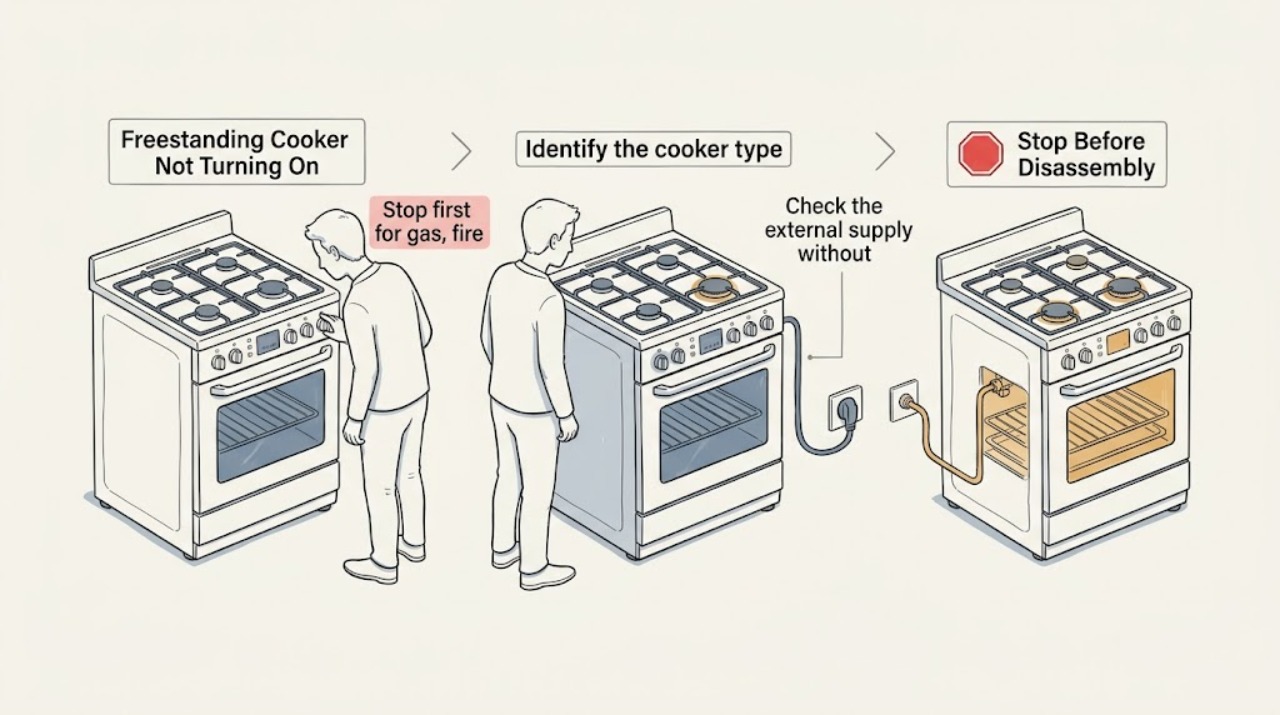
First identify whether the freestanding cooker is gas, electric, induction, or dual-fuel, then stop if there is a gas odor, smoke, flame where it should not be, sparking, a hot or damaged cord, repeated breaker trips, or visible heat damage. With the appliance cool and the area dry, check the wall supply and breaker, the display or clock, control lock, demo or Sabbath mode, selected function, timer or delayed start, and any door-latch indication. For gas models, a working display does not prove that gas or ignition is safe; do not try to light a burner when gas odor persists. For induction or electric models, a locked control, unsuitable cookware, a wet control panel, or a lost supply can prevent operation. If safe external checks do not restore operation, or only one heating zone or burner remains dead, keep the cooker off and arrange qualified service rather than opening panels or testing live wiring.
Work through in order
Diagnostic checks
Use only checks that match the exact appliance or system and its official guide.
-
Stop first for gas, fire, or electrical danger
Do not attempt to start the cooker if you smell gas, hear gas escaping, see smoke or flame outside the intended burner, see sparks or arcing, find a hot or damaged cord, or notice a wet appliance near power. Leave the area when appropriate. Do not operate switches, phones, or ignition controls in a suspected gas leak; disconnect power only from a dry, safe location when there is no immediate gas hazard.
Expected result: There is a gas odor or suspected leak, smoke, fire, uncontrolled flame, sparking, water near energized equipment, heat damage, or repeated electrical trip; or the cooker is cool, dry, and free of immediate danger.
Next step: For suspected gas, leave immediately and contact the gas utility or emergency responders from a safe location. For smoke, fire, sparks, flooding, or dangerous electrical symptoms, keep clear and obtain emergency or qualified help. Do not resume the checks until the appliance is declared safe.
Why this matters
Why: These signs change the task from troubleshooting to emergency or stop-use handling. Repeated ignition, breaker resets, or opening the appliance can increase fire, explosion, or shock risk.
-
Identify the cooker type and what still has power
When the cooker is cool and safe, read the rating label or handbook to classify it as gas, electric, induction, or dual-fuel. Record the model number and check whether the display, clock, oven light, surface indicators, and any one burner or zone respond. Do not infer the energy type from appearance alone.
Expected result: Everything is blank, the display works but no heat source responds, only the oven fails, only the surface fails, or only one burner or zone fails.
Next step: Use the exact model manual for the recorded energy type and symptom. Keep the cooker off if the pattern includes odor, heat damage, moisture, or repeated trips.
Why this matters
Why: A blank appliance points first toward supply or control power; a live display with one dead function points toward a control, ignition, element, zone, or safety circuit; gas ignition also depends on the correct fuel and electrical path. The split must be matched to the model manual.
-
Check the external supply without opening the cooker
For a plug-connected cooker, confirm from a dry, safe position that the plug is fully seated and the outlet is not visibly damaged. Check the dedicated breaker or fuse panel for a tripped device, but do not repeatedly reset a breaker that trips again. For a hardwired or high-current installation, do not remove covers or measure terminals; use a qualified electrician if the supply is uncertain.
Expected result: The outlet or breaker is off, the breaker trips again, the cooker has no display despite a normal supply, or the supply appears present and stable.
Next step: Restore only an obviously switched-off supply once, if it is safe and there is no odor, moisture, heat damage, or fault indication. If it trips again, stays blank, or the installation is hardwired, stop and arrange qualified electrical or appliance service.
Why this matters
Why: GE and Whirlpool range guidance use the plug, household breaker or fuse, and power reset as first external checks, but a returning trip or absent supply can indicate a wiring or appliance fault. A working clock does not prove every heating circuit is powered.
-
Rule out a control lock, mode, timer, or latch state
Read the display for a padlock, control-lock message, demo or showroom indication, Sabbath mode, delayed-start symbol, error code, or door-latch indication. Confirm that the selected cooking function and temperature are set and that Start has been pressed when the model requires it. Use only the unlock, cancel, or mode-exit sequence in the exact owner manual; do not force a latch.
Expected result: A lock or special mode is shown, a delayed start is active, the door-latch state remains set, the controls accept input but no heat starts, or the controls remain completely unresponsive.
Next step: Apply the model-specific cancel or unlock procedure once. If the state returns, the door will not unlatch after cooling, or the controls remain unresponsive, keep the cooker off and arrange service.
Why this matters
Why: Official range support identifies lock, demo or special modes, delayed start, incorrect control selection, and a self-clean latch as reasons an oven can appear not to operate. An unresponsive control after the model-specific procedure points toward service.
-
Use the correct branch for gas ignition
Only when there is no gas odor and the appliance is cool, identify whether a gas surface burner gives a normal click or spark, whether other burners work, and whether the oven ignition also fails. Look only at accessible burner-cap alignment and visible moisture or spill residue as permitted by the model manual; do not move the cooker to inspect the gas connector, alter the gas valve, or allow gas to flow while a burner fails to light.
Expected result: No burner clicks, burners click but do not light, one burner fails while others work, the oven and surface burners both fail, or a gas odor appears.
Next step: For a clean, dry, no-odor burner assembly, follow the model manual once. If no burners click, all burners fail, ignition remains delayed, the flame is abnormal, or gas odor appears, stop using the cooker and obtain qualified gas-appliance service from a safe location.
Why this matters
Why: Official gas-range guidance separates electrical ignition power, gas supply, burner-cap or head alignment, moisture, and a service fault. A gas odor or delayed or abnormal ignition is not a routine cleaning result and must end the check.
-
Use the electric or induction branch without live testing
For electric or induction cooking, check only the model-specific control state, dry touch panel, selected zone, and compatible cookware or pan-presence indication. Do not place a hand on a hot surface, remove the glass or rear panel, or probe an element. If the display shows an error, record the exact code and model before doing any reset allowed by the manual.
Expected result: The lock indicator clears and the zone responds, the panel remains unresponsive, an induction zone reports no pan, one element or zone is dead, or the code returns after one documented reset.
Next step: Dry the accessible control surface, use the exact cookware and unlock guidance, and perform only the manual-approved reset once. If operation does not return or the fault recurs, keep the cooker off and arrange qualified service.
Why this matters
Why: Electric and induction cookers can refuse operation because of lock state, wet controls, cookware recognition, supply loss, a zone circuit, or a control fault. A repeated code or isolated dead zone needs model-specific diagnosis, not a generic part swap.
Use your observations
Decision map
Find the observation that best matches what you see, then follow the next safe action.
-
PATH 01Next step
What you see
The cooker is blank, the breaker or fuse is off, or a safe external supply check finds no power.
Do this next
Restore an obviously switched-off supply once only when there is no odor, moisture, heat damage, or repeated trip. If the supply is hardwired, absent, or uncertain, use a qualified electrician or appliance technician.
-
PATH 02Next step
What you see
The display works but a padlock, demo mode, Sabbath mode, delayed start, or self-clean latch is active.
Do this next
Follow the exact model manual to cancel or unlock once. Do not force a latch; arrange service if it remains locked or the cooker still will not start.
-
PATH 03Next step
What you see
A gas cooker has no click, clicks without flame, or only one burner fails, and there is no gas odor.
Do this next
With the cooker cool, use the model manual for accessible burner-cap, moisture, and ignition checks. Stop and call qualified service if all burners fail, ignition is delayed, the oven also fails, or the issue persists.
-
PATH 04Next step
What you see
A gas odor, suspected leak, uncontrolled flame, abnormal flame, or delayed ignition appears.
Do this next
Stop ignition attempts, leave the area when appropriate, avoid switches and phones in the suspected leak area, and contact gas or emergency help from a safe location. Do not move the cooker or inspect its connector yourself.
-
PATH 05Next step
What you see
An electric or induction cooker has a wet or locked control, no-pan indication, one dead zone, a returning code, or no response after the model reset.
Do this next
Dry and unlock only as the manual permits, record the code and model, then keep the cooker off and arrange qualified service if the symptom returns or a zone remains dead.
-
PATH 06Next step
What you see
Smoke, sparks, fire, a hot or damaged cord, water near energized parts, visible heat damage, or a breaker that trips again is present.
Do this next
Stop using the cooker and keep clear. Obtain emergency or qualified electrical or appliance help from a safe location; do not reset repeatedly, open panels, or run a test cycle.
Helpful context
Understand the symptom
Not turning on can mean different things
A blank display, an oven that will not start, a cooktop that will not respond, and a gas burner that clicks without flame are different symptoms. Record what still works: clock, oven light, surface controls, one zone, all zones, or no indicator at all. Also record the energy type and the exact model number. A generic reset or code explanation cannot safely replace that information.
Keep the fuel and electrical boundaries separate
Gas burners and ovens may need electricity for electronic ignition, while electric and induction cookers can still show a display when a heating circuit has failed. Do not remove a rear cover, probe a terminal, alter a gas connection, or bypass a safety device. A no-power symptom after a move, flood, spill, or installation is a reason for qualified inspection if the safe external checks do not explain it.
Safety boundary
Stop conditions
- Stop immediately for gas odor, suspected gas escape, delayed ignition, abnormal flame, smoke, fire, uncontrolled flame, or a carbon-monoxide alarm or related symptoms.
- Stop for sparks or arcing, a hot or damaged cord or outlet, visible heat damage, water near electrical parts, repeated breaker trips, or a cooker that stays hot after controls are Off.
- Do not move a gas cooker to inspect its connector, remove panels, probe live terminals, alter gas settings, bypass a door or safety device, or repeatedly reset a returning fault.
- Do not force a self-clean latch, use a gas burner as a test when odor is present, or touch a suspected hot surface while diagnosing a no-start symptom.
Only after diagnosis
Potential parts
- electronic control or user-interface assembly
Relevant only when model-specific diagnosis confirms that the supply is correct but the control remains blank, locked, or unresponsive.
Confirm the complete model and manufacturer fit information before ordering; do not infer failure from a blank display alone. - electric heating element or induction power module
Relevant only when qualified diagnosis identifies a failed electric element or induction circuit after safe supply and control checks.
Electric and induction assemblies are model-specific and require qualified service. - gas igniter, burner component, or gas valve
Relevant only after qualified gas-appliance diagnosis confirms an ignition or gas-control fault; do not select a gas part from a no-start symptom alone.
Confirm the exact model and fuel configuration; gas work must be performed by qualified service. - door-latch or safety-switch assembly
Relevant only when the model manual and service diagnosis link the no-start or locked state to a failed latch or safety switch.
Do not bypass or force a safety device; confirm model fitment through qualified service.
When checks do not resolve it
Need a professional?
Arrange qualified appliance or electrical service when the cooker remains blank, a breaker trips again, controls stay locked or unresponsive, one burner or zone remains dead, a gas burner or oven will not ignite, an error returns, or any diagnosis would require moving the appliance, opening panels, gas work, or live electrical testing. For gas odor, smoke, fire, sparks, flooding, or dangerous electrical symptoms, use an emergency or utility safety route from a safe location.
Common questions
FAQ
Why is my freestanding cooker not turning on at all?
Start by recording whether the display and clock are blank, then check the external plug and breaker only from a dry, safe position. If a breaker trips again, the installation is hardwired, or the display remains blank, stop and arrange qualified service.
The display works but the oven will not start. What should I check?
Check the selected function and temperature, Start control, control lock, demo or Sabbath mode, delayed start, and any door-latch indication using the exact model manual. If the controls remain unresponsive or the latch stays set, do not force it; arrange service.
What if a gas cooker clicks but does not light?
Only with no gas odor and a cool appliance, check the model-approved burner-cap alignment and visible moisture or spill residue. If all burners fail, ignition is delayed, the flame is abnormal, or gas odor appears, stop using the cooker and obtain qualified gas-appliance help from a safe location.
Can an induction or electric cooker show power but still not heat?
Yes. A control lock, wet touch panel, no-pan indication, failed zone circuit, or returning error can prevent heating while the display remains active. Follow the model manual once; do not remove panels or perform live tests, and arrange service if the fault persists.
Should I reset the breaker when the cooker will not turn on?
A single model-appropriate power reset may be listed by the manufacturer, but do not repeatedly reset a breaker that trips again or a fault that returns. Stop immediately for gas odor, smoke, sparks, heat damage, moisture near power, or a hot connection.
Read the exact guide
Official sources
- Oven Not Working - GasWhirlpool Product Help · Gas-range oven no-start checks for recent reconnection, electrical ignition supply, gas shutoff, and qualified service
- Range & Wall Oven - Oven Will Not Come OnGE Appliances · Range and oven no-start checks for controls, power, reset, latch, bake element, and special modes
- Gas Range & Cooktop - Surface Burners Not Clicking, Not Trying to IgniteGE Appliances · Gas-range burner no-click checks for correct control, Lite position, power, burner-cap match, and service
- Lock - Electric RangeWhirlpool Product Help · Electric-range control-lock behavior, model-specific unlock guidance, and one-minute power reset
- Range & Wall Oven - No PowerGE Appliances · GE range and wall-oven no-power checks for plug, breaker, fuse, and service escalation
- Certain Older Gas Connectors May Be DangerousU.S. Consumer Product Safety Commission · Gas-appliance connector safety, prohibition on moving an appliance to inspect the connector, and gas-leak response
- Gas Range & Cooktop - Common Causes for Slow Ignition, No Ignition or Clicking on Surface BurnersGE Appliances · Gas range surface-burner ignition checks for moisture, dirt, electrode seating, and burner-cap alignment
- Oven Not Heating - Powering On - Electric Range - Product Help | WhirlpoolWhirlpool Product Help · Electric range control, installation-power, lock or demo mode, and delayed-start checks
Community feedback
Share a repair observation
Share a plain-text repair observation. Accepted observations are published automatically; this page may take a moment to update.