
On this page
Start here
Quick answer
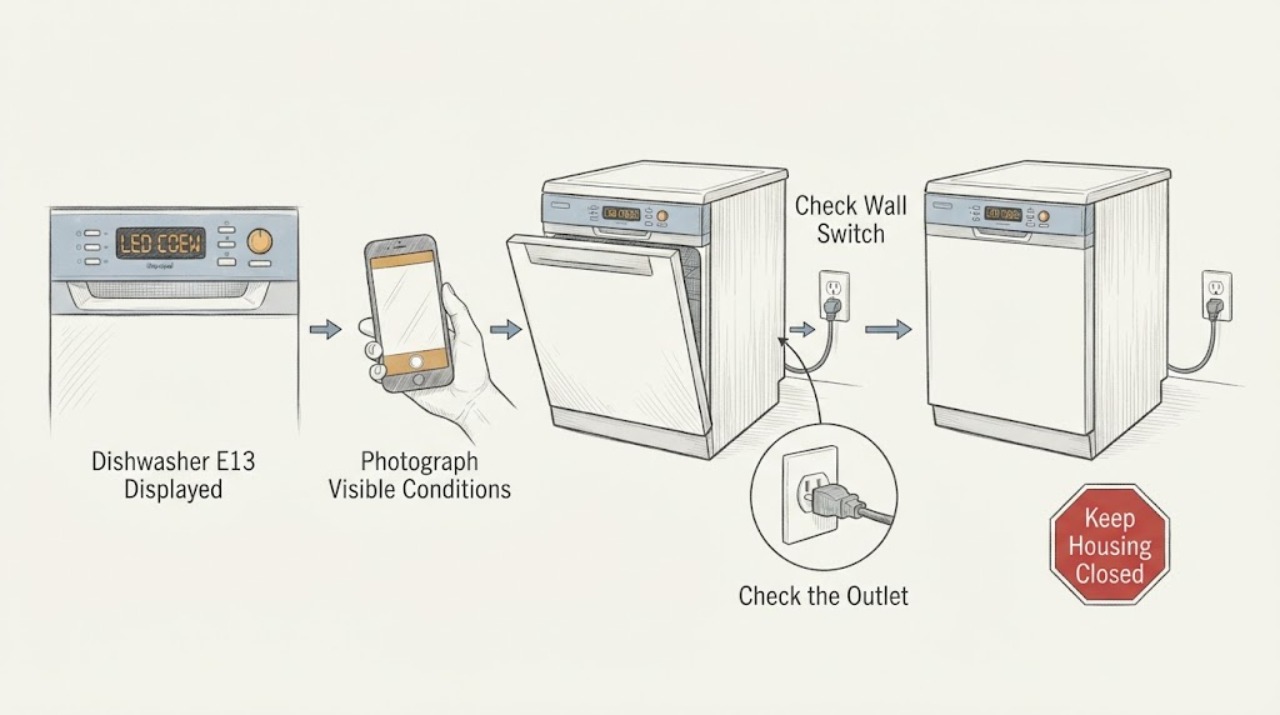
Treat a Gaggenau dishwasher display of E13 or E:13 as a model-specific fault, not as proof of one universal failed part. First photograph the complete display and read the exact E-Nr/model and market from the rating label or paperwork. In the opened official DF260/DF261 Gaggenau manual, E:01 through E:30 are grouped as a technical fault, so E:13 is handled by one manual-authorized restart: switch the appliance off, disconnect power or switch off the fuse for at least two minutes, restore power, and switch it on. Do this only from a dry, safe position and only when the exact manual permits it. If E13 returns, the manual says to switch off the water supply, disconnect power, and contact customer service with the code. Do not infer a heater, temperature sensor, inlet valve, pump, or board from E13 alone, and do not open the built-in dishwasher. If there is a leak, water near electrical parts, a hot or damaged cord, smoke, sparking, or repeated breaker trips, stop immediately and use qualified electrical or appliance service.
Work through in order
Diagnostic checks
Use only checks that match the exact appliance or system and its official guide.
-
Check 1
Without moving or opening the built-in dishwasher, photograph the complete display exactly as shown, including whether it reads E13, E:13, another E-code, or a message. Record the full E-Nr/model and market from the rating label or existing paperwork, and note whether the dishwasher is otherwise dark, mid-cycle, leaking, or making an unusual sound.
Expected result: The display and full E-Nr match the DF260/DF261 family, or the code format/model does not match that manual.
Next step: Use Gaggenau's official download/support page with the exact E-Nr and follow only that model's manual. If the E-Nr cannot be matched, stop at identity capture and arrange model-specific support rather than guessing a reset or part.
Stop if: Do not enter a service mode, hold a latch switch, remove panels, or pull out the appliance to find the model or code cause.
Why this matters
Why: The official DF260/DF261 manual supports the E:01–E:30 technical-fault handling only for that documented family. A different model, market, or display format may use a different code table, so a generic E13 explanation would be unsafe.
-
Check 2
If the exact manual matches the documented DF260/DF261 procedure, there is no leak or electrical hazard, and the area is dry, switch the dishwasher off. From a dry, safe position, disconnect the mains plug or switch off the labelled fuse, wait at least two minutes, reconnect power, and switch the appliance on. Do not improvise this sequence for another series.
Expected result: The display clears and the dishwasher returns to normal, or E13 returns immediately or after another programme attempt.
Next step: If normal operation returns, monitor one normal programme and keep the model/code record. If E13 returns, do not repeat the reset; move to the water-isolation and service branch.
Stop if: Do not disconnect power with wet hands or standing water, repeatedly reset a tripping fuse, or open an electrical cover.
Why this matters
Why: A one-time recovery is consistent with a temporary control state but does not prove the appliance is repaired. Recurrence is treated by the matching manual as a technical fault requiring service, not as permission for repeated power cycling.
-
Check 3
If E13 returns after the one authorized restart, look from outside the appliance for visible water, a wet floor, a damaged cord or outlet, smoke, sparking, abnormal heat, or a repeated household protection trip. If the matching manual permits it and the water shut-off is accessible without moving the appliance, turn off the water supply; otherwise do not reach behind or under the dishwasher.
Expected result: A leak or water-protection symptom is present, or the area is dry and the error simply returns without an external hazard.
Next step: For a visible water or electrical hazard, keep the dishwasher off and use qualified emergency, electrical, or appliance service from a safe position. For a dry repeat E13, keep the water supply off if safely accessible, disconnect power only from a dry safe position, and arrange Gaggenau or qualified appliance service.
Stop if: Do not pull out the built-in dishwasher, disconnect hoses, open the base, probe wiring, or restart it to reproduce the code.
Why this matters
Why: A return of E13 is already a service condition in the documented manual. Water near electrical parts, heat, smoke, sparking, or repeated trips adds an immediate safety boundary and can involve the household installation as well as the appliance.
-
Check 4
Prepare a service record instead of selecting a part: exact E-Nr/model and market, complete display text, when E13 appeared, programme and stage, whether the one reset cleared it, visible water or power symptoms, and whether the code returned under the same conditions. Keep the dishwasher unused after a recurring code.
Expected result: E13 is repeatable, appears with another message, returns after reset, or cannot be matched to the exact model manual.
Next step: Give the complete record and model/serial information to Gaggenau or qualified appliance service. Ask the technician to verify the exact market and manual before testing or ordering parts.
Stop if: Do not order a heater, sensor, pump, valve, or control board solely from an E13 search result; do not attempt an internal repair.
Why this matters
Why: The code is a useful service symptom but not a component-level diagnosis at the available identity scope. The manual directs the owner to provide the fault code to customer service when it recurs.
Use your observations
Decision map
Find the observation that best matches what you see, then follow the next safe action.
-
PATH 01Next step
What you see
The display is E:13, the E-Nr matches the DF260/DF261 manual, the area is dry, and one documented two-minute power-off restart clears the code.
Do this next
Run no more than one normal monitored programme. Keep the code and reset record, and arrange service if E13 returns or another fault appears.
Why this path and its safety boundary
Why it matters: The manual supports treating the event as a technical fault that temporarily cleared; it does not prove a failed part or guarantee that the condition will not recur.
-
PATH 02Next step
What you see
E13 returns after the documented restart, or the display remains on the code.
Do this next
Turn off the water supply if safely accessible, disconnect power from a dry safe position, and contact Gaggenau or qualified appliance service with the complete code and E-Nr. Do not keep cycling the appliance.
Why this path and its safety boundary
Why it matters: At the supported DF260/DF261 scope, this is a recurring technical fault. E13 alone still does not distinguish a heater, sensor, pump, inlet, wiring, or control cause.
-
PATH 03Next step
What you see
The code is displayed on a different Gaggenau model or market, or the display is not clearly E13/E:13.
Do this next
Match the exact E-Nr to its official manual or service page before using a reset or interpreting the code. If the identity cannot be matched, arrange model-specific support.
Why this path and its safety boundary
Why it matters: The opened Gaggenau downloads page requires the appliance number/E-Nr to retrieve the correct documentation. The DF260/DF261 E:01–E:30 range cannot be assumed to define another platform.
-
PATH 04Next step
What you see
E13 is accompanied by a leak, water near electrical parts, smoke, sparking, abnormal heat, a hot or damaged cord/outlet, or repeated breaker trips.
Do this next
Stop using the dishwasher. Isolate power only from a dry safe position if this can be done without contact with water or damaged equipment, and use qualified electrical or appliance service; do not pull out the built-in unit or test live wiring.
Why this path and its safety boundary
Why it matters: The safety symptom takes priority over code interpretation and makes further operation or repeated reset unsafe.
Helpful context
Understand the symptom
What E13 means at the supported scope
On the opened DF260/DF261 Gaggenau manual, the display range E:01 to E:30 is described as a technical fault rather than a user-replaceable component diagnosis. Because the manual is tied to that dishwasher family, it supports the restart-and-escalate path for a matching E-Nr; it does not prove that every Gaggenau dishwasher or every market assigns the same cause to E13. The exact display, complete model, and market must be recorded before interpreting the code.
Do not turn a generic code into a guessed part
E13 alone does not identify a heater, temperature sensor, pump, inlet valve, wiring fault, or control board. The safe owner task is to match the manual, perform at most the documented restart, and preserve the code and operating conditions for service. Repairs and part replacement require trained specialist staff and model-compatible parts.
When checks do not resolve it
Need a professional?
Call qualified Gaggenau or appliance service when E13 returns after the one exact-manual restart, when the model or market cannot be matched to a valid manual, or when another fault appears. Stop immediately and use qualified electrical or appliance help for leaks, water near electrical parts, smoke, sparking, abnormal heat, a damaged cord or outlet, or repeated breaker trips.
Common questions
FAQ
Does E13 always mean the same failed part on a Gaggenau dishwasher?
No. In the opened DF260/DF261 manual, E:01 to E:30 are grouped as a technical fault and no single component is named for E:13. Gaggenau manuals and code ranges are model-specific, so use the exact E-Nr and market documentation before discussing parts.
Can I reset a Gaggenau dishwasher showing E13?
Only if the exact manual authorizes the sequence. The opened DF260/DF261 manual says to switch the appliance off, disconnect power or switch off the fuse, wait at least two minutes, restore power, and switch it on. Do this once from a dry, safe position; if E13 returns, stop resetting and contact service.
Should I replace the heater, sensor, pump, or control board for E13?
Not from E13 alone. The code is not a component-level diagnosis at the no-model scope of this page. Record the exact E-Nr, display, programme stage, and reset result and let qualified service diagnose the matching platform.
What should I do if E13 appears with water or an electrical hazard?
Stop using the dishwasher. Do not pull it out, touch wet electrical equipment, open the base, or keep restarting it. Isolate power only from a dry safe position when that can be done without approaching damaged equipment, and use qualified electrical or appliance service.
Read the exact guide
Official sources
- Downloads | GaggenauGaggenau · Official Gaggenau downloads page; it establishes the identity boundary because the correct manual is retrieved using the appliance number or E-Nr, not by appearance or a generic brand code list.
- User manual DF260..., DF261... DishwasherGaggenau · Official Gaggenau-hosted English manual for the DF260/DF261 dishwasher family. It explicitly covers E:01 to E:30 as a technical-fault range, which includes E13; it is not evidence that every Gaggenau model or market uses the same code meaning.
Community feedback
Share a repair observation
Share a plain-text repair observation. Accepted observations are published automatically; this page may take a moment to update.