
On this page
Start here
Quick answer
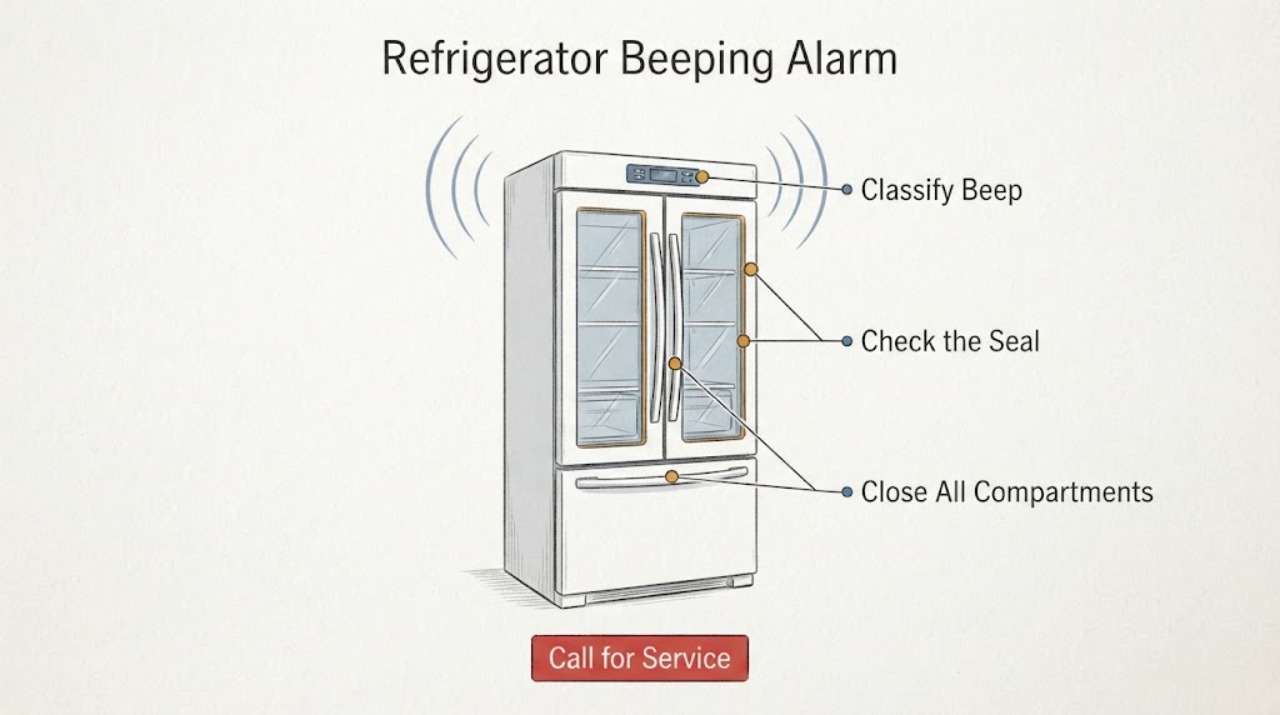
First decide whether the sound is a door-ajar alarm, a timer tone, or a repeated alert with a door icon or other display message. KitchenAid says door-ajar timing varies by model and can involve a refrigerator door or freezer drawer; close every door and drawer fully, move bins or packages that block closure, and check that the refrigerator is level enough for the door switch to make contact. On some models a control-panel button temporarily mutes the sound while the door remains open, but that does not clear the door-open condition. If the beep continues with every door closed, note the display pattern and use the exact Owner’s Manual before cycling power once. Do not tape, bypass or replace a door switch based on beeping alone; arrange service if the alarm is accompanied by warming, lights that behave incorrectly, a damaged seal or persistent alerts.
Work through in order
Diagnostic checks
Use only checks that match the exact appliance or system and its official guide.
-
Check 1
Listen for the pattern and note any Door Open/Door Ajar icon, timer indication or other display message while observing whether cooling and interior lights behave normally.
Expected result: The beep repeats at an interval with a door icon, occurs once like a timer tone, or continues with no clear display indicator.
Next step: Continue with the matching door, timer or exact-manual check; do not diagnose a switch or board from the tone alone.
Why this matters
Why: KitchenAid documents door-ajar alarms, model-specific timer tones and model-dependent audio preferences as different causes of sound.
-
Check 2
Close every refrigerator door, freezer drawer and accessible compartment, checking for bins, shelves or food packages that hold a door open.
Expected result: The alarm stops after closure, or it continues despite every door and drawer appearing closed.
Next step: For a continuing alert, check level/alignment and the model manual; do not keep muting or repeatedly opening the doors.
Why this matters
Why: Stopping after closure supports a door-ajar condition; continued sound means the door state may not be registering or another model-specific alert may be active.
-
Check 3
Look for uneven door gaps, a cabinet that rocks, a gasket folded out of position or a floor/cabinet condition that prevents full closure; use the exact manual for any leveling adjustment.
Expected result: A door is visibly misaligned or the gasket/food load prevents the door switch from being contacted.
Next step: Correct only the visible obstruction or follow the model’s leveling guidance. If alignment or gasket damage remains, arrange service.
Why this matters
Why: KitchenAid says leveling and closure affect door-switch contact and door-ajar alerts.
-
Check 4
If all doors close and no door icon remains, check the exact Owner’s Manual for timer tones, sound preferences and alarm behavior instead of using another model’s button sequence.
Expected result: The sound matches an expired timer, a documented preference, or no documented model condition.
Next step: Clear or change the setting only through the exact manual. If no setting explains the sound, preserve the display pattern for service.
Why this matters
Why: KitchenAid says some models play a tune when a kitchen timer ends and that audio controls vary by model.
-
Check 5
Record the exact model, alarm interval, display icon, door alignment, interior-light response and any cooling, water or ice symptom when the beep persists.
Expected result: The alarm continues with all doors closed and the cabinet level, or the interior lights/control behavior does not match the closed-door state.
Next step: Use KitchenAid support or qualified service. Do not tape, bypass or replace a switch/control board without model-specific diagnosis.
Why this matters
Why: The observation may involve the door switch or another control condition, but it does not identify a failed component.
Use your observations
Decision map
Find the observation that best matches what you see, then follow the next safe action.
-
PATH 01Next step
What you see
The beeping stops as soon as every door and freezer drawer closes, and the Door Open/Ajar indicator clears.
Do this next
Keep packages and bins from blocking closure and monitor the gasket and alignment; use the exact manual for model-specific alarm timing.
Why this path and its safety boundary
Why it matters: This matches KitchenAid’s documented door-ajar alarm behavior.
-
PATH 02Next step
What you see
The doors look uneven, the refrigerator rocks, or the door does not press the switch when closed.
Do this next
Follow the exact Owner’s Manual for leveling/alignment or arrange service if the floor, hinge, gasket or switch requires repair.
Why this path and its safety boundary
Why it matters: KitchenAid says leveling and alignment can prevent proper door-switch contact and trigger door alerts.
-
PATH 03Next step
What you see
All doors close and the sound is a single tune without a Door Open indicator.
Do this next
Check and clear the timer or model-specific sound setting through the manual; do not treat the tone as a refrigerator component failure.
Why this path and its safety boundary
Why it matters: KitchenAid says some models play a tune when a kitchen timer ends, while audio preferences vary by model.
-
PATH 04Next step
What you see
The alarm repeats with all doors closed, or interior lights, cooling, water or ice behavior also appears abnormal.
Do this next
Keep the refrigerator operating only if food temperatures and door safety are normal, record the evidence and arrange KitchenAid service; do not bypass or tape the switch.
Why this path and its safety boundary
Why it matters: The closed-door state is not resolving the alert; a door-switch or control condition is possible, but the sound alone cannot identify the part.
Helpful context
Understand the symptom
Identify what the beep is signaling
A KitchenAid refrigerator can beep because a door or freezer drawer has remained open, because a timer ended, or because a model-specific control condition is active. Note whether the sound repeats at a regular interval, whether a Door Open or Door Ajar icon appears, and whether the refrigerator is cooling normally. Do not call the sound a failed door switch or control board without checking the model’s indicator behavior.
Close every door and drawer completely
Check the refrigerator doors, freezer drawer and any smaller compartments. KitchenAid says bins, shelves or food packages can prevent the door from closing far enough to contact the switch. Rearrange only the item that is visibly blocking closure and verify that the gasket meets the cabinet around the full perimeter. A button may mute some alarms temporarily while the door stays open, but closing the door is what resets the door-ajar condition.
Check level and alignment from the outside
If the doors look uneven, do not force them or adjust a hinge from a generic diagram. KitchenAid says the refrigerator should be level front-to-back and side-to-side so the door switch can make proper contact, and points users to the exact Owner’s Manual for leveling and alignment. A visible alignment problem can explain repeated alerts without proving a bad switch.
Use the display and timing to separate causes
If closing all doors stops the sound, the observation supports a door-ajar alarm. If a melody occurs once after a set interval with no Door Open indicator, check whether a kitchen timer was set; KitchenAid says some models play a tune when a timer ends. If an icon remains, follow the exact model manual rather than applying a button sequence from another refrigerator style.
Escalate persistent alerts
If the refrigerator keeps beeping with every door fully closed and the cabinet appears level, record the model, display icon, interval and whether interior lights, cooling, water or ice behavior are also abnormal. Do not tape down or bypass the door switch, remove panels or order a switch or control board from the sound alone. Use KitchenAid support or qualified service for model-specific diagnosis.
When checks do not resolve it
Need a professional?
Arrange KitchenAid or qualified refrigerator service when the alarm persists with every door closed and the cabinet level, when a door cannot make switch contact, when a gasket/hinge is damaged, or when beeping accompanies abnormal lights, cooling, water or ice behavior. Do not order a switch, sensor or control board from the sound alone.
Common questions
FAQ
Why does a KitchenAid refrigerator beep every few minutes?
KitchenAid documents a door-ajar alarm that can repeat every two minutes on some models until doors or drawers close, but timing varies by model. Check closure, packages, bins and alignment before assuming a failed component.
Can I mute the KitchenAid refrigerator alarm without closing the door?
On some models, touching a control-panel button temporarily mutes the audible alarm while the door remains open. The Door Open icon can remain, so muting is not a repair or a substitute for closing the door.
Does repeated beeping mean the door switch is bad?
Not necessarily. KitchenAid lists food packages, door alignment and leveling as possible reasons the switch does not register closure. Persistent alerts need model-specific diagnosis; do not tape or bypass the switch.
Read the exact guide
Official sources
- Beeping Noise - Quad DoorKitchenAid · Official KitchenAid refrigerator support page explaining door-ajar timing, repeated beeps, temporary mute behavior, timer tones and model-dependent sound preferences.
- How to Test if the Door Switch is ActivatedKitchenAid · Official KitchenAid refrigerator guidance describing how the door switch communicates door status, signs associated with frequent alerts, and model-manual/service routing.
- Door Alarm Light - RefrigeratorKitchenAid · Official KitchenAid refrigerator support page explaining model-dependent door-ajar timing, closure, bins, shelves, leveling and a power-cycle escalation.
Community feedback
Share a repair observation
Share a plain-text repair observation. Accepted observations are published automatically; this page may take a moment to update.