
On this page
Start here
Quick answer
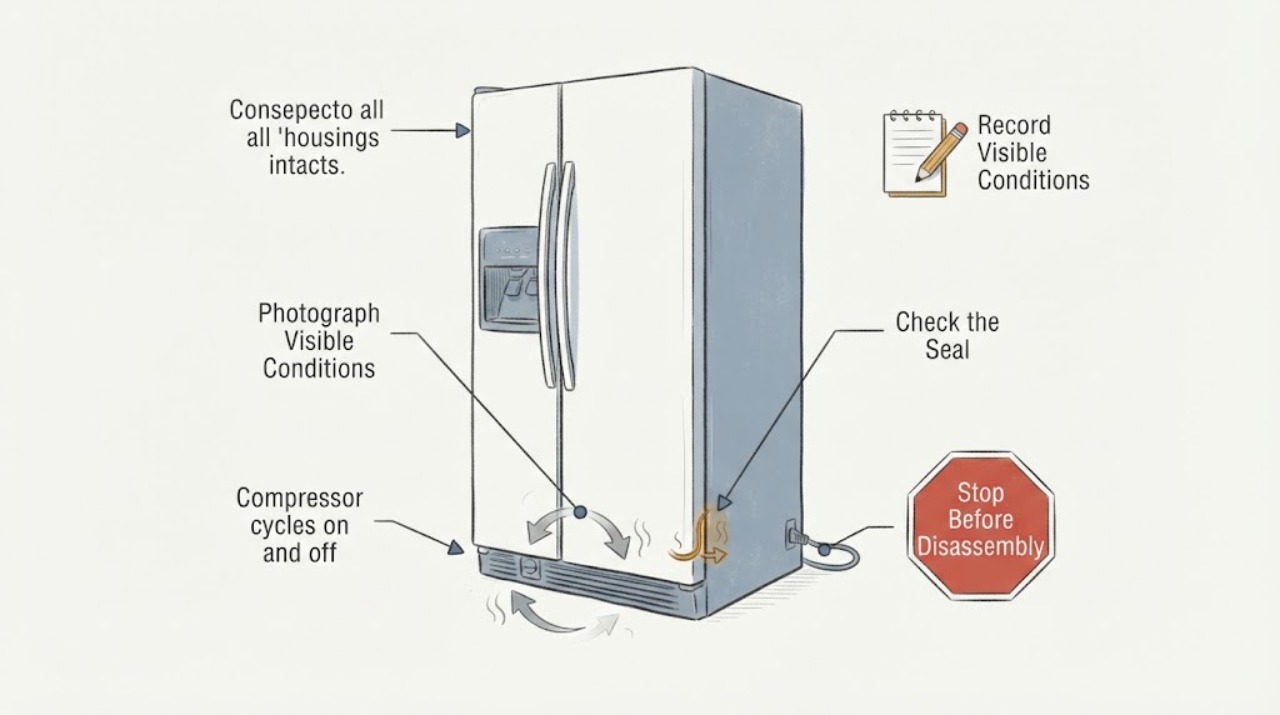
For the KitchenAid KSCS23FTSS01 side-by-side refrigerator, compressor sound alone does not show a failure: KitchenAid says a refrigerator motor normally runs about 40% to 80% of the time at normal room temperatures and runs longer when the room is warmer. Start with measured refrigerator and freezer temperatures, the cooling setting, door seals, and unobstructed air vents. Photograph which indicator is blinking and exactly where it is; the official material opened for this model does not provide a model-matched meaning or display location for “2 blinks,” so do not treat it as a confirmed fault code. Do not touch the compressor or start device, remove the rear cover, measure live circuits, or add refrigerant.
Work through in order
Diagnostic checks
Use only checks that match the exact appliance or system and its official guide.
-
Check 1
From the front of the refrigerator, photograph the blinking indicator and note its exact location, blink count/pause pattern, whether the control display is otherwise normal, and whether the compressor sound is a hum, a click, or simply a start/stop cycle. Do not touch the rear components.
Expected result: The light is on the main control panel, near an ice-maker/filter indicator, or its location and pattern are uncertain.
Next step: Use the official model-number manual lookup and preserve the photo. If the exact manual does not define the indication, report the location and pattern to KitchenAid service instead of using a cross-model blink table.
Why this matters
Why: A blink count without a verified indicator location is not enough to call a refrigerator error code. Different controls can signal maintenance, status, or a fault, and the opened KitchenAid sources do not assign “2 blinks” to this exact model.
-
Check 2
Place appliance thermometers in the refrigerator and freezer sections and record readings at the same times over several hours, including after a door has remained closed. Record the room temperature and whether the compressor eventually stops.
Expected result: Both compartments stay at their normal setpoints, one section drifts warm, both sections drift warm, or the readings are not stable enough to compare.
Next step: Keep the temperature log and continue with visible seal, vent, loading, and setting checks. If either section remains warm or food safety is in doubt, move perishable food and arrange qualified service.
Why this matters
Why: Stable temperatures make a normal control cycle more plausible even if the compressor is audible. A warm or drifting section makes airflow, door sealing, control setting, power history, or a cooling-system fault more important than the blink count; a sound cannot identify the part.
-
Check 3
Check only visible conditions inside the closed-door compartments: confirm the cooling function is on, doors close fully, gaskets are not obstructed, and food or containers do not block the model's air vents or return paths. Do not remove covers or reach behind panels.
Expected result: A door gasket is obstructed or not sealing, an air vent is blocked, the cooling setting is off, or these visible conditions are normal.
Next step: Restore only a clearly incorrect visible setting or move items away from vents, then recheck temperatures after the manual's stabilization interval. Arrange service if temperatures remain abnormal or the door cannot seal.
Why this matters
Why: KitchenAid identifies a cooling-off setting, poor door sealing, crowded loading, and blocked vents as causes of temperature problems. Correcting one visible condition can change run time without proving a compressor fault; normal visible conditions leave the cause unresolved.
-
Check 4
Record external conditions that can change cycling: a warm room, recent power outage, a recent large load of warm food, frequent door opening, or a refrigerator installed outside the recommended environment. Do not clean or access condenser components unless the exact manual says they are owner-accessible.
Expected result: The room is unusually warm, the refrigerator recently lost power, it was heavily loaded, or none of those conditions occurred.
Next step: Allow the refrigerator to stabilize with doors closed and monitor the thermometers. If the sections remain warm, the compressor only clicks, or protection trips, stop testing and request service.
Why this matters
Why: KitchenAid says warmer conditions lengthen motor run time, a power-outage indicator can mark a temperature rise, and large warm loads or frequent opening can delay stabilization. These observations can explain cycling without selecting a compressor or start device.
-
Check 5
Compare the temperature log with the cycling observation without opening the rear cover: note approximate run and rest intervals, whether cooling is maintained, and whether the sound is a normal hum or repeated click-without-cooling. Do not touch the compressor, relay/start device, tubing, or wiring.
Expected result: The unit cycles while holding temperature, runs nearly continuously while warm, clicks repeatedly without cooling, or shows a safety symptom.
Next step: Provide KitchenAid service the model, blink-location photo, temperatures, room conditions, and sound pattern. Keep the refrigerator operating only if temperatures and electrical conditions remain safe; stop immediately for odor, smoke, arcing, damaged wiring, or repeated trips.
Why this matters
Why: Cycling with stable temperatures is consistent with normal regulation. Nearly continuous operation with warm sections or repeated clicking without cooling requires professional diagnosis, but neither pattern proves a single compressor, start device, control, or sealed-system component.
Use your observations
Decision map
Find the observation that best matches what you see, then follow the next safe action.
-
PATH 01Next step
What you see
The compressor cycles on and off but both compartments hold stable temperatures, with no repeated clicking or electrical symptom.
Do this next
Continue monitoring the temperature log and keep vents and door seals clear. Request service if temperatures drift, the sound changes, or the blink returns with a defined model-specific message.
Why this path and its safety boundary
Why it matters: Normal temperature regulation is more plausible than a confirmed compressor fault; the sound alone is not diagnostic.
-
PATH 02Next step
What you see
One or both compartments stay warm while the compressor runs for long periods, or the temperature does not recover after visible loading, setting, seal, and airflow checks.
Do this next
Move temperature-sensitive food as needed and arrange qualified KitchenAid appliance service with the temperature log and visible-check results. Do not add refrigerant or open the rear compartment.
Why this path and its safety boundary
Why it matters: A cooling, airflow, control, or sealed-system issue is more likely than normal cycling, but the readings still do not identify a compressor or refrigerant problem.
-
PATH 03Next step
What you see
The observed “2 blinks” cannot be tied to a specific indicator in the KSCS23FTSS01 manual, or the display differs from the reported phrase.
Do this next
Keep the photo, exact location, model, and temperature log, then ask KitchenAid support or a qualified technician to match the indicator. Do not use a different model's blink table.
Why this path and its safety boundary
Why it matters: The blink pattern is not a verified code for this model, so no code-specific part or reset is justified.
-
PATH 04Next step
What you see
The refrigerator clicks repeatedly without cooling, the breaker trips again, or there is smoke, arcing, a burning odor, or damaged wiring.
Do this next
Stop using the refrigerator, keep clear of the rear area, and obtain qualified electrical/appliance help. Do not touch the compressor or start device, remove covers, reset repeatedly, or perform live measurements.
Why this path and its safety boundary
Why it matters: The priority is electrical and appliance safety, not a compressor-cycle diagnosis.
Helpful context
Understand the symptom
This is a cooling-performance and cycling check for the KitchenAid KSCS23FTSS01 side-by-side refrigerator. A compressor stopping and restarting can be part of normal temperature control, so first establish whether both compartments are holding temperature instead of diagnosing by sound alone.
The phrase “2 blinks” is not treated here as a decoded error. Record whether the blinking light is on the refrigerator control panel, an air-filter indicator, or the ice-maker area, because the opened KitchenAid material does not bind that blink pattern and location to this exact model. Use the KSCS23FTSS01 manual selected by its model number for any indicator-specific meaning.
Keep the refrigerator closed and avoid the rear compartment. Stop for a damaged cord, burning odor, smoke, arcing, repeated breaker trips, a sharp refrigerant or chemical odor, or food temperatures that are unsafe; do not try to prove a compressor or sealed-system fault at home.
When checks do not resolve it
Need a professional?
Arrange KitchenAid service when either section stays warm despite clear vents, closed doors, correct cooling settings, and a stable environment; when the compressor clicks repeatedly without cooling; when the blink pattern returns but cannot be matched to the exact KSCS23FTSS01 manual; or when the symptom requires a rear cover, compressor/start-device access, live electrical measurement, sealed-system work, or refrigerant handling. Stop immediately for smoke, arcing, burning or chemical odor, damaged wiring, repeated breaker trips, or unsafe food temperatures. Do not touch the compressor or start device, open the rear cover, add refrigerant, or replace a part based on “2 blinks.”
Common questions
FAQ
Is compressor cycling on and off automatically a failure on the KitchenAid KSCS23FTSS01?
Not necessarily. KitchenAid says motor run time varies with room temperature and that a refrigerator can run about 40% to 80% of the time under normal room conditions. Judge the behavior with compartment temperatures and cooling performance, not sound alone.
What does the KSCS23FTSS01 refrigerator's 2-blink signal mean?
The opened official material does not provide a model-matched meaning or indicator location for that phrase. Photograph which light blinks and use the exact KSCS23FTSS01 manual; do not transfer a code from another KitchenAid model.
Can I test the compressor relay or touch the compressor to see why it cycles?
No. Keep away from the compressor, start device, wiring, and rear cover. Record temperatures and sounds from a normal position, then use qualified service for any warm sections, repeated clicking, or recurring safety symptom.
Read the exact guide
Official sources
- Frosting in the Freezer Section - Side by Side RefrigeratorKitchenAid Product Help · Official side-by-side guidance opened for visible gasket and vent checks; it does not assign any meaning to a 2-blink pattern.
- Not Cooling - Both Sections - Side by Side RefrigeratorKitchenAid Product Help · Official side-by-side guidance opened for external temperature, control, room, loading, door, airflow, and service decisions; it does not decode the reported 2-blink signal for KSCS23FTSS01.
- KitchenAid Manuals & LiteratureKitchenAid · Official KitchenAid manual portal opened for the exact model lookup; it requires the appliance model number and does not itself define the reported 2 blinks pattern.
Community feedback
Share a repair observation
Share a plain-text repair observation. Accepted observations are published automatically; this page may take a moment to update.