
On this page
Start here
Quick answer
First record what the panel actually shows. A blank display immediately after Power can be normal on some LG dishwashers until a cycle or option is selected; CL or a lock icon means Control Lock has disabled the buttons, and PF indicates a power interruption rather than a component diagnosis. Holding Start for about three seconds can intentionally cancel a cycle, show dashes while draining, and then turn the dishwasher off, so a long press can look like intermittent power loss. Check only the documented user controls, a dry clean panel, the external plug and breaker, and any standing water after the machine has cooled. Do not repeatedly reset a tripping breaker, open the control panel, work on live wiring, bypass the lock, or keep using a machine with smoke, burning odor, arcing, water near electrical parts, or a recurring dead panel. If the breaker and plug are secure but the panel remains blank or glitches again, record the display and exact model and arrange LG or qualified service.
Before you begin
Safety first
- Keep owner checks to the displayed state, exact model's documented controls, a dry accessible panel, visible plug and breaker status, and cool accessible filter or hose observations. Do not open the control panel, probe live circuits, disconnect wiring, bypass Control Lock, remove a pump, or continue operating through smoke, odor, arcing, repeated trips or water near electrical parts.
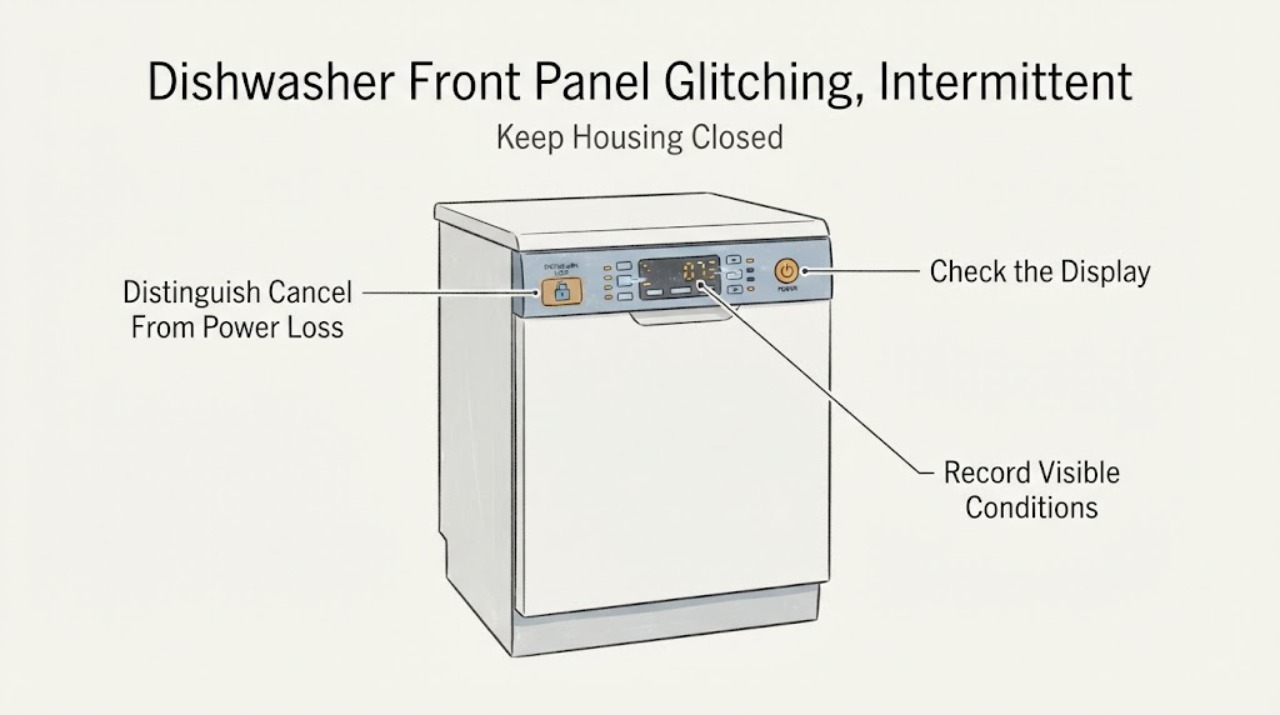
Work through in order
Diagnostic checks
Use only checks that match the exact appliance or system and its official guide.
-
Check 1
Before resetting the dishwasher, record whether the display is blank, shows CL or a lock icon, PF, dashes, or another message; note whether Power and Start respond, whether a cycle was running, and whether water remains.
Expected result: The panel state and the timing of the apparent power loss are documented instead of being replaced by a generic reset result.
Next step: Use the matching control-lock, cancel, power or standing-water branch, and photograph the panel and model label for service if the symptom recurs.
Why this matters
Why: LG documents distinct meanings for blank indicators, Control Lock, PF and the dashes shown during cancellation; the exact indicator set varies by model.
-
Check 2
If CL or a lock icon is present, use only the exact model manual's documented unlock control; with the dishwasher idle, make sure the visible control surface is dry and free of residue.
Expected result: The lock indication clears and buttons respond, or the lock remains / the panel still glitches after the documented user step.
Next step: If the panel recovers, run only a normal supervised cycle; if it remains locked or unresponsive, stop trying to bypass it and arrange service.
Why this matters
Why: Control Lock intentionally disables buttons and can persist after power-off; moisture or residue can also interfere with a touch panel, but neither result proves a failed board.
-
Check 3
Recall whether Start was held for about three seconds. If safe and the panel is usable, use only a normal short Start press for a later cycle; do not repeat a long press as a test.
Expected result: The machine shows dashes, drains for about two to three minutes, and then turns off after the long press, or it goes blank without that command.
Next step: Treat the documented cancel sequence as a control-state explanation; treat an uncommanded or recurring blank panel as a reason to perform the external power check once and escalate if unresolved.
Why this matters
Why: LG describes the long press as cycle cancellation, so that sequence can mimic power loss; an uncommanded repeat loss is a different service symptom.
-
Check 4
Inspect only the accessible plug and breaker status. Do not remove an electrical cover, probe the outlet, or keep resetting a breaker that trips.
Expected result: The breaker is tripped, the plug is not secure, or both are normal while the panel remains dark or intermittently loses response.
Next step: Correct a plainly displaced plug only if it can be done safely without touching damaged parts; for a trip, repeated loss, damaged cord, heat, odor, arcing or a secure supply with a dead panel, leave the dishwasher off and call qualified service.
Why this matters
Why: LG recommends checking the breaker and plug for an unresponsive panel; a normal accessible supply with no panel response requires inspection rather than live troubleshooting.
-
Check 5
If water remains after the interrupted cycle, wait until the tub has cooled and inspect only the accessible filter or visible drain-hose condition described by the exact model manual; do not remove a pump or wiring.
Expected result: The tub is empty after the documented drain, or water remains / returns while the panel or power symptom recurs.
Next step: Use only the model-specific accessible cleaning step when cool; if draining remains abnormal, water is outside the tub, or the electrical symptom continues, stop use and arrange service.
Why this matters
Why: LG notes that an interruption can leave water and provides accessible filter, hose and force-drain guidance, but standing water does not identify a failed pump or control board.
-
Check 6
Record the exact model, panel messages, time in the cycle, Start-button use, breaker events, water state and any heat, odor, arcing or visible damage before contacting LG or a qualified servicer.
Expected result: The panel is still blank or intermittent, the symptom returns after a documented user control, or the next diagnostic step would require opening the appliance.
Next step: Keep the dishwasher off for recurring electrical or water-safety symptoms and arrange qualified service. Do not open the control panel, work on live wiring or bypass a lock.
Why this matters
Why: The remaining causes may involve power, controls, lock sensing or drain behavior; the available user guidance does not support identifying an internal part from the symptom alone.
Use your observations
Decision map
Find the observation that best matches what you see, then follow the next safe action.
-
PATH 01Next step
What you see
The display is blank immediately after Power, but selecting a cycle or option makes the indicators appear and the dishwasher responds normally.
Do this next
Use the exact model's normal control sequence and monitor for an uncommanded blank panel during operation; arrange service if the panel later drops out or fails to respond.
Why this path and its safety boundary
Why it matters: LG says some dishwasher displays remain blank until a cycle or option is selected; this observation alone does not establish intermittent power loss.
-
PATH 02Next step
What you see
CL or a lock icon appears and buttons do not respond, while Power is otherwise available.
Do this next
Use the exact model manual's documented unlock control once. Do not bypass the lock or open the panel; seek service if the indication will not clear.
Why this path and its safety boundary
Why it matters: Control Lock is active and is intentionally disabling the controls; it can remain active after power-off.
-
PATH 03Next step
What you see
The panel shows dashes and then turns off after Start was held for about three seconds.
Do this next
Allow the documented cancellation to finish and use a short Start press when starting a later cycle; escalate only if the same loss occurs without a cancel command.
Why this path and its safety boundary
Why it matters: LG documents that sequence as cycle cancellation and drain, not necessarily a power failure.
-
PATH 04Next step
What you see
PF appears after an outage or breaker event, or the dishwasher has standing water after that interruption.
Do this next
Follow the exact model's restart or accessible drain guidance once, wait for hot water to cool before filter work, and arrange service if power or draining repeatedly fails.
Why this path and its safety boundary
Why it matters: PF identifies an interrupted power condition; the remaining water can be a consequence of the interrupted cycle and does not prove a failed pump.
-
PATH 05Next step
What you see
The plug and breaker appear normal but the panel stays dark, glitches again, or buttons remain unreliable; smoke, burning odor, arcing, damaged wiring or water near electrical parts is present.
Do this next
Do not reset repeatedly, open the appliance or test wiring. Keep it off and contact LG or qualified service; for an active electrical or smoke emergency follow local emergency guidance.
Why this path and its safety boundary
Why it matters: The issue is outside safe user-level checks and may involve a power, control, lock or water-related fault; the hazard signs require immediate stop use.
Helpful context
Understand the symptom
Capture the exact panel symptom before resetting anything
When the dishwasher first acts up, note whether the display is completely blank, shows CL, a lock icon, PF, dashes, or another message; note whether the Power button works, whether a cycle starts, whether water remains in the tub, and whether the breaker moved. A blank panel immediately after Power is not automatically a failure: LG says some displays remain blank until a cycle or option is selected, and indicator behavior varies by model. The exact model number and a photo of the panel state are more useful to service than repeatedly cycling the breaker.
Rule out Control Lock and a damp or obstructed panel
If CL or a lock icon appears, the control lock is doing what it is designed to do: LG says it disables cycle and option buttons and may remain active after power is turned off. Use only the unlock control shown in the exact model manual, because button combinations vary. With the dishwasher idle, wipe away visible moisture or residue with the surface dry and clean; do not spray into the controls or press repeatedly through a wet panel. If the lock indication remains after the model-specific unlock procedure, treat that as a service symptom rather than bypassing the lock.
Separate an intentional cancel from real power loss
LG documents a three-second Start hold as a cycle-cancel command. The dishwasher can show dashes while it drains for about two to three minutes and then turn itself off, which can look like the controls failed. A short Start press is the normal run command on the cited LG guidance. If the panel becomes usable after the documented cancel finishes, avoid long-pressing Start when you mean to start a cycle. If it goes blank without a cancel command, or the same loss repeats, continue with the external power check and service branch.
Check external power once and interpret PF correctly
Look at the accessible plug and the dishwasher breaker without removing a cover. LG recommends checking the breaker and plug when the panel is unresponsive; if the breaker is on and the plug is secure but the dishwasher still has no panel response, it calls for inspection. PF indicates that power was interrupted and is not, by itself, proof that a control board failed. Do not keep resetting a breaker that trips, do not probe the outlet or wiring, and do not repeatedly restart a machine showing heat, smoke, burning odor, arcing or water near electrical parts.
Handle water left after an interrupted cycle safely
A power interruption or cancellation can leave standing water. Wait for the tub to cool before any filter-area cleaning; LG's code guidance specifies a cooling period before filter work because the water may be hot. Limit the owner check to the accessible filter and visible drain-hose condition described for the exact model, and do not remove a pump, disconnect wiring or reach into moving parts. Water that remains after a completed drain, returns with a recurring power symptom, or appears outside the tub should move the issue to service rather than repeated resets.
Escalate a recurring blank or glitching panel
Arrange LG or qualified appliance service when the breaker and plug are secure but the panel remains dark, buttons work only intermittently, PF or another state returns, or the next check would require removing a panel. Give the servicer the exact model, the display or indicator observed, whether Start was held, the breaker history, whether water remained, and any odor, heat or visible damage. Do not call a control board, keypad, latch or wiring part failed from the symptom alone, and do not bypass Control Lock or test live circuits.
When checks do not resolve it
Need a professional?
Use LG support or qualified appliance service for an uncommanded recurring power loss, secure external supply with a dead panel, persistent unresponsive buttons, recurring PF or drain symptoms, damaged cord or panel, or any need for internal diagnosis.
Safety scope: Keep owner checks to the displayed state, exact model's documented controls, a dry accessible panel, visible plug and breaker status, and cool accessible filter or hose observations. Do not open the control panel, probe live circuits, disconnect wiring, bypass Control Lock, remove a pump, or continue operating through smoke, odor, arcing, repeated trips or water near electrical parts.
Common questions
FAQ
Why is my LG dishwasher panel blank after I press Power?
LG says some dishwasher displays remain blank until a cycle or option is selected, and indicator behavior varies by model. If selecting a documented cycle makes the panel respond, blank-at-idle may be normal; if the panel remains dark or goes blank during operation, check only the accessible plug and breaker and arrange service if the problem repeats.
Does CL mean my LG dishwasher has lost power?
No. LG uses CL or a lock icon for Control Lock, which disables cycle and option buttons and may remain active after power-off. Use the exact model manual's unlock control; do not bypass the lock.
Can holding Start make an LG dishwasher look like it lost power?
Yes. LG documents that holding Start for about three seconds cancels a cycle, drains for roughly two to three minutes and then turns the dishwasher off. Dashes during that sequence are consistent with cancellation. A blank panel without that command is a separate symptom.
What does PF mean on an LG dishwasher?
LG identifies PF as a power failure or interruption indicator, not a diagnosis of a failed control board. Record whether the breaker or supply was interrupted and use the exact model's restart guidance once; recurring loss needs service.
Can I open the LG dishwasher panel to find the intermittent fault?
Do not open the control panel or probe wiring as a homeowner troubleshooting step. LG's accessible guidance supports checking the breaker, plug, control state and visible panel condition; a secure supply with a blank or unreliable panel should be inspected by LG or a qualified servicer.
Read the exact guide
Official sources
- LG Dishwasher: Why is CL Showing on the Display and Buttons Not Responding?LG USA Support · Family-level LG guidance for Control Lock, unresponsive buttons, panel moisture or debris and support escalation; exact unlock control varies by model.
- LG DIOS Dishwasher Power Turns Off Minutes After Operation BeginsLG USA Support · LG guidance for distinguishing a three-second Start cancellation and drain sequence from uncommanded power loss; verify the exact model's controls.
- LG DIOS Dishwasher Panel Buttons UnresponsiveLG USA Support · LG user-level panel troubleshooting for external power, Control Lock, cancellation and service escalation; button combinations vary by model.
- LG Dishwasher - Understanding Control Panel IndicatorsLG USA Support · Family-level LG indicator guidance; display and Control Lock behavior vary by model.
- LG Dishwasher - Guide to Error CodesLG USA Support · Family-level LG code and symptom guidance for PF, CL, drain/filter/hose checks and safe cooling before filter work; exact model controls and code behavior govern.
Community feedback
Share a repair observation
Share a plain-text repair observation. Accepted observations are published automatically; this page may take a moment to update.