
On this page
Start here
Quick answer
First note exactly where the LG dishwasher stops and what is on the display. Dashes after holding Start can mean the cycle is being cancelled and the tub is draining; standing water after the cycle points to an outlet problem; an HE, tE, or other recurring code needs model-specific service. A dark or unresponsive panel should be separated from a cycle that stops while washing.
Before you begin
Safety first
- Disconnect power before cleaning an accessible filter. Do not remove panels, test live wiring, or work on heater, motor, sensor, or control connections.
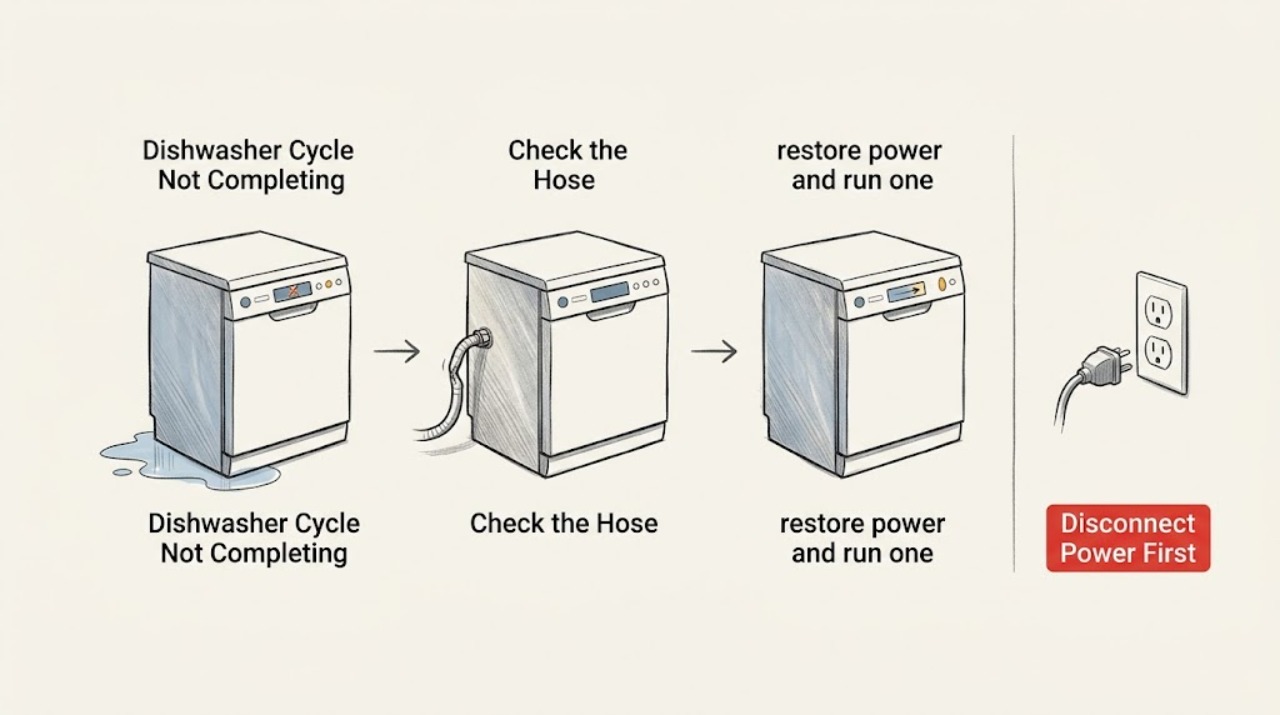
Work through in order
Diagnostic checks
Use only checks that match the exact appliance or system and its official guide.
-
Check 1
Record the display and the stage at which the cycle stops, then check whether the panel is dark, locked, showing dashes, or showing a code.
Expected result: The panel is dark or unresponsive; CL is displayed; dashes appear after Start; or a code such as OE, HE, tE, or LE remains.
Next step: If the panel is dark, check the household breaker without opening the dishwasher. If CL is shown, use the model's control-lock procedure. If dashes are shown, wait for cancellation to finish; record any other code before continuing.
Why this matters
Why: A power/control state, an intentional cancellation and drain, or a model-specific inlet, outlet, temperature, heater, or motor fault is more likely than a generic timer problem.
-
Check 2
After power is off, inspect only the accessible filter area and the visible drain hose or sink-side air-gap/disposal connection for residue, kinks, or a restriction.
Expected result: Water remains above the filter, the hose is bent, or residue is blocking the filter; or the accessible path is clear.
Next step: Correct only the accessible restriction, then run one normal cycle. If a significant amount of water remains above the filter or the OE condition returns, request service rather than removing panels.
Why this matters
Why: A blocked or restricted outlet can stop the dishwasher from completing its repeated wash-and-drain stages. A clear path shifts attention away from a simple drain obstruction.
-
Check 3
If the cycle was cancelled or power was interrupted, restore power and run one documented restart while watching whether the tub drains and the same stage is reached again.
Expected result: The restart completes after the interruption, or it stops at the same stage with the same code or symptom.
Next step: Keep the model number, cycle, stop stage, code, and result of the accessible checks. Do not repeatedly reset the breaker or run cycles with a leak, burning smell, or unusual noise.
Why this matters
Why: A single interruption can leave water that is drained on the next operation; recurrence at the same stage indicates an unresolved component or control condition.
-
Check 4
Compare the symptom with the displayed code and with the actual end-of-cycle condition instead of treating every incomplete cycle as a heater failure.
Expected result: The dishes finish but remain wet; water is left in the tub; the unit stops before washing; or the heater, temperature, motor, or heat-dry code returns.
Next step: Use the matching LG model guidance and arrange qualified service for a returning code or a persistent stop; do not diagnose or replace a heater, sensor, pump, or control from the symptom alone.
Why this matters
Why: Wet dishes can be a drying/rinse-aid issue, while standing water, a pre-wash stop, and HE/tE/LE/F31/F35 indications lead to different model-specific paths.
Use your observations
Decision map
Find the observation that best matches what you see, then follow the next safe action.
-
PATH 01Next step
What you see
The panel is dark or CL is shown, and the dishwasher never reaches a wash stage
Do this next
Check the breaker and the model-specific lock state; if power is present but the panel remains unresponsive, arrange inspection.
Why this path and its safety boundary
Why it matters: Power delivery or control lock is more likely than a drain or heater fault.
-
PATH 02Next step
What you see
The wash runs but leaves water above the filter or repeats an OE condition
Do this next
Recheck only the accessible filter and hose path; request service if water remains above the filter or the code returns.
Why this path and its safety boundary
Why it matters: The outlet path or a drain component is implicated, not simply the detergent or drying setting.
-
PATH 03Next step
What you see
The cycle reaches the end but dishes are wet without a drain problem
Do this next
Follow LG's drying guidance for the exact model; if airflow is absent during the documented dry stage or a heat-dry code returns, request service.
Why this path and its safety boundary
Why it matters: This is a drying result that can involve rinse aid, an available drying option, load materials, or the heat-dry vent rather than incomplete washing.
-
PATH 04Next step
What you see
A heater, temperature, motor, leak, burning odor, or repeated breaker condition is indicated
Do this next
Stop using the dishwasher and provide the technician the model, code, stop stage, and completed external checks.
Why this path and its safety boundary
Why it matters: The remaining diagnosis is model-specific or potentially hazardous.
Helpful context
Understand the symptom
What the stop point tells you
A dishwasher can appear to stop for different reasons: a cancellation may be draining, an interruption may leave water until the next operation, or a code may identify a heater, temperature sensor, motor, inlet, or outlet condition. Record the visible result before changing settings so the next check follows the correct path.
When checks do not resolve it
Need a professional?
Request qualified service for a returning HE, tE, LE, F31, F35, OE, or other model-specific code; persistent stopping after accessible checks; standing water above the filter; an unresponsive panel with power present; or any leak, burning odor, unusual grinding, or repeated breaker trip.
Safety scope: Disconnect power before cleaning an accessible filter. Do not remove panels, test live wiring, or work on heater, motor, sensor, or control connections.
Have this ready
- Provide the LG model number, selected cycle, exact stop stage, remaining water level, display code, and the checks already completed.
Common questions
FAQ
Why does my LG dishwasher stop with water left inside?
A power interruption can leave water that is drained on the next operation, but water remaining above the filter or a returning OE condition points to an outlet problem. Check only the accessible filter and hose path, then request service if it persists.
Should I keep resetting the LG dishwasher when the cycle stops?
No. Record the stop stage and display first. A one-time documented restart can distinguish an interruption from a recurring fault; repeated resets do not identify a heater, sensor, motor, or control problem.
When should I stop troubleshooting?
Stop when a code returns after the accessible checks, water remains above the filter, the panel stays unresponsive with power present, or there is a leak, burning odor, unusual noise, or repeated breaker trip. Arrange qualified service.
Read the exact guide
Official sources
- Not Drying - DishwasherLG USA Support · LG dishwasher drying results, rinse aid, options, and vent observation
- [LG Dishwasher] Guide to Error CodesLG USA Support · LG dishwasher inlet, outlet, heater, temperature, motor, leak, and heat-dry error behavior
- [LG DIOS Dishwasher] Panel Buttons UnresponsiveLG USA Support · LG dishwasher cycle progression, power, control lock, and cancellation behavior
Community feedback
Share a repair observation
Share a plain-text repair observation. Accepted observations are published automatically; this page may take a moment to update.