
On this page
Start here
Quick answer
Record exactly where the AEG dishwasher stops, whether water remains, and any display code, beep, or flashing light. First check that the door is fully closed and that Delay Start or a previous programme is not still active. Use the model manual to identify the correct RESET/CANCEL procedure: AEG's general guidance differs between integrated and freestanding controls. A reset should abort the old cycle and drain the appliance; if the same programme still stops, an error returns, water remains, the appliance leaks, or it cannot fill, drain, heat, or circulate normally, stop repeating cycles and arrange an authorised service visit. Do not remove panels, probe wiring, or guess at a pump, heater, sensor, or control part from a generic symptom.
Before you begin
Safety first
- This article permits only normal control use, model-manual reset, and user-accessible observations or cleaning with power safely isolated when the manual requires it. It does not authorize cabinet removal, live electrical or water-level testing, door-interlock bypass, pump or heater access, or component replacement.
Work through in order
Diagnostic checks
Use only checks that match the exact appliance or system and its official guide.
-
Check 1
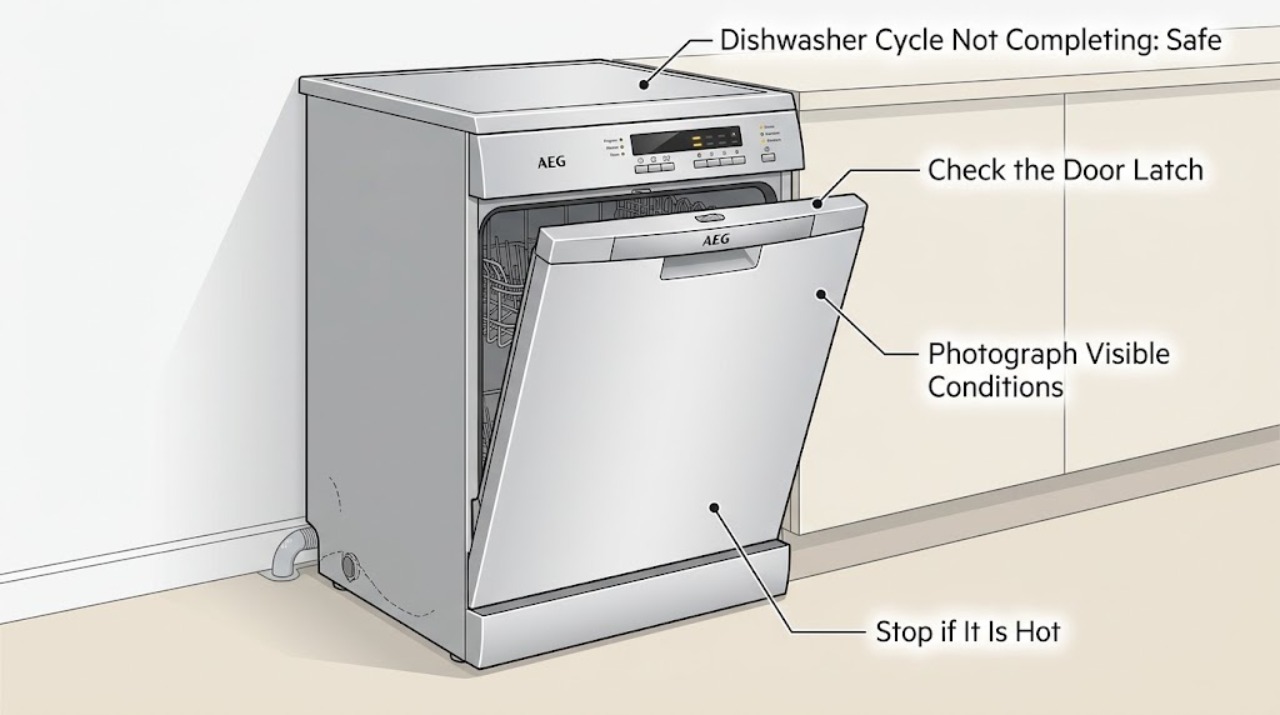
Run no further cycle yet. Record whether the dishwasher stops mid-wash, stays in a programme-selection lock, jumps immediately to programme end, or finishes with standing water. Photograph or write down the complete display code, beep count, or flashing-light pattern, and note whether the door can open normally.
Expected result: A previous programme remains selected; the timer or indicator stops at a repeatable stage; an error code or light pattern appears; water remains; or the cycle ends without a code.
Next step: Use the exact code or symptom in AEG support and the model manual. Continue with the door and active-setting check before any reset; do not infer a failed part from the stopping stage alone.
Stop if: Stop if there is leaking water, a burning smell, smoke, unusual electrical noise, or a damaged cord or outlet; isolate power only if safe and arrange professional service.
Why this matters
Why: A stuck selection can be an active earlier programme or Delay Start, while a repeatable stage, residual water, leak indication, or code points to a monitored function such as filling, draining, water level, heating, circulation, or leak protection. A no-code symptom still needs model-specific interpretation.
-
Check 2
With the dishwasher empty of hands and the door closed, check that the door is fully latched and that no rack or dish prevents closure. Check the display for Delay Start or a lock, and cancel only the setting identified by the exact AEG manual.
Expected result: The door does not click shut, an item obstructs the seal, Delay Start or a lock is active, or the door and controls appear normal.
Next step: Re-seat the obstructing dish or close the door correctly and clear the documented setting. If the door will not latch or the same programme still will not complete, do not force it; use the model-specific service path.
Stop if: Do not defeat the door interlock, tape or hold the latch closed, remove the door fascia, or continue operating with a leaking or damaged seal.
Why this matters
Why: AEG says a programme starts only when the door is detected as fully closed and that an earlier setting can prevent a new programme from being selected. A normal latch and no active setting make a control, water, drainage, or monitored-function issue more likely.
-
Check 3
Use the model manual to perform one normal RESET/CANCEL operation. For AEG examples, integrated models may return to programme selection after holding ON/OFF for about 3 seconds, while freestanding examples use the specified RESET/CANCEL control or a documented button combination; use the manual when your panel differs.
Expected result: The old programme aborts, the appliance drains and returns to programme selection, or it remains stuck, will not drain, or immediately shows the same symptom.
Next step: If the manual reset succeeds, select one programme and observe it once. If it cannot reset, cannot drain, or stops again, record the result and arrange authorised service instead of repeating resets.
Stop if: Do not unplug and reconnect repeatedly, use an unverified button sequence, or open the appliance to force a drain or access controls.
Why this matters
Why: Returning to programme selection supports a stale programme or Delay Start as the immediate cause, but it does not prove a lasting repair. A failed reset, retained water, or immediate recurrence makes an internal or water-path fault more likely.
-
Check 4
After power is safely off when the manual permits user cleaning, inspect only the normal user-accessible filter area and spray arms. Confirm the filters are seated, the spray arms can move freely, the salt-container cap is tight if the model has one, and the visible door area has no obstruction. Do not reach into a pump opening or remove internal covers.
Expected result: A filter is visibly dirty or incorrectly seated, a spray arm is blocked or cannot rotate, the salt cap is loose, or these user-accessible areas look correct.
Next step: Clean and refit only the accessible items according to the manual, then run one appropriate programme if there was no leak, error, or electrical symptom. If the cycle still does not complete, stop troubleshooting and book service.
Stop if: Do not remove the sump, pump, heater, wiring, leak sensor, or control board, and do not use sharp tools to clear an obstruction inside the appliance.
Why this matters
Why: AEG lists clean, correctly installed filters, freely moving spray arms, and a tight salt-container cap among pre-cycle checks. Correcting an obvious user-accessible condition may restore a programme, while a clean accessible area does not rule out drainage, heating, sensing, circulation, or control faults.
Use your observations
Decision map
Find the observation that best matches what you see, then follow the next safe action.
-
PATH 01Next step
What you see
The dishwasher was stuck on an earlier programme or Delay Start, and the model-specific RESET/CANCEL action returns it to programme selection and drains it.
Do this next
Choose one programme from the manual and observe it once. If the same issue returns, treat it as a repeat fault and arrange authorised service.
Why this path and its safety boundary
Why it matters: The immediate no-completion report is more consistent with a retained control setting than with proof of a failed component.
-
PATH 02Next step
What you see
The door cannot latch, the programme will not reset, or the dishwasher remains locked on the programme after the documented reset.
Do this next
Leave the appliance unused and use the exact model manual and authorised service route for diagnosis.
Why this path and its safety boundary
Why it matters: Door detection or control state remains unresolved; forcing the latch or applying another guessed reset could create a new fault or defeat a safety function.
-
PATH 03Next step
What you see
The appliance displays an error code or repeating beep/light pattern, stops at the same stage, leaves water behind, leaks, or cannot complete more than one programme.
Do this next
Record the complete code and stage, keep the appliance off if there is a leak or unsafe condition, and arrange an authorised technician who can test the model-specific system.
Why this path and its safety boundary
Why it matters: AEG associates these patterns with monitored water intake, drainage, leak protection, water-level sensing, circulation, heating, or other faults; the symptom does not identify one universal part.
-
PATH 04Next step
What you see
An accessible filter, spray arm, or salt-container cap was visibly wrong, and one manual-approved correction is followed by a complete programme with no error or leak.
Do this next
Monitor normal operation and keep the model manual available. Escalate if the cycle again stops, leaves water, shows a code, or develops a leak.
Why this path and its safety boundary
Why it matters: The corrected user-maintenance condition may have contributed, but a single successful run does not validate an internal repair or justify replacing a part.
Helpful context
Understand the symptom
A cycle that pauses is not the same as one that never completes
Note whether the timer is paused, the programme jumps to the end, the dishwasher remains locked on a programme, or the cycle ends with water or an error indication. AEG's support describes a dishwasher that cannot select another programme as potentially having an earlier programme or Delay Start still active, while its error guidance directs owners to identify the complete code before choosing a fault-specific path.
The reset combination depends on the AEG architecture
AEG shows different examples for integrated and freestanding dishwashers, and explicitly warns that button layouts and symbols vary by model. Use the exact model manual rather than holding an arbitrary button combination. A reset is a control action that aborts the selected cycle; it is not a repair or proof that the underlying cause is cleared.
Keep internal diagnosis behind the service boundary
AEG's error-code guidance groups incomplete programmes with possible water intake, drainage, leak-protection, water-level sensing, circulation, and heating faults. These systems can produce similar symptoms. External observations and user-accessible cleaning are reasonable; cabinet removal, live testing, and component replacement require an authorised technician.
When checks do not resolve it
Need a professional?
Book an authorised AEG service visit if the dishwasher repeatedly stops, cannot be reset, shows an error code or repeating indicator pattern, leaves water, leaks, fails to fill, heat, circulate, or drain, or still cannot complete a programme after the model-specific control and user-accessible checks. Do not open panels, test live wiring, bypass the door interlock, or select a replacement pump, heater, sensor, valve, or control without model-specific diagnosis.
Safety scope: This article permits only normal control use, model-manual reset, and user-accessible observations or cleaning with power safely isolated when the manual requires it. It does not authorize cabinet removal, live electrical or water-level testing, door-interlock bypass, pump or heater access, or component replacement.
Common questions
FAQ
Why is my AEG dishwasher stuck on one programme?
AEG says a previous programme or Delay Start may still be active. Check the door and display, then use the exact model manual's RESET/CANCEL method. If the dishwasher remains stuck or the same cycle stops again, arrange authorised service rather than forcing the controls.
How do I reset an AEG dishwasher that will not complete its cycle?
Use the procedure for your model. AEG's examples include holding ON/OFF for about 3 seconds on some integrated models, while freestanding models may use RESET/CANCEL or a specified button combination. The layout varies, so do not guess; if the reset does not return the dishwasher to programme selection and drain it, book service.
When is an incomplete AEG dishwasher cycle a service fault?
Treat repeated stopping, a recurring code or light pattern, retained water, a leak, failure to fill, heat, circulate, or drain, or a reset that does not clear the programme as a service condition. AEG links these symptoms to several monitored systems, so a generic part replacement is not justified.
Read the exact guide
Official sources
- Program not starting and cycle indicator light flashing on dishwasherAEG · Official AEG support article for built-in and freestanding dishwashers; its checks are limited to the applicable model's user-accessible features.
- Dishwasher displays an error code, how to fix it?AEG · Official AEG dishwasher support article; it directs users to identify the complete code and use the matching model-specific article rather than infer a universal part.
- Dishwasher does not / will not start but the power is onAEG · Official AEG support article for integrated and freestanding dishwashers; button and programme details remain model-dependent.
- Dishwasher is stuck mid-cycle and won't allow me to select a different programmeAEG · Official AEG support article applying to dishwashers; it states that button layouts vary by model and that the exact user manual controls.
Community feedback
Share a repair observation
Share a plain-text repair observation. Accepted observations are published automatically; this page may take a moment to update.