
On this page
Start here
Quick answer
Do not order a bracket or continue using the microwave until you know which bracket is damaged and which LG model it belongs to. A bracket may be part of an over-the-range wall or cabinet mount, a built-in trim or anti-tip kit, or an internal support, and those are not interchangeable. Photograph the damage without moving or opening the oven, record the complete model number from the product label, and use the model's LG support page to obtain its owner's and installation documents. LG's opened installation manual warns that over-the-range units need proper support and that a damaged oven or broken door, hinge, or latch must not be used or self-repaired; microwave leakage and electrical hazards make internal access a qualified-service boundary. If the oven is loose, sagging, falling, arcing, smells hot, has a damaged door, or the bracket is part of the support structure, stop using it, keep people clear, isolate power only if it can be done safely, and arrange qualified LG service or a qualified installer.
Before you begin
Safety first
- This no-model guide is limited to photographing the damage, recording the model and installation type, observing stability and visible damage without moving the unit, and retrieving the exact LG documents. Do not open the microwave cabinet, access the high-voltage section, defeat a door interlock, test microwave leakage, lift or slide a mounted oven, drill new holes, substitute bracket hardware, or operate a microwave with support, door, hinge, latch, seal, shell, cord, or vent damage.
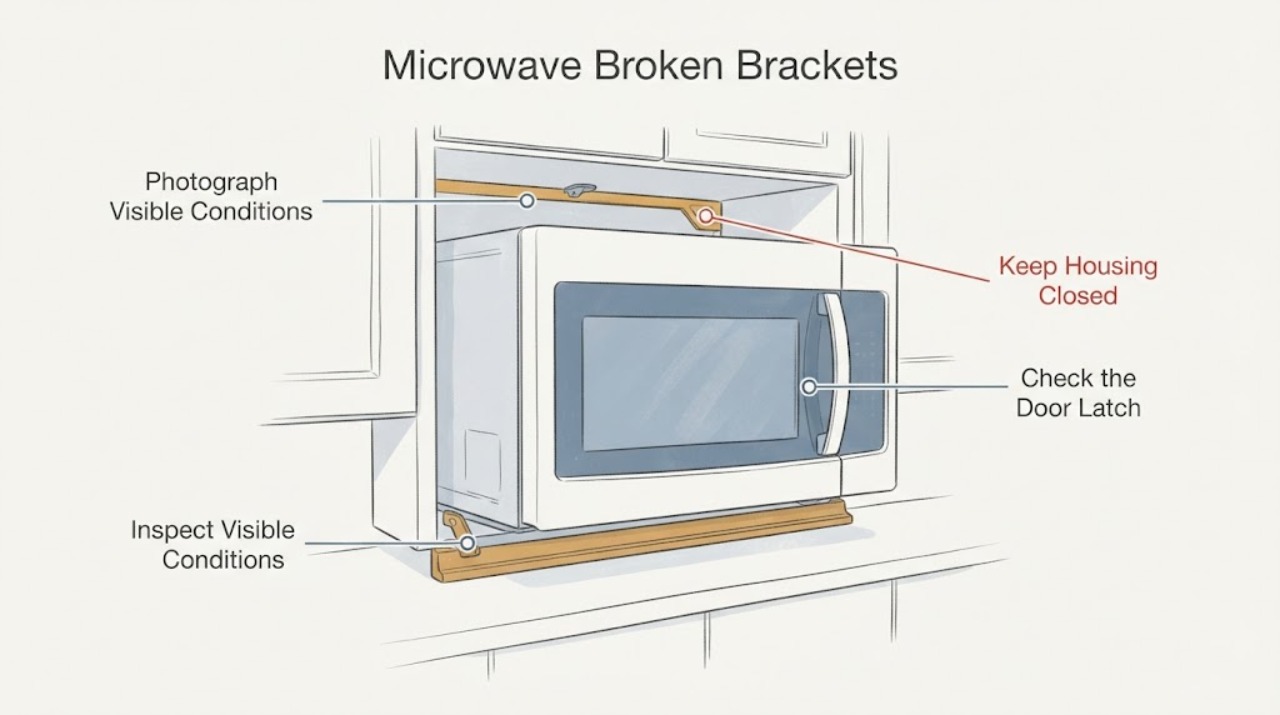
Work through in order
Diagnostic checks
Use only checks that match the exact appliance or system and its official guide.
-
Check 1
Without moving or opening the appliance, photograph the broken piece and its attachment point, then record the complete LG model number and whether the unit is countertop, over-the-range, or built in. Describe whether the piece is on the wall, cabinet, trim frame, door area, vent, or inside the cavity.
Expected result: The model and installation type are clear, or the label/bracket location is missing, unreadable, or ambiguous.
Next step: Use the exact model on LG's support site to retrieve the owner's and installation documents. If the model or bracket function remains uncertain, stop at identification and contact LG service or a qualified installer rather than selecting a universal replacement.
Why this matters
Why: LG support and installation documents are model-specific, and the same word “bracket” can refer to different support or trim hardware. A model-less part description cannot establish compatibility.
-
Check 2
From a safe position, look for sagging, a gap opening between the oven and cabinet, wall fasteners pulling out, a loose trim frame, a cracked anti-tip or mounting piece, a door that no longer sits square, or any sign that the appliance's weight is not supported. Do not push, lift, slide, tilt, or retighten hardware.
Expected result: The unit is loose or unsupported, or it remains stable and the damaged piece appears cosmetic and away from the door, support, vent, and power cord.
Next step: If there is any movement, sagging, or support damage, keep the area clear, stop using the oven, and arrange qualified installation/service. Do not treat visual stability as permission to operate if the door, latch, hinge, shell, or support is damaged.
Why this matters
Why: A loose or unsupported microwave creates a falling and electrical risk. A stable cosmetic piece may still be model-specific, while a piece in the support or ventilation path cannot be safely classified from appearance alone.
-
Check 3
With power off and without opening the cabinet, inspect only the visible door, latch, hinge area, glass, seal surfaces, control face, power cord, and vent openings for bending, cracks, loose pieces, scorching, or exposed wiring. Do not operate the microwave to test the damage.
Expected result: The door, hinge, latch, glass, seal, shell, cord, or vent is damaged, or those visible areas appear intact and the broken bracket is isolated elsewhere.
Next step: If any door, latch, hinge, seal, shell, cord, or vent damage is present, leave the oven off and obtain qualified service. If the visible areas are intact, continue only with model-document identification; do not assume the bracket is safe or cosmetic.
Why this matters
Why: LG's installation safety instructions say not to use an oven with a bent door, broken or loose hinges/latches, broken seals or glass, and warn against self-adjustment or repair because leakage must be checked after repair.
-
Check 4
Open the LG support page for the exact model and compare the photographed piece with the model's installation guide, owner manual, and any service path. Confirm whether the document covers countertop placement, over-the-range mounting, trim-kit support, or another installation type; do not use another model's diagram as a substitute.
Expected result: The exact model document identifies the bracket and gives a qualified installation/service route, or the document does not match the appliance or does not identify the piece.
Next step: Use the exact document only to identify the service or installation path. If it does not identify the piece, send LG service the model and photos; do not drill, glue, bend, substitute hardware, or open the oven.
Why this matters
Why: LG publishes separate model support pages with owner and installation documents. A different model's mounting plate, bracket, screw, template, or trim dimensions cannot be assumed compatible.
-
Check 5
If the microwave is loose, the bracket is load-bearing, the door or shell is damaged, there is a burning smell, arcing, exposed wiring, or any doubt about safe isolation, stop using it and keep people away. Disconnect power only by a safe accessible plug or circuit control; do not reach into a wet or damaged area.
Expected result: The unit can be safely left powered off and stable, or it cannot be safely isolated without moving or touching damaged hardware or wiring.
Next step: Leave the unit off and arrange LG or qualified appliance/installation service. Provide the complete model, installation type, bracket photos, visible damage, and whether the appliance shifted or was operating when the damage occurred.
Why this matters
Why: A support failure can cause a fall, and a damaged microwave can create electric-shock or microwave-energy hazards. LG's installation manual routes damaged or self-repair conditions to qualified service.
Use your observations
Decision map
Find the observation that best matches what you see, then follow the next safe action.
-
PATH 01Next step
What you see
The broken bracket supports an over-the-range or built-in microwave, or the oven is sagging, shifting, or pulling away from the wall or cabinet.
Do this next
Keep the oven off and the area clear. Do not lift or retighten it yourself; arrange qualified LG service or installation after providing the model and photos.
Why this path and its safety boundary
Why it matters: This is a load-bearing installation problem with a falling and electrical risk, not a routine cosmetic part replacement.
-
PATH 02Next step
What you see
The door, hinge, latch, glass, seal, cabinet shell, power cord, or vent is also bent, broken, loose, scorched, or exposed.
Do this next
Do not operate or open the cabinet. Isolate power only when safely accessible and arrange qualified service.
Why this path and its safety boundary
Why it matters: LG's opened installation safety guidance treats these conditions as unsafe operation and requires qualified repair with microwave-leakage checks where applicable.
-
PATH 03Next step
What you see
The unit is a countertop model on a firm, level, open surface and the photographed piece is clearly a loose external cosmetic part away from the support, door, vent, and power path.
Do this next
Leave the damaged piece off if it can be removed without opening or moving the microwave, retrieve the exact model documentation, and confirm the replacement through LG support before use.
Why this path and its safety boundary
Why it matters: A cosmetic trim issue may not affect support, but the exact model is still needed to identify the piece and its fit; LG's countertop guidance does not authorize a universal bracket repair.
-
PATH 04Next step
What you see
The bracket's purpose, model, or attachment point cannot be confirmed, or identifying it would require opening the shell or moving the installed microwave.
Do this next
Classify the condition as model-scope unresolved for repair purposes and obtain LG or qualified service with the model label and photos. Do not improvise hardware or open the oven.
Why this path and its safety boundary
Why it matters: The evidence is insufficient to select a safe bracket or repair method, and the microwave high-voltage and mounting risks exceed a general DIY instruction.
Helpful context
Understand the symptom
“Broken bracket” is not a sufficient part identity. LG microwaves can be countertop units, over-the-range units supported by a wall and cabinet, or built-in units using a trim or anti-tip kit. A visible metal tab, cabinet mount, trim frame, anti-tip piece, turntable support, or internal brace may all be called a bracket by a user. The complete model number and a photo of the bracket in place are required before compatibility or installation instructions can be selected.
Treat the microwave as unstable if a support bracket is cracked, bent, loose, missing, or pulling away from the wall or cabinet. Do not lift, slide, tilt, drill, substitute a screw, or test the unit to see whether it holds. LG's installation material for an over-the-range model says the appliance must have sufficient support, calls for qualified installation, and warns against operating a damaged oven or attempting self-repair. That model-specific document is evidence of the safety boundary, not a universal bracket specification.
If the damage is only a cosmetic trim piece on a stable, unplugged unit, still identify the exact model before ordering anything and confirm that the piece is not part of the support or ventilation system. If the bracket touches the cabinet, wall, door, latch, hinge, power cord, vent, or oven shell, leave it to LG or qualified service. Never open the microwave cabinet: the high-voltage section and microwave-leakage checks are not a user repair path.
When checks do not resolve it
Need a professional?
Call LG or qualified appliance/installation service when the bracket is load-bearing, the microwave is loose or shifted, the door/hinge/latch/seal/shell/vent is damaged, the model-specific bracket cannot be identified, or any repair would require moving the appliance, drilling, opening the shell, or touching wiring.
Safety scope: This no-model guide is limited to photographing the damage, recording the model and installation type, observing stability and visible damage without moving the unit, and retrieving the exact LG documents. Do not open the microwave cabinet, access the high-voltage section, defeat a door interlock, test microwave leakage, lift or slide a mounted oven, drill new holes, substitute bracket hardware, or operate a microwave with support, door, hinge, latch, seal, shell, cord, or vent damage.
Common questions
FAQ
Can I replace a broken LG microwave bracket with a similar one?
Do not assume compatibility. Identify the exact LG model, installation type, bracket function, and attachment points first. A wall mount, cabinet mount, trim-kit bracket, anti-tip piece, or internal support is not interchangeable by appearance.
Can I use an LG microwave with a broken mounting bracket?
No if the bracket supports the appliance or the unit is loose, shifted, or sagging. Keep it off and arrange qualified service or installation. LG's installation guidance warns about support and personal injury when mounting is not correct.
Is it safe to remove the microwave cover to see which bracket broke?
No. Do not open the microwave cabinet to identify a bracket. The high-voltage section and microwave-leakage checks require qualified service, and LG's installation guidance says not to attempt self-adjustment or repair.
What if the broken piece is only trim on a countertop LG microwave?
Keep the unit on a firm, level, open surface and do not assume the piece is cosmetic until the exact model document confirms it. If the piece affects the door, vent, shell, cord, support, or safe operation, stop using the microwave and contact LG service.
Read the exact guide
Official sources
- Installation Manual LMH2235STLG Electronics · Opened LG's official installation PDF for the exact LMH2235ST model. It requires qualified installation and adequate support, warns not to operate a damaged oven or attempt self-repair, and requires qualified repair and leakage checks. It is used here for safety and model-scope boundaries, not as a universal bracket specification.
- Countertop microwave oven installationLG Electronics · Opened LG's Help Library guidance. It says a countertop microwave should be on a firm, solid, level surface, in an open ventilated area, and connected to a grounded outlet; it does not establish bracket compatibility for unspecified models.
- LG LMV1762ST.BSBELGA | Support, Manuals, Warranty & MoreLG Electronics · Opened LG's official support page for model LMV1762ST.BSBELGA. It identifies the model and provides separate owner, installation, and support resources, demonstrating why bracket selection must be model-specific.
Community feedback
Share a repair observation
Share a plain-text repair observation. Accepted observations are published automatically; this page may take a moment to update.