
On this page
Start here
Quick answer
Write down the exact characters and when the LG microwave shows them before clearing power. Clean the touch panel only for visible residue, then perform one model-appropriate power reset. If the same code returns, the door is damaged, or the code indicates a fault you cannot identify in the manual, stop using the unit and arrange service.
Before you begin
Safety first
- Do not test or replace high-voltage microwave components yourself.
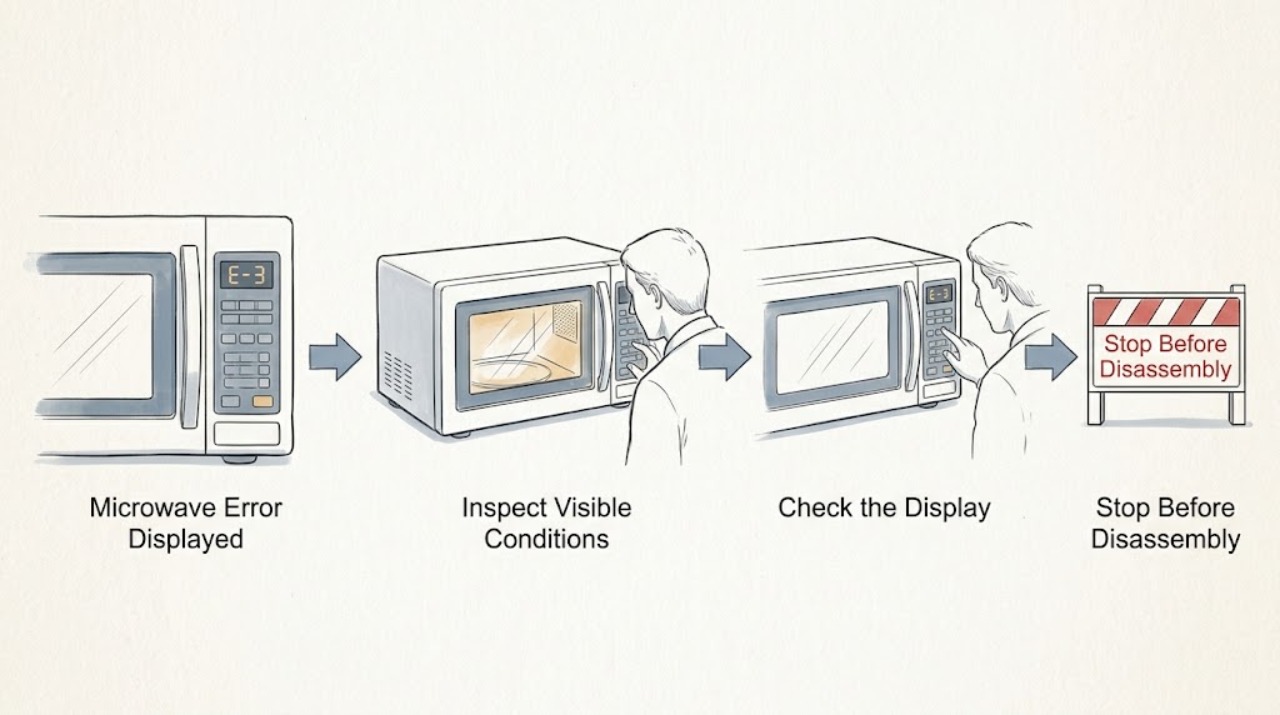
Work through in order
Diagnostic checks
Use only checks that match the exact appliance or system and its official guide.
-
Check 1
Photograph or write the complete display, including letters, numbers, dashes, and whether the message appears at startup, when a pad is pressed, or during cooking.
Expected result: The code is complete and repeatable, or only a partial/intermittent message is visible.
Next step: Use the exact LG model manual or support page and keep the recorded code for service if it returns.
Why this matters
Why: A complete repeatable code can be matched to the exact model manual; a partial message should not be guessed.
-
Check 2
With the microwave stopped, inspect the control surface for moisture, grease, or another visible foreign substance and wipe it with the care method specified for the model.
Expected result: The code clears after the panel is clean, or it remains unchanged.
Next step: Do not spray cleaner directly into the controls. Continue only with the documented reset if the panel is dry and undamaged.
Why this matters
Why: LG identifies foreign material around the touch buttons as one possible cause of an F-3 error; persistence points beyond a surface cleanup.
-
Check 3
If the manual permits it, unplug the unit or switch off its breaker for the documented short reset period, then restore power once and observe the display before starting a cooking cycle.
Expected result: The code stays away, or it returns immediately or during operation.
Next step: If the code returns, leave the microwave off and arrange qualified service rather than repeatedly resetting it.
Why this matters
Why: A one-time temporary control condition may clear; a returning code indicates a fault or condition that needs model-specific diagnosis.
Use your observations
Decision map
Find the observation that best matches what you see, then follow the next safe action.
-
PATH 01Next step
What you see
The message is incomplete or cannot be matched to the exact model manual
Do this next
Record a clear photo and model number, then use LG support or qualified service.
-
PATH 02Next step
What you see
The panel is dirty but the error clears after it is cleaned and does not return
Do this next
Keep the panel dry and monitor normal operation.
-
PATH 03Next step
What you see
The same code returns after one documented reset or the unit behaves abnormally
Do this next
Stop operating the microwave and arrange an inspection; do not open the cabinet.
Helpful context
Understand the symptom
An error code is a symptom, not a universal diagnosis
LG says F-series lightwave errors are displayed as a letter and number, while the meaning and response can vary by model. Recording the complete code preserves the useful clue for the correct manual or technician.
When checks do not resolve it
Need a professional?
Provide the exact code, model, and when it appears to LG or a qualified technician.
Safety scope: Do not test or replace high-voltage microwave components yourself.
Common questions
FAQ
Should I keep resetting an LG microwave error?
No. Try only the reset described for the exact model once. If the code returns, preserve it for service and stop using the unit.
Does every F-code mean the same part failed?
No. LG says F-series errors and their causes vary; use the exact model guidance instead of guessing from the letter alone.
Read the exact guide
Official sources
- LG Microwave - Troubleshooting an F3 ErrorLG USA Support · LG microwave F-3 and persistent error guidance
Community feedback
Share a repair observation
Share a plain-text repair observation. Accepted observations are published automatically; this page may take a moment to update.