
On this page
Start here
Quick answer
An LG microwave display that goes completely dark after several minutes may be using the Energy Saving feature; LG says pressing a button or opening and closing the door should wake it. A display that cycles, flashes incomplete characters or shows the wrong time after a wake-up, clock-setting attempt and one external power reset is a different symptom and is not proven to be an Energy Saving behavior. Confirm the exact model, check the cord and supply externally, use the model manual for any control-lock instruction, and stop at the service boundary if the display remains abnormal. Because this is an over-the-range microwave, do not remove the cabinet, lower the unit or touch internal circuitry: CPSC warns that hazardous voltage can remain even after a microwave is unplugged.
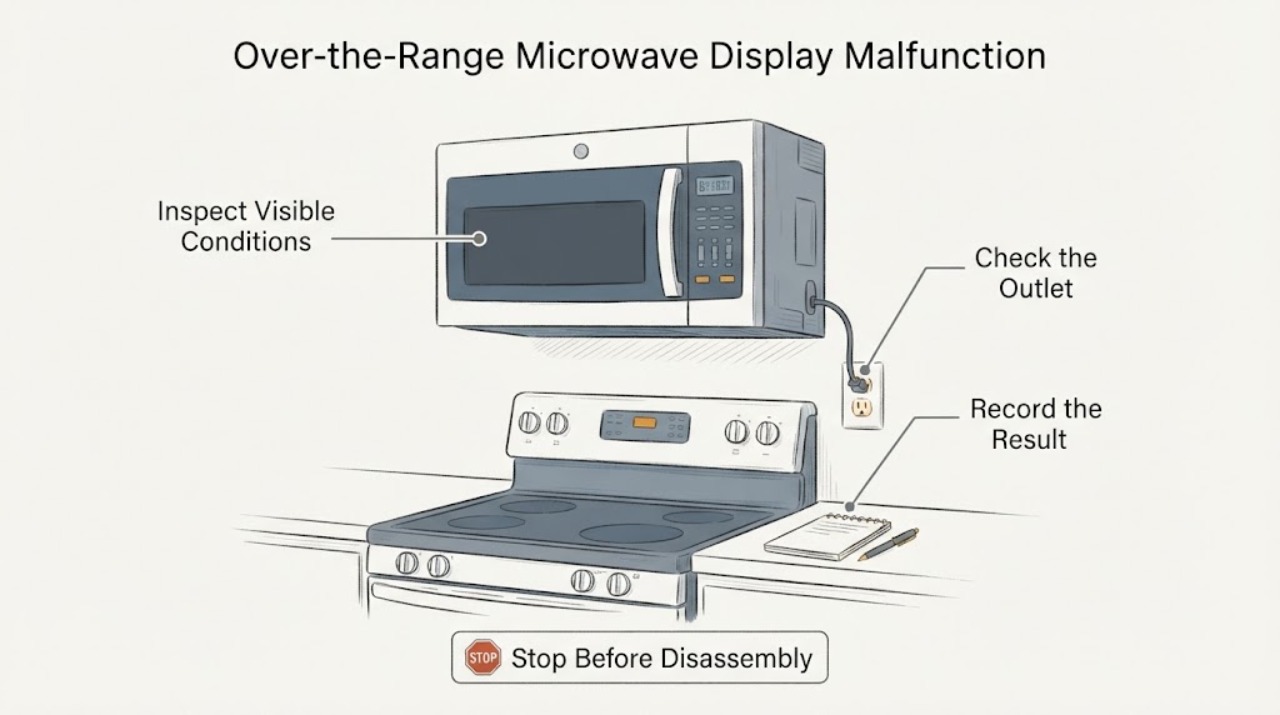
Work through in order
Diagnostic checks
Use only checks that match the exact appliance or system and its official guide.
-
Check 1
Observe the display after the microwave has been powered but unused for at least a few minutes. Press one ordinary control button or open and close the door once, then note whether the full display returns without missing segments or cycling characters.
Expected result: The display is blank only while idle and returns normally after a button or door action, or it remains blank, flashes, cycles, shows incomplete characters or shows an incorrect clock after waking.
Next step: If the display wakes completely and stays correct, use the model manual for Energy Saving settings. If it remains abnormal, record a short description and continue with the external power and model checks without opening the unit.
Why this matters
Why: LG says the display can turn off after five minutes of inactivity to save energy and should be reactivated by a button or door action. A display that remains malformed after waking is not established as that normal feature.
-
Check 2
From a dry, safe position, confirm that the microwave plug is firmly seated in its intended outlet and that no multi-outlet strip, loose receptacle or visibly damaged cord is involved. Do not pull down the over-the-range unit or reach behind it; use the household breaker only if it is safely accessible.
Expected result: The plug and outlet are secure and undamaged, or there is looseness, heat, scorching, moisture or cord damage.
Next step: If the connection is damaged, leave the microwave off and arrange qualified electrical/appliance service. If it is sound, perform only the single external reset below; do not cycle power repeatedly to reproduce the display fault.
Stop if: Stop if the plug, cord or outlet is hot, wet, sparking, scorched or loose.
Why this matters
Why: LG directs the user to check the power connection when the display turns off. A damaged connection can create an electrical hazard, while a sound connection does not prove the display electronics are healthy.
-
Check 3
If there is no visible power damage, unplug the microwave or switch its circuit breaker off for the interval specified by LG's general support step—2 to 3 minutes—then restore power once and observe the display while no cooking cycle is running.
Expected result: The display returns to a stable, complete state, or it resumes flashing/cycling, remains blank after a wake-up, or the microwave shows an error or will not respond.
Next step: If the display remains stable, set the clock and compare the exact model manual's behavior. If the fault returns or the controls remain unreliable, leave the microwave unused and request LG or qualified service; do not open the cabinet.
Why this matters
Why: LG describes this as a control-panel reset that can clear a communication issue; a successful reset does not prove a repair, and a recurring abnormal display means the issue persists.
-
Check 4
If the display is readable enough to use, check the exact model Owner's Manual for Control Lock or Child Lock and follow only that model's user-level instruction. Do not assume a lock sequence from another LG microwave; if the display is cycling, do not keep pressing keys to hunt for a code.
Expected result: The manual identifies an enabled control lock and the display becomes normal after the documented unlock, or no lock is shown and the display remains malformed.
Next step: Use the exact manual only when the display is stable enough to read. If no model-specific lock explanation fits, stop user troubleshooting and arrange service rather than replacing a panel or board by symptom.
Why this matters
Why: LG notes that a control lock can make buttons appear inactive and that the unlock method varies by model. A lock can explain no response, but it does not explain a display that remains physically corrupted after wake-up and reset.
-
Check 5
With power off, look at the accessible door, latch area and seals without removing trim or the microwave from its mounting. Confirm that the door closes firmly and that the unit has no smoke, arcing marks, burning odor or sign that it operated with the door open.
Expected result: The door and seals are intact and the microwave has no safety symptom, or the door is bent/loose, does not close firmly, sparks, smokes or appears to run with the door open.
Next step: Keep the microwave disconnected and arrange qualified service for any damaged door, arcing, smoke, burning smell or open-door operation. Do not test cooking to see whether the display fault changes.
Why this matters
Why: FDA says a damaged door, hinge, latch or seal requires manufacturer assistance and that a microwave operating with the door open should be discontinued immediately. These findings are safety boundaries, not a display-part diagnosis.
Use your observations
Decision map
Find the observation that best matches what you see, then follow the next safe action.
-
PATH 01Next step
What you see
The display goes dark only after inactivity and returns to a complete, correct display when a button is pressed or the door is opened and closed.
Do this next
Use the exact model manual if the Energy Saving setting needs to be changed. No internal repair is indicated by this behavior alone.
Why this path and its safety boundary
Why it matters: This matches LG's documented Energy Saving behavior and does not by itself show a failed display.
-
PATH 02Next step
What you see
The digits cycle, flash, remain incomplete or show the wrong clock after the display is awakened and one external reset has been completed.
Do this next
Keep the microwave unused and contact LG or qualified service with the model number, a description or photo of the display and the reset result. Do not remove the cabinet or lower the over-range unit for diagnosis.
Why this path and its safety boundary
Why it matters: The symptom remains unresolved and is not supported as a normal Energy Saving state. Without a model number and service documentation, the display symptom cannot name a control panel, board or connection failure.
-
PATH 03Next step
What you see
The display is stable, the exact manual identifies Control Lock, and the documented user-level unlock restores button response.
Do this next
Continue using the exact manual's controls. If the display fault returns, arrange service rather than repeatedly resetting or replacing parts.
Why this path and its safety boundary
Why it matters: A control lock can explain an apparently inactive panel, but it does not validate a display that remains corrupted or intermittent.
-
PATH 04Next step
What you see
The door is damaged or does not close firmly, the microwave operates with the door open, or there is smoke, arcing, a burning odor or electrical damage.
Do this next
Immediately stop using the microwave, disconnect power only if safe to reach, keep the door closed during any fire, and contact qualified service or emergency responders as appropriate. Never open the cabinet; hazardous voltage can remain after unplugging.
Why this path and its safety boundary
Why it matters: The condition is a microwave safety hazard and cannot be cleared by a display reset.
Helpful context
Understand the symptom
The assigned symptom is a display problem on an LG over-the-range unit, with no model number supplied. A blank display that wakes normally is different from digits that flash, cycle or remain wrong after a wake-up. The latter needs the exact model manual or service; the display symptom alone does not identify a control board, ribbon cable or other part.
Use only checks reachable from the controls, door and wall supply. Do not remove the microwave from its over-range mounting or open the cabinet to inspect the display electronics.
When checks do not resolve it
Need a professional?
Provide the complete LG model number, whether the display wakes after inactivity, the exact pattern of missing or cycling characters, the result of one 2-3 minute external reset, and any door or power symptoms.
Common questions
FAQ
Why does an LG microwave display turn off by itself?
LG says the display can turn off after five minutes without use as an Energy Saving feature and should return when a button is pressed or the door is opened and closed. If it returns with missing or cycling characters, treat that as a separate unresolved fault.
Can I replace the LG microwave display or control board myself?
Do not open the microwave cabinet. CPSC warns that high voltage can remain even after the unit is unplugged, so an abnormal display should be assessed by qualified service.
What should I do if the display is blank but the door and buttons work?
Wake the display with a button or door action, verify the exact model's Energy Saving behavior, and perform at most one external power reset if the cord and outlet are safe. Persistent or malformed display behavior needs service.
Read the exact guide
Official sources
- LG Microwave – How to Cleaning Your MicrowaveLG USA Support · Opened official LG page that explicitly covers an LG Over-The-Range Microwave Oven; it supports the assigned over-range condition and external control-panel cleaning only, not display-part diagnosis.
- LG Microwave - Troubleshooting the Start Button Not WorkingLG USA Support · Opened official LG support page. It supports cleaning/closing the door, model-specific lock instructions and one external reset; it directs persistent failures to service.
- Electrocution Hazard with Do-It-Yourself Repairs of Microwave OvensU.S. Consumer Product Safety Commission · Opened CPSC safety alert. It supports the no-cabinet/no-internal-repair boundary and does not identify any LG component.
- Microwave OvensU.S. Food and Drug Administration · Opened FDA consumer safety guidance. It does not diagnose the LG display but supports stopping use for damaged doors or operation with the door open.
- LG Microwave - What should I do when a product stops and display turns off?LG USA Support · Opened official LG support guidance for display-off symptoms. It covers general LG microwave behavior and states that exact product images/features may vary; it does not diagnose a specific unprovided model's display electronics.
Community feedback
Share a repair observation
Share a plain-text repair observation. Accepted observations are published automatically; this page may take a moment to update.