
On this page
Start here
Quick answer
If an LG LMC1050ST pauses heating while the fan, light or timer continues, the pattern can be normal power modulation at a lower setting or during defrost. After repeated operation, LG also describes weaker heating while cooling completes. Treat a display or power loss during an active cycle as abnormal: check the external power connection, door closure and controls, then stop using the microwave and arrange service if the interruption repeats or there is damage, arcing, smoke or a burning smell.
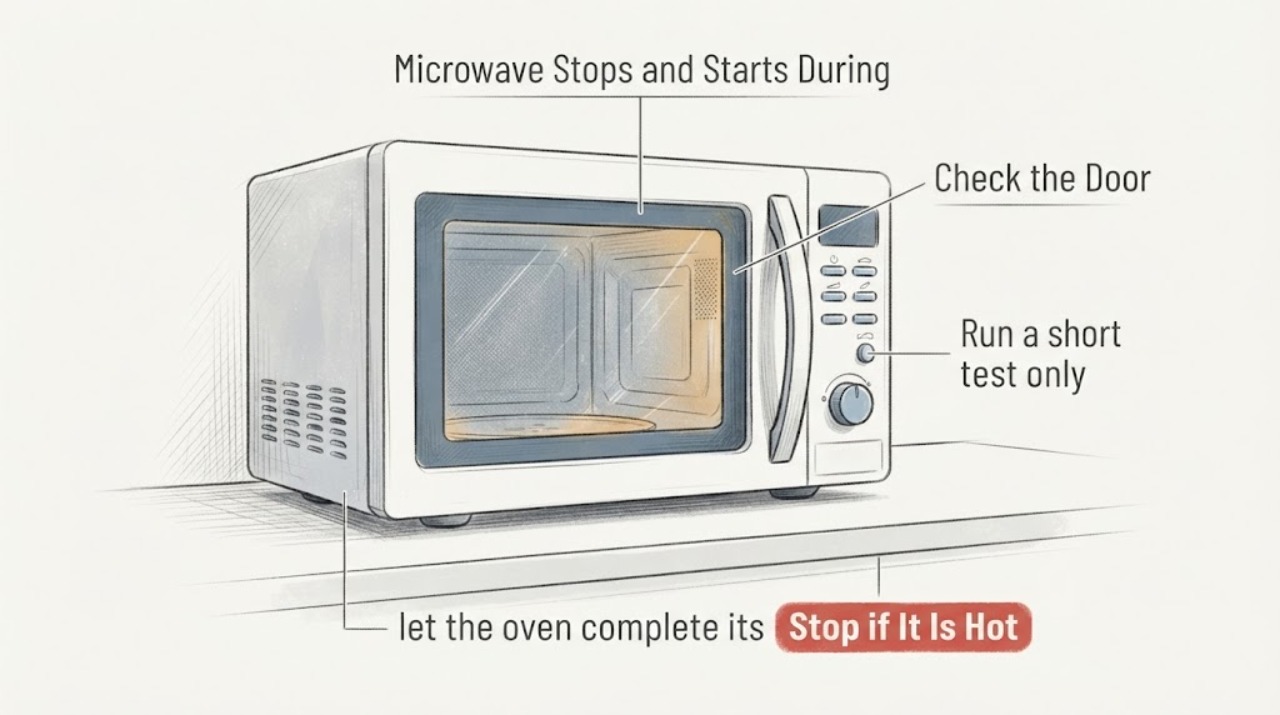
Work through in order
Diagnostic checks
Use only checks that match the exact appliance or system and its official guide.
-
Check 1
Stop the cycle and do not use the microwave if you see sparks or arcing, smell burning, see smoke, find a damaged door or cord, or notice a breaker repeatedly trips. Disconnect power only if it is safe to do so.
Expected result: There is either a visible or smell-based safety sign, or there is no such sign.
Next step: If any safety sign is present, leave the appliance out of service and arrange qualified appliance service. Do not open the cabinet or defeat the door interlock.
Why this matters
Why: A safety sign changes this from a routine cycling question to a stop-and-service condition; its absence allows only the external observations below.
-
Check 2
Run a short test only with a microwave-safe cup of water and watch the fan, cavity light, countdown and heating sound rather than relying on sound alone.
Expected result: The fan, light or timer continue while the heating sound turns on and off, especially at a reduced power setting or during defrost.
Next step: Compare the result with the selected power or defrost setting and the exact LMC1050ST manual when available. If the timer or display also stops, treat it as a true interruption and continue to the power and control checks.
Why this matters
Why: That pattern is consistent with LG-described magnetron power modulation; it does not by itself prove a failed heating part.
-
Check 3
If the symptom follows several consecutive heating runs, let the oven complete its cooling behavior before judging the next run.
Expected result: Heating is weaker or delayed while the fan continues, or the support display indicates cooling, and performance changes after a cool-down.
Next step: Allow the cooling period to finish and avoid stacking repeated runs. If the same intermittent heating remains after cooling, stop troubleshooting at the user level and request service.
Why this matters
Why: LG describes reduced or delayed reheating during continuous operation while output is adjusted to prevent overheating.
-
Check 4
Check whether the display went dark only after the oven had been idle, then press a control or open and close the door only if the door is undamaged.
Expected result: The display returns after a control press or door action following inactivity, versus disappearing or resetting during an active cook cycle.
Next step: If it was idle and returns normally, treat the display as an energy-saving indication. If it goes dark or resets while cooking, check the power connection and have the unit serviced if it repeats.
Why this matters
Why: LG describes Energy Saving display shutoff after inactivity; a reset or loss of display during active cooking is not explained by that idle feature.
-
Check 5
With the microwave unplugged or otherwise safely inactive, verify the cord is firmly seated in a wall outlet, the door closes without obstruction, and no control lock is active; use a single short power reset of about two to three minutes only when there is no safety sign.
Expected result: The cord, door/latch area and controls are normal, and the symptom either clears or returns after the reset.
Next step: If the symptom clears and does not return, monitor one normal cycle. If it returns, or the door is damaged or will not latch, stop using the microwave and contact qualified LG appliance service.
Why this matters
Why: A loose external connection, door engagement issue or control lock can prevent starting; recurrence after these external checks needs service, not cabinet-level diagnosis.
Use your observations
Decision map
Find the observation that best matches what you see, then follow the next safe action.
-
PATH 01Next step
What you see
The heating sound cycles, but the fan, light and countdown continue at a lower power setting or during defrost.
Do this next
Use the selected power or defrost setting as directed in the LMC1050ST manual and monitor whether the food heats normally.
Why this path and its safety boundary
Why it matters: LG family guidance treats magnetron on/off cycling in these conditions as expected power modulation, so sound alone does not establish a failed heating part.
-
PATH 02Next step
What you see
The unit has been run repeatedly and then heats weakly or pauses while the fan continues, improving after a cooling period.
Do this next
Let cooling finish and avoid consecutive runs; request service if the same behavior persists after cooling.
Why this path and its safety boundary
Why it matters: This matches LG continuous-operation cooling and output guidance more closely than an immediate component diagnosis.
-
PATH 03Next step
What you see
The display goes dark only after inactivity and returns with a control press or door action, with no active cooking interruption.
Do this next
Treat it as an idle display state, while still using the exact model manual for controls.
Why this path and its safety boundary
Why it matters: That pattern is consistent with the LG Energy Saving display behavior.
-
PATH 04Next step
What you see
The timer or display resets during cooking, the oven loses power, the door is damaged, or there is smoke, burning smell or arcing.
Do this next
Stop using the microwave, disconnect power only when safe, and arrange qualified service; do not open the cabinet or bypass an interlock.
Why this path and its safety boundary
Why it matters: This is a true interruption or safety condition that generic cycling guidance does not explain.
Helpful context
Understand the symptom
First separate heating pauses from a true stop
A microwave can sound as though it stops when the heating output cycles off while the fan, cavity light or countdown continues. LG describes this behavior at some power levels and during defrost. A different pattern is a reset display, stopped timer, dead controls or repeated loss of power during an active cycle. Record which pattern occurs before assuming an internal part has failed.
Why repeated use can change the heating pattern
LG states that after continuous operation the oven can adjust magnetron output to prevent overheating, so reheating may take longer or feel weaker while cooling completes. That guidance does not identify a failed magnetron in this model. If the microwave remains weak or intermittent after it has cooled, use the external checks below and arrange service rather than opening the cabinet.
Keep the model boundary explicit
The assigned identity is the LG LMC1050ST. The official LG portal provides model-number and manual lookup, but the opened result did not expose an LMC1050ST-specific troubleshooting manual. The checks below therefore use generic LG microwave-family guidance and do not claim a model-specific part failure or internal repair procedure.
When checks do not resolve it
Need a professional?
Arrange qualified LG appliance service when the LMC1050ST loses power or resets during an active cycle, remains intermittently weak after a cool-down and external checks, will not latch, shows an error, or has arcing, smoke, burning odor, a damaged door or cord. Provide the exact model, what the timer, display and fan did, selected power or defrost setting, and whether the problem follows repeated use. Do not remove the cabinet or attempt high-voltage or interlock work.
Common questions
FAQ
Does the heating sound turning off mean the magnetron has failed?
Not necessarily. LG explains that microwave output can cycle at some power levels and during defrost while the fan or timer continues. Judge the whole pattern, not the sound alone.
Why can an LG microwave heat weakly after several runs?
LG says continuous operation can lead to adjusted output while cooling completes, making reheating weaker or longer. Let the cooling behavior finish; persistent intermittent heating needs service.
What if the display turns off?
If the oven was idle, LG describes Energy Saving display shutoff that can be reversed with a control press or door action. A display reset or power loss during active cooking is a different symptom and should be serviced if repeated.
Read the exact guide
Official sources
- Get Product Help & Support | LG USA SupportLG Electronics USA · Official LG support portal opened for exact model or manual lookup; the opened result did not expose an LMC1050ST-specific technical manual.
- LG Micro-onde - NoisesLG Electronics USA · Generic LG microwave support article; it is not an LMC1050ST-specific manual.
- LG Microwave - What should I do when a product stops and display turns off?LG Electronics USA · Generic LG microwave support article; it does not prove the assigned model has a particular display setting beyond the described family guidance.
- LG Microwave - Troubleshooting the Start Button Not WorkingLG Electronics USA · Generic LG microwave support article; no model-specific internal repair is claimed.
- [LG microwave oven] Reheating is not available or weak during continuous operationLG Electronics USA · Generic LG microwave support article; model-specific timing or settings are not claimed.
Community feedback
Share a repair observation
Share a plain-text repair observation. Accepted observations are published automatically; this page may take a moment to update.