
On this page
Start here
Quick answer
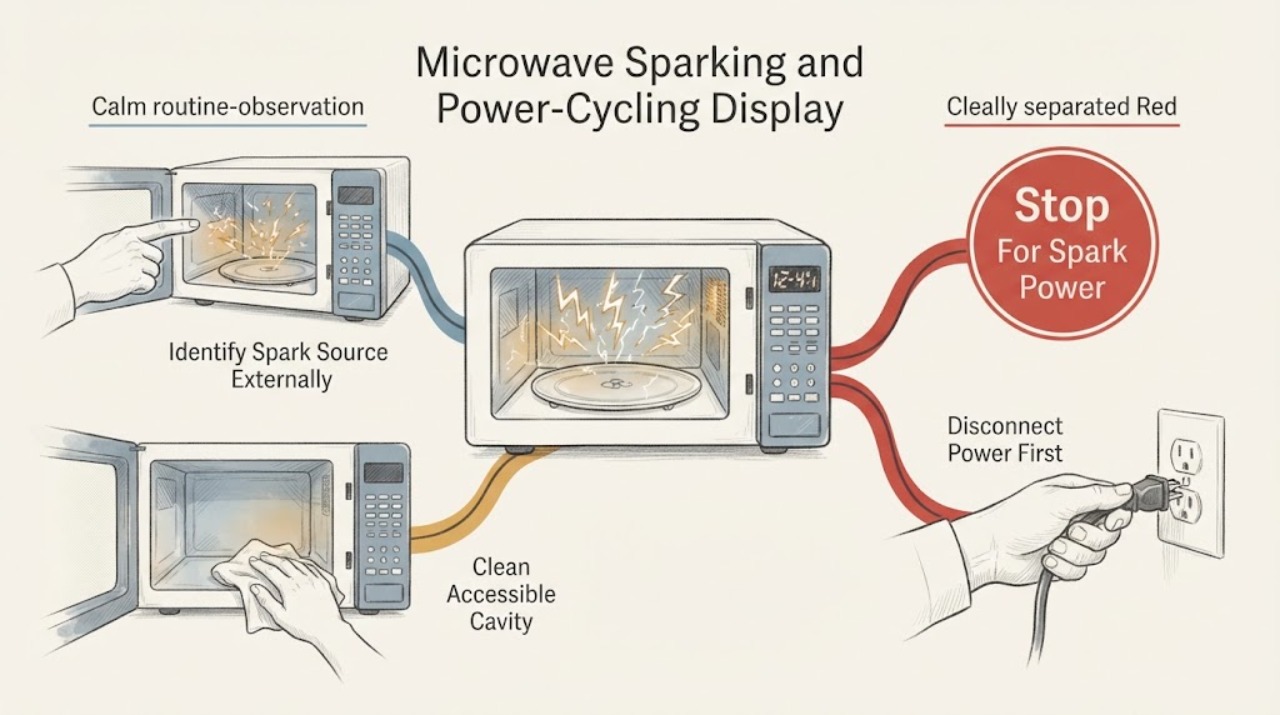
Treat sparking together with power cycling as a stop-and-scope problem, not as proof of a bad magnetron, inverter, control board or fuse. LG says sparks can come from food carbonization, metal or metallic-trim cookware, an incorrectly installed rack, an empty cavity, or a damaged cavity; continuing sparks or cavity damage require service. If there is smoke, a strong burning smell, visible damage, arcing near the controls, a breaker/GFCI trip during operation, or the display repeatedly drops out while cooking, stop using the microwave, unplug it only if safe and accessible, and arrange qualified service. A display that turns off only after about five minutes of inactivity may be LG's Energy Saving feature and should be separated from a display that cycles during operation. Do not open the cabinet, defeat the door interlock, or run repeated test cycles.
Work through in order
Diagnostic checks
Use only checks that match the exact appliance or system and its official guide.
-
Check 1
Stop the microwave immediately if sparking is accompanied by smoke, a strong burning smell, visible flame, damage, arcing near the controls or door, a breaker/GFCI trip during cooking, or a display that repeatedly drops out while the unit is operating. Unplug it only if the plug is safely accessible and there is no need to approach smoke or flame.
Expected result: The symptom includes smoke, strong odor, flame, visible damage, electrical arcing, a protective-device trip, or repeated power cycling during an active cook; or it is only a brief cavity spark tied to a known utensil or residue.
Next step: Keep the microwave out of use and arrange qualified service for the first group. Do not reopen the door into smoke, repeat the cycle, reset a tripped device again or open the cabinet.
Why this matters
Why: LG treats continuing sparks, cavity damage, strong burning odor or smoke as a service condition. A power/display fault that occurs during operation cannot be safely reduced to a keypad or display reset.
-
Check 2
After the microwave is unplugged and cool, inspect the cavity without touching internal covers for carbonized food or spills, metal or metallic-trim cookware, an empty-cavity use event, and—only on applicable models—a rack that is not seated on all four plastic supports.
Expected result: There is residue, gold/silver trim or metal, an empty-cavity event, a displaced/damaged rack support, or no visible cause.
Next step: Remove the cookware or visible residue only when safe and only within the model's user instructions. If the rack support, cavity wall, waveguide area or coating is damaged, or the cause is not clear, do not operate the microwave and request service.
Why this matters
Why: LG identifies these as possible causes of cavity sparking. A visible cause does not explain power cycling by itself, and no visible cause does not prove a particular internal part failed.
-
Check 3
With the power disconnected, remove the turntable and support ring if the model permits, clean the cavity and door-contact surfaces with warm water and a soft nonabrasive cloth, and reinstall dry parts correctly. Do not spray cleaner into the control panel or use chemical/abrasive products inside.
Expected result: Food buildup is removed without revealing cavity damage, or residue remains, the coating is damaged, or the door/frame surface is damaged.
Next step: If the cavity and door surfaces are intact, keep the unit disconnected until the power/display symptom is separately resolved; if damage remains or sparking had continued, request service instead of testing it again.
Why this matters
Why: LG says buildup can contribute to poor heating, noise and sparking, and its cleaning guidance specifies mild/nonabrasive methods. A damaged cavity or sealing surface is a service boundary, not a cleaning result.
-
Check 4
Record exactly when the display goes dark: after roughly five minutes with no use, immediately after a spark, during an active cook, after a breaker/GFCI event, or without recovering after a normal button press or door interaction.
Expected result: The display wakes after the documented idle condition, or it blanks/cycles during operation or stays unresponsive.
Next step: Treat a confirmed idle-only state as Energy Saving. Treat operation-time cycling, post-spark blanking or an unresponsive display as a service condition; do not borrow a model-specific key sequence.
Why this matters
Why: LG says some microwave displays turn off after five minutes of inactivity as Energy Saving and wake after a button press or door open/close. Power loss or repeated cycling during operation is outside that normal idle explanation.
-
Check 5
Only if there is no smoke, odor, spark, visible damage or active electrical warning, observe the power cord, wall outlet and any GFCI/breaker indication without opening the microwave. Record whether the outlet remains powered and whether the protective device trips again; do not use an extension cord or surge protector.
Expected result: The outlet is dead, a GFCI/breaker has tripped, the cord/plug is damaged or warm, or the supply remains stable while the microwave cycles.
Next step: If the cord/plug is damaged or warm, leave the appliance off and use an electrician or qualified appliance service. If the protective device trips again or the microwave cycles with stable power, stop resetting and request service.
Why this matters
Why: LG lists outlet connection, GFCI, breaker and the microwave itself as separate no-power possibilities. A stable outlet with operation-time cycling points back to the appliance, but does not identify a board, inverter or fuse.
-
Check 6
Give qualified LG service the exact model, whether it is countertop or over-the-range, the cookware and cavity condition, the spark location, when the display cycles, and any smoke/odor or breaker/GFCI event. Keep the microwave disconnected until the service decision is made.
Expected result: Sparking returns, the cavity/door is damaged, the display remains unstable, power protection trips, or the symptom cannot be tied to a safe external cause.
Next step: Arrange qualified repair. Do not remove the cover, defeat interlocks, probe high-voltage parts, replace a fuse or board, or run a deliberate empty/loaded test to reproduce the fault.
Why this matters
Why: The remaining possibilities include hazardous electrical or microwave-energy faults that cannot be distinguished from outside the cabinet; LG directs continuing sparks, damage and persistent control problems to service.
Use your observations
Decision map
Find the observation that best matches what you see, then follow the next safe action.
-
PATH 01Next step
What you see
Sparking is visible together with smoke, a strong burning smell, flame, cavity damage, arcing near the controls, or power cycling during a cook.
Do this next
Stop using the microwave, unplug only if safely accessible, keep it out of use and arrange qualified service. Do not open the cabinet or repeat the cook cycle.
Why this path and its safety boundary
Why it matters: This is a stop-and-service condition, not a cookware-only explanation or a reason to keep testing.
-
PATH 02Next step
What you see
The spark is traceable to metal or metallic trim, food carbonization, an empty-cavity event, or an incorrectly seated applicable rack, with no damage, smoke, odor or power cycling.
Do this next
Remove the external cause and clean only as LG documents; because this task also includes power/display symptoms, leave the appliance off and seek model-matched guidance if the display or power issue persists.
Why this path and its safety boundary
Why it matters: LG documents these as possible cavity-sparking causes, but the evidence does not support using that explanation for a separate display or power fault.
-
PATH 03Next step
What you see
The display turns off only after about five minutes of inactivity and returns after a normal button press or door interaction, with no spark or power loss while cooking.
Do this next
Use the microwave normally only if there are no other symptoms and the model instructions agree; record any new operation-time blanking separately.
Why this path and its safety boundary
Why it matters: LG identifies this pattern as its Energy Saving feature rather than proof of a failed display.
-
PATH 04Next step
What you see
The display blanks or cycles during cooking, after a spark, or together with a GFCI/breaker trip, and the external supply remains stable or trips again.
Do this next
Stop resetting or retrying the microwave, keep it disconnected and request qualified service; do not measure live circuits or replace a fuse/board.
Why this path and its safety boundary
Why it matters: This is not the documented idle-only display behavior. LG's public guidance does not identify a specific internal component from this pattern.
Helpful context
Understand the symptom
Separate cavity sparking from an electrical power fault
A spark seen inside the cavity can have an external cause such as food carbonization, metallic trim or a rack support problem. A display that goes blank only after inactivity can be Energy Saving. Sparks together with power cycling during a cook, smoke, a burning odor, a breaker/GFCI trip or control-area arcing is a different safety pattern; it should not be tested by repeatedly restoring power.
Only use external, model-safe checks
With the microwave disconnected and cool, the safe user-level scope is a visual cavity/cookware/rack check and cleaning of accessible parts according to LG's instructions. LG's procedures vary by model, so an unlisted control sequence or a high-voltage diagnosis cannot be inferred from this symptom combination.
Stop before the cabinet or interlock
Do not remove the cover, probe the capacitor or inverter, bypass the door switch, operate with the door open, or replace a fuse or board based on the symptom. If the display remains unstable after safe external observations, or sparking returns, give the exact model and symptom sequence to qualified LG service.
When checks do not resolve it
Need a professional?
Request qualified LG microwave service for continuing or unexplained sparking, any cavity/door damage, smoke or strong burning odor, operation-time power cycling, repeated GFCI/breaker trips, or a display that remains unresponsive after safe external observations. Do not choose a magnetron, inverter, capacitor, fuse, keypad or control board from these symptoms alone.
Common questions
FAQ
Can a display that turns off on an LG microwave be normal?
Sometimes. LG says the display may turn off after five minutes without use as an Energy Saving feature and wake after a button press or door interaction. A display that cycles during cooking, after a spark or with a power-protection trip is a different symptom and should be serviced.
What should I check first when an LG microwave sparks?
After disconnecting power and allowing the unit to cool, look for food carbonization, metal or metallic-trim cookware and an incorrectly seated applicable rack. LG also identifies empty operation and cavity damage; do not continue operating if the cavity is damaged or the sparking persists.
Should I reset the breaker when the microwave display keeps cycling?
Do not repeatedly reset it, especially when cycling accompanies sparking, smoke, odor or a breaker/GFCI trip. LG's external no-power checks distinguish the outlet and protective device from an appliance fault; a recurring operation-time problem needs service rather than a guessed reset sequence.
Can I remove the microwave cover to find the sparking part?
No. This article is limited to external, user-level observations. Do not open the cabinet, defeat interlocks or work on high-voltage parts; give the model and symptom sequence to qualified service.
Read the exact guide
Official sources
- New LG Microwave Burning Smell or Noise: Causes and SolutionsLG USA Support · Official LG USA guidance; used only for the stop/unplug/service boundary and with the page's model/region caveat.
- LG Microwave Oven – Troubleshooting No Power IssueLG USA Support · Official LG USA troubleshooting page; used only for external supply observations and the service boundary.
- LG Microwaves - How to Prevent SparkingLG USA Support · Official LG USA help article for LG microwaves; exact model instructions still control.
- LG Microwave: Why is my Microwave Arcing or Sparking?LG USA Support · Official LG USA troubleshooting page for LG microwave arcing/sparking; no model-specific code or internal component meaning is inferred.
- LG Microwave – How to Cleaning Your MicrowaveLG USA Support · Official LG USA cleaning guidance; used for nonabrasive external/user-level cleaning only.
- LG Microwave - What should I do when a product stops and display turns off?LG USA Support · Official LG USA help article; used only for the idle display-off distinction, not to explain operation-time power cycling.
- LG Microwave – Troubleshooting the Keypad Not RespondingLG USA Support · Official LG USA troubleshooting page; model-specific lock behavior remains subject to the owner's manual.
Community feedback
Share a repair observation
Share a plain-text repair observation. Accepted observations are published automatically; this page may take a moment to update.