
On this page
Start here
Quick answer
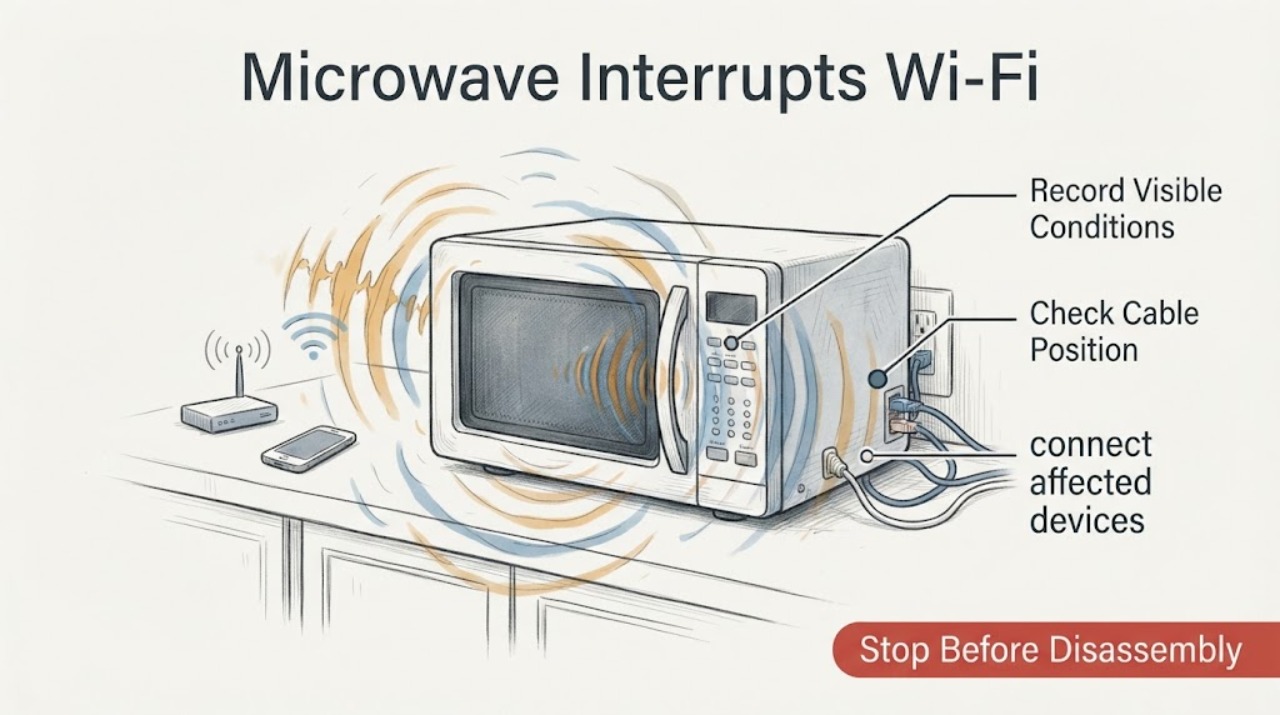
A Panasonic microwave can interfere with nearby Wi-Fi or other wireless devices while it is operating, especially on the 2.4 GHz band. That timing alone does not prove a microwave defect or radiation leak. First compare Wi-Fi with a wired connection, move the router farther away, and use 5 GHz where available. If the microwave has a damaged door, latch or mesh, sparks, smoke, burning odor, abnormal plug heat, shock, or it makes the router or breaker lose power, stop using it and arrange qualified service; do not open the cabinet, add foil or shielding, defeat the door interlock, or use a phone as a leakage tester.
Work through in order
Diagnostic checks
Use only checks that match the exact appliance or system and its official guide.
-
Check 1
During ordinary, safe microwave use with a normal non-metallic food or liquid load, note whether the Wi-Fi interruption starts when the microwave runs and clears when it stops. Do not operate the oven empty or introduce metal to create a test. If possible, keep one device on Ethernet and record whether the router's status lights and the wired connection stay up.
Expected result: Only Wi-Fi clients drop while Ethernet and the router remain online, or wired clients and the router also lose service or reboot.
Next step: For a Wi-Fi-only pattern, continue with distance and band checks. For a wired outage, rebooting router, breaker trip or flickering power, stop repeated microwave tests and arrange qualified appliance/electrical or internet service diagnosis.
Why this matters
Why: A Wi-Fi-only, microwave-timed interruption points toward radio coexistence or placement; a simultaneous wired outage or router reboot points to a power, router or wider network problem. Neither result by itself proves a microwave leakage fault.
-
Check 2
Move the wireless router or access point as far from the Panasonic microwave as the room allows, and keep it in an open location rather than against avoidable metal obstructions. Do not alter the microwave cabinet or wrap either device in foil.
Expected result: The interruption becomes shorter or disappears after the router is separated from the microwave, or the timing is unchanged.
Next step: Keep the improved placement if safe and practical. If separation makes no difference, continue to the 5 GHz and wired comparison rather than opening or shielding the oven.
Why this matters
Why: Panasonic recommends increasing the spacing between a microwave and the receiving product; a distance-dependent result supports a wireless interference path, not a diagnosis of a failed internal microwave component.
-
Check 3
If the router and client devices support it, connect affected devices to the router's 5 GHz network and use Ethernet for any critical connection. Compare that result with the original 2.4 GHz Wi-Fi path while the microwave is operating normally.
Expected result: 5 GHz or Ethernet stays connected while 2.4 GHz clients still drop, or all bands and wired devices fail together.
Next step: Use 5 GHz or wired networking as the practical mitigation when it solves the symptom. If every path fails, stop repeated tests and have the router/ISP and the appliance circuit checked; do not assume the microwave's inverter electronics are defective.
Why this matters
Why: Improvement limited to 5 GHz or wired connections is consistent with 2.4 GHz coexistence interference. Failure across wired and wireless paths means the microwave may be exposing a router, circuit or appliance problem that cannot be separated from outside.
-
Check 4
With the microwave off and cool, inspect only the visible exterior: the door should close squarely, the latch area and conductive mesh should not be visibly damaged, and the plug should not be abnormally hot. Do not remove the cabinet, door, waveguide cover or any internal panel.
Expected result: There is a crack, bent or loose door/latch, damaged mesh or sealing area, missing waveguide cover, abnormal plug heat, shock, sparks, smoke or burning odor, or the visible exterior is intact.
Next step: If any safety symptom or shielding damage is present, stop using the microwave and arrange Panasonic or qualified service. Do not try to repair the door, add shielding, bypass the door interlock or continue cooking while investigating.
Why this matters
Why: Panasonic treats damaged doors, abnormal smell/sound, abnormal plug heat, shock and related safety symptoms as reasons to stop use; the door mesh is part of the microwave shielding. A normal-looking exterior does not certify leakage or eliminate an electronic fault.
-
Check 5
Record the exact Panasonic model from the rating label, the wireless band affected, whether Ethernet and the router stay online, the distance between router and oven, and whether the problem continues after the microwave stops. Give that record to Panasonic support or a qualified technician if the issue persists.
Expected result: The internet remains down after cooking, fails when the microwave is off, affects wired clients, or persists on 5 GHz after safe separation; alternatively, it occurs only on nearby 2.4 GHz Wi-Fi during cooking.
Next step: Use the exact model manual and Panasonic support path for a persistent appliance-linked symptom. If service suspects leakage, require a calibrated microwave-frequency test; do not use a phone app or homemade detector and do not open the oven.
Why this matters
Why: A symptom that continues independently of microwave operation needs router/ISP or broader electrical diagnosis. A repeatable 2.4 GHz-only, distance-sensitive pattern can be managed as coexistence interference, while persistent interference after those mitigations needs model-specific support rather than an inferred internal part.
Use your observations
Decision map
Find the observation that best matches what you see, then follow the next safe action.
-
PATH 01Next step
What you see
Only 2.4 GHz Wi-Fi clients lose connection when the Panasonic microwave runs, while Ethernet and the router remain online, and the symptom improves with distance or 5 GHz.
Do this next
Keep the router farther away and use 5 GHz or wired connections for sensitive devices. Contact Panasonic service only if the symptom persists despite those mitigations or a safety symptom appears.
Why this path and its safety boundary
Why it matters: This pattern is consistent with wireless coexistence interference in the operating environment; it does not establish microwave damage or leakage.
-
PATH 02Next step
What you see
The router reboots, wired devices also lose internet, a breaker trips, lights flicker or the connection remains down after the microwave stops.
Do this next
Stop repeated microwave tests and arrange qualified electrical/appliance and internet-service checks as appropriate. Do not open the cabinet or perform live measurements.
Why this path and its safety boundary
Why it matters: The result is not explained by a simple Wi-Fi band interaction alone; a router/ISP, circuit or appliance electrical problem remains possible and cannot be identified from the timing.
-
PATH 03Next step
What you see
The door, latch or mesh is damaged, the waveguide cover is missing, the plug becomes abnormally hot, or the microwave produces sparks, smoke, burning odor, abnormal sound or shock.
Do this next
Stop use and disconnect power only from a dry, safe location when practical; arrange Panasonic or qualified microwave service. Never bypass the interlock, add foil or shielding, open the cabinet or continue operation to reproduce the Wi-Fi issue.
Why this path and its safety boundary
Why it matters: The microwave has a safety symptom beyond external network troubleshooting. Panasonic says to stop using the appliance for these conditions, and its shielding guidance requires proper service equipment for leakage assessment.
-
PATH 04Next step
What you see
The router and clients remain stable when the microwave is off, but the interruption persists only during operation after safe router separation and a 5 GHz comparison.
Do this next
Give Panasonic support the exact rating-label model and the band/wired observations, and request model-specific service or calibrated leakage evaluation if they deem it necessary. Keep the oven off if any physical or electrical warning appears.
Why this path and its safety boundary
Why it matters: The microwave-linked interference is repeatable, but the assigned Inverter label is not an exact model and does not support naming a board, magnetron, filter or shielding failure.
Helpful context
Understand the symptom
The useful distinction is what actually drops. If only wireless clients lose access while an Ethernet device and the internet connection remain up, the timing is consistent with wireless coexistence interference. If the router reboots, wired clients also fail, a breaker trips, or the microwave has a physical safety symptom, treat that as a power or appliance safety issue rather than a normal Wi-Fi placement problem.
This topic identifies Panasonic Inverter technology rather than an exact model. Panasonic's own support page says to use the model operating manual for specific information, so the checks below stay at the external network and safety boundary and do not name an internal microwave part.
When checks do not resolve it
Need a professional?
Arrange Panasonic or qualified appliance service if Wi-Fi interference persists after safe router separation and 5 GHz/wired testing, if the router or breaker loses power, or if the microwave has a damaged door/latch/mesh, missing waveguide cover, abnormal plug heat, shock, sparks, smoke, burning odor or abnormal sound. If wired internet also fails or stays down when the microwave is off, involve the ISP or a qualified electrician as appropriate.
Common questions
FAQ
Does Wi-Fi dropping when a Panasonic Inverter microwave runs prove the microwave is leaking radiation?
No. Panasonic says microwave operation can interfere with Wi-Fi and wireless routers, and recommends distance and 5 GHz mitigation. A timed Wi-Fi symptom is not a leakage diagnosis; Panasonic says proper leakage testing requires calibrated equipment, not a cell phone.
Why does Ethernet keep working while Wi-Fi drops?
A Wi-Fi-only failure points toward the wireless path or 2.4 GHz coexistence, while Ethernet bypasses that radio link. Compare 5 GHz and wired devices, move the router farther away, and involve Panasonic service only if the microwave-linked symptom persists or a physical safety warning appears.
Can I wrap the microwave or router in foil to stop the interference?
No. Do not add foil or homemade shielding, obstruct ventilation, open the cabinet or bypass the door safety system. Use distance, 5 GHz or Ethernet instead, and ask Panasonic or qualified service to assess a persistent appliance-linked issue.
What should I do if the microwave also trips the breaker or reboots the router?
Stop repeated tests. A wired outage, router reboot or breaker trip is not the normal Wi-Fi-only pattern; keep the microwave off and arrange qualified appliance/electrical and network diagnosis. Do not open the oven or perform live measurements.
Read the exact guide
Official sources
- Troubleshooting Questions for Safe Usage and Operation of Microwave OvensPanasonic North America · Opened Panasonic North America support article; it applies to Panasonic microwave ovens generally and says exact model operating manuals control model-specific information.
- How to test for Microwave radiation leakage.Panasonic North America · Opened Panasonic support page explaining the microwave cavity, conductive door mesh and the need for calibrated microwave-frequency equipment; it does not provide a consumer DIY test.
- Network Playback Does Not Start or Is Interrupted - TechnicsPanasonic North America (Technics support) · Opened Panasonic North America support guidance for a Panasonic/Technics network device. It is used only for general wireless coexistence mitigation, not for microwave component diagnosis.
- 1.6 cu. ft. Inverter Microwave, 1200W - NN-SC73LSPanasonic USA · Opened Panasonic's official store product page for an inverter microwave example. The assigned task has no exact model, so this source establishes the family label only; its exact product specifications are not transferred to other models.
- Troubleshooting - Physical problem with your Microwave Door, Cavity, Cabinet, Tray (Turntable) or other physical pieces.Panasonic North America · Opened Panasonic physical-troubleshooting page; it supports visible external checks and the stop-use boundary for a missing waveguide cover, without transferring model-specific internal repair steps.
Community feedback
Share a repair observation
Share a plain-text repair observation. Accepted observations are published automatically; this page may take a moment to update.