
On this page
Start here
Quick answer
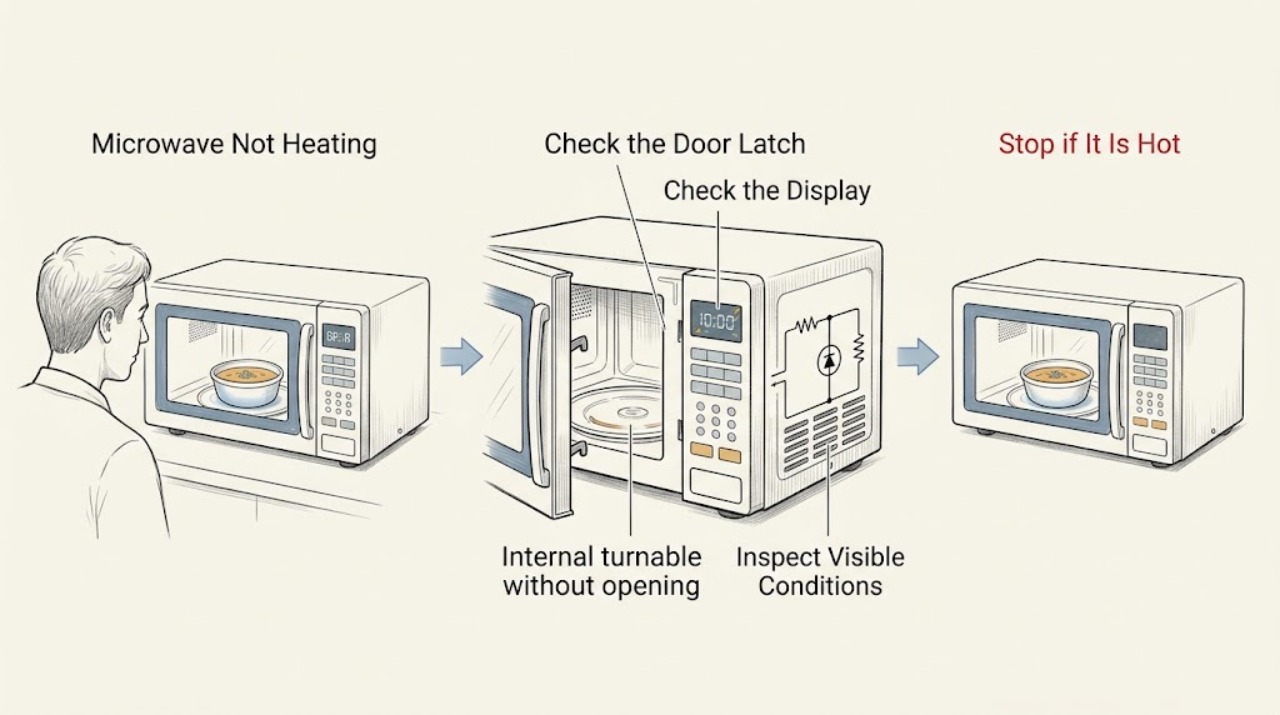
If a Panasonic microwave runs but does not heat, verify the door closes securely, the power level is appropriate, and the turntable and interior are intact. Test with a microwave-safe cup of water and check for an error or demo indication. A returning error, no heat after these checks, smoke, or arcing requires authorized service.
Work through in order
Diagnostic checks
Use only checks that match the exact appliance or system and its official guide.
-
Check 1
Check that the door closes fully with no food or container blocking it, and inspect the latch area from outside for visible damage.
Expected result: The door was not closing securely, or it closes normally but food remains cold.
Next step: Clear only an external obstruction and retest once; arrange service for a damaged door or no heat with a secure latch.
Why this matters
Why: Panasonic states that an unsecured door prevents heating; a secure door shifts the test to settings and internal operation.
-
Check 2
Confirm the programme is using the intended cooking power rather than a low setting, following the exact model manual for power-level controls.
Expected result: The power level was unusually low, or the setting was correct but heating remains absent.
Next step: Run one standard test at the model's normal high setting; do not infer a component failure from a low-power test.
Why this matters
Why: Panasonic identifies power setting as a direct cause of low or absent apparent heating.
-
Check 3
Heat a microwave-safe cup of water for one to two minutes with the glass tray and roller ring correctly seated, then observe whether the water warms and the tray rotates.
Expected result: Water warms normally, warms weakly, or stays cold while the oven appears to run.
Next step: Stop use and arrange service for persistent weak or absent heating; do not operate without a rotating tray.
Why this matters
Why: A controlled water test separates cookware or food variation from a repeatable no-heat condition; Panasonic also requires the tray path to be correctly placed.
-
Check 4
Record any displayed H-code or Demo indication before pressing Stop/Reset; check the model support instructions for the exact code or demo-mode procedure.
Expected result: A demo indication clears after the model procedure, or an H-code or no-heat condition returns.
Next step: Use service for a returning code or no heat after demo mode is excluded; never open the microwave cabinet.
Why this matters
Why: Panasonic documents demo mode as a possible reason for no heating on some older models and treats H97/H98-style codes as service issues.
Use your observations
Decision map
Find the observation that best matches what you see, then follow the next safe action.
-
PATH 01Next step
What you see
The door was obstructed or not latched and heating returns after correction
Do this next
Keep the latch area clear and use the model's normal door-closing procedure.
-
PATH 02Next step
What you see
The oven runs but the water remains cold at a normal power setting
Do this next
Stop use and contact authorized Panasonic service.
-
PATH 03Next step
What you see
An H-code, smoke, arcing, or damaged cavity or waveguide cover is present
Do this next
Unplug the oven and arrange service; do not attempt cabinet repair.
Helpful context
Understand the symptom
Confirm no heat with a simple test
A low power setting, an unlatched door, a damaged tray path, or demo mode can look like a failed heater. Use one controlled water test and keep the oven closed during operation.
When checks do not resolve it
Need a professional?
Contact Panasonic service for no heat after the door, power-level, water-test, and demo checks, a returning H-code, smoke, arcing, or any cavity, waveguide, high-voltage, or cabinet work.
Common questions
FAQ
How can I tell if a Panasonic microwave is really not heating?
Use one microwave-safe cup of water for a short test at the intended power level, with the door closed and tray correctly seated. If it stays cold, stop use and arrange service.
Can demo mode cause a Panasonic microwave not to heat?
Some older models have Demo Mode that prevents heating. Follow the exact model support procedure; a returning code or no heat afterward needs service.
Read the exact guide
Official sources
- Panasonic - Troubleshooting - Microwave power, fan or motor problems.Panasonic · Panasonic microwave power and operation symptoms
- Panasonic - Troubleshooting - Physical problem with your Microwave Door, Cavity, Cabinet, Tray (Turntable) or other physical pieces.Panasonic · Panasonic microwave physical and tray symptoms during no-heat testing
- Panasonic - No Heat, Low HeatPanasonic · Panasonic microwave that turns on but does not heat or heats weakly
Community feedback
Share a repair observation
Share a plain-text repair observation. Accepted observations are published automatically; this page may take a moment to update.