
On this page
Start here
Quick answer
The supplied question is about an older Panasonic NN-SU686S that still works but is loud, and the matching Panasonic setup guidance identifies that sound as the selectable beep mode rather than a reason to alter the microwave. The official setup page groups NN-SU686 with the NN-SU676/NN-SU696 family: with the oven unplugged and then reconnected to a properly grounded outlet, press Function six times, press 2 for Beep Off, and leave the setup with Stop/Reset. The exact model cover in Panasonic's owner manual uses NN-SU686S, so use this only when the control panel and display match that family; do not substitute a button sequence from another Panasonic model. If the sound is a grinding, scraping, arcing or burning sound instead of the normal alert beeps, stop using the oven and arrange service. A glass-tray noise can be checked externally after unplugging by cleaning and correctly reseating the roller ring and oven bottom.
Before you begin
Safety first
- Do not remove the microwave cover, touch the high-voltage section, discharge a capacitor, bypass a door interlock, disconnect a buzzer or perform live electrical tests. Stop and unplug from a safe point for sparks, smoke, burning odor, damaged door or abnormal heating.
Work through in order
Diagnostic checks
Use only checks that match the exact appliance or system and its official guide.
-
Check 1
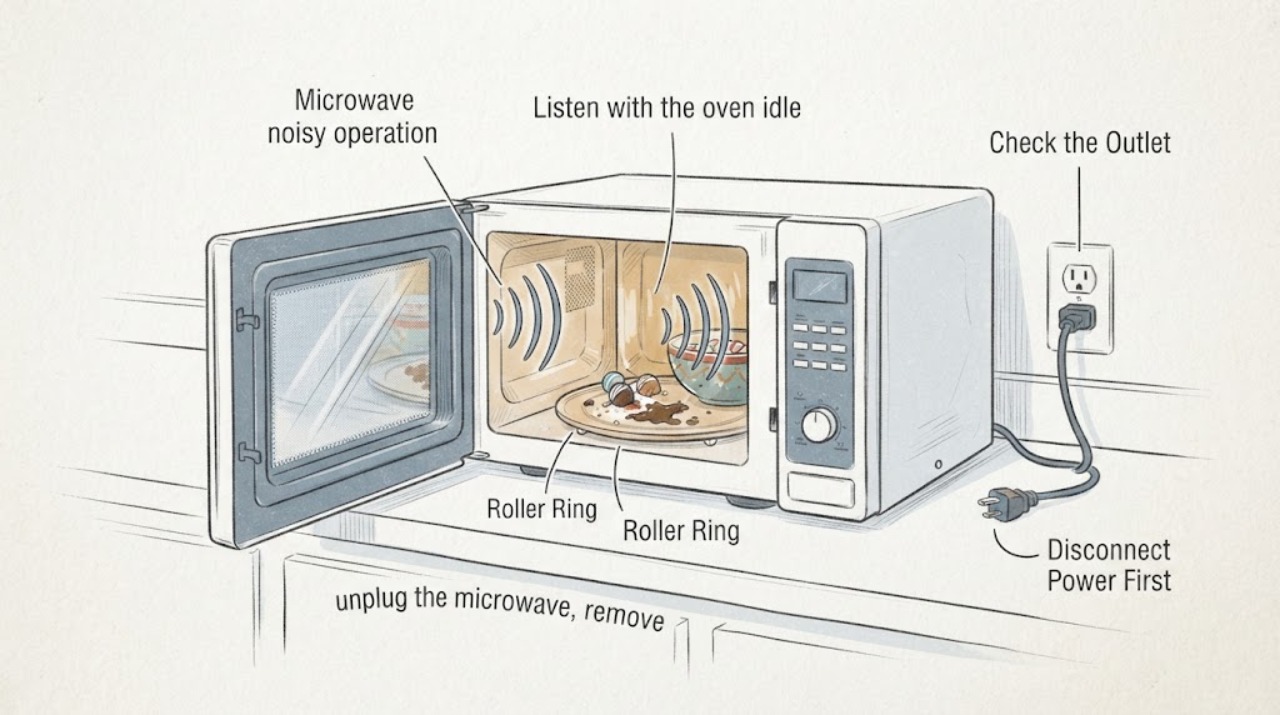
Listen with the oven idle and note whether the sound occurs only after a pad press, between programmed stages or five times at the end of a complete program. Do not run the oven repeatedly just to reproduce a different sound.
Expected result: The sound is a repeatable input/stage/end beep, or it is a grinding, scraping, crackling or burning sound that is not tied to the documented alert events.
Next step: For normal alert beeps, use the documented setup path below. For mechanical or hazardous noise, stop using the microwave and follow the service boundary instead of changing internal parts.
Why this matters
Why: The first pattern matches Panasonic's normal audible-alert behavior; the second pattern is not identified by the beep setting and may be mechanical or hazardous.
-
Check 2
If the control panel and startup display match the NN-SU676/NN-SU686/NN-SU696 family, unplug the oven, reconnect it only to a properly grounded outlet, press Function six times, press 2 for Beep Off, and press Stop/Reset to finish. Do not open the case or try another model's shortcut.
Expected result: The display accepts the Function sequence and the beep mode changes, or the panel does not show the setup response described by Panasonic.
Next step: If the sequence is accepted, verify the change with normal use. If it is not accepted, stop experimenting and provide the full model suffix to Panasonic support.
Why this matters
Why: A responding display confirms that the documented family setup path is available. No response means the control layout or model scope has not been confirmed, not that the buzzer should be disconnected.
-
Check 3
If the sound is a rotating-tray scrape or rattle, unplug the microwave, remove the glass tray and roller ring, clean and dry the oven bottom and ring, then reseat the ring and tray correctly. Do not reach into the cabinet or test exposed electrical parts.
Expected result: The tray and ring were visibly dirty or out of position and the sound stops after reseating, or the sound remains with a clean correctly seated tray.
Next step: Use the oven only if the sound resolves and there is no arcing, odor, door damage or heating problem. If it persists, arrange model-matched service.
Why this matters
Why: Panasonic identifies the roller ring, oven bottom and tray seating as user-accessible causes of operating noise; persistence after that check is not proof of a particular motor or bearing failure.
-
Check 4
Inspect only from outside for sparks, arcing marks, a burning odor, damaged door or seal, smoke, abnormal heating or a sound that continues while the oven is idle. If any is present, stop the cycle and disconnect power from a safe point when possible.
Expected result: A red-flag symptom is present, or the oven has only the expected alert beeps and no visible or smell-related abnormality.
Next step: Keep a red-flag oven out of service and contact Panasonic or a qualified microwave technician. Never remove the cover, discharge a capacitor, bypass a door interlock or modify the sound circuit.
Why this matters
Why: A red flag makes further user testing unsafe; normal beeps without other symptoms remain a settings question rather than evidence of a failed high-voltage component.
Use your observations
Decision map
Find the observation that best matches what you see, then follow the next safe action.
-
PATH 01Next step
What you see
The sound is the pad beep, two beeps between programmed stages or five beeps at the end of a complete program, with no smell, sparks or mechanical scraping.
Do this next
Use Panasonic's NN-SU676/NN-SU686/NN-SU696 setup branch to select Beep Off; if the display does not match, stop and confirm the exact model with Panasonic support.
Why this path and its safety boundary
Why it matters: The observed pattern matches the normal alert behavior described in the NN-SU686S owner manual.
-
PATH 02Next step
What you see
The sound follows glass-tray rotation and changes when the clean roller ring and tray are correctly reseated.
Do this next
Use the oven only if it remains otherwise normal. Arrange service if noise returns or if the tray/ring cannot be seated securely.
Why this path and its safety boundary
Why it matters: The result is consistent with the manual's external tray/ring cleaning and seating guidance, not a confirmed internal part failure.
-
PATH 03Next step
What you see
The sound is crackling, grinding, arcing or burning, or the oven has a damaged door, smoke or abnormal heating.
Do this next
Stop using the microwave, disconnect it from a safe point, and arrange Panasonic or qualified service. Do not open or electrically test the cabinet.
Why this path and its safety boundary
Why it matters: The symptom is outside the documented beep-setting path and may involve a safety-critical condition that cannot be diagnosed from sound alone.
Helpful context
Understand the symptom
First identify which sound you are hearing
The NN-SU686S manual says a correctly accepted pad press beeps, programmed stages can be separated by two beeps, and a completed program ends with five beeps. Those sounds are part of the user interface. A grinding or scraping sound that follows the rotating glass tray is a mechanical symptom, while crackling, arcing or burning odor is a stop condition.
Use the model-family setup path, not a guessed shortcut
Panasonic's setup page places NN-SU686 in a group with NN-SU676 and NN-SU696 and documents Beep On and Beep Off. The page uses the family label without the trailing S, while the owner manual cover identifies NN-SU686S. That is enough to use the documented path only when the panel and startup display match; it is not a reason to try sequences from an unrelated Panasonic model.
Keep mechanical noise and microwave safety separate
For an external glass-tray noise, Panasonic instructs the owner to unplug before cleaning and to keep the roller ring and oven bottom clean. Do not open the cabinet, disconnect a buzzer, modify wiring or test the high-voltage section. If the sound is accompanied by sparks, a burning smell, a damaged door or abnormal heating, leave the oven unplugged and use Panasonic service guidance.
When checks do not resolve it
Need a professional?
Safety scope: Do not remove the microwave cover, touch the high-voltage section, discharge a capacitor, bypass a door interlock, disconnect a buzzer or perform live electrical tests. Stop and unplug from a safe point for sparks, smoke, burning odor, damaged door or abnormal heating.
Have this ready
- Provide the complete NN-SU686S model suffix, region, whether the sound is a beep or mechanical noise, when it occurs, whether the setup display responds, and any odor, arcing, door or heating symptom.
Common questions
FAQ
Can the Panasonic NN-SU686S be made quieter without opening it?
For normal button, stage or end beeps, Panasonic's setup page provides a Beep Off choice for the NN-SU686 family. Use the documented Function-six-times then 2 path only when the panel and startup display match that family. Mechanical scraping, arcing and burning sounds are not solved by the beep setting.
Why does the microwave beep even though it still heats normally?
The owner manual describes beeps for accepted pad presses, transitions between programmed stages and completion of a program. Those alerts do not by themselves indicate a heating failure. A new mechanical or hazardous sound needs separate service assessment.
Should I disconnect the buzzer or open the Panasonic microwave to stop the noise?
No. Do not open the cabinet or modify the sound circuit. If the official setting does not work, or if the sound is mechanical, crackling or accompanied by odor, sparks or door damage, keep the oven out of service and contact Panasonic or a qualified microwave technician.
Read the exact guide
Official sources
- Owner's Manual: Microwave Oven NN-SU656, NN-SU676, NN-SU686, NN-SU696Panasonic North America · Opened Panasonic's official PDF. The cover lists NN-SU686S in the covered model family. It supports normal alert-beep descriptions, external tray/ring cleaning and the instruction to seek service without opening the microwave.
- How to select the functions and settings for the initial set up of the microwave oven.Panasonic North America · Opened Panasonic's official setup page. Its model heading groups NN-SU686 with NN-SU676 and NN-SU696 and gives the Beep Off sequence. Because the heading omits the trailing S, the sequence should be used only when the NN-SU686S panel/display matches the documented family; it does not justify applying a sequence to unrelated Panasonic models.
- NN-SU686SPanasonic North America · Opened Panasonic's official model page for NN-SU686S. It identifies the discontinued product, links the owner manual and provides Panasonic service/support paths; it does not authorize cabinet or high-voltage repair.
Community feedback
Share a repair observation
Share a plain-text repair observation. Accepted observations are published automatically; this page may take a moment to update.