
On this page
Start here
Quick answer
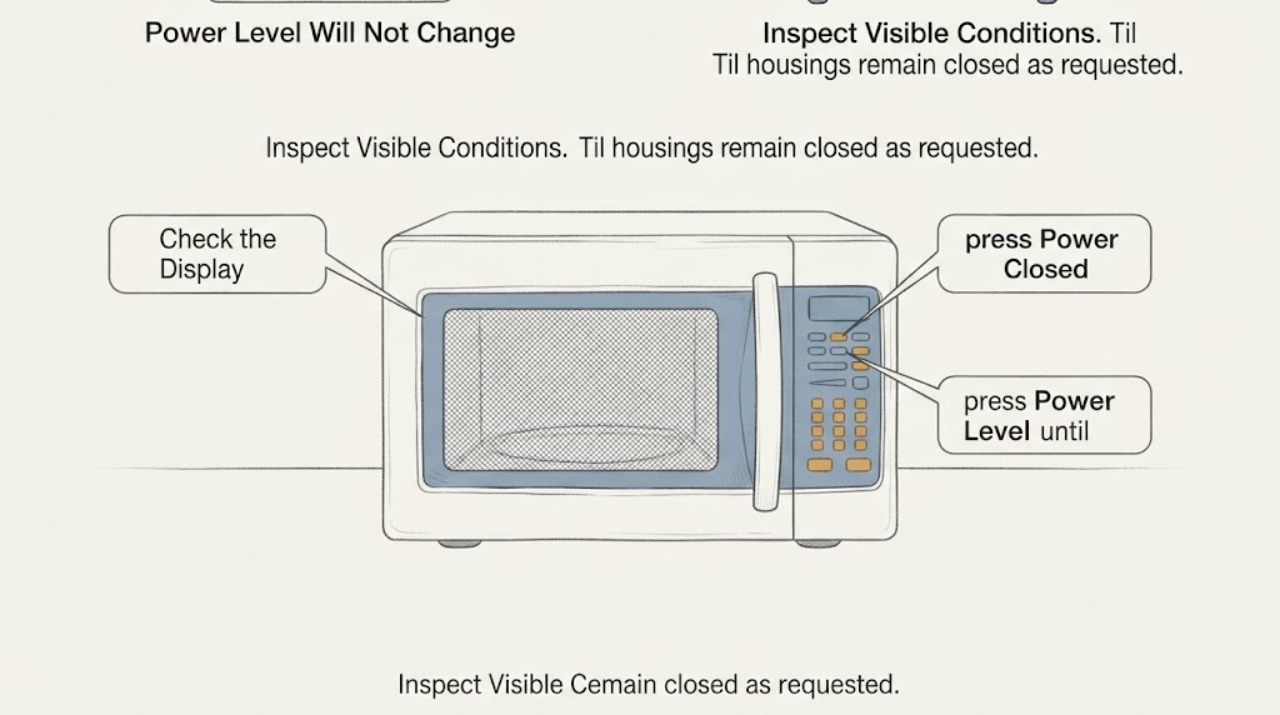
On the Panasonic NN-SN67HS, Power Level is a manual-cooking control; it is not a setting that the automatic Turbo Defrost routine asks you to change. Turbo Defrost uses the food weight and Start, so the Power Level pad may appear to do nothing while that routine is being entered. To choose a manual defrost power, clear the current program, press Power Level until P3 (MED-LOW/DEFROST) appears, enter a cooking time, and press Start. If Power Level also fails during manual cooking, first check for the Child Safety Lock and then stop using the microwave and arrange qualified service if the controls remain unresponsive. Do not open the cabinet, bypass the door interlock, perform live measurements, or run the oven empty.
Before you begin
Safety first
- This NN-SN67HS answer is limited to documented user programming and external observation. Do not remove the cabinet or control panel, bypass the door safety interlock, perform live electrical measurements, run the oven empty, or attempt an internal repair. Stop immediately for smoke, sparking, burning odor, abnormal heat, visible damage, or a service-type display.
Work through in order
Diagnostic checks
Use only checks that match the exact appliance or system and its official guide.
-
Check 1
Look at the display before pressing Power Level again. Identify whether the oven is in Turbo Defrost and asking for a food weight, or whether it is waiting for a manually entered cooking time. Keep the food in a microwave-safe dish and do not run the cavity empty while checking the controls.
Expected result: The screen is in Turbo Defrost with a weight entry or countdown, or it is at the normal standby display/manual-cooking setup.
Next step: If Turbo Defrost is selected, finish or cancel that program and use its weight and Start workflow, or switch to manual cooking if you need a chosen power level.
Stop if: Do not keep pressing unrelated pads during an active cycle or use an empty-cavity test to see whether the power changes.
Why this matters
Why: A weight-based Turbo Defrost screen is an automatic program context; the manual does not present Power Level as a user-adjustable step there. A standby/manual-cooking screen is the context in which Power Level should be selected.
-
Check 2
Clear the pending program with the model's Stop/Reset control before changing methods. The manual says one press before cooking clears the instructions; during cooking, one press pauses and a second press cancels the instructions and returns the display to the clock or colon.
Expected result: The display returns to the time-of-day or colon standby display, or the old defrost program remains on screen.
Next step: After the standby display returns, enter a fresh manual sequence. If the old program cannot be cleared, stop trying to force inputs and arrange service.
Stop if: Do not enter service mode, remove the control panel, or repeat resets as a substitute for diagnosis.
Why this matters
Why: A remaining program can prevent a new programming sequence from being accepted. If Stop/Reset does not clear a normal program while the display is otherwise responsive, the problem is no longer just a Turbo Defrost power-setting limitation.
-
Check 3
With the oven at standby, press Power Level until the desired P-level appears, choose P3 for the manual MED-LOW/DEFROST setting, enter the cooking time with the number pads, and press Start. This is a programming check using the owner's manual sequence; do not start the oven solely to test an empty cavity.
Expected result: P-level text appears and stays selected for the manual sequence, or the Power Level pad produces no display change or confirmation beep.
Next step: If P3 is accepted, use the manual time-and-Start sequence with food present and follow the defrosting turns and standing guidance. If manual input is not accepted, check the lock state once and then arrange qualified service if it persists.
Stop if: Do not open the cabinet, bypass the door safety system, or perform electrical measurements.
Why this matters
Why: A displayed P-level shows that the keypad accepts manual power input, so the earlier symptom was tied to automatic-program context. No response in manual standby mode points toward a lock, keypad/display, or control problem that cannot be identified safely from the symptom alone.
-
Check 4
Check the display for the Child Safety Lock indication while the oven is not cooking. For this model, the manual says the lock is cancelled by pressing Stop/Reset three times within 10 seconds when the time of day is displayed; it prevents electronic operation but does not lock the door.
Expected result: The lock indication is present and clears, or there is no lock indication and the keypad is still unresponsive.
Next step: After the lock clears, repeat only the documented manual programming check. If the lock will not clear or the controls remain unresponsive, leave the microwave unused and contact qualified service.
Stop if: Do not defeat the lock, door interlock, or any safety switch, and do not disassemble the keypad or cabinet.
Why this matters
Why: A lock indication explains why several pads may not accept instructions and is separate from a failed Power Level function. If no lock is shown and manual Power Level still gives no response, the exact cause is not established by user controls.
-
Check 5
Stop and assess the appliance externally if the symptom is accompanied by smoke, sparking, a burning smell, a damaged cord or plug, unusual cabinet heat, or a display that stops with an H00, H97, or H98 indication. Keep the door closed if food ignites, turn the oven off, and disconnect power only from a safe position.
Expected result: The microwave is otherwise normal and the issue is limited to Power Level in Turbo Defrost, or a hazard/abnormal display is present.
Next step: For the normal mode-specific case, use the documented Turbo Defrost or manual route. For any hazard or recurring abnormal display, keep the unit out of service and provide the exact model and display behavior to an authorized technician.
Stop if: Do not restart to reproduce a hazard, operate the microwave empty, remove panels, or attempt an internal repair.
Why this matters
Why: A mode-specific setting limitation can be handled as an operating distinction. Heat, smoke, sparks, damage, or a service-type display moves the case beyond safe user programming and may involve a safety or internal fault.
Use your observations
Decision map
Find the observation that best matches what you see, then follow the next safe action.
-
PATH 01Next step
What you see
Turbo Defrost is selected, the display is asking for weight or is counting down, and Power Level does not change the screen.
Do this next
Use the weight-entry and Start steps for Turbo Defrost, or clear the program and choose manual cooking when a specific power level is required.
Why this path and its safety boundary
Why it matters: This matches the NN-SN67HS automatic defrost workflow rather than proving a failed Power Level control. The automatic routine is weight-based; manual P-level selection belongs to a separate cooking route.
-
PATH 02Next step
What you see
After the program is cleared, Power Level displays P-levels in manual cooking and the oven accepts the normal time-and-Start setup.
Do this next
Use P3 for manual MED-LOW/DEFROST when appropriate, or return to the automatic weight-based routine; follow the manual's food-turning and standing guidance.
Why this path and its safety boundary
Why it matters: The control input is working in the mode that supports it. The original symptom is best explained by the automatic-program restriction, not by a need to replace a control board.
-
PATH 03Next step
What you see
The lock indication appears or all electronic operation is blocked, and the documented Stop/Reset sequence restores the normal time-of-day display.
Do this next
Repeat the manual programming check only after the lock is cancelled. If the problem returns with no lock indication, stop using the microwave and arrange service.
Why this path and its safety boundary
Why it matters: Child Safety Lock explains the broad keypad refusal; it is not evidence of a Power Level or control-board failure.
-
PATH 04Safety boundary
What you see
Turbo Defrost is cleared, the lock is not indicated, and Power Level still gives no display response or beep in manual standby mode.
Do this next
Keep the microwave out of service and request qualified Panasonic or appliance service. Give the technician the model, display state, exact key sequence, and whether other pads respond.
Why this path and its safety boundary
Why it matters: The model-specific operating explanation no longer accounts for the symptom. A keypad, display, control, or related internal issue may be involved, but the observed refusal does not identify a replaceable part.
Safety stop: No cabinet removal, door-interlock bypass, live electrical testing, or empty-cavity run.
-
PATH 05Next step
What you see
Power Level trouble occurs with smoke, sparks, burning odor, abnormal cabinet heat, visible damage, or an H00/H97/H98 display.
Do this next
Turn the oven off, disconnect power only if safe, keep clear of the hazard, and contact qualified service. If food ignites, keep the door closed and follow the manual's fire response.
Why this path and its safety boundary
Why it matters: This is a safety or service escalation, not a programming problem to solve by repeated key presses or test heating.
Helpful context
Understand the symptom
Why the power setting seems locked during defrost
The NN-SN67HS has two different ways to defrost. Turbo Defrost is an automatic routine: the manual describes entering the food weight and pressing Start, with a reminder to turn or rearrange larger items when the oven beeps. Manual cooking is different: Power Level is selected first, followed by time and Start. Therefore, a Power Level pad that does not change the setting inside Turbo Defrost is normally a program limitation, not evidence that the control board has failed.
Use the mode that matches the control you want
Use Turbo Defrost when you want the oven to calculate the defrosting time from the food weight. Use manual cooking when you need to choose the power level yourself; the owner's manual identifies P3 as the manual MED-LOW/DEFROST choice. A successful response in manual mode is useful evidence that the keypad and display can accept Power Level, even if the automatic defrost screen does not offer that control.
Keep a keypad problem separate from a cooking-safety problem
A mode-specific restriction is different from a keypad that gives no beep or display response anywhere. If the display shows a lock indication, use the exact Child Safety Lock cancellation sequence for this model. If the display, door, or controls behave abnormally, or if there is smoke, sparking, a burning odor, or visible damage, stop and arrange qualified service rather than trying to prove the fault with a heating test.
When checks do not resolve it
Need a professional?
Arrange qualified Panasonic or microwave service when Power Level remains unresponsive in cleared manual standby mode after the Child Safety Lock is ruled out, when the display or door controls behave abnormally, or when any hazard or H00/H97/H98 indication appears.
Safety scope: This NN-SN67HS answer is limited to documented user programming and external observation. Do not remove the cabinet or control panel, bypass the door safety interlock, perform live electrical measurements, run the oven empty, or attempt an internal repair. Stop immediately for smoke, sparking, burning odor, abnormal heat, visible damage, or a service-type display.
Have this ready
- Provide NN-SN67HS, the rating-label details and market, a photo or exact transcription of the display, whether Turbo Defrost or manual cooking was selected, the exact key sequence, whether each pad beeps, and any smoke, spark, odor, heat, or power symptom.
Common questions
FAQ
Why will Power Level not change while NN-SN67HS Turbo Defrost is selected?
Turbo Defrost is an automatic, weight-based routine. Panasonic's instructions describe entering the food weight and pressing Start; they do not make Power Level a step in that routine. Use manual cooking if you need to select P3 or another power level yourself.
How do I use a lower power for manual defrosting on this Panasonic?
Clear any pending program, press Power Level until P3 (MED-LOW/DEFROST) appears, enter the cooking time, and press Start. Use a microwave-safe dish and follow the manual's instructions to turn or rearrange food as it defrosts.
Could Child Safety Lock make the Power Level button seem broken?
Yes. The NN-SN67HS manual says Child Safety Lock prevents electronic operation. When the time of day is displayed, press Stop/Reset three times within 10 seconds to cancel it. If the controls remain unresponsive after the lock is cleared, stop using the oven and arrange service.
Should I replace the control board if Power Level does not work?
Not from this symptom alone. First distinguish automatic Turbo Defrost from manual cooking, clear the current program, and check the Child Safety Lock. If manual Power Level still gives no response, the cause needs qualified diagnosis; do not open the microwave or choose a part by guesswork.
Read the exact guide
Official sources
- Owner's Manual — Microwave Oven (NN-SN67HS family)Panasonic · The opened Panasonic PDF includes NN-SN67HS in the covered model family and provides the exact control sequence, defrost power guidance, Child Safety Lock, cancellation, and safety/service instructions.
- Panasonic - How to use the Auto or Turbo Defrost feature on the Microwave Oven.Panasonic · The opened Panasonic page has a specific NN-SN67HS section and describes the automatic defrost workflow for that model.
- Panasonic - How to use the child safety lock feature. - Panasonic Microwave OvensPanasonic · The opened Panasonic support page includes a dedicated NN-SN67HS section and identifies the lock/unlock sequence for that model.
- Panasonic - NN-SN67HSPanasonic · Exact Panasonic product guide opened for NN-SN67HS; it identifies the model and links to its manual, manual power/time, Turbo Defrost, Child Safety Lock, and programming support.
Community feedback
Share a repair observation
Share a plain-text repair observation. Accepted observations are published automatically; this page may take a moment to update.