
On this page
Start here
Quick answer
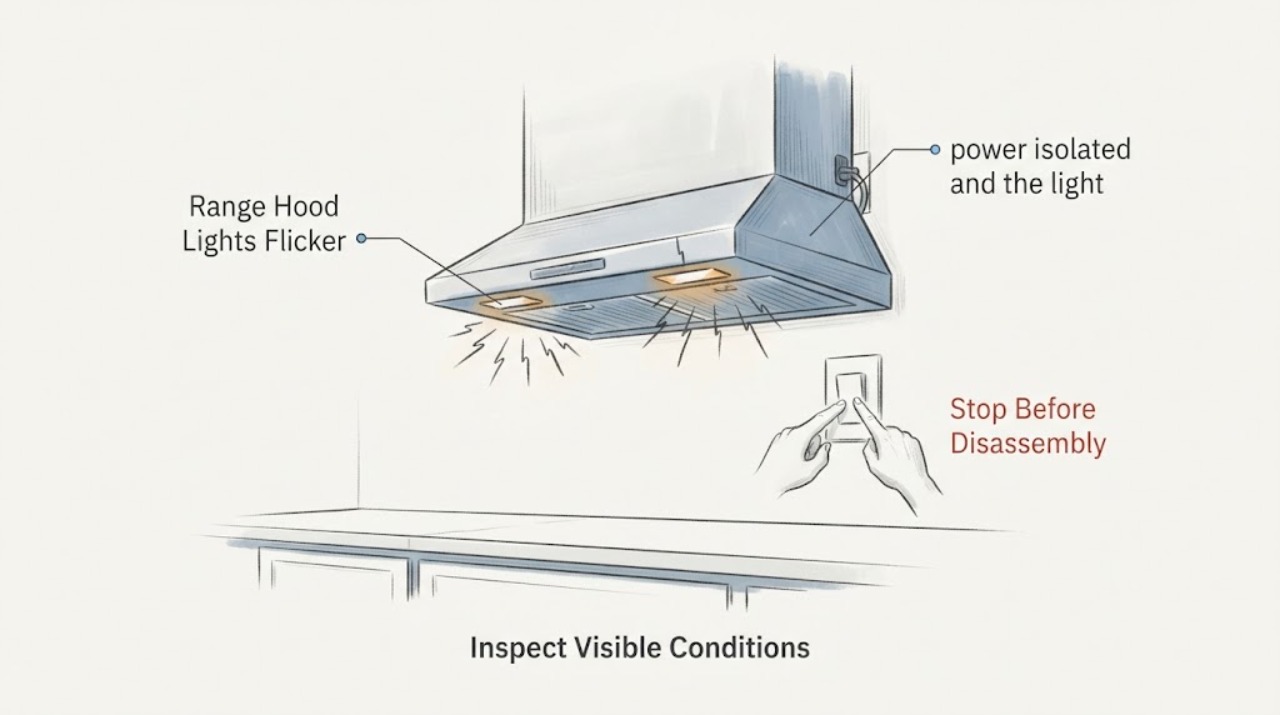
Flickering range-hood lights can come from the bulb or LED module, an installation/type mismatch, or the hood's control or supply circuit, and the unknown model does not allow one cause to be selected. First note whether one lamp or all lamps flicker and whether the fan or other controls change at the same time. Then turn the hood off, let the light cool and isolate power before touching a bulb or cover; use only the exact lamp type and rating from the hood's manual. If there is a burning smell, heat, sparking, a scorched socket, a warm/loose outlet, a tripped breaker or flicker in the hood and other appliances, leave the hood off and arrange qualified electrical or appliance service. Do not open the hood or probe live wiring.
Work through in order
Diagnostic checks
Use only checks that match the exact appliance or system and its official guide.
-
Check 1
Turn the hood light off and observe the pattern without repeatedly toggling it: does one lamp flicker or do all lamps flicker together, is the change rapid or a visible on/off cycle, and does the fan, display or another nearby light change at the same time?
Expected result: The hood's lamps and other controls flicker together, or lights outside the hood also dim or pulse.
Next step: Stop using the hood lights and arrange qualified appliance/electrical service; do not open the hood or test live terminals.
Why this matters
Why: A shared hood control or supply issue is more plausible than a single lamp, but the location of the fault is not established by visual observation.
-
Check 2
With the hood switched off, power isolated and the light fully cool, inspect the visible lamp, lens and socket area from outside for a darkened lamp, cracked lens, loose fit, melted plastic or scorch mark. Do not touch exposed wiring or remove a cover that requires disassembly.
Expected result: One lamp is visibly damaged or loose, or heat/discoloration is present at the socket or housing.
Next step: Keep power off and use the exact hood manual or qualified service path. Do not install a higher-wattage lamp or continue using a scorched socket.
Why this matters
Why: The light assembly has a visible concern; a bulb-only replacement may be inappropriate if the socket or wiring is damaged.
-
Check 3
Read the hood's brand, model and serial label without moving the hood or opening its electrical compartment. Check the manual for the specified bulb or LED module, dimming behavior and power-isolation instructions before purchasing anything.
Expected result: The model is readable, or the label is missing or inaccessible without disassembly.
Next step: Use the exact identifier with the manufacturer or give it to the service professional. If it cannot be confirmed, do not guess a lamp or module.
Why this matters
Why: Lamp type, rating and control design vary by hood; a generic LED or bulb cannot be assumed to be compatible.
-
Check 4
Inspect only the accessible power connection and nearby switch or outlet from a dry, safe position. Look for a warm or loose outlet, frayed cord, scorch mark, burning odor, moisture, breaker trip or a shock sensation; do not remove the hood or touch electrical terminals.
Expected result: Any heat, smell, spark, shock, damaged cord, loose connection, moisture or breaker trip is present.
Next step: Leave the hood off and have a qualified electrician or appliance servicer assess it. If there is smoke or active arcing, leave the area and use emergency help.
Why this matters
Why: The flicker may involve an unsafe electrical condition rather than a replaceable lamp.
Use your observations
Decision map
Find the observation that best matches what you see, then follow the next safe action.
-
PATH 01Next step
What you see
There is a burning smell, smoke, spark, shock, scorch mark, hot/loose outlet or a breaker trip.
Do this next
Leave it off, isolate power only through a safe accessible disconnect, and arrange qualified electrical/appliance service; use emergency help for active smoke or arcing.
Why this path and its safety boundary
Why it matters: The hood has an electrical safety warning and should not be treated as a bulb-only problem.
-
PATH 02Next step
What you see
Only one lamp flickers and the socket and housing look cool and undamaged when power is isolated.
Do this next
Use the exact manual to identify the lamp, replace it only with power off and fully cool, and stop if the socket or wiring is damaged.
Why this path and its safety boundary
Why it matters: The lamp or its socket is a possible local cause, but the correct replacement type and rating remain model-specific.
-
PATH 03Next step
What you see
All hood lights flicker together or the fan/control display changes at the same time.
Do this next
Keep the hood off and do not replace random bulbs or open the control compartment; arrange qualified service.
Why this path and its safety boundary
Why it matters: The symptom is shared across the hood and is less consistent with one failed bulb alone; the control or supply needs professional assessment.
-
PATH 04Next step
What you see
The lights flicker but no warning sign is visible and the hood model cannot be identified.
Do this next
Obtain the model/serial and consult the manufacturer or a qualified servicer before selecting a bulb or continuing use.
Why this path and its safety boundary
Why it matters: The symptom remains unresolved; no cross-brand conclusion about normal dimming, LED compatibility or a driver fault is justified.
Helpful context
Understand the symptom
A flicker that is identical across all lamps points to a shared control or supply path more than to one lamp, but that observation is not a diagnosis. A single flickering lamp can still have a socket or connection problem. The first useful decision is whether the symptom is isolated to the light or accompanied by an electrical warning sign.
Because the hood brand and model are not supplied, this page does not prescribe a bulb size, LED driver, transformer, switch or control-board repair. Identify the hood before buying a replacement lamp, and leave hardwired or damaged electrical work to a qualified professional.
When checks do not resolve it
Need a professional?
Call a qualified electrician or appliance servicer for persistent flicker, all lamps flickering together, hardwired access, a damaged socket or any heat, smell, spark, shock, moisture or breaker trip. Use emergency help for active smoke or arcing.
Common questions
FAQ
Does flickering always mean the LED driver is bad?
No. The symptom can involve the lamp, socket, control or supply, and an unknown model does not establish which. Observe whether one or all lamps flicker, then use the model documentation or qualified service path.
Can I replace the range-hood bulb while it is flickering?
Turn the hood off, isolate power and let the light cool before touching it. Use only the exact lamp type and rating from the hood's manual; do not replace a bulb if the socket or wiring is scorched or damaged.
What if both hood lights flicker at the same time?
A shared control or supply issue becomes more plausible, but it is not confirmed. Keep the hood off and arrange qualified service instead of changing multiple bulbs or opening the hood.
What details should I give the technician?
Provide the exact model and serial if readable, whether one or all lamps flicker, whether the fan or display changes, the lamp type and replacement history, and any heat, odor, spark, shock or breaker event.
Read the exact guide
Official sources
- HOME ELECTRICAL Safety ChecklistU.S. Consumer Product Safety Commission staff publication · General electrical safety guidance for an unidentified range hood; it does not diagnose a hood's lamp or driver.
- Range Hood Maintenance & TroubleshootingVent-A-Hood · Brand-owned general light-replacement safety principle only: power off and allow lights to cool. Its bulb types and parts are not applied to the unknown hood.
- Pictographs: Appliances and ElectricalU.S. Fire Administration · General electrical and fire-safety guidance; it does not identify the cause or parts of this unknown hood.
Community feedback
Share a repair observation
Share a plain-text repair observation. Accepted observations are published automatically; this page may take a moment to update.