
On this page
Start here
Quick answer
A Samsung ice maker overflows when its full-level sensor or arm does not see the ice rise as expected, often because the bucket or shelf is in the wrong position. Reinstall the bucket and any shelf exactly as the model shows, then observe whether the level reaches the sensor. Do not repeatedly press Test on a filled tray; persistent overflow needs service.
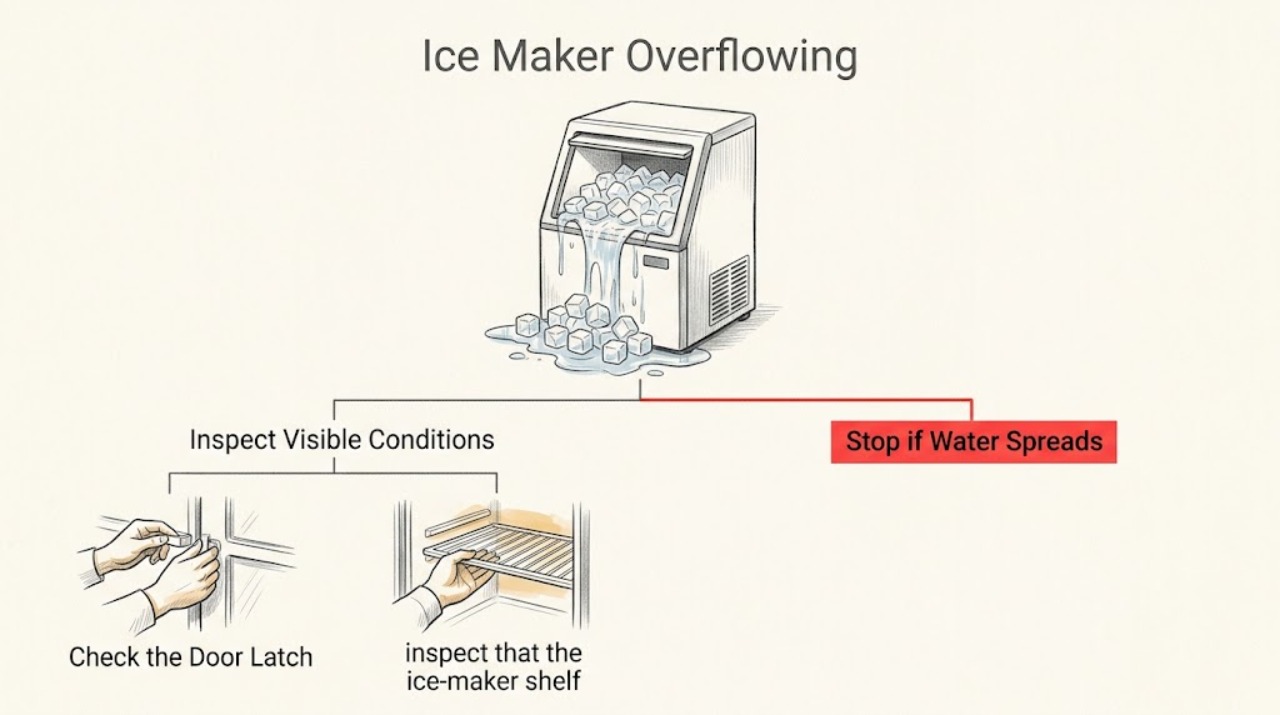
Work through in order
Diagnostic checks
Use only checks that match the exact appliance or system and its official guide.
-
Check 1
Stop ice production at the control if accessible, protect the area from falling ice, and observe whether ice is piling high enough to contact the sensor or mechanical level arm.
Expected result: Ice is spread low or to one side, or it has reached the expected sensing height but production continues.
Next step: Continue with bucket and shelf positioning checks; do not reach into a moving mechanism or repeatedly run a full test.
Why this matters
Why: A low or uneven pile can fail to trigger the full-level detection; continued production at the expected level points toward a sensor/arm or control fault.
-
Check 2
Remove and reinstall the ice bucket in the model-specific direction, checking that its front/left orientation and latch match the manual and that it sits directly under the maker.
Expected result: The bucket was backwards, sideways, not latched, or correctly seated before the check.
Next step: Correct the orientation and latch, then allow a small amount of normal production to see whether the pile reaches the sensing point evenly.
Why this matters
Why: Incorrect orientation can keep ice away from the sensor arm or optical path even while the maker continues cycling.
-
Check 3
If the refrigerator is a BESPOKE 4-Door Flex with dual makers, inspect that the ice-maker shelf is immediately under the maker on the highest rail rather than a lower rail.
Expected result: The shelf is below the specified rail, or it is already on the highest rail with both buckets correctly positioned.
Next step: Move only the accessible shelf to the specified rail as shown for the model; if the geometry is correct, continue to service diagnosis.
Why this matters
Why: A shelf set too low increases the gap the ice must fill before reaching the level arm and can allow overflow.
-
Check 4
After correcting position, monitor one production period for the full-level stop and check whether ice remains evenly distributed rather than packed under one edge.
Expected result: The maker stops as the level reaches the sensor, or it continues past the expected level despite correct geometry.
Next step: Stop the maker and request service for persistent overflow; do not remove sensor covers or apply power to internal parts.
Why this matters
Why: A normal stop confirms positioning was the cause; continued overflow suggests the sensor, arm, or control does not detect the full condition.
Use your observations
Decision map
Find the observation that best matches what you see, then follow the next safe action.
-
PATH 01Next step
What you see
Ice is low or uneven, and the bucket is backwards, sideways, or not fully seated.
Do this next
Reinstall the bucket in the model-specified orientation and latch, then monitor one normal production period.
Why this path and its safety boundary
Why it matters: Bucket geometry is the leading explanation for the sensor or arm missing the full level.
-
PATH 02Next step
What you see
A BESPOKE 4-Door Flex shelf is below the highest rail under a dual maker.
Do this next
Place the shelf directly under the maker on the specified highest rail, using the model instructions.
Why this path and its safety boundary
Why it matters: The shelf height is creating excess space below the level arm, allowing the bucket to overflow before detection.
-
PATH 03Next step
What you see
Bucket and shelf geometry are correct, but ice continues above the sensing level.
Do this next
Turn the maker off and arrange Samsung or qualified appliance service; do not disassemble the sensor mechanism.
Why this path and its safety boundary
Why it matters: A sensor, mechanical arm, or control fault is more likely than a seating error.
Helpful context
Understand the symptom
Overflow is usually a level-sensing geometry problem
Samsung uses an optical sensor or mechanical arm to detect a full ice level. A low shelf or backwards/sideways bucket can let ice accumulate below that sensing point, so the maker keeps producing even though the bucket appears full.
Only after diagnosis
Potential parts
- ice-level sensor or arm assembly
Consider only after correct bucket/shelf geometry is verified and the maker still fails to stop at the full level.
Sensor architecture varies by refrigerator model; have service identify the correct assembly before ordering.
When checks do not resolve it
Need a professional?
Turn the ice maker off and request service if it continues producing after the bucket and shelf are correctly positioned, if the level arm or optical area is damaged, or if overflow threatens wiring or other refrigerator components. Do not repeatedly press Test on a tray containing water or ice.
Common questions
FAQ
Why does a Samsung ice maker overflow even though the bucket is full?
The sensor or mechanical arm may not be reached if the bucket is backwards, sideways, unevenly positioned, or—on a specified dual-maker design—the shelf is too low. Correct the geometry first; continued overflow needs service.
Can I keep pressing Test to make the Samsung ice maker stop overflowing?
No. Samsung warns that repeated Test commands after the tray contains water or ice can cause overflow or jamming. Turn the maker off if possible, correct seating, and request service if it still ignores the full level.
Read the exact guide
Official sources
- Reset the ice maker in the back of freezer doorSamsung · Samsung warning about Test-button use with a filled ice tray
- Too much ice is made in Samsung ice makerSamsung · Samsung ice-maker full-level sensing, bucket orientation, and BESPOKE shelf-height overflow guidance
Community feedback
Share a repair observation
Share a plain-text repair observation. Accepted observations are published automatically; this page may take a moment to update.