
On this page
Start here
Quick answer
A Samsung wine cooler's side panels can feel warm because the refrigeration system releases heat through the cabinet, but extreme heat or wine that stays warm needs a different check. First separate warm exterior panels from a warm interior, then check the outlet and breaker, door seal, temperature setting, clearances, ventilation, and any cooling-off or demo mode shown by the display. If the cabinet remains extremely hot, the interior does not cool after these external checks, or there is a burning smell or damaged cord, stop using it and arrange Samsung service.
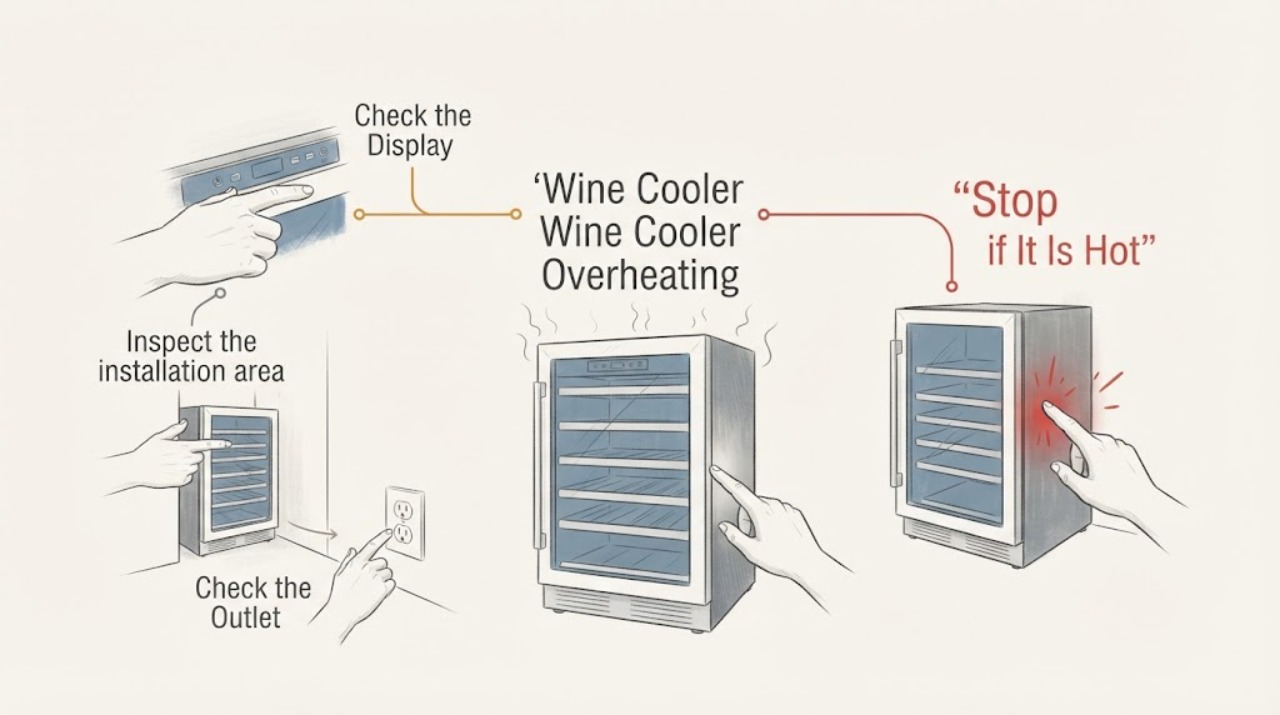
Work through in order
Diagnostic checks
Use only checks that match the exact appliance or system and its official guide.
-
Check 1
Compare the temperature of the outside panels with the temperature inside the wine cooler and note whether the interior light or display works.
Expected result: The panels are warm but the inside remains cool, or the inside and bottles are warm; the display and light are either on or off.
Next step: If the inside is cool, check installation heat and continue monitoring. If the inside is warm or the unit has no power, perform the outlet and breaker checks before considering service.
Why this matters
Why: Warm outer panels alone can be heat dissipation during cooling, while a warm interior or no power points toward a cooling or power problem.
-
Check 2
Inspect the installation area for cabinet clearance, blocked vents, direct sunlight, nearby heating appliances, or a covered top.
Expected result: The wine cooler has less than 5 cm at the sides or back, less than 2.5 cm above, a blocked vent, direct sun, or another heat source nearby.
Next step: When it is safe to do so, restore the Samsung-specified clearance, remove nearby heat and coverings, and observe the unit again. Arrange service if it remains extremely hot after the external correction.
Why this matters
Why: Restricted or hot surroundings can make heat rejection harder and can make the cabinet feel excessively hot.
-
Check 3
Test the wall outlet with another device and check the wine cooler's plug, power cord, and circuit breaker without opening the cabinet.
Expected result: The outlet is dead, the breaker is tripped, the cord or plug is damaged, or the cooler has no display or interior light.
Next step: Use a known-good outlet only when the plug and cord are intact. Do not use the cooler with a damaged cord, repeated breaker trips, smoke, or scorching; isolate it safely and arrange qualified service.
Why this matters
Why: A dead supply or visible cord damage can explain a warm interior and absent cooling; a damaged cord is an electrical safety condition.
-
Check 4
With power restored, check that the door closes completely, the gasket is clean and undamaged, the temperature setting is appropriate, and Cooling Off or Demo mode is not active.
Expected result: The seal leaks, the door is obstructed, the setting is wrong, or the display shows OF-OF/OFF or another cooling-off indication.
Next step: Clear the door path, clean the gasket, correct the setting, or follow the exact model manual to leave the documented cooling-off mode. If the indication or warm interior persists, contact Samsung service.
Why this matters
Why: Warm air entering through a poor seal, an incorrect setting, or a cooling-off mode can prevent the interior from reaching its set temperature while the electronics remain on.
-
Check 5
If the back is visibly dusty, unplug the cooler from the wall and clean the accessible rear area from outside without removing panels.
Expected result: Dust or an obstruction is present externally, or the back is clear but the cabinet remains excessively hot.
Next step: Restore the external airflow and observe normal operation once. Stop and arrange service if the cabinet stays extremely hot or the interior remains warm.
Why this matters
Why: External dirt or restricted airflow can contribute to heat around the cabinet, but a clear back with persistent extreme heat points beyond a user-level cleaning check.
Use your observations
Decision map
Find the observation that best matches what you see, then follow the next safe action.
-
PATH 01Next step
What you see
The side panels are warm, but the inside is cooling normally and the bottles are at the expected temperature.
Do this next
Keep the specified clearance and surroundings clear, and monitor. Contact Samsung if the panels become extremely hot or the interior later warms.
Why this path and its safety boundary
Why it matters: Heat dissipation through the cabinet is more likely than an overheating failure.
-
PATH 02Next step
What you see
The outside is very hot and the cooler is tight against a wall, exposed to sunlight, near a heat source, or blocked at its vents.
Do this next
Restore the documented clearance and airflow without opening the appliance. If extreme heat persists after the correction, stop using it and arrange qualified service.
Why this path and its safety boundary
Why it matters: Poor heat rejection or a hot installation environment is more likely than a part that can be safely identified from the symptom alone.
-
PATH 03Next step
What you see
The interior is warm and the display or interior light is off, or the outlet fails the external power check.
Do this next
Check the breaker and outlet only when the cord and plug are intact. Do not keep resetting a tripping breaker or use a damaged cord; arrange service.
Why this path and its safety boundary
Why it matters: Loss of power is more likely than a temperature-setting issue.
-
PATH 04Next step
What you see
The display is on, the inside is warm, and the door, setting, cooling-off mode, clearances, and external vents have been checked without improvement.
Do this next
Stop user-level troubleshooting, record the model and symptom timing, and contact Samsung or an authorised appliance technician.
Why this path and its safety boundary
Why it matters: A sealed cooling, fan, compressor, or control fault is more likely, and the exact cause cannot be selected safely from this symptom alone.
-
PATH 05Next step
What you see
There is a burning smell, smoke, scorching, a damaged cord, sparking, or repeated breaker operation.
Do this next
Stop using the wine cooler and disconnect power only if it is safe to reach the plug without contact with heat or damage; arrange qualified service or emergency help as appropriate.
Why this path and its safety boundary
Why it matters: The condition is an electrical or fire hazard rather than a normal warm cabinet.
Helpful context
Understand the symptom
First identify what is overheating
If the inside is still cool while the side panels feel warm, the warmth may be normal heat dissipation from the refrigeration cycle. Samsung says its refrigerators release compressor heat through the front and sides, especially during initial operation or after a period of inactivity. If the bottles or cabinet interior are warm as well, treat the report as a cooling problem and continue with the external checks below.
Keep the heat-rejection path clear
A wine cooler needs room around the cabinet to release heat. Check that the sides and back have at least 5 cm of free space and the top has at least 2.5 cm, as stated in Samsung's cabinet-heating guidance. Move it out of direct sunlight and away from other heating appliances, keep the top uncovered, and make sure vents are not blocked. If you clean the back, disconnect the plug from the wall first and clean only from the outside.
Check power, door sealing, and controls
If the interior is warm or the lights are off, test the wall outlet with another device and check that the breaker has not tripped; Samsung lists the outlet, breaker, and power cord as the first wine-cooler power checks. If the display is on, confirm the door closes fully, the gasket is clean and undamaged, and the temperature has not been set incorrectly. Look for Cooling Off or Demo mode on the display; Samsung notes that an OF-OF or OFF indication can disable the compressor, and the exact button sequence varies by model, so use the model manual rather than guessing.
Observe the result after one external correction
After restoring a working outlet, clearing the cabinet, closing the door correctly, or correcting a documented mode or temperature setting, observe whether the interior begins cooling and whether the exterior warmth settles during normal operation. These checks can address power, airflow, sealing, and settings, but they do not identify a sealed-system, compressor, fan, or control-board failure. Do not remove panels or probe live wiring to test those parts.
When checks do not resolve it
Need a professional?
Contact Samsung or an authorised appliance technician when the wine cooler remains extremely hot after clearance and airflow checks, the interior stays warm after power, seal, setting, and cooling-off checks, the breaker trips again, or diagnosis would require opening the sealed refrigeration or electrical system. Provide the model code, display state, whether the interior light works, where the heat is felt, and what changed after each external check.
Common questions
FAQ
Are warm side panels always a fault on a Samsung wine cooler?
No. Samsung explains that refrigeration heat can be dissipated through the front and sides, so warm panels can occur while the interior cools normally. Extreme heat or a warm interior needs further checks and possibly service.
What should I check first if the wine cooler is warm inside?
Check the outlet and breaker, then the power cord, door closure and gasket, temperature setting, cabinet clearance, blocked vents, and any Cooling Off or Demo mode. Samsung's wine-cooler support page specifically starts with the breaker, outlet, and power cord.
Can I identify a compressor or refrigerant part from overheating alone?
No. The symptom does not establish a compatible part or sealed-system diagnosis. If external checks do not restore cooling, use the model-specific manual and arrange qualified service.
Read the exact guide
Official sources
- Samsung Wine Cooler has no powerSamsung · Opened official Samsung support guidance for a wine cooler; it links warm wine or absent LEDs to power checks and directs users to check the breaker, outlet, and power cord before contacting Samsung support.
- Why are the side walls of a Samsung refrigerator heating up?Samsung · Opened Samsung guidance for compressor heat dissipated through cabinet sides and for clearance, environment, rear cleaning, loading, and service checks. It is applied here to distinguish normal cabinet warmth from extreme heat in the same refrigeration form factor, not to claim a model-specific internal repair.
- Checkpoints when Samsung Refrigerator does not cool or overcoolsSamsung · Opened Samsung cooling guidance; it covers outlet and breaker, door, temperature, clearance, blocked vents, Cooling Off or Demo mode, and service. It is used for external symptom checks only; exact settings can vary by model and region.
- RW33EBSS 33 Bottle Wine CoolerSamsung · Opened Samsung's wine-cooler support page to confirm the product family and its linked temperature and cooling topics. The page directs model owners to model-specific manuals and authorised repair rather than supplying a universal internal-part diagnosis.
Community feedback
Share a repair observation
Share a plain-text repair observation. Accepted observations are published automatically; this page may take a moment to update.