
On this page
Start here
Quick answer
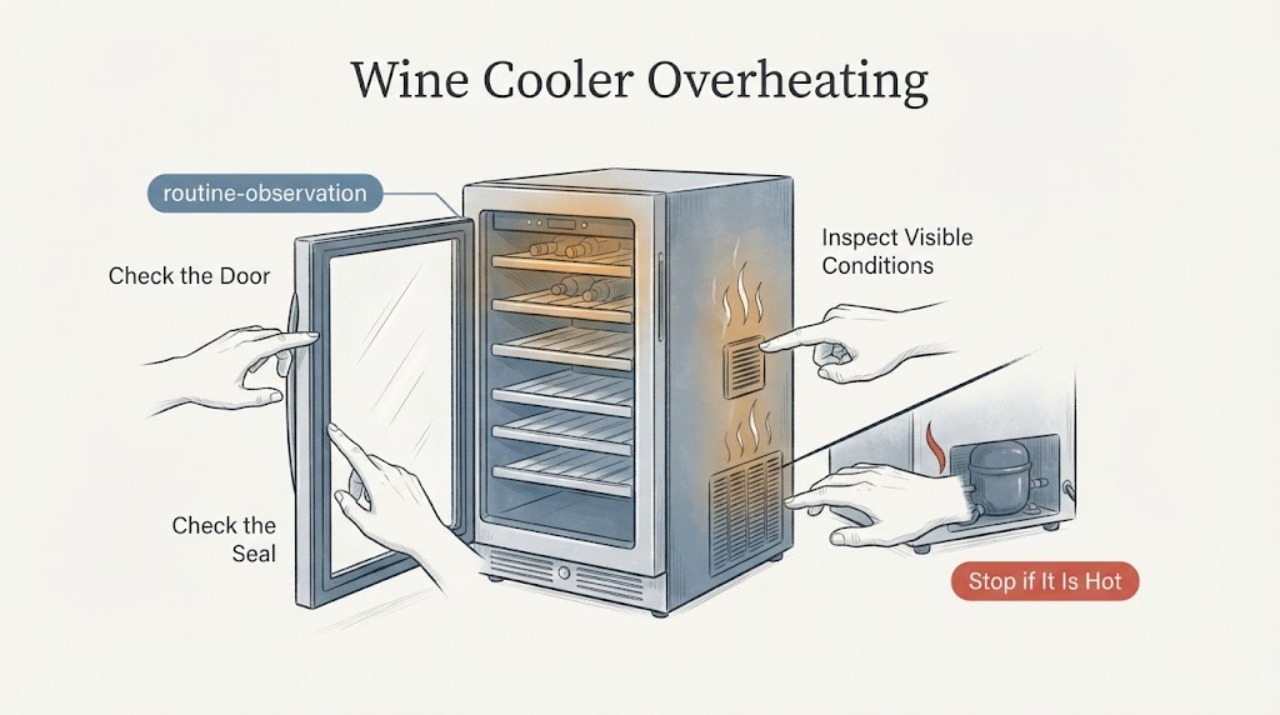
A wine cooler that feels hot or runs continuously may be working harder because the room is warm, the door is opened often, warm bottles were added, the controls are set too cold, or the base grille and surrounding clearance are blocked. Check those external conditions and allow time for temperature to stabilize. If the cabinet is excessively hot, the compressor will not stop, cooling is poor, or there is a burning smell or electrical heat, disconnect it if safe and arrange qualified refrigeration service.
Work through in order
Diagnostic checks
Use only checks that match the exact appliance or system and its official guide.
-
Check 1
Measure or observe the room conditions around the cooler and check that it is not beside an oven, radiator, or other heat source. Note whether the cabinet sides are warm while cooling continues.
Expected result: The room or nearby surface is unusually warm, or the surrounding temperature is normal.
Next step: Improve the environment and monitor before concluding that the compressor has failed.
Why this matters
Why: Whirlpool says the motor runs longer under warm conditions; cabinet warmth alone can be normal while heat is being rejected.
-
Check 2
Inspect the base grille and side or top clearance from outside. Remove only accessible dust or objects and ensure no cabinet door blocks the grille.
Expected result: Airflow is blocked or clearance is open.
Next step: Restore the required clearance and let the unit stabilize after the correction.
Why this matters
Why: A blocked grille prevents airflow and can cause poor cooling and longer running.
-
Check 3
Check that the door closes completely and the gasket contacts evenly. Note whether the door is opened often or a large number of warm bottles were recently loaded.
Expected result: The door leaks air, is opened often, or a warm load was added; or none applies.
Next step: Close the door promptly, avoid repeated openings, and allow several hours for a warm load to stabilize.
Why this matters
Why: Warm air and warm contents raise the load, so the motor can run longer without a component failure.
-
Check 4
Verify the control setting against the model manual and note whether the compressor eventually cycles off after the environment, grille, door, and load are normal.
Expected result: The setting is colder than needed, the compressor cycles after stabilization, or it runs continuously with poor cooling.
Next step: Do not keep turning the control colder. Disconnect for excessive heat, odor, or electrical symptoms and arrange qualified service.
Why this matters
Why: A colder setting can lengthen runtime; continuous operation with poor cooling after conditions are corrected needs service diagnosis.
Use your observations
Decision map
Find the observation that best matches what you see, then follow the next safe action.
-
PATH 01Next step
What you see
The room is hot or the cooler was recently loaded with warm bottles
Do this next
Improve surrounding conditions and allow several hours to stabilize
Why this path and its safety boundary
Why it matters: The refrigeration load is temporarily higher
-
PATH 02Next step
What you see
The base grille or installation clearance is blocked
Do this next
Clear the grille and restore the model's ventilation space
Why this path and its safety boundary
Why it matters: Restricted ventilation can make cooling poor and extend runtime
-
PATH 03Next step
What you see
The door does not seal or is opened repeatedly
Do this next
Correct the closure or arrange gasket service and limit openings
Why this path and its safety boundary
Why it matters: Warm humid air is entering and increasing the load
-
PATH 04Next step
What you see
The cooler runs continuously with poor cooling after all external conditions are normal
Do this next
Stop repeated adjustment and arrange qualified refrigeration service
Why this path and its safety boundary
Why it matters: A fan, control, or sealed refrigeration fault is more likely
Helpful context
Understand the symptom
A warm cabinet and a hot compressor area do not automatically mean a failed compressor. Start by checking heat around the cooler, airflow at the base grille, door closure, loading, and control setting, then give the unit time to stabilize.
If the cooler cannot hold temperature after these conditions are corrected, the symptom has moved from installation and use checks to sealed-system, fan, or control diagnosis. Do not remove refrigeration covers or add refrigerant yourself.
When checks do not resolve it
Need a professional?
Seek qualified refrigeration service for continuous running with poor cooling after external checks, excessive cabinet or plug heat, burning odor, damaged wiring, or a suspected sealed-system fault.
Common questions
FAQ
Are warm cabinet sides proof of overheating?
No. A cooler rejects heat through its cabinet or condenser area. Judge the symptom with room conditions, internal temperature, cycling, and odor.
How long should a warm load take to recover?
Whirlpool says several hours may be needed after adding many warm items; the exact time depends on the model and conditions.
Should I set the control to its coldest setting?
No. Whirlpool says a colder setting can make the unit run longer; use the model's normal setting for the conditions.
When is service needed?
Arrange service for poor cooling with continuous running after ventilation and door checks, excessive heat, burning odor, or electrical symptoms.
Read the exact guide
Official sources
- Temperature is too Warm/Not Cooling Properly - Wine CellarWhirlpool · wine-cellar temperature, grille, door, loading, and room-condition troubleshooting
- Compressor or Motor Runs to Long - Wine CellarWhirlpool · wine-cellar compressor runtime and ventilation troubleshooting
Community feedback
Share a repair observation
Share a plain-text repair observation. Accepted observations are published automatically; this page may take a moment to update.