
On this page
Start here
Quick answer
Repeatedly replacing a Sharp microwave door switch is a symptom, not proof that the switch alone is the failed part. Stop using the oven if a switch has visibly burned, the door is bent or misaligned, a latch or hinge is loose, there is sparking, a burning smell, smoke, or a breaker trip. With the power disconnected safely, make only an external check of the door, latches, seals and the area around the latch for damage, grease, dirt or cleaner residue; do not open the cabinet, bypass an interlock, or keep replacing switches as a test. Sharp manuals warn that the safety interlocks must not be defeated, that corrosive chemical vapors can render interlock-switch contacts inoperable, and that microwave service belongs to qualified personnel. Give a Sharp-authorized or qualified microwave technician the exact model, switch-replacement history and any door symptom so the door alignment and interlock system can be evaluated together.
Before you begin
Safety first
- Do not remove the outer cabinet, access high-voltage parts, bypass or short a door interlock, wedge the latch, run the oven with a damaged door, or repeatedly replace switches as a diagnostic test.
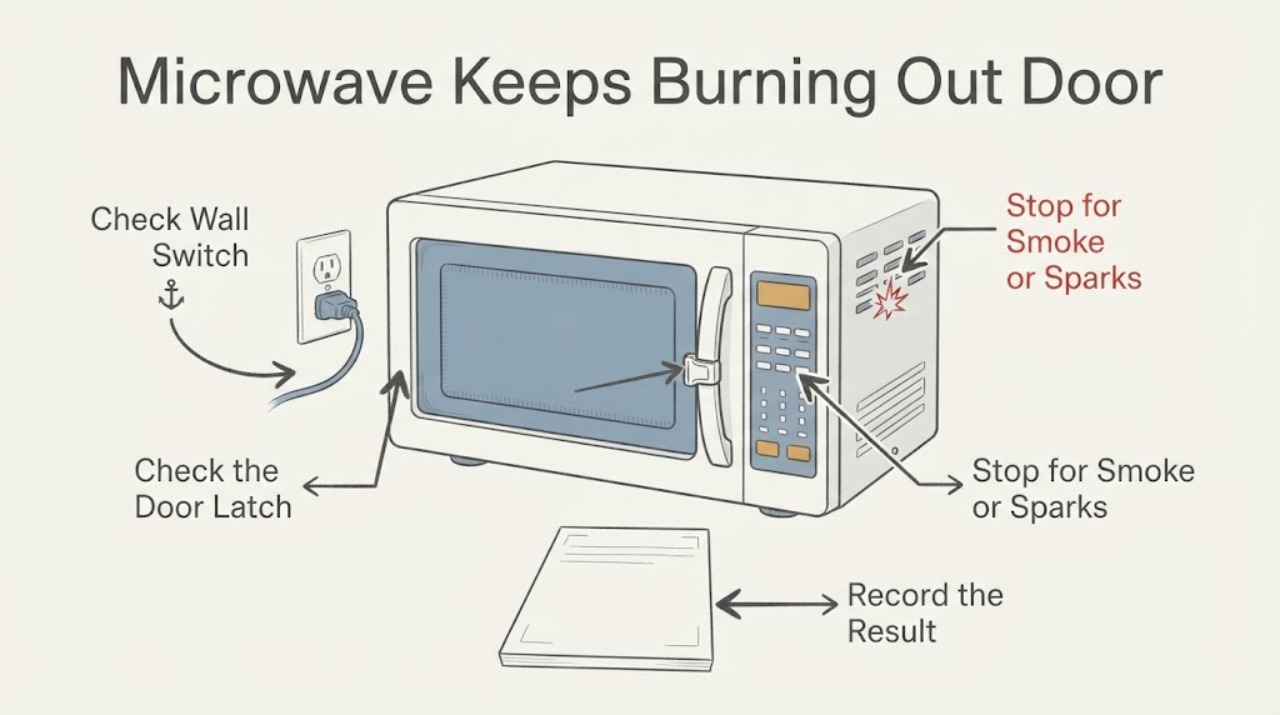
Work through in order
Diagnostic checks
Use only checks that match the exact appliance or system and its official guide.
-
Check 1
Stop using the microwave and disconnect power from a safe accessible point if a switch has burned again or there is smoke, sparking, a burning odor, a hot plug, a breaker trip, or visible damage. Keep the door closed if there is smoke or a fire in the cavity.
Expected result: The oven has an active electrical or fire warning, or the problem is only that a switch has failed without visible heat or smoke.
Next step: Keep the unit out of service and arrange qualified Sharp or microwave service. If there is an active fire, keep the door closed and disconnect power only if it is safe; do not reopen the door to inspect it. Do not reset and repeatedly run the oven.
Why this matters
Why: A visible burn, odor, smoke, spark or damaged power connection is a safety event. A switch that has simply stopped working is still not a reason to operate the oven with the interlock altered or to keep changing parts without diagnosis.
-
Check 2
With power disconnected and without removing any cover, inspect the closed door from the front for bending, misalignment, a door that does not close fully, loose or broken hinges, damaged latches, or a gap that changes when the door is gently closed. Do not force the door or test it by running the oven.
Expected result: The door is bent or warped, does not close squarely, or a hinge or latch is loose or broken; or it appears intact and closes normally.
Next step: If any door or latch defect is present, keep the oven unplugged and request service before use. If the exterior looks normal, continue only with the visual seal and latch-area checks; do not conclude that replacing the switch is sufficient.
Why this matters
Why: Sharp's manuals identify a damaged or misaligned door, hinge or safety latch as a condition in which the oven must not be operated. A normal-looking door does not rule out an internal interlock or mounting fault.
-
Check 3
Inspect the visible door seals, sealing surfaces and latch area for food, grease, dried cleaner, foreign objects, cracks or deformation. If the manual permits user cleaning, wipe accessible surfaces with a soft damp cloth while the oven is unplugged; keep liquid and tools out of the lock openings and never remove the outer cabinet.
Expected result: Residue or an object is present near the closing or sealing surfaces, the seal or latch is damaged, or the visible surfaces are clean and undamaged.
Next step: Remove only loose surface residue using the model manual's cleaning method. If the seal, latch or door is damaged, stop and arrange service; if the area is clean but switches keep failing, do not disassemble or test the interlock yourself.
Why this matters
Why: Sharp warns that objects, dirt or grease at the door and sealing surfaces can create a hazardous operating condition. A clean exterior does not establish that the interlock contacts or switch mount are healthy.
-
Check 4
Record whether corrosive cleaners, chemical vapors, steam, spills or heavy grease were recently present in or around the cavity and latch area. Do not deliberately reproduce the condition or spray a cleaner to see whether the switch fails.
Expected result: There was exposure to corrosive chemical vapor or a spill near the latch, or there is no known chemical exposure.
Next step: Keep the oven out of use and disclose the exposure to the servicer. Do not use corrosive chemicals in the microwave, inject cleaner into openings, or treat the warning as permission to replace the switch without inspection.
Why this matters
Why: Sharp's manuals warn that corrosive vapors can interact with the contacts and springs of safety interlock switches and render them inoperable. This history can help a technician, but it does not prove that chemical exposure caused the failure.
-
Check 5
Give the technician the complete model and serial information, whether the oven is countertop, over-the-range or another Sharp format, the dates and parts replaced, what happens when the door closes, and any smoke, odor, breaker or heating symptom. Find the model label using the owner's manual or Sharp's support guidance without opening the cabinet.
Expected result: The same switch has failed more than once, the problem returns after replacement, the door symptom is present, or the model and switch arrangement are unknown.
Next step: Arrange Sharp-authorized or qualified microwave service and request inspection of the door alignment, latch/interlock assembly and related circuitry as a system. Do not bypass, short, wedge or defeat an interlock and do not remove the microwave cover.
Why this matters
Why: The official Sharp material supports qualified service and model-specific manuals, but it does not support selecting a universal replacement switch or identifying a failed relay, mount or control board from the symptom alone.
Use your observations
Decision map
Find the observation that best matches what you see, then follow the next safe action.
-
PATH 01Next step
What you see
There is smoke, sparking, a burning smell, visible switch damage, a hot plug, or a breaker trip.
Do this next
Keep the microwave out of service, disconnect power only if safe, keep the door closed during a cavity fire, and arrange qualified service. Do not reset and run another cycle.
Why this path and its safety boundary
Why it matters: This is an electrical or fire safety condition, not a routine door-switch replacement decision.
-
PATH 02Next step
What you see
The door is bent or misaligned, a hinge or safety latch is loose or broken, or the door will not close properly.
Do this next
Unplug the oven and have a competent or authorized Sharp servicer inspect and repair it. Do not press the door into alignment or alter the latch.
Why this path and its safety boundary
Why it matters: Sharp's safety instructions identify these as damage conditions in which the oven must not be operated.
-
PATH 03Next step
What you see
The door, seals and visible latch area look intact, but a door switch has failed repeatedly.
Do this next
Leave the microwave unused and provide the failure history and model number to a qualified Sharp or microwave technician. Do not install another switch as a test or run the oven with a bypass.
Why this path and its safety boundary
Why it matters: The visible inspection has not identified the cause. Repeated failure can involve a model-specific interlock or related circuit, but the opened Sharp sources do not support diagnosing a component from this symptom alone.
-
PATH 04Next step
What you see
The latch area has cleaner residue, a chemical-spill history, or an object or grease at the sealing surfaces.
Do this next
Do not use corrosive chemicals or put tools into the latch openings. Clean only accessible surfaces as the exact manual permits, keep the oven unplugged if the switch has failed, and disclose the history to service.
Why this path and its safety boundary
Why it matters: Sharp warns that corrosive vapors can damage interlock-switch contacts and that objects or dirt at sealing surfaces can create a hazardous condition; causation is not established by the observation.
Helpful context
Understand the symptom
A new switch does not correct a door problem
A door switch is part of the microwave's safety interlock system. The official Sharp material available for this topic does not identify one universal cause for repeated switch failure, and the task has no model number. Treat the repeated failure as a reason to inspect the complete door and latch condition through the door opening and to stop using the oven until a qualified technician can test the model-specific interlock circuit.
The user-level checks are limited to visible conditions
Sharp manuals tell the owner to check that the door closes properly and is not misaligned or warped, that hinges and safety latches are not broken or loose, and that seals and sealing surfaces are intact. They also warn against dirt or grease around the seals and against putting objects into door-lock openings. These checks can identify a stop-use condition; they cannot prove which switch, mount, relay or control component is responsible.
Keep corrosive chemicals away from the interlock area
Sharp's R-226BS and SMO1652DS manuals specifically warn that vapors from corrosive chemicals can interact with the contacts and springs of the safety interlock switches and render them inoperable. That warning is a prevention and service clue, not a diagnosis of this particular oven. Do not spray cleaner into the latch openings, use corrosive chemicals in the cavity, or assume cleaning has made a repeated failure safe.
When checks do not resolve it
Need a professional?
Call qualified Sharp or microwave service before using the oven if a switch fails repeatedly, the door is bent or misaligned, a hinge or latch is loose, the seal is damaged, or there is smoke, odor, sparking, heat or a breaker trip. Internal microwave service and any cover removal are outside safe user checks.
Safety scope: Do not remove the outer cabinet, access high-voltage parts, bypass or short a door interlock, wedge the latch, run the oven with a damaged door, or repeatedly replace switches as a diagnostic test.
Have this ready
- Provide the model and serial label, microwave format, switch replacement dates and parts, door alignment or latch symptoms, chemical or spill history, and any smoke, heat, odor, spark, breaker or heating event.
Common questions
FAQ
Can I just replace the Sharp microwave door switch again?
A repeated failure should be treated as a system diagnosis, not as proof that another switch will solve it. Keep the oven out of use and have the model-specific door, latch and interlock system assessed by qualified service.
Can I test the microwave with the door open or bypass the switch?
No. Sharp warns not to operate with the door open or alter the safety latches, and its manuals reserve cover-removal service for qualified personnel. Do not defeat the interlock for any test.
Could cleaner or chemical vapor be related to a failed interlock switch?
Sharp warns that vapors from corrosive chemicals can interact with interlock-switch contacts and springs. That makes chemical history useful to the technician, but it does not prove causation or make a user repair safe.
Read the exact guide
Official sources
- Sharp SMO1652DS Over-the-Range Microwave Operation ManualSharp Electronics Corporation · Opened the official Sharp USA manual for model SMO1652DS. It independently carries the same qualified-service and corrosive-interlock warning for an OTR format, but it is not used to infer the user's model or internal wiring.
- Microwave FAQs | SHARP Microwave Frequently Asked QuestionsSharp · Opened Sharp's official FAQ covering OTR, OTC and countertop families. Lines 60-62 list a door-switch issue as one possible cause of an OTR unit not heating and direct the owner to unplug the unit and consult a Sharp-certified technician; it does not diagnose this no-model case.
- Sharp R-667-A Operation ManualSharp Consumer Electronics · Opened the official Sharp Consumer manual for model R-667-A. It supports the general user-visible door and latch checks and the prohibition on cover removal or altered latches; it is not used for model-specific repair or parts compatibility.
- Sharp R-226BS Microwave Oven Operation ManualSharp Electronics Corporation · Opened the official Sharp USA manual for model R-226BS. It is used for directly quoted safety boundaries and the interlock chemical-vapor warning, not for claiming that this exact model is the user's model or for prescribing a switch part.
- Sharp R-1210/R-1211/R-1214 Over-the-Counter Microwave Operation ManualSharp Electronics Corporation · Opened the official Sharp USA manual. Its safety precautions explicitly prohibit operating with the door open and defeating or tampering with safety interlocks; it is used only for that general safety boundary, not for model-specific switch diagnosis.
Community feedback
Share a repair observation
Share a plain-text repair observation. Accepted observations are published automatically; this page may take a moment to update.